Introduction
This instruction manual provides detailed information on the setup, operation, maintenance, and troubleshooting of your UGREEN USB to SATA III Adapter. This adapter is designed to connect 2.5-inch and 3.5-inch SATA hard drives (HDD) and solid-state drives (SSD) to your computer via a USB port, facilitating data transfer, backup, and recovery.
Safety Information
Please read and understand all safety instructions before using this product. Failure to follow these instructions may result in damage to the product or connected devices.
- Do not expose the adapter to water or excessive moisture.
- Avoid extreme temperatures.
- Do not disassemble or attempt to repair the device.
- Ensure proper ventilation when in use.
- For 3.5-inch drives, always use a stable 12V 2A power adapter (not included) to ensure stable operation and prevent data loss.
Package Contents
Verify that all items are present in your package:
- 1 x UGREEN USB 3.0 to SATA HDD/SSD Adapter
- 1 x User Manual
Note: The 12V 2A power adapter required for 3.5-inch HDDs/SSDs is not included in the package.
Product Overview
The UGREEN USB to SATA III Adapter provides a convenient solution for connecting SATA drives to your computer. It features a compact design and supports high-speed data transfer.

Image: The UGREEN USB to SATA III Adapter, showing the SATA connector on one end and the USB 3.0 connector on the other, with the UGREEN logo visible on the adapter body.
Key features include:
- Easy Disk Access: Designed for direct connection of 2.5-inch and 3.5-inch SATA drives to your computer.
- Universal Compatibility: Supports HDD/SSD up to 12TB. Compatible with Windows 11/10/8.1/8/7/Vista/XP/2000/98, Mac OS X, Linux, and Chrome OS.
- Super Transfer Speed: Supports data transfer rates up to 5 Gbps (USB 3.0) and is backward compatible with USB 2.0/1.1.
- UASP Protocol: Enhances read and write speeds by up to 70% compared to traditional USB 3.0, reducing CPU resource usage.
- Safe and Durable: Features the ASM1153E chip for protection against short-circuit, overheating, and overcurrent. Supports S.M.A.R.T. and TRIM functions for improved efficiency and data integrity.
- User-Friendly Design: Blue LED indicator for real-time work status. Intelligent automatic sleep mode conserves energy and extends drive lifespan.
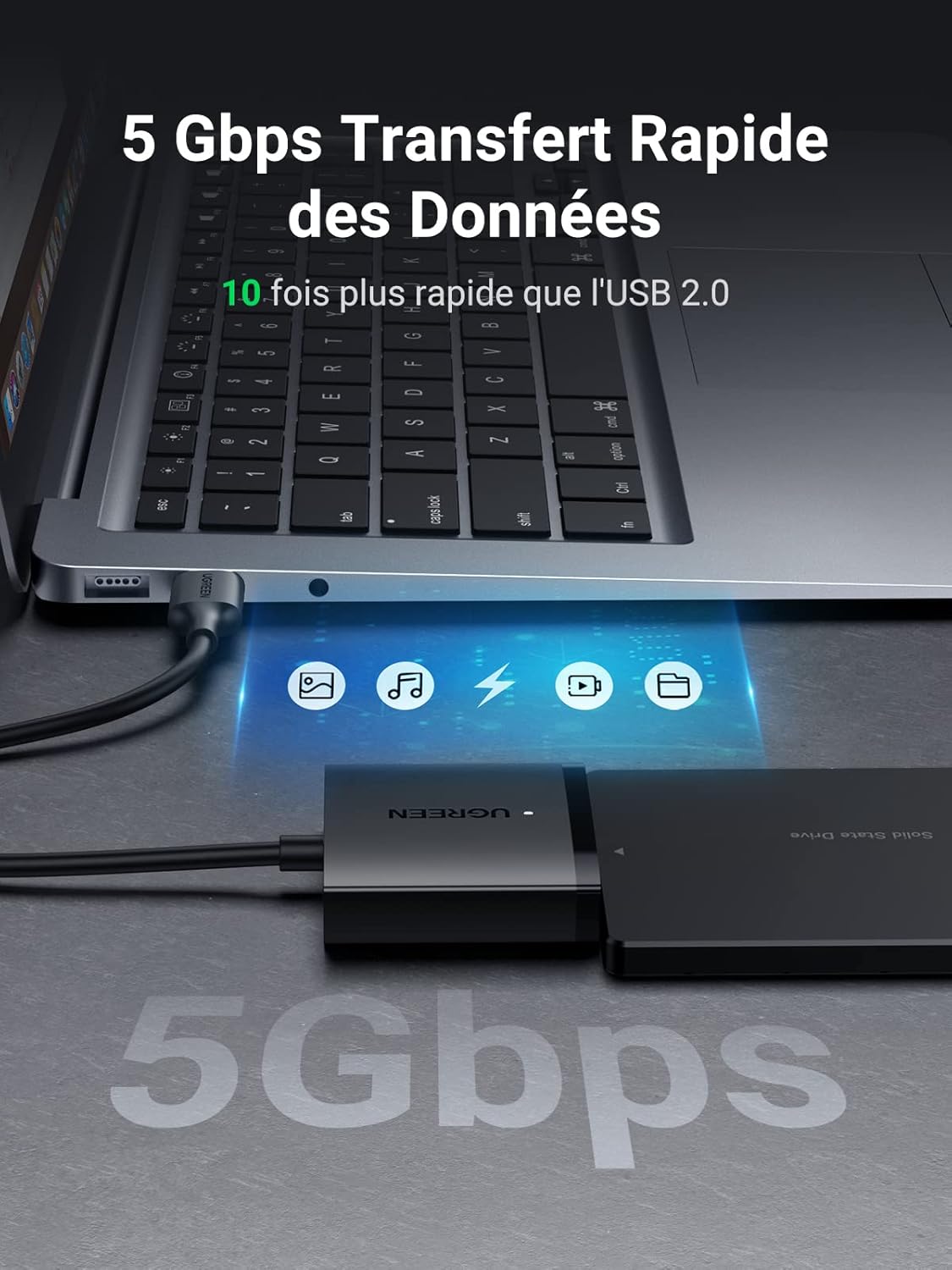
Image: A laptop connected to the UGREEN adapter and an SSD, illustrating 5 Gbps data transfer speed, indicating it is 10 times faster than USB 2.0.

Image: The UGREEN adapter connected to a drive, with text highlighting support for 2.5-inch/3.5-inch SATA HDD/SSD and up to 12TB capacity.

Image: A close-up of the internal ASM1153E chip, emphasizing its role in providing stable performance and protection against data loss, overcurrent, and short circuits.

Image: The UGREEN adapter connected to a laptop and an SSD, illustrating the automatic sleep mode feature that helps save energy and prolong the lifespan of the drive.
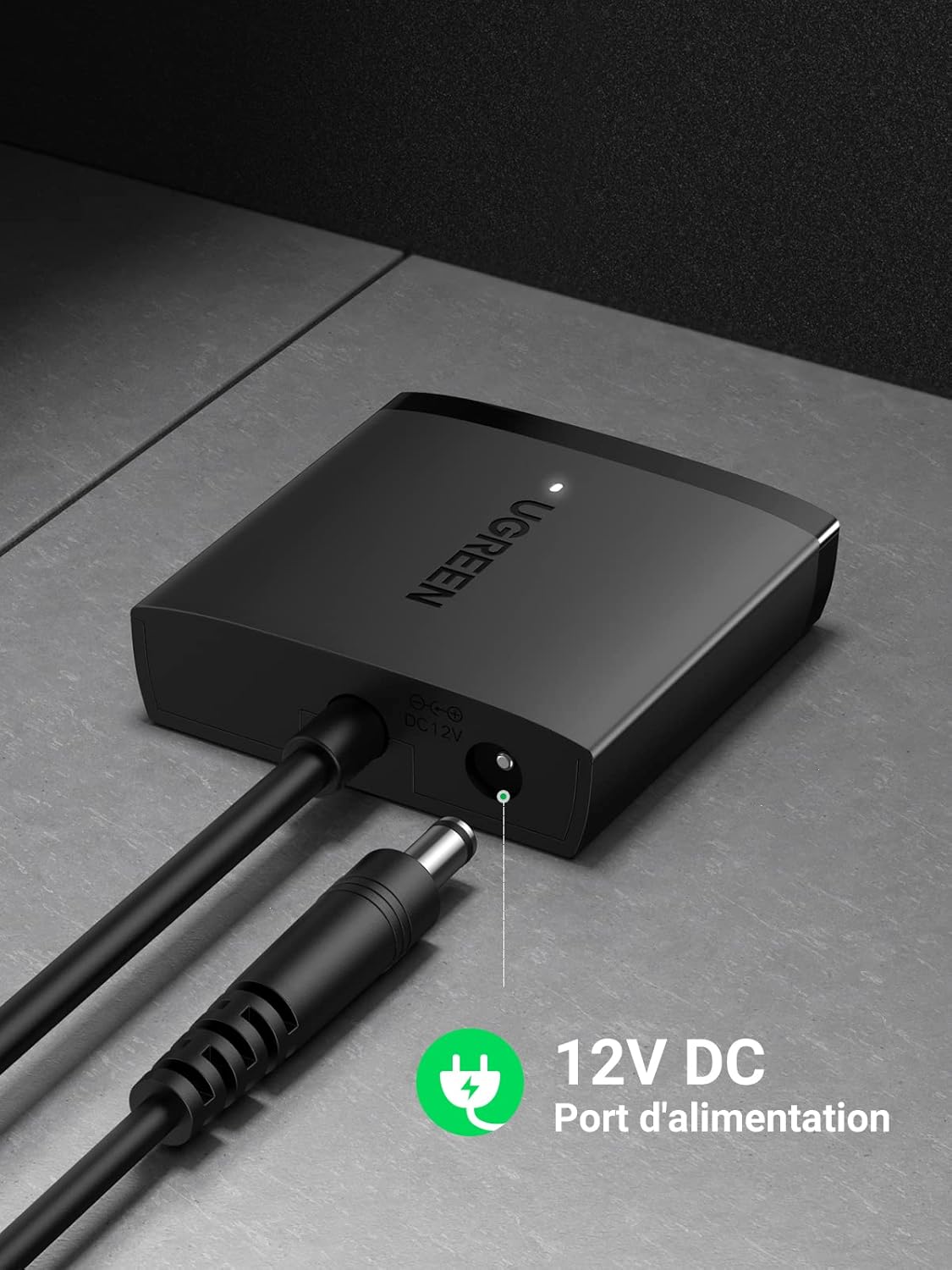
Image: A close-up of the UGREEN adapter showing the 12V DC power input port, indicating where an external power adapter should be connected for 3.5-inch drives.

Image: The UGREEN adapter connected to an SSD and a laptop, with icons representing compatibility with Windows, Mac OS, Linux, and Chrome OS, highlighting its plug-and-play functionality.
Setup Instructions
Follow these steps to connect your SATA drive using the UGREEN adapter:
-
For 2.5-inch HDD/SSD:
- Connect the SATA connector of the UGREEN adapter directly to your 2.5-inch SATA HDD or SSD.
- Plug the USB 3.0 connector of the adapter into an available USB port on your computer.
- The blue LED indicator on the adapter will light up, indicating a successful connection.
- Your operating system should automatically detect the drive.
-
For 3.5-inch HDD/SSD:
- Connect the SATA connector of the UGREEN adapter directly to your 3.5-inch SATA HDD or SSD.
- Crucial Step: Connect a 12V 2A power adapter (not included) to the DC 12V power port on the UGREEN adapter. This external power supply is essential for stable operation of 3.5-inch drives.
- Plug the USB 3.0 connector of the adapter into an available USB port on your computer.
- The blue LED indicator will confirm the connection.
- Your operating system should automatically detect the drive.
No drivers are required for most operating systems (Plug & Play).
Operating Instructions
Once connected, your SATA drive will function as an external storage device. You can perform various operations:
- Data Transfer: Drag and drop files between your computer and the connected drive.
- System Backup: Use your operating system's backup tools to create system backups on the external drive.
- Data Recovery: Access data from old hard drives for recovery purposes.
- External Storage: Utilize SSDs as external storage for devices like televisions, PS4, Xbox One, Xbox 360, and Raspberry Pi.
- Hot Swap: The adapter supports hot-swapping, allowing you to connect and disconnect drives without restarting your computer (ensure safe removal procedures are followed by your OS).
The adapter leverages the UASP (USB Attached SCSI Protocol) for optimized performance, providing significantly faster read and write speeds compared to standard USB 3.0. It also supports S.M.A.R.T. (Self-Monitoring, Analysis and Reporting Technology) for monitoring drive health and TRIM for maintaining SSD performance over time.
Maintenance
To ensure the longevity and optimal performance of your UGREEN USB to SATA III Adapter and connected drives, consider the following maintenance tips:
- Proper Disconnection: Always safely eject the drive from your operating system before physically disconnecting the adapter to prevent data corruption.
- Cleanliness: Keep the adapter and connectors free from dust and debris. Use a soft, dry cloth for cleaning.
- Storage: Store the adapter in a cool, dry place when not in use.
- Automatic Sleep Mode: The intelligent automatic sleep mode helps reduce wear and tear on your drive by putting it into standby after a period of inactivity.
Troubleshooting
If you encounter issues with your UGREEN USB to SATA III Adapter, try the following solutions:
- Drive Not Detected:
- Ensure all connections are secure.
- For 3.5-inch drives, confirm the 12V 2A external power adapter is connected and functioning.
- Try a different USB port on your computer.
- Test the adapter with a different SATA drive, or the drive with a different adapter/enclosure if available.
- Check Disk Management (Windows) or Disk Utility (Mac) to see if the drive is recognized but unformatted or unallocated.
- Slow Transfer Speeds:
- Ensure you are connected to a USB 3.0 port on your computer. USB 2.0 ports will result in slower speeds.
- Verify that your operating system and drive support UASP.
- Close other applications that might be using disk resources.
- Intermittent Disconnections:
- Ensure the 12V 2A power adapter is used for 3.5-inch drives. Insufficient power is a common cause.
- Check for loose connections.
- Try a different USB port or cable if possible.
If problems persist, contact UGREEN customer support for further assistance.
Specifications
| Feature | Detail |
|---|---|
| Brand | UGREEN |
| Model Number | 60561 |
| Color | Black |
| Connector 1 | SATA III (backward compatible with SATA II / SATA I) |
| Connector 2 | USB 3.0 (backward compatible with USB 2.0 / 1.0) |
| Max Transfer Rate | Up to 5 Gbps |
| Supported Drive Types | 2.5-inch / 3.5-inch SATA HDD/SSD |
| Max Capacity Support | Up to 12 TB |
| Compatible OS | Windows 11/10/8.1/8/7/Vista/XP/2000/98, Mac OS X, Linux, Chrome OS |
| Special Features | UASP, S.M.A.R.T., TRIM, Hot Swap, Plug & Play, Automatic Sleep Mode |
| Dimensions (L x W x H) | 52.5 x 46 x 13 mm (Adapter body) |
| Cable Length | 50 cm |
| External Power Input | 12V 2A DC (for 3.5-inch drives, adapter not included) |
| Weight | 60 Grams |
Warranty and Support
UGREEN products are designed for reliability and performance. For information regarding warranty coverage, technical support, or service inquiries, please visit the official UGREEN website or contact their customer service directly. Please have your product model number (60561) and purchase details ready when contacting support.
Official UGREEN Website: www.ugreen.com


