
1. Overview
This manual provides detailed instructions for the installation, operation, and maintenance of your Morpilot V6 replacement battery and accompanying filters. Please read this guide thoroughly before use to ensure optimal performance and longevity of your product.

Image 1: Morpilot V6 Replacement Battery and Filters. The image displays the main battery unit and two replacement filters.
2. Product Features
- High Capacity: 4600mAh Li-ion battery provides extended run time.
- Long-lasting Performance: Offers up to 23 minutes of fade-free suction in normal mode and up to 5 minutes in high-performance mode.
- Advanced Protection: Features a smart battery protection board with short circuit, output over-voltage, output overcurrent, and over-heating protection.
- Fast Charging: Achieves full charge in approximately 3.5 hours.
- No Memory Effect: Designed for consistent power delivery without degradation over time.
- Included Filters: Comes with 2 washable and recyclable pre-filters to maintain vacuum suction and air quality.

Image 2: Internal view of the Morpilot V6 battery, highlighting premium cells and the smart protection board.

Image 3: Icons illustrating the battery's protection features: short circuit, output over-voltage, output overcurrent, and over-heating protection.

Image 4: Close-up of the Morpilot V6 battery, showing its high-quality ABS case, charging port, and battery level display.
3. Compatibility
The Morpilot V6 replacement battery is designed to be perfectly compatible with all Dyson V6 series vacuum cleaners, including:
- Dyson DC58
- Dyson DC59
- Dyson DC61
- Dyson DC62
- Dyson DC72
- Dyson DC74
- Dyson 595, 650, 770, 880
- Dyson SV03, SV04, SV06, SV07, SV09

Image 5: The Morpilot V6 battery shown with various compatible Dyson V6 series vacuum cleaners.

Image 6: A visual comparison indicating that the Morpilot V6 battery is specifically designed for V6 models and is not compatible with V7 or V8 series.
4. Installation Guide
Follow these steps to replace the battery in your Dyson V6 vacuum cleaner:
- Step 1: Remove Dust Cover. Hold down the red buckle on your vacuum to release and remove the dust cover.
- Step 2: Unplug Old Battery. Locate the screws holding the old battery in place. Use a small screwdriver to remove these screws. Once the screws are removed, unplug the old battery.
- Step 3: Install New Battery. Carefully slide the Morpilot replacement battery into position. Ensure it is properly seated. Tighten the retaining screws to secure the new battery.
- Step 4: Reinstall Dust Cover. Place the dust cover back onto the vacuum cleaner until it clicks securely into place.

Image 7: A visual guide showing the four steps for replacing the Dyson V6 battery.
5. Operating Instructions
After successful installation, your Morpilot V6 battery is ready for use. The battery provides two power modes:
- Normal Mode: Offers up to 23 minutes of continuous, fade-free suction for everyday cleaning tasks.
- High-Performance (MAX) Mode: Provides up to 5 minutes of increased suction power for tougher cleaning challenges. Use this mode sparingly to maximize battery life per charge.
The battery features an indicator light to show the current charge level.
6. Maintenance
To ensure the longevity and optimal performance of your Morpilot V6 battery and filters, adhere to the following maintenance guidelines:
- Cool Down Before Charging: Always allow the vacuum cleaner to cool down completely before plugging it back into the charger after use.
- Regular Discharge: To maintain battery health, let the battery run all the way down at least once a month.
- Temperature Control: Avoid exposing the battery to extreme temperatures, both hot and cold, as this can degrade performance and lifespan.
- Filter Cleaning: The included pre-filters are washable and recyclable. Regularly clean the filters to prevent dust buildup, which can reduce suction power and strain the motor. Ensure filters are completely dry before reinstallation.
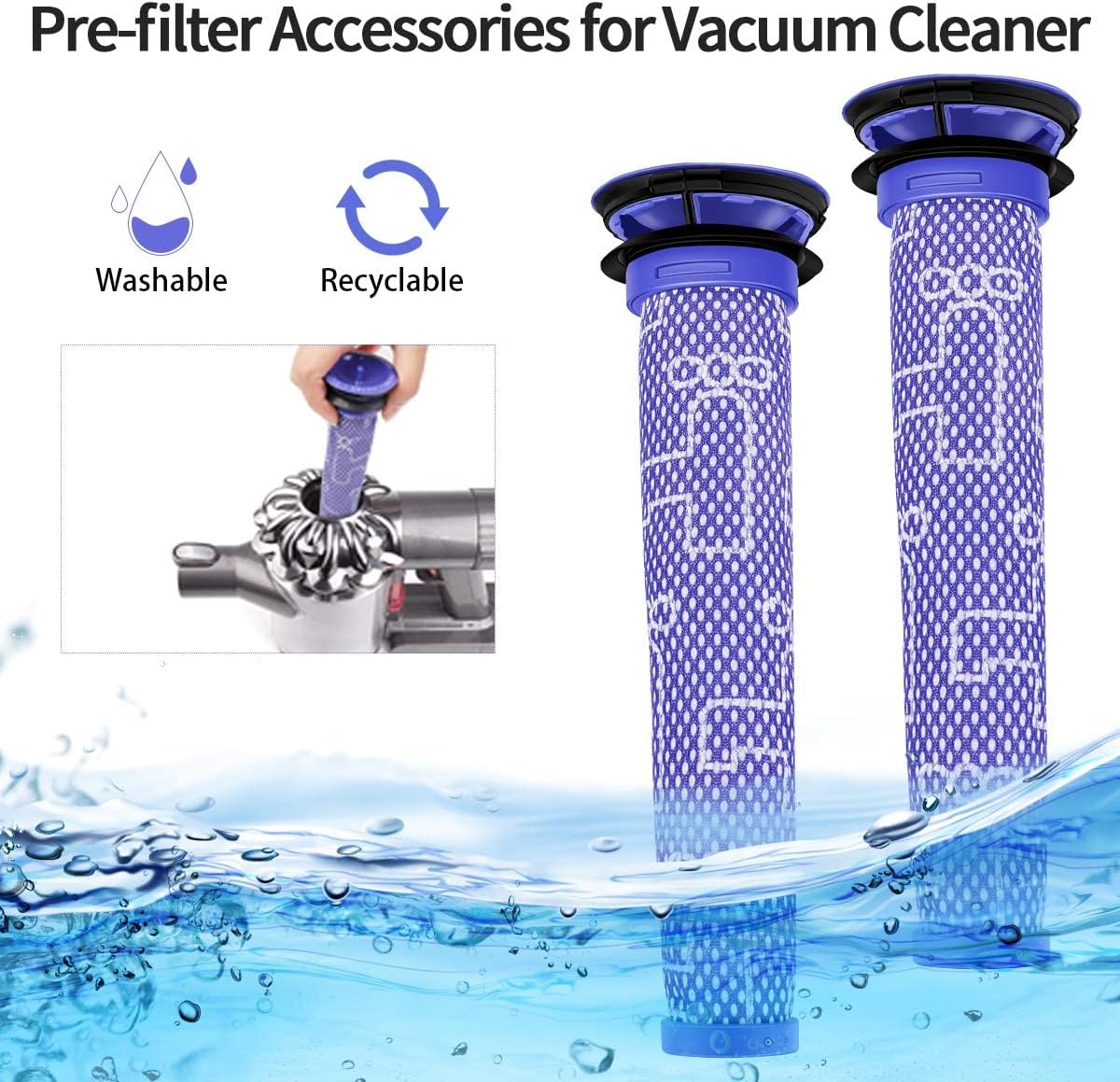
Image 8: The two washable and recyclable pre-filters included with the Morpilot V6 battery replacement.
7. Troubleshooting
If you encounter issues with your Morpilot V6 replacement battery, consider the following:
- Battery Not Charging: Ensure the charger is properly connected and the power outlet is functional. Verify that the battery is correctly seated in the vacuum.
- Reduced Run Time: This can be caused by using MAX boost mode excessively, or by dirty filters. Clean the filters as per maintenance instructions. Ensure the battery has been fully charged.
- Vacuum Not Turning On: Check if the battery is securely installed and fully charged. If the issue persists, ensure the vacuum itself is functioning correctly with another battery if possible.
For persistent issues, please refer to the warranty and support section.
8. Specifications
| Specification | Detail |
|---|---|
| Brand | Morpilot |
| Model Number | V6 |
| Battery Cell Composition | Lithium Ion |
| Voltage | 21.6V |
| Battery Capacity | 4600 mAh |
| Reusability | Rechargeable |
| Item Weight | 0.51 Kilograms |
| Item Dimensions | 5.12 x 2.76 x 3.54 inches |
9. Warranty and Support
Morpilot provides a 1-year warranty for this Dyson battery replacement, ensuring compliance with FCC, RoHS, and CE security testing standards. For technical consultation or any product-related inquiries, please contact Morpilot customer support.
Morpilot is committed to quality, service, technology, and innovation. Each battery undergoes rigorous testing and holds relevant authoritative certifications including CE, FCC, RoHS, UN38.3, MSDS, and UKCA.