1. Introduction
This manual provides essential information for the proper installation, operation, and maintenance of your ReadyWired Turntable Belt. This belt is designed as a replacement part for specific JVC turntable models, ensuring your audio equipment functions correctly. Please read these instructions carefully before proceeding with installation.
2. Safety Information
- Always disconnect the turntable from the power source before attempting any installation or maintenance.
- Handle all turntable components with care to avoid damage, especially the platter and tonearm.
- Keep the turntable belt and any small parts out of reach of children.
- If you are unsure about any step, consult a qualified technician.
3. Package Contents
- 1 x ReadyWired Turntable Belt
4. Setup and Installation
Replacing a turntable belt requires careful attention to detail. Follow these steps to ensure proper installation:
- Disconnect Power: Ensure your JVC turntable is unplugged from the electrical outlet.
- Remove Turntable Mat: Carefully lift and remove the rubber or felt mat from the turntable platter.
- Remove Platter: Gently lift the turntable platter straight up to remove it from the spindle. Some turntables may require removing a retaining clip or screw first. Refer to your specific JVC turntable's original manual if needed.
- Remove Old Belt: Locate the old belt, which may be broken or stretched. Carefully remove it from the motor pulley and the sub-platter (if applicable) or the inner rim of the platter.
- Clean Surfaces: Use a clean, lint-free cloth and a small amount of isopropyl alcohol to gently clean the motor pulley and the inner rim of the platter where the belt makes contact. This removes old rubber residue and ensures optimal grip for the new belt.
- Install New Belt: Place the new ReadyWired Turntable Belt around the inner rim of the platter.
- Reinstall Platter: Carefully place the platter back onto the turntable spindle. Ensure it sits correctly and spins freely.
- Position Belt: Reach through one of the platter's openings (if available) or carefully lift the platter slightly to guide the belt onto the motor pulley. Ensure the belt is centered on both the platter's inner rim and the motor pulley.
- Test Rotation: Gently rotate the platter by hand a few times to ensure the belt is seated properly and moves smoothly without slipping or catching.
- Reassemble: Replace the turntable mat.
- Connect Power: Plug the turntable back into the power outlet.
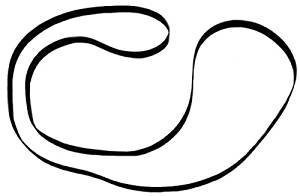
Image of the ReadyWired Turntable Belt, a black rubber loop designed for turntable drive systems.
5. Operating
Once the ReadyWired Turntable Belt is correctly installed, your JVC turntable should operate as intended, providing consistent platter rotation for optimal audio playback. Ensure the turntable is placed on a stable, level surface before use.
6. Maintenance
- Regular Inspection: Periodically inspect the belt for signs of wear, cracking, or stretching. A worn belt can lead to inconsistent playback speed.
- Cleaning: If dust or debris accumulates on the belt or pulley, carefully clean them with a dry, lint-free cloth. Avoid using harsh chemicals.
- Storage: If the turntable is to be stored for an extended period, it is advisable to remove the belt to prevent it from developing flat spots or becoming stretched.
7. Troubleshooting
- Platter Not Spinning:
- Check if the turntable is plugged in and powered on.
- Verify that the belt is correctly seated on both the motor pulley and the platter's inner rim.
- Ensure the motor is functioning (listen for a hum or feel for vibration).
- Inconsistent Playback Speed (Wow/Flutter):
- The belt may be dirty or slipping. Clean the belt and contact surfaces as described in the Maintenance section.
- Ensure the belt is not stretched or damaged. A new belt should provide consistent tension.
- Belt Slipping Off:
- Ensure the motor pulley and platter rim are clean and free of grease or residue.
- Verify the belt is correctly sized for your specific JVC turntable model.
8. Specifications
- Product Type: Turntable Drive Belt
- Brand: ReadyWired
- Compatible JVC Turntable Models: L-A10, L-A11, L-A21, L-A100, TT-P1
- Material: High-quality synthetic rubber (typical for turntable belts)
- Color: Black
9. Warranty and Support
ReadyWired products are manufactured to high standards. For any questions regarding installation, compatibility, or product performance, please contact ReadyWired customer support. Specific warranty details may vary; please refer to your purchase documentation or the ReadyWired official website for the most current information.


