
1. Introduction
This manual provides comprehensive instructions for the installation, operation, and maintenance of your Decdeal WiFi Thermostat. This smart thermostat is designed for gas and water boiler systems, offering precise temperature control, programmable scheduling, and smart home integration.
Package Contents:
- 1 x Decdeal WiFi Thermostat
- 1 x User Manual
- 2 x Mounting Screws

Image 1.1: Front view of the Decdeal WiFi Thermostat, displaying current temperature and time.
2. Safety Information
Please read these safety instructions carefully before installation and operation. Failure to follow these instructions may result in product damage, property damage, or personal injury.
- Professional Installation: Ensure that a qualified professional technician installs your thermostat.
- Power Disconnection: Always turn off the power supply before installation or maintenance.
- Post-Installation Check: After installation, re-verify all connections and settings according to this manual to ensure safe operation.
- Avoid Over-tightening: Do not over-tighten the terminals in your thermostat, as this may cause damage.
3. Features
- High Accuracy: 0.5°C precision maintains the programmed temperature level. Suitable for gas/water boilers.
- Mobile App Remote Control: Control your home's temperature anytime, anywhere via a dedicated mobile application.
- Voice Control Compatibility: Works with Amazon Alexa and Google Home for convenient voice commands.
- Programmable Scheduling: Offers 6 programmable periods to maximize comfort and energy savings.
- Smart Scene Customization: Automatically obtains regional temperature, humidity, and PM2.5 data to create intelligent scenes.
- Data Memory: Retains data settings even when power is off, eliminating the need for battery backup.
- Large Touch Screen: Features a large touch screen with backlight for easy readability and operation.

Image 3.1: The thermostat integrates with smart speakers like Amazon Alexa and Google Home, and can be controlled via a mobile application.

Image 3.2: The thermostat helps maintain comfortable temperatures in different areas of your home, such as 22°C in the living room, 24°C in the bathroom, and 25°C in the bedroom.
4. Specifications
| Parameter | Value |
|---|---|
| Power Source | 95 - 240 VAC, 50 - 60 Hz |
| Load Current | 5A |
| Sensor | Internal Sensor |
| Accuracy | ± 0.5℃ or ± 1℉ |
| Temperature Setting Range | 5 °C - 35 °C |
| Temperature Display Range | 5 °C - 99 °C |
| Ambient Temperature | 0 °C - 45 °C |
| Ambient Humidity | 5% - 95% (non-condensing) |
| Storage Temperature | -5 °C - 45 °C |
| Power Consumption | <1.5 W |
| Timing Error | <1% |
| Housing Material | PC + ABS (Flame Retardant) |
| Installation Box | 86 x 86 mm square/round or 60 mm European |
| Protection Class | IP20 |
| Buttons | Capacitive Touch Buttons |
| Item Weight | 153g |
| Product Dimensions (L x W x H) | 2.44 x 8.6 x 8.6 cm |

Image 4.1: Detailed dimensions of the thermostat in millimeters and inches.
5. Setup
5.1 Installation Notes
- Ensure the power supply is disconnected before beginning installation.
- Installation should be performed by a qualified electrician.
- Refer to the wiring diagrams carefully for correct connections.
5.2 Wiring Diagrams
The thermostat requires a 95-240V AC power supply. Connect the wires as shown in the diagrams below. Terminals 1 and 2 are for the gas boiler, terminals 3 and 4 are for AC power (Live and Neutral), and terminals 5 and 6 are for an external sensor (if applicable).

Image 5.1: Rear view of the thermostat showing wiring terminals for AC power, boiler, and external sensor.
Different models (GA, GB, GC) may have slight variations in wiring for specific heating systems. Ensure you select the correct wiring configuration for your setup.
- GA: For water heating systems.
- GB: For electric heating systems.
- GC: For water/gas boiler systems.

Image 5.2: Wiring diagrams illustrating connections for GA (water heating), GB (electric heating), and GC (water/gas boiler) thermostat types.
5.3 Physical Installation
- Turn off the main power supply to your heating system.
- Mount the thermostat base plate to a standard 86x86mm square/round or 60mm European wall box using the provided screws.
- Connect the electrical wires to the appropriate terminals on the thermostat base plate as per the wiring diagrams (Section 5.2).
- Carefully attach the thermostat display unit to the base plate, ensuring it clicks securely into place.
- Restore power to your heating system.
6. Operating Instructions
6.1 Basic Operation (Touch Buttons)
The thermostat features capacitive touch buttons for manual control. Specific button functions will be detailed in the full user manual, but generally include power on/off, temperature adjustment (up/down arrows), mode selection, and programming access.
6.2 Mobile App Control
Download the dedicated mobile application (refer to the full manual for app name and download instructions) to control your thermostat remotely. The app allows you to:
- Adjust temperature settings.
- Set and modify programmable schedules.
- Monitor current room temperature.
- Turn the heating system on or off.
- Create smart scenes based on environmental data.

Image 6.1: The mobile application interface for intelligent temperature control.

Image 6.2: Control your heating system from anywhere, allowing you to turn it on before returning home.
6.3 Voice Control (Alexa, Google Home)
The thermostat is compatible with Amazon Alexa and Google Home. Once integrated, you can use voice commands to adjust your home's temperature. Refer to the full manual for detailed pairing instructions.
Example command: "Alexa, set bedroom to 25 degrees."
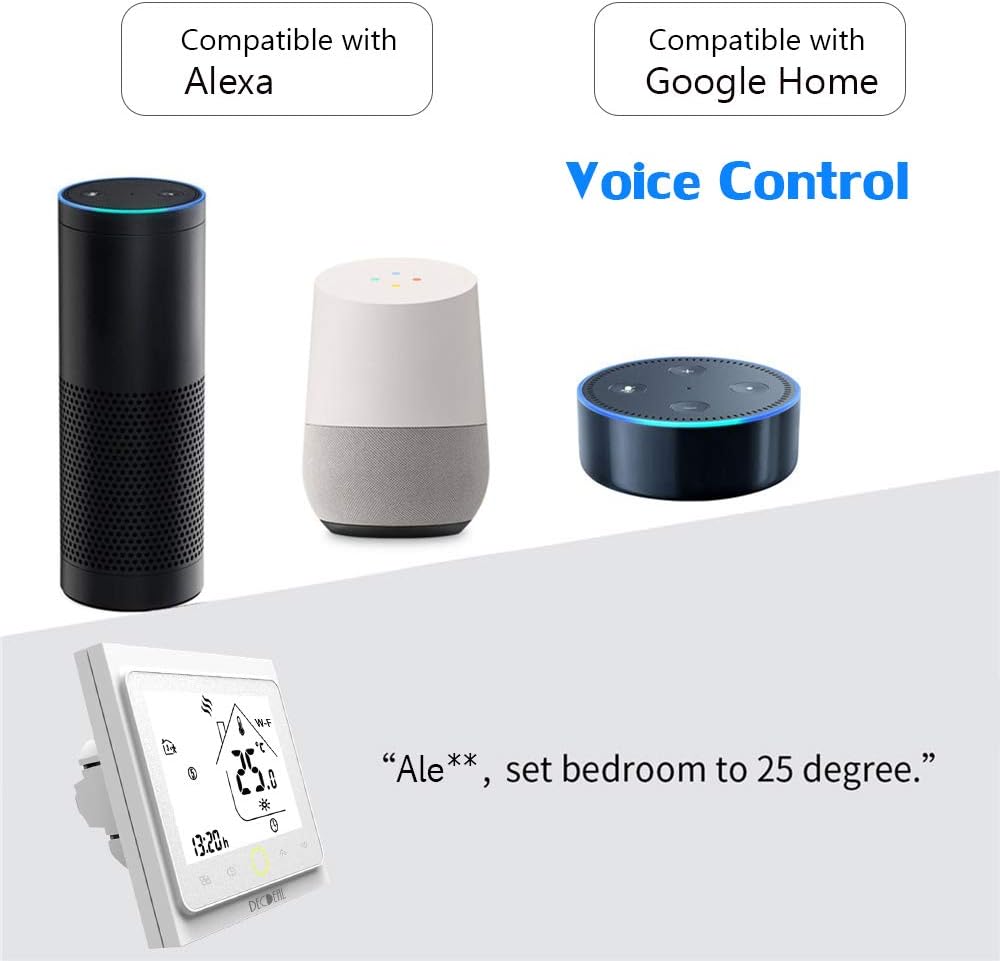
Image 6.3: The thermostat supports voice control through Amazon Alexa and Google Home devices.
6.4 Programming Schedule
The thermostat allows for 6 programmable periods per day to optimize comfort and energy efficiency. You can set different temperatures for various times of the day (e.g., morning, daytime, evening, night). Detailed programming instructions are available in the full user manual and through the mobile application.
7. Maintenance
- Cleaning: Wipe the thermostat screen and body with a soft, dry cloth. Do not use abrasive cleaners or solvents.
- Power Cycle: If the thermostat becomes unresponsive, try turning off the power at the circuit breaker for a few minutes, then restore power.
- Software Updates: Check the mobile application periodically for any available software or firmware updates for your thermostat.
8. Troubleshooting
If you encounter issues with your Decdeal WiFi Thermostat, please refer to the following common troubleshooting steps:
- Thermostat Not Powering On: Check the main power supply and ensure all wiring connections are secure as per Section 5.2.
- No Heating/Cooling: Verify that the thermostat is in the correct mode (heating) and the set temperature is above the current room temperature. Check boiler operation.
- WiFi Disconnection: Ensure your home WiFi network is active and the thermostat is within range. Try restarting your router and the thermostat. Re-pair the thermostat with the mobile app if necessary.
- Inaccurate Temperature Reading: Ensure the thermostat is not exposed to direct sunlight, drafts, or heat sources that could affect its internal sensor.
- App Control Issues: Ensure your mobile device has an active internet connection and the app is updated to the latest version.
For further assistance, please consult the comprehensive user manual or contact Decdeal customer support.
9. Warranty and Support
Specific warranty information for the Decdeal WiFi Thermostat is typically provided with the product packaging or available on the manufacturer's official website. Please retain your proof of purchase for warranty claims.
For technical support, troubleshooting assistance, or warranty inquiries, please contact Decdeal customer service through the contact information provided in your product documentation or on the official Decdeal website.