1. Important Safety Information
Please read all safety warnings and instructions carefully before using this product. Keep this user manual for future reference.
- Do not expose the earbuds or charging case to extreme temperatures (below -10°C or above 55°C).
- Keep the device dry. Do not immerse in water or expose to excessive moisture. This product is not water resistant.
- Do not disassemble, repair, or modify the product. This will void the warranty.
- Use only the provided or certified charging cables.
- Avoid prolonged listening at high volume levels to prevent hearing damage.
2. Package Contents
Ensure all items are present in your package:
- 2 x Earbuds
- 1 x Charging Case
- 1 x USB Charging Cable
- 1 x User Manual
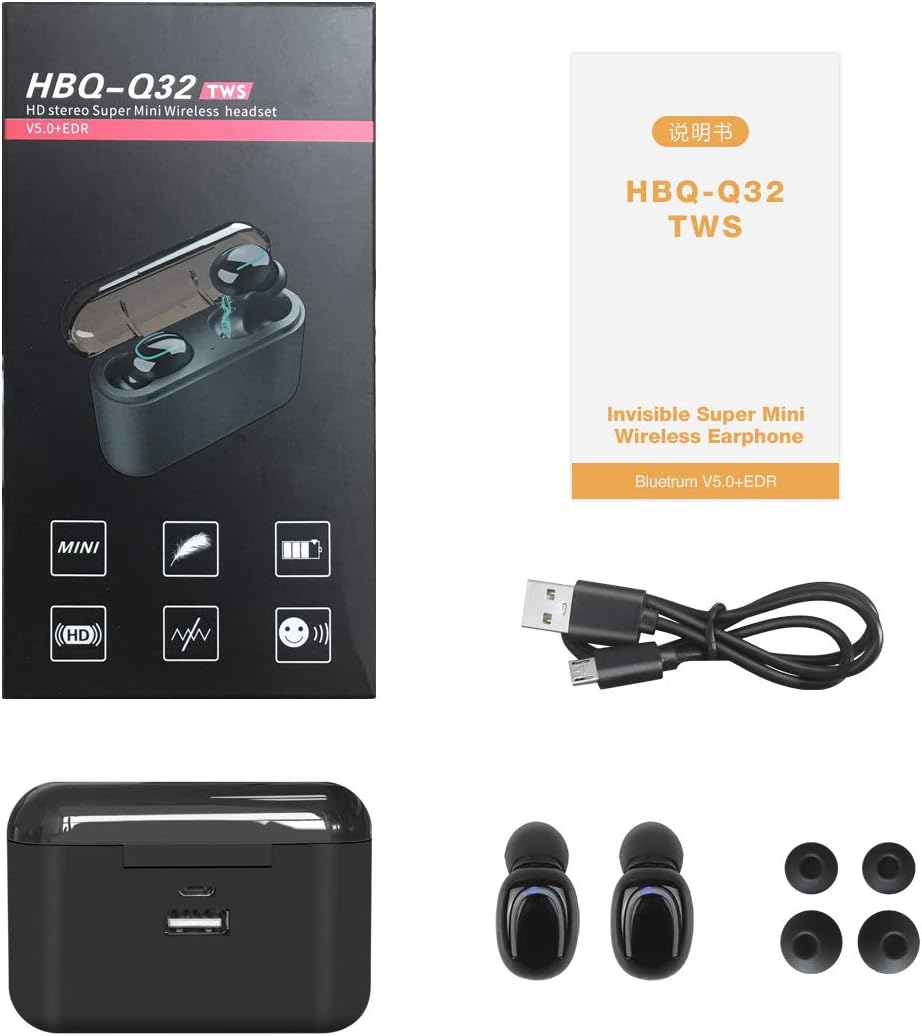
Image: Package contents of the Alpha Digital Q32 Wireless Earbuds.
3. Product Overview
The Alpha Digital Q32 Wireless Earbuds offer a compact and lightweight design for comfortable daily use. They feature Bluetooth 5.0 technology for stable connections and clear audio.

Image: Alpha Digital Q32 Wireless Earbuds in charging case.

Image: Dimensions of the earbuds and charging case.
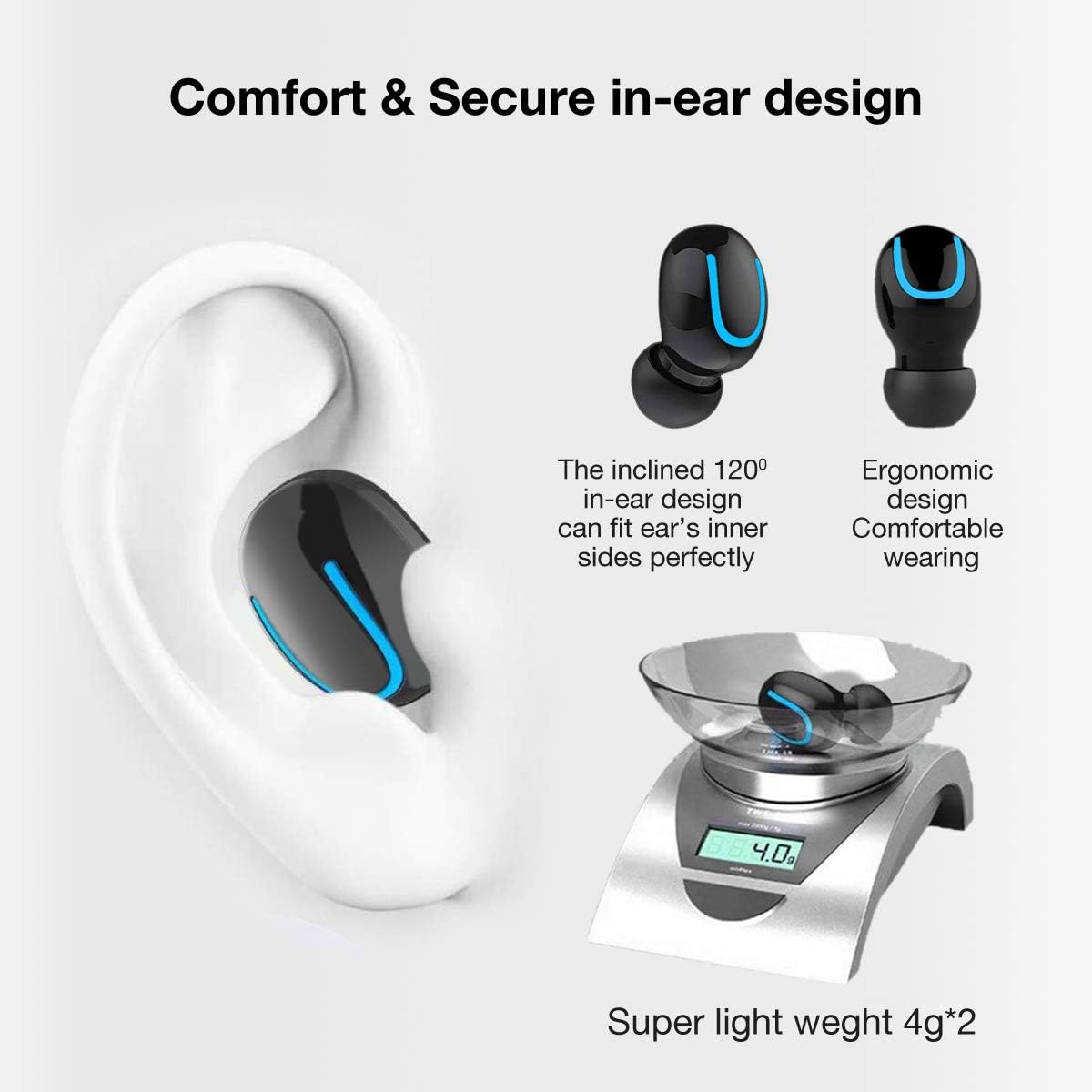
Image: Comfort and secure in-ear design with lightweight construction.
4. Setup
4.1 Charging the Earbuds and Case
The charging case has a 1500mAh battery capacity, which can also be used as a power bank to charge your mobile phone.
- Place the earbuds into the charging case. Ensure they are correctly seated.
- Connect the USB charging cable to the charging port on the case and to a power source.
- The indicator lights on the earbuds and case will show charging status.

Image: Charging case functioning as a power bank.
4.2 Powering On/Off
The earbuds are designed for automatic power management:
- Auto Power On: The earbuds will automatically power on and enter pairing mode when removed from the charging case.
- Auto Power Off: The earbuds will automatically power off when placed back into the charging case.
- Manual Power On/Off: Long press the multifunction button on either earbud for 3 seconds to manually power on or off.
4.3 Pairing
The Alpha Digital Q32 earbuds utilize Bluetooth 5.0 for fast and fluent streaming transmission with a working distance of up to 10 meters without obstacles.
- Take both earbuds out from the charging case. They will automatically switch on and enter pairing mode.
- On your device (smartphone, tablet, etc.), go to Bluetooth settings and search for available devices.
- Select "HBQ-Q32 tws" from the list to connect. Once connected, a voice prompt will confirm.
Note: When both earbuds are taken out of the charging case, they will automatically switch on and automatically connect to the last connected mobile phone.

Image: Bluetooth pairing process.
Video: Official product video demonstrating the features and setup of the Alpha Digital Q32 Wireless Earbuds. (Duration: 1:40)
5. Operating the Earbuds
5.1 On-Ear Controls
Each earbud features a user-friendly multifunction button for easy control:
- Power On/Off: Long press for 3 seconds.
- Answer/Hang Up Call: Press once.
- Reject Call: Press 2 times.
- Play/Pause Music: Press once.
- Previous Song: Press 3 times.
- Next Song: Press 2 times.

Image: One-button control functions.
5.2 Making Calls
Built-in microphones in both earbuds allow for binaural call-in, meaning you can select single or both earbuds to receive sound during calls.
5.3 Audio Features
The earbuds support all stereo music formats and feature HD sound quality. They also incorporate intelligent noise reduction for a clearer listening experience.

Image: Key features icons.
6. Compatibility
The Alpha Digital Q32 Wireless Earbuds are compatible with a wide range of Bluetooth-enabled devices, including:
- Samsung S7 Series and Note Series
- LG G3, G4, G5, G6
- iPhone Series and iPod Series
- Blackberry devices
- HTC devices
- Microsoft Series devices
- Other Bluetooth-enabled tablets
7. Maintenance and Care
To ensure the longevity and optimal performance of your earbuds, follow these care instructions:
- Cleaning: Gently wipe the earbuds and charging case with a soft, dry cloth. Do not use harsh chemicals or abrasive materials.
- Storage: Store the earbuds in their charging case when not in use to protect them from dust and damage.
- Temperature: The earbuds are designed to operate within a working temperature range of -10°C to 55°C. Avoid exposing them to temperatures outside this range.
- Water Resistance: Please note that these earbuds are Not Water Resistant. Avoid contact with water or excessive sweat. While they feature a sweat-proof design, direct exposure to water can cause damage.
8. Troubleshooting
If you encounter issues with your Alpha Digital Q32 Wireless Earbuds, try the following solutions:
| Problem | Possible Solution |
|---|---|
| Earbuds not pairing | Ensure earbuds are fully charged. Place them back in the case, then remove them to activate auto-pairing. Turn off and on your device's Bluetooth. |
| No sound from one earbud | Ensure both earbuds are charged. Try re-pairing them with your device. Check audio balance settings on your device. |
| Charging case not charging | Check the USB cable and power adapter. Ensure the charging port is clean and free of debris. |
| Earbuds keep disconnecting | Ensure you are within the 10-meter Bluetooth range. Avoid obstacles between the earbuds and your device. Fully charge both earbuds and your device. |
9. Specifications
| Feature | Detail |
|---|---|
| Model Name | Q32 |
| Brand | Alpha Digital |
| Connectivity Technology | Wireless |
| Wireless Communication Technology | Bluetooth |
| Bluetooth Version | 5.0 |
| Bluetooth Range | 10 Meters |
| Battery Life | 20 Hours (with charging case) |
| Earbud Battery Capacity | 50mAh (each earbud) |
| Charging Case Battery Capacity | 1500mAh |
| Control Method | Touch |
| Speaker Impedance | 32 Ohm |
| Microphone Sensitivity | 42 dB |
| Item Weight | 4 ounces |
| Water Resistance Level | Not Water Resistant |
| Working Temperature | -10°C to 55°C |
| Included Components | 2 x Earbuds, 1 x Charging Case, 1 x USB Charging Cable, User Manual |
10. Warranty and Support
For warranty information and customer support, please refer to the product's purchase page or contact Alpha Digital directly through their official channels. Keep your proof of purchase for any warranty claims.


