
Introduction
This manual provides essential information for the safe and effective use of your Morpilot V7 replacement battery. Please read these instructions carefully before installation and operation.
Product Overview
The Morpilot V7 replacement battery is a high-capacity 21.6V 4600mAh Li-ION battery designed to provide extended runtime for your Dyson V7 series vacuum cleaner. It comes with multiple safety protections and includes two high-quality filters.

Image: Morpilot V7 Replacement Battery with included filters.
Compatibility
This battery is 100% compatible with the following Dyson V7 series vacuum cleaners:
- Dyson V7 Animal
- Dyson V7 Motorhead
- Dyson V7 Motorhead Pro
- Dyson V7 Trigger
- Dyson V7 Trigger+
- Dyson V7 Car+ Boat
- Dyson V7 Fluffy
- Dyson V7 Cord Free
- Dyson V7 Mattress Extra
- And other V7 series models.
It replaces original part numbers: 968670-03, 968670-02, SV11, 968670-06, 968670-21, 225403, 229687.

Image: Visual representation of Morpilot V7 battery compatibility with Dyson V7 All Series, Motorhead Pro, Animal, Car+Boat, Fluffy, and Extra models.
Setup and Installation
Follow these steps to safely replace the battery in your Dyson V7 vacuum cleaner.
- Power Off: Ensure your Dyson V7 vacuum cleaner is turned off and disconnected from any charging source.
- Locate Screws: Identify the screws securing the existing battery. There is typically one screw at the rear of the handle and two screws on the underside of the battery pack.
- Remove Screws: Using an appropriate screwdriver, carefully unscrew the screw at the rear of the handle.
- Remove Battery Screws: Unscrew the two screws located on the underside of the battery.
- Remove Old Battery: Gently pull the old battery away from the vacuum cleaner.
- Install New Battery: Align the Morpilot V7 replacement battery with the vacuum cleaner's battery slot. Push it firmly into place.
- Secure New Battery: Re-insert and tighten the three screws (one at the handle, two on the underside) to secure the new battery. Do not overtighten.
- Initial Charge: It is recommended to fully charge the new battery before its first use.

Image: Step-by-step visual guide showing how to unscrew the rear handle screw and the two underside screws to remove and replace the battery.
Operating Instructions
Charging the Battery
- Use the original Dyson charger and docking station for charging.
- After the battery is depleted, especially after using MAX mode, allow the battery to cool down for 10 to 20 minutes before recharging. This helps prolong battery life.
- The battery features an integrated electronic chip to prevent overcharging.
Battery Usage
- For daily use, it is recommended to use the standard mode first.
- Using MAX mode will shorten the battery's runtime.
- The battery has no memory effect, allowing it to be charged or discharged as needed without capacity loss.

Image: Close-up of the Morpilot V7 battery showing the charging port and the battery level display indicator.
Maintenance
Battery Care
- Avoid exposing the battery to extreme temperatures.
- Store the battery in a cool, dry place if not in use for an extended period.
- Always allow the battery to cool down after heavy use before recharging.
Filter Maintenance
The Morpilot V7 battery package includes two high-quality replacement filters for your Dyson V7 vacuum cleaner. Regular filter maintenance is crucial for optimal vacuum performance.
- Washing: The filters are washable. Rinse them under cold tap water until the water runs clear.
- Drying: Allow the filters to air dry completely for at least 24 hours before re-inserting them into the vacuum. Do not use a dryer or heat source.
- Replacement: Replace filters regularly (e.g., every 3-6 months, depending on usage) to maintain suction power and air quality.
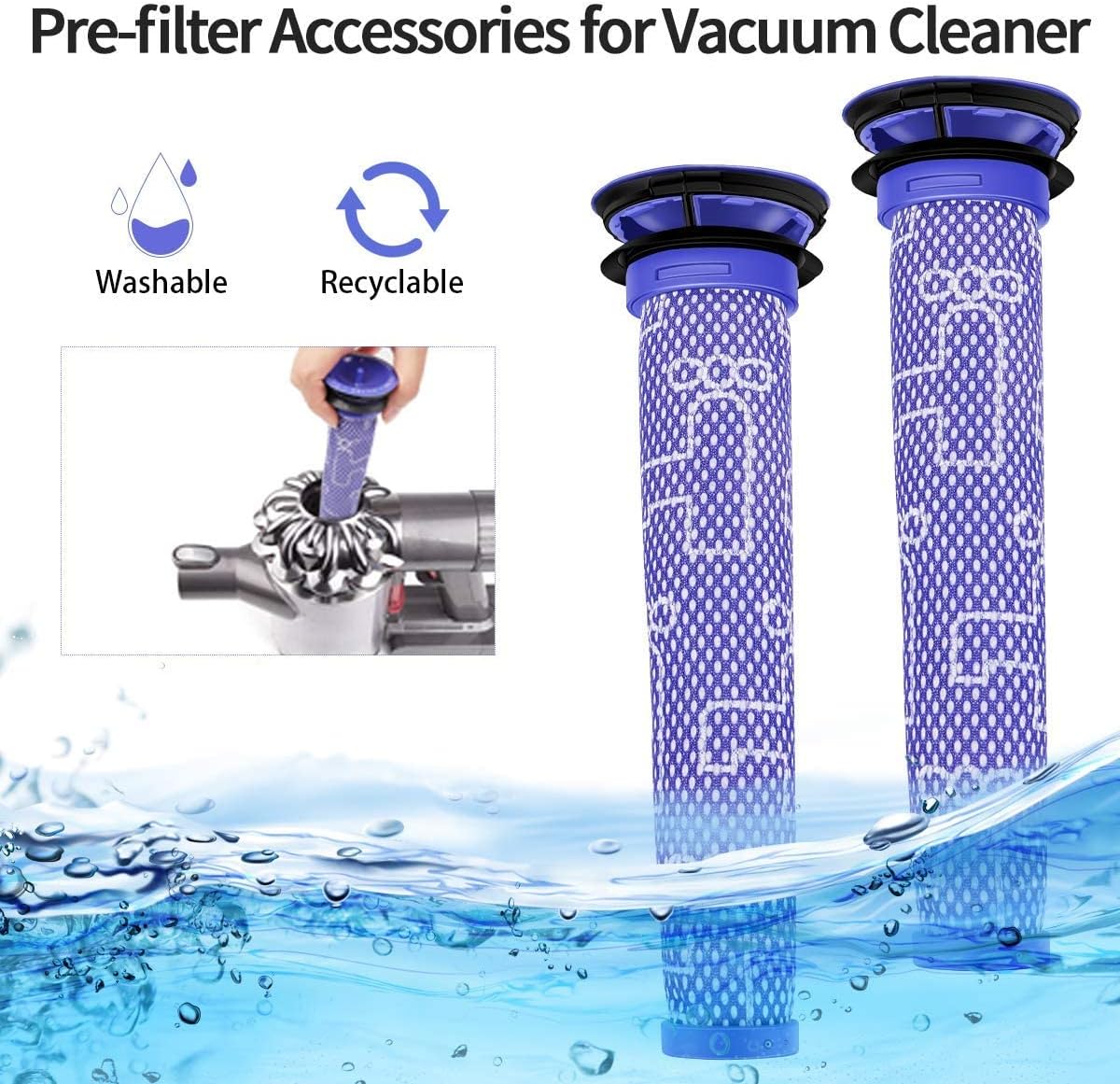
Image: Two washable and recyclable pre-filters for the Dyson V7 vacuum cleaner, shown with water and a hand demonstrating filter removal.
Troubleshooting
| Problem | Possible Cause | Solution |
|---|---|---|
| Battery not charging |
|
|
| Reduced runtime |
|
|
| Amber light flashing |
|
|
The battery is equipped with multiple protections against overvoltage, overcurrent, short circuits, and overheating. If issues persist, please refer to the Warranty and Support section.

Image: Morpilot V7 battery highlighting its built-in safety features: Short Circuit Protection, Output Over Voltage Protection, Output Overcurrent Protection, and Over-heating Protection.
Product Specifications
| Brand | Morpilot |
| Model Name | Dyson V7 (Replacement Battery) |
| Battery Type | Lithium-ion |
| Voltage | 21.6V |
| Capacity | 4600mAh |
| Current Intensity | 3000 mA |
| Reusability | Rechargeable |
| Item Dimensions (L x W x H) | 9.4 x 13.5 x 16.3 cm (approx.) |
| Item Weight | 510 Grams |
| Battery Weight | 435 Grams |
| Manufacturer Model Number | 9241125 |
| Included Components | 1 battery, 1 manual, 2 filters, 3 screws |

Image: Diagram showing the internal construction of the Morpilot V7 battery, featuring premium Samsung cells and a smart battery protection board.
Warranty and Support
Morpilot provides the following support for your replacement battery:
- 30-Day Refund: A 30-day refund policy is available from the date of purchase.
- 12-Month Limited Warranty: The battery is covered by a 12-month limited warranty.
- Customer Service: For any issues or questions, please do not hesitate to contact Morpilot customer service. Contact information can typically be found on the product packaging or the retailer's website.