Introduction
Thank you for choosing the Joyroom JR-T05 Wireless Earbuds. This manual provides essential information for the safe and efficient use of your device. Please read it thoroughly before use and retain it for future reference.
Product Overview
The Joyroom JR-T05 consists of two wireless earbuds and a portable charging case. Familiarize yourself with the components:
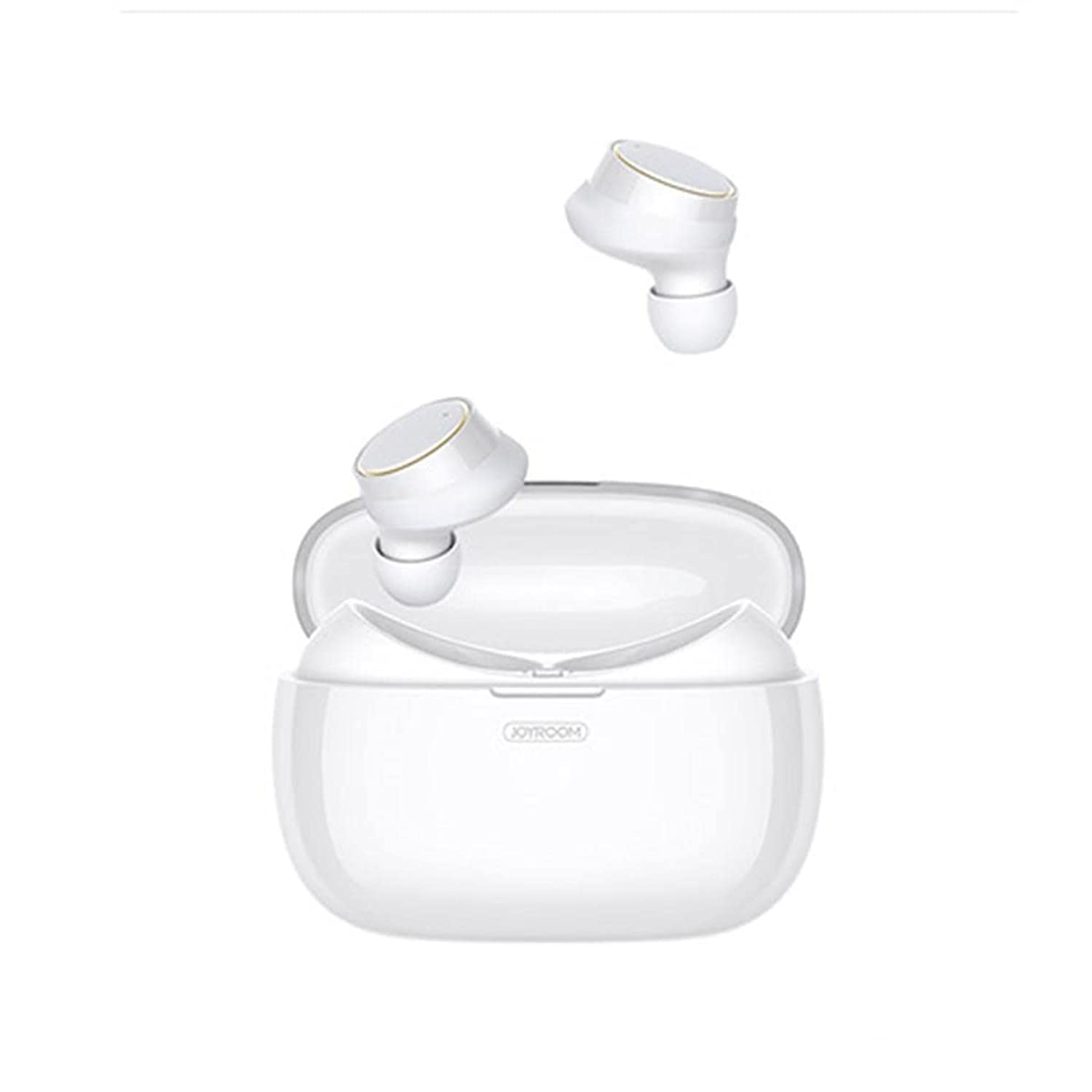
Image: Joyroom JR-T05 Wireless Earbuds and Charging Case. This image displays the white Joyroom JR-T05 wireless earbuds, with one earbud positioned partially within its charging case and the other earbud shown separately above. The charging case is also white and features the 'JOYROOM' brand logo.
- Earbuds: Left and Right wireless earbuds with in-ear design.
- Charging Case: Portable case for charging and storing the earbuds.
- Charging Cable: (Not explicitly mentioned but implied for charging case)
Setup
1. Initial Charging
- Place both earbuds into the charging case.
- Connect the charging case to a power source using a compatible USB cable.
- Allow the case and earbuds to fully charge before first use. Charging indicators will show the status.
2. Bluetooth Pairing
- Ensure the earbuds are charged.
- Open the charging case. The earbuds will automatically enter pairing mode (indicated by flashing lights, refer to product for specific light patterns).
- On your mobile phone or Bluetooth-enabled device, go to Bluetooth settings.
- Search for "JR-T05" or a similar device name in the list of available devices.
- Select "JR-T05" to connect. Once connected, the earbuds will indicate successful pairing (e.g., a voice prompt or steady light).
- For subsequent uses, the earbuds will automatically connect to the last paired device when removed from the case.
Operating Instructions
The JR-T05 earbuds feature touch controls for various functions:
- Power On: Remove earbuds from the charging case. They will power on automatically.
- Power Off: Place earbuds back into the charging case. They will power off automatically. Alternatively, disconnect Bluetooth from your device.
- Play/Pause: Tap either earbud once.
- Next Track: Double-tap the right earbud.
- Previous Track: Double-tap the left earbud.
- Answer/End Call: Tap either earbud once during an incoming call or during an active call.
- Reject Call: Press and hold either earbud for approximately 2 seconds during an incoming call.
- Activate Voice Assistant: Triple-tap either earbud (functionality may vary by device).
- Volume Control: Volume is typically controlled via your connected mobile device.
- Single/Dual Earbud Mode: The earbuds support independent use. You can use either the left or right earbud alone, or both together for stereo sound.
Maintenance
- Cleaning: Use a soft, dry, lint-free cloth to clean the earbuds and charging case. Do not use harsh chemicals or abrasive materials.
- Storage: When not in use, store the earbuds in their charging case to protect them and keep them charged. Store in a cool, dry place away from extreme temperatures.
- Battery Care: To prolong battery life, avoid fully discharging the earbuds and charging case frequently. Charge regularly, even if not used for extended periods.
- Water Resistance: The earbuds feature an IPX5 water-resistant design, protecting them from sweat and light splashes. They are not designed for submersion in water or use during swimming. Ensure earbuds are dry before placing them in the charging case to prevent damage.
Troubleshooting
| Problem | Solution |
|---|---|
| Earbuds not pairing with device. |
|
| Only one earbud is working. |
|
| Earbuds not charging. |
|
| Poor sound quality or disconnections. |
|
Specifications
| Feature | Detail |
|---|---|
| Brand | Joyroom |
| Model Number | JR-T05 |
| Connectivity | Wireless (Bluetooth 4.2) |
| Color | White |
| Ear Placement | In-Ear |
| Microphone | Yes, with Noise Cancellation |
| Water Resistance | IPX5 (Resistant to sweat and light splashes) |
| Charging Case Battery Capacity | 1500 mAh (can charge earbuds approximately 10 times) |
| Product Dimensions | 3.9 × 2 × 2 inches (approximate) |
| Product Weight | 63.5 grams (earbuds and case combined) |
| Control Type | Touch Control |
| Compatible Devices | Mobile Phones |
| Recommended Use | Making Calls |
Safety Information
- Hearing Protection: Avoid listening at high volume levels for extended periods to prevent hearing damage.
- Driving Safety: Do not use earbuds while driving or cycling in situations where it may distract you or pose a hazard.
- Charging: Use only approved chargers and cables. Do not attempt to charge the device if it is wet.
- Disposal: Dispose of the product and its battery responsibly according to local regulations. Do not dispose of with household waste.
- Small Parts: This product contains small parts that may be a choking hazard. Keep out of reach of children.
Warranty and Support
For warranty information and customer support, please refer to the documentation provided with your purchase or contact the retailer where you purchased the Joyroom JR-T05 Wireless Earbuds. Keep your proof of purchase for warranty claims.


