
Product Overview
This document provides instructions for the Easytry123 Replacement Remote Control, model RAV325, designed for various Yamaha AV receivers. This remote is a replacement unit and may not offer all functions identical to your original remote. Please verify button layout for compatibility.
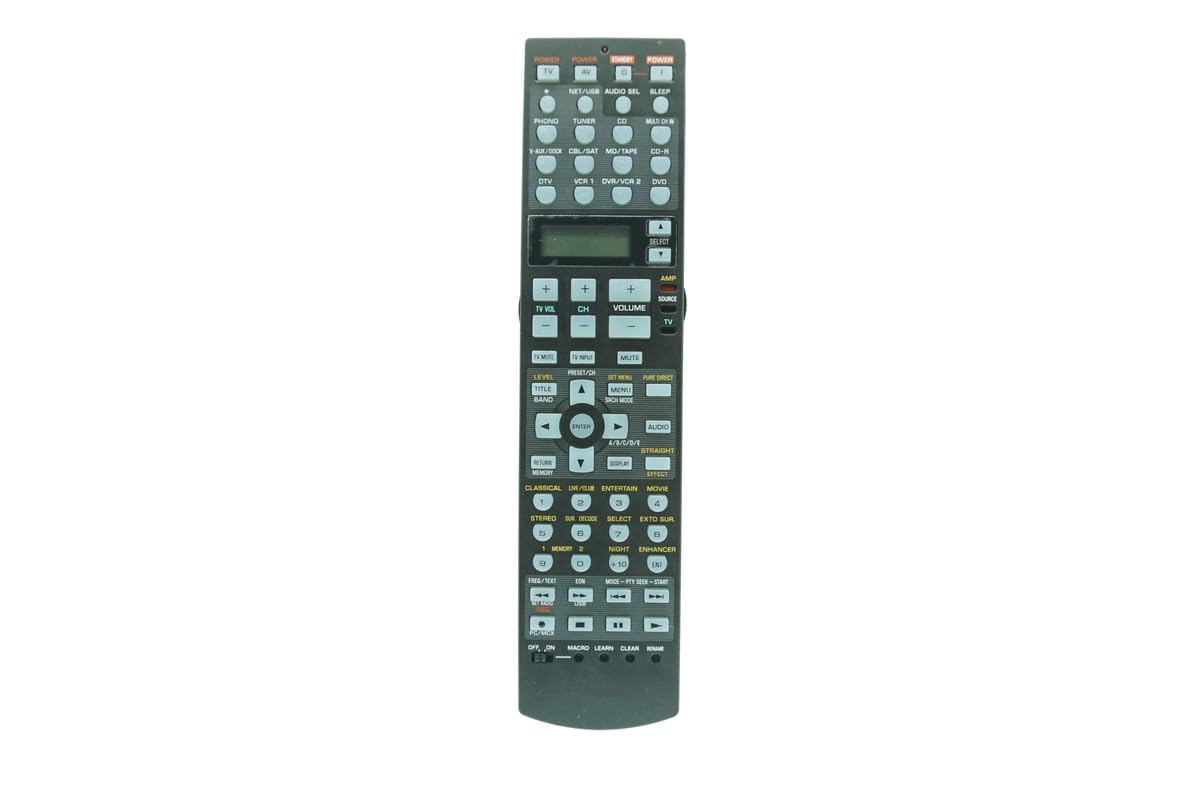
Image: Front view of the Easytry123 RAV325 replacement remote control. It features a black body with various control buttons for audio/video functions, including power, input selection, volume, and navigation.
Compatible Models
This replacement remote control is compatible with a range of Yamaha AV receiver models. While the specific model of this remote is RAV325, it is designed to replace and function with the following Yamaha remote models:
- RAV250
- WC552800
- HTR-5740
- HTR-5750
- RX-V450
- DSPAX450
- HTR-5740B
- HTR-5740S
- HTR-5750S
- RAV272
- RAV273
- RAV353
- RAV352
- RAV323
- RAV361
- RAV362
- RAV358
- RAV359
- RAV363 (or other compatible part numbers)
Before use, compare the button layout of this remote with your original remote to ensure all desired functions are present.
Setup
Battery Installation
The remote control requires two (2) AA batteries (not included). Follow these steps to install the batteries:
- Locate the battery compartment cover on the back of the remote control.
- Press down on the latch and slide the cover downwards to open the compartment.
- Insert two AA batteries, ensuring the positive (+) and negative (-) terminals align correctly with the markings inside the compartment.
- Slide the battery compartment cover back into place until it clicks securely.
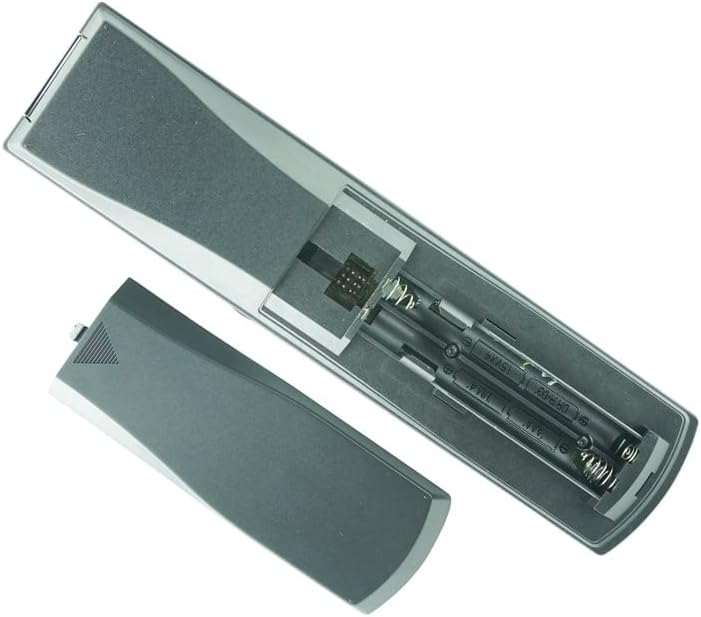
Image: Back of the remote control with the battery cover removed, revealing the battery slots. Two AA batteries are shown correctly inserted.
Note:
- Do not mix old and new batteries.
- Do not mix alkaline, standard (carbon-zinc), or rechargeable (nickel-cadmium) batteries.
- Remove batteries if the remote control will not be used for an extended period.
Operating Instructions
This remote control is designed to function immediately upon battery installation for compatible Yamaha AV receivers. No programming is typically required for basic functions.
Basic Functions
- Power: Press the POWER button to turn the AV receiver on or off.
- Input Selection: Use the input buttons (e.g., CD, DVD, TUNER) to select the desired audio/video source.
- Volume Control: Use the VOLUME + and VOLUME - buttons to adjust the sound level.
- Mute: Press the MUTE button to temporarily silence the audio. Press again to restore sound.
- Navigation: Use the directional arrow buttons (UP, DOWN, LEFT, RIGHT) and ENTER button for menu navigation.
Advanced Functions (if applicable)
Some advanced functions, such as programming or specific receiver settings, may require referring to your Yamaha AV receiver's original manual for detailed instructions, as this replacement remote's functionality may vary slightly from the original.
Video: Demonstration of a similar Yamaha AV receiver remote control. This video illustrates the physical appearance and basic handling of the remote, including button presses and battery compartment access. While the video shows a RAV315 model, the general operation and battery installation steps are similar for the RAV325.
Maintenance
- Cleaning: Use a soft, dry cloth to clean the remote control. Do not use liquid cleaners or abrasive materials.
- Storage: Store the remote control in a cool, dry place away from direct sunlight and extreme temperatures.
- Battery Replacement: Replace batteries when the remote's response becomes inconsistent or stops working.
Troubleshooting
| Problem | Possible Cause | Solution |
|---|---|---|
| Remote not responding | Dead or incorrectly installed batteries. Obstruction between remote and receiver. Remote out of range. | Replace batteries, ensuring correct polarity. Remove any obstructions. Move closer to the receiver. |
| Some functions not working | Remote is a replacement and may not have all original functions. Incorrect mode selected on receiver. | Refer to your AV receiver's manual for specific function compatibility. Ensure the receiver is in the correct operating mode. |
| Remote LED not lighting up | Batteries are completely dead or remote is faulty. | Replace batteries. If issue persists, contact customer support. |
Specifications
- Model Number: RAV325
- Brand: Easytry123
- Material: ABS Plastic
- Power Source: 2 x AA Batteries (not included)
- Color: Black
- Max Number of Supported Devices: 1 (for direct control of the specified Yamaha AV receiver)
Warranty and Support
For warranty information or technical support, please refer to the seller's policies or contact the seller directly through the platform where the product was purchased. This manual does not include specific warranty details as they may vary.