
1. Introduction
The JJC LED Wall Pack Light with Photocell is an energy-efficient outdoor lighting solution designed for various applications such as garages, yards, and entryways. It features an integrated photocell sensor for automatic dusk-to-dawn operation, providing reliable illumination and enhanced security. This manual provides detailed instructions for the safe and proper installation, operation, and maintenance of your new wall pack light.
2. Important Safety Information
Please read and understand all instructions before installing or operating this product. Failure to follow these instructions may result in electric shock, fire, or other hazards that could cause property damage or personal injury.
- Always disconnect power at the circuit breaker or fuse box before beginning installation or performing any maintenance.
- Ensure the voltage supply (100-277Vac 50/60Hz) is compatible with the light fixture.
- All electrical connections must be in accordance with local and National Electrical Code (NEC) standards. If you are unsure about proper wiring, consult a qualified electrician.
- Do not install on a horizontal mount such as a ceiling mount or soffit mount. Suggest mount on the vertical surface.
- The sensitivity of the photocell may be affected by temperature, weather, and surrounding light conditions. Ensure there are no obstacles in front of the sensor.
- This product is designed for outdoor and wet location applications. Ensure all connections are properly sealed to prevent water ingress.
3. Package Contents
Verify that all components are present before beginning installation:
- JJC LED Wall Pack Light (1 unit)
- Installation Guide Manual (1 copy)
- Mounting Hardware (screws, wire nuts, gasket)
4. Setup & Installation
Follow these steps for proper installation of your JJC LED Wall Pack Light:
4.1. Preparation
- Turn off Power: Before starting any electrical work, ensure the power supply to the fixture location is completely disconnected at the circuit breaker or fuse box. Verify with a voltage detector that no voltage is present on any wires.
- Remove Old Fixture: Carefully remove any existing light fixture from the mounting surface.
- Open the New Fixture: Remove the screws securing the front cover of the new JJC LED Wall Pack Light. The screws are designed to remain attached to the cover for convenience.
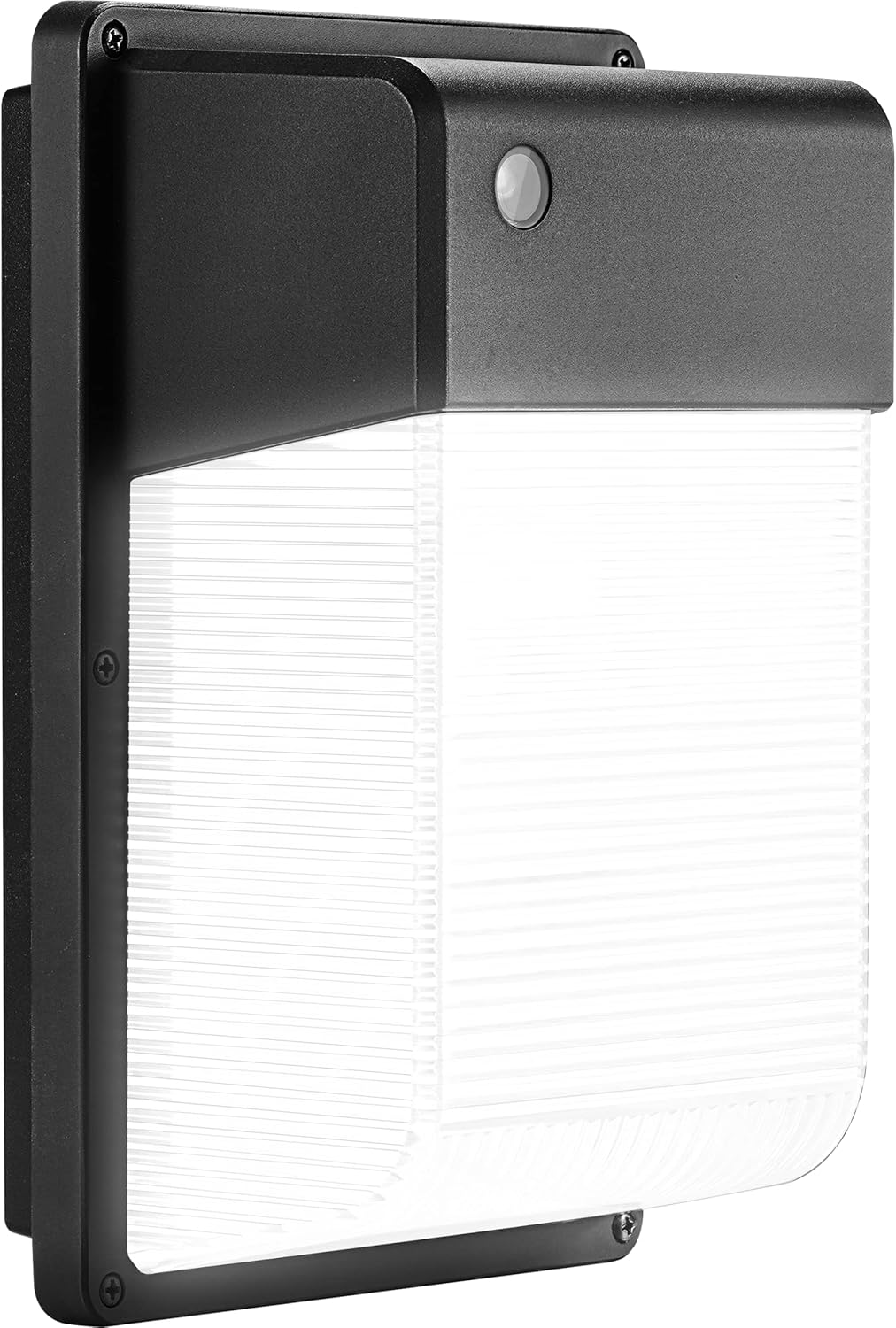
Image: JJC LED Wall Pack Light with its front cover removed, revealing the internal wiring and LED panel.
4.2. Mounting the Fixture
- Drill Mounting Holes: The fixture's mounting plate may require drilling to align with your existing electrical box or desired mounting points. Use a 3/16-inch drill bit for this purpose. The fixture is lightweight, so two screws are generally sufficient for secure mounting.
Video: Demonstrates the process of drilling mounting holes into the fixture's base plate for installation.
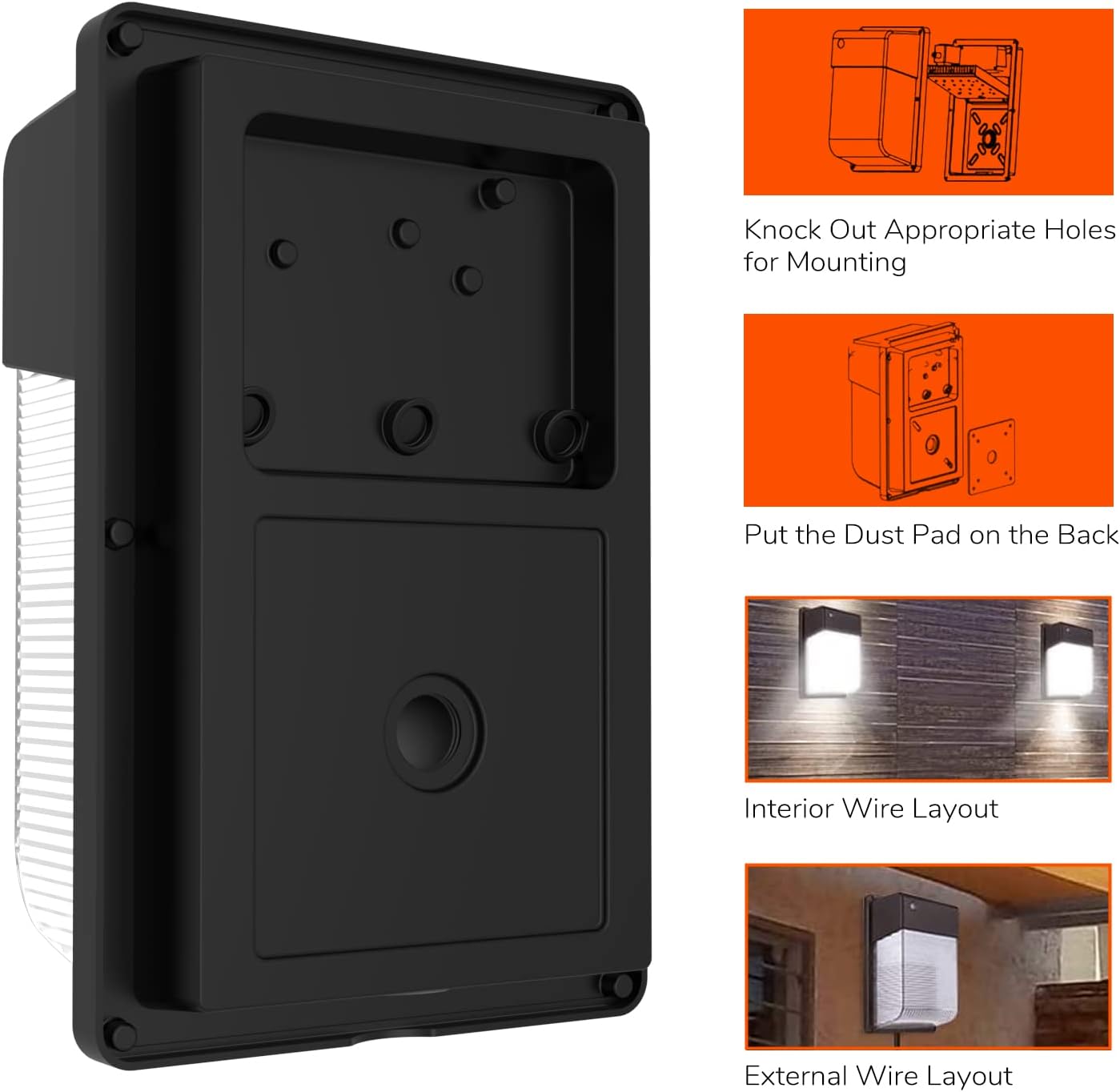
Image: Detailed view of the mounting plate with pre-drilled holes and a diagram showing interior and exterior wire layouts.
4.3. Electrical Connections
- Identify Wires: The fixture has three wires: black (hot), white (neutral), and yellow/green (ground). Connect these to the corresponding wires from your electrical supply using the provided wire nuts. Ensure a secure and tight connection for each wire.
- Connect Wires:
- Connect the black wire from the fixture to the black (hot) wire from your supply.
- Connect the white wire from the fixture to the white (neutral) wire from your supply.
- Connect the yellow/green wire from the fixture to the green (ground) wire from your supply.
- Secure Wiring: Carefully tuck all connected wires into the electrical box, ensuring they are not pinched or exposed.

Image: Close-up of the photocell sensor on the JJC LED Wall Pack Light, indicating its automatic dusk-to-dawn functionality.
4.4. Final Assembly
- Attach Cover: Align the front cover with the fixture body and secure it using the screws. Ensure the gasket is properly seated to maintain the wet location rating. The cover is designed to press down on the internal components, ensuring a snug fit and protecting the wiring.
- Restore Power: Once the fixture is fully installed and secured, restore power at the circuit breaker. The light should turn on automatically if the ambient light is below the threshold (dusk).
5. Operating Instructions
The JJC LED Wall Pack Light is equipped with a built-in photocell sensor for automatic operation:
- Dusk-to-Dawn Functionality: The light will automatically turn on when the ambient brightness drops below approximately 5-40 lux (dusk).
- Automatic Off: The light will automatically turn off when the ambient brightness rises above approximately 35-400 lux (dawn).
- No manual operation is required after installation. The light will operate continuously based on ambient light levels.
6. Key Features
- Dusk to Dawn Light: High sensitive Dusk to Dawn Sensor, built-in photocell. Turns on/off automatically by detecting the surrounding's brightness level, energy saving and super bright. Best choice for led garage lights, outdoor entry light, porch lights, yard light, barn light.
- High Performance: Our outdoor wall lighting is a perfect replacement for the standard 150 to 250W metal halide and high pressure sodium fixtures. Lasts over 45 years, save up to $856 in each outdoor led light's lifespan.
- Wet Location Weatherproof: Aluminum shell and shatterproof PC lens with 90 degree beam angle. Die-casting housing for an excellent cooling system & anti-corrosion. UV-stabilized polycarbonate clear lens safe for using in outdoor and wet application.
- Safety & Lasting: Estimate up to 50,000 hours operating lifespan, ETL certified for top quality and safe operation. Bring your application the best lighting available with 3000lm, illuminate even the darkest areas!
- User-Friendly: Providing step by step instructions for easy installation, English guide manual included. Wide Voltage 100-277Vac 50/60Hz (Compatible with USA standard voltage 110Vac).
7. Product Specifications
| Attribute | Value |
|---|---|
| Brand | JJC |
| Model Name | 28W-WallPACK-5000KA |
| Color Temperature | 5000K (Daylight White) |
| Wattage | 28 watts |
| Luminous Flux | 3000 Lumen |
| Voltage | 100-277Vac 50/60Hz |
| Material | Aluminum, Plastic |
| Waterproof Rating | IP65 |
| Lifespan | Estimate up to 50,000 hours |
| Product Dimensions | 10.2"L x 6.6"W x 4.7"H |
| Installation Type | Wall Mount |
| Special Feature | Photocell sensor, Power saving |
| Certification | ETL Certified |
8. Maintenance
The JJC LED Wall Pack Light requires minimal maintenance. Follow these guidelines to ensure optimal performance and longevity:
- Cleaning: Periodically clean the exterior of the fixture with a soft, damp cloth to remove dirt, dust, or debris. Do not use abrasive cleaners or solvents.
- Photocell Sensor: Ensure the photocell sensor is kept clean and free from obstructions (e.g., leaves, dirt) to maintain accurate dusk-to-dawn operation.
- Inspection: Annually inspect the fixture for any signs of damage, loose connections, or wear. Address any issues promptly.
- Do not attempt to open or repair the internal components of the LED light. This will void the warranty.
9. Troubleshooting
| Problem | Possible Cause | Solution |
|---|---|---|
| Light does not turn on at dusk. | No power to the fixture; faulty wiring; photocell obstructed or faulty. | Check circuit breaker. Verify wiring connections. Clear any obstructions from the photocell sensor. Ensure the photocell is facing an area that receives natural light. |
| Light stays on during the day. | Photocell sensor is obstructed or faulty; excessive ambient light not reaching the sensor. | Clear any obstructions from the photocell sensor. Ensure the sensor is not in a shaded area during the day. |
| Light flickers or is dim. | Loose wiring connection; voltage fluctuation. | Turn off power and re-check all wiring connections. Consult an electrician if voltage issues are suspected. |
10. Warranty & Support
The JJC LED Wall Pack Light comes with a 5-year warranty. We offer 24 x 7 after-sales service and constant technical support. If any issue arises, please feel free to contact us for assistance.
For support, please refer to the contact information provided with your purchase or visit the official JJC website.