
1. Introduction
This manual provides essential instructions for the safe and effective operation of your Estink Mini Electric Hand Drill. Please read this manual thoroughly before first use and retain it for future reference. This portable DC 5V electric drill is designed for precision drilling tasks on specific materials.
2. Safety Information
Always observe basic safety precautions when using electrical tools to reduce the risk of fire, electric shock, and personal injury.
- Eye Protection: Always wear safety glasses or goggles to protect your eyes from debris.
- Work Area: Keep your work area clean and well-lit. Cluttered or dark areas invite accidents.
- Electrical Safety: Do not expose the drill to rain or wet conditions. Avoid body contact with earthed or grounded surfaces.
- Secure Workpiece: Always secure the material you are drilling. Do not hold it by hand.
- Proper Use: Use the correct drill bit for the material. Do not force the drill.
- Material Limitations: This drill is not suitable for drilling hard materials such as thick metal, stone, or bodhi. Refer to the 'Operating Instructions' section for compatible materials.
- Continuous Use: This is a light-power electric mini hand drill and is not designed for continuous, long-duration use. Allow for cooling periods.
- Children and Bystanders: Keep children and bystanders away while operating the drill.
3. Package Contents
Verify that all items listed below are present in your package:
- Estink Mini Electric Hand Drill
- USB Power Cable with On/Off Switch (approx. 1.5 meters)
- 3 x Replacement Drill Bits (0.7mm, 1.0mm, 1.3mm)
- 1 x Hex Key (for collet adjustment)


4. Specifications
| Feature | Specification |
|---|---|
| Brand | Estink |
| Model | Yosoo1w8r7bmegs |
| Voltage | DC 5V |
| Power Source | USB (DC Power Supply) |
| Maximum Rotational Speed | 15000 RPM |
| Collet Range | 0.7mm - 1.3mm (with included bits) |
| Material | Metal + Plastic |
| Item Weight | Approx. 0.12 kg (4.2 ounces) |
| USB Cable Length | Approx. 1.5 meters (4.92 ft) |
| Special Features | Lightweight, Portable |

5. Setup
Follow these steps to prepare your drill for use:
- Select Bit: Choose the appropriate drill bit (0.7mm, 1.0mm, or 1.3mm) for your task.
- Loosen Collet: Unscrew the brass collet at the front of the drill counter-clockwise to open the jaws.
- Insert Bit: Carefully insert the shank of the chosen drill bit into the collet. Ensure it is seated properly.
- Tighten Collet: Screw the brass collet clockwise until the drill bit is securely held. Use the provided hex key to gently tighten the collet for a firm grip, but do not overtighten.
- Connect Power: Plug the USB cable into a compatible 5V USB power source (e.g., a USB wall adapter, power bank, or computer USB port).


6. Operating Instructions
Once the drill bit is securely installed and power is connected, you can begin operation.
- Power On: Locate the switch on the USB cable and slide it to the 'ON' position. The drill will start rotating.
- Positioning: Carefully position the drill bit on the desired drilling point of your workpiece.
- Drilling: Apply gentle, steady pressure. Allow the drill to do the work. Do not apply excessive force, as this can damage the drill or the workpiece.
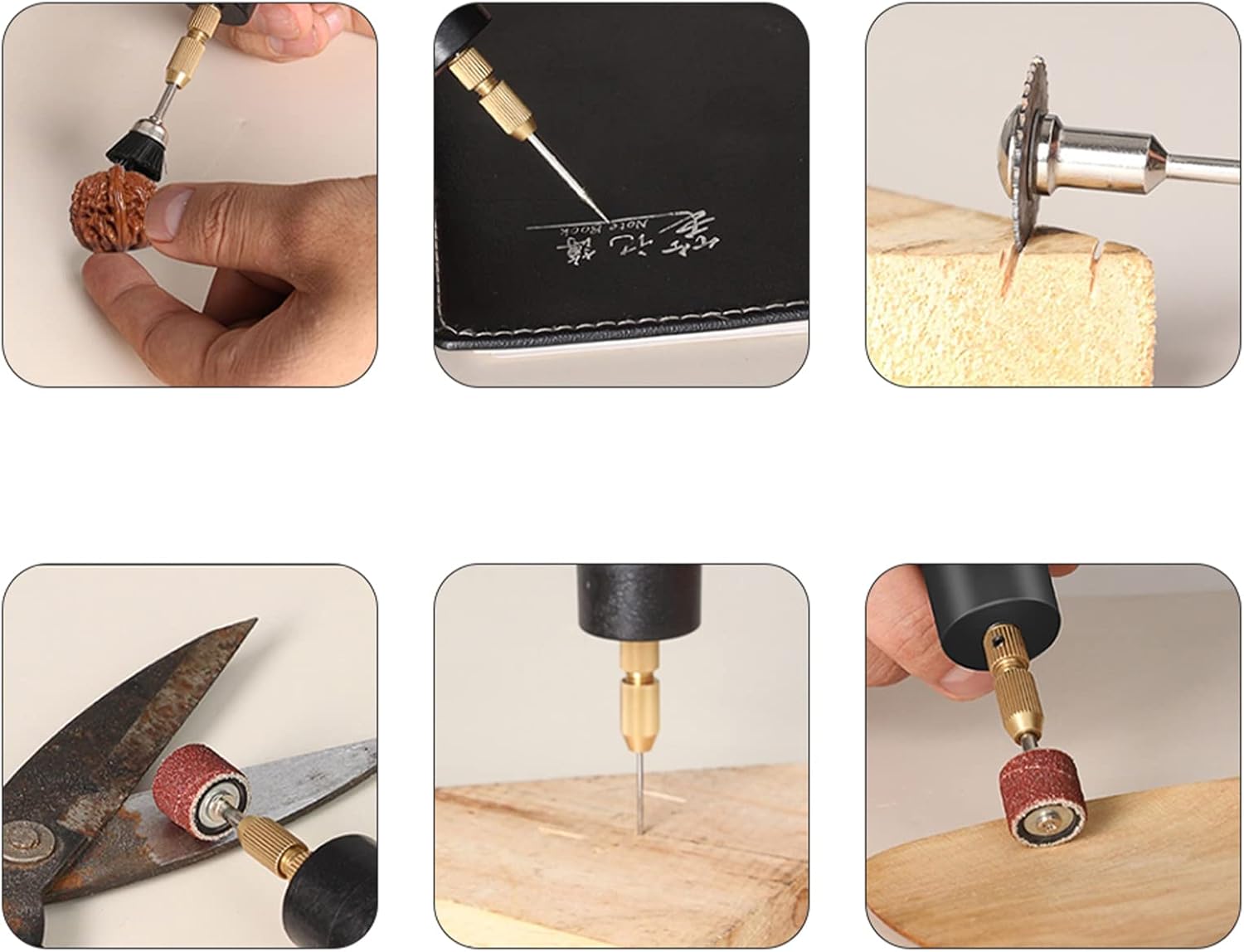
- Material Compatibility: This drill is primarily designed for drilling soft materials such as:
- Wooden boards (thickness within 10mm)
- Plastic boards (thickness within 10mm)
- Paper sheets (thickness within 10mm)
- Aluminum boards (thickness within 10mm)
- Circuit boards (thickness within 10mm)
Important Note: This hand drill is not suitable for drilling hard materials such as bodhi, thick metal, walls, or stone.
- Power Off: After completing your task, slide the switch on the USB cable to the 'OFF' position to stop the drill.


7. Maintenance
Proper maintenance ensures the longevity and performance of your drill.
- Cleaning: After each use, disconnect the power and gently wipe the drill body with a clean, dry cloth to remove dust and debris. Do not use harsh chemicals or abrasive cleaners.
- Bit Storage: Store drill bits in a protective case to prevent damage and dulling.
- Storage: Store the drill in a dry place, away from direct sunlight and extreme temperatures. Keep it out of reach of children.
- Inspection: Periodically inspect the USB cable for any signs of damage. If damaged, discontinue use and replace the cable.
8. Troubleshooting
If you encounter issues with your Estink Mini Electric Hand Drill, refer to the following common problems and solutions:
- Drill does not turn on:
- Ensure the USB cable is securely plugged into a working 5V power source.
- Check that the on/off switch on the USB cable is in the 'ON' position.
- Try a different USB power source or cable to rule out power supply issues.
- Drill bit is loose or falls out:
- Ensure the collet is tightened sufficiently using the hex key.
- Verify that the drill bit shank is fully inserted into the collet.
- Drill stops during operation or slows down significantly:
- You may be applying too much pressure. Reduce pressure and allow the drill to work at its own pace.
- The material might be too hard for the drill. Refer to the 'Operating Instructions' for compatible materials.
- The drill may be overheating from prolonged use. Allow it to cool down before resuming.
9. Warranty and Support
For warranty information or technical support, please refer to the product packaging or contact the manufacturer directly through their official channels. Keep your purchase receipt as proof of purchase.