
Introduction
The Victrola Redding Tabletop Bluetooth Jukebox (Model VJB-127) combines classic 1950s retro design with modern audio technology. This compact unit features a built-in speaker, Bluetooth connectivity for wireless music streaming, AM/FM radio, and a 3.5mm auxiliary input. It also includes color-changing LED light tubes to enhance its nostalgic aesthetic. This manual provides detailed instructions for setting up, operating, and maintaining your jukebox to ensure optimal performance and longevity.
Important Safety Information
- Read all instructions carefully before operating the unit.
- Keep this manual for future reference.
- Do not expose the unit to dripping or splashing water. Do not place objects filled with liquids, such as vases, on the unit.
- Ensure proper ventilation. Do not block any ventilation openings.
- Place the unit on a stable, flat surface.
- Use only attachments/accessories specified by the manufacturer.
- Unplug the unit during lightning storms or when unused for long periods.
- Refer all servicing to qualified service personnel. Servicing is required when the apparatus has been damaged in any way, such as power-supply cord or plug is damaged, liquid has been spilled or objects have fallen into the apparatus, the apparatus has been exposed to rain or moisture, does not operate normally, or has been dropped.
- This product contains chemicals known to the State of California to cause cancer and birth defects or other reproductive harm.
What's in the Box
- Victrola Redding Tabletop Bluetooth Jukebox (Model VJB-127)
- Power Adapter
- User Manual (this document)
Product Overview

Figure 1: Front View of the Jukebox. This image displays the Victrola Redding Tabletop Bluetooth Jukebox from the front, highlighting its classic design with prominent blue and red light tubes, the central control panel, and the speaker grille. The unit features a digital display for radio frequency and mode indication.
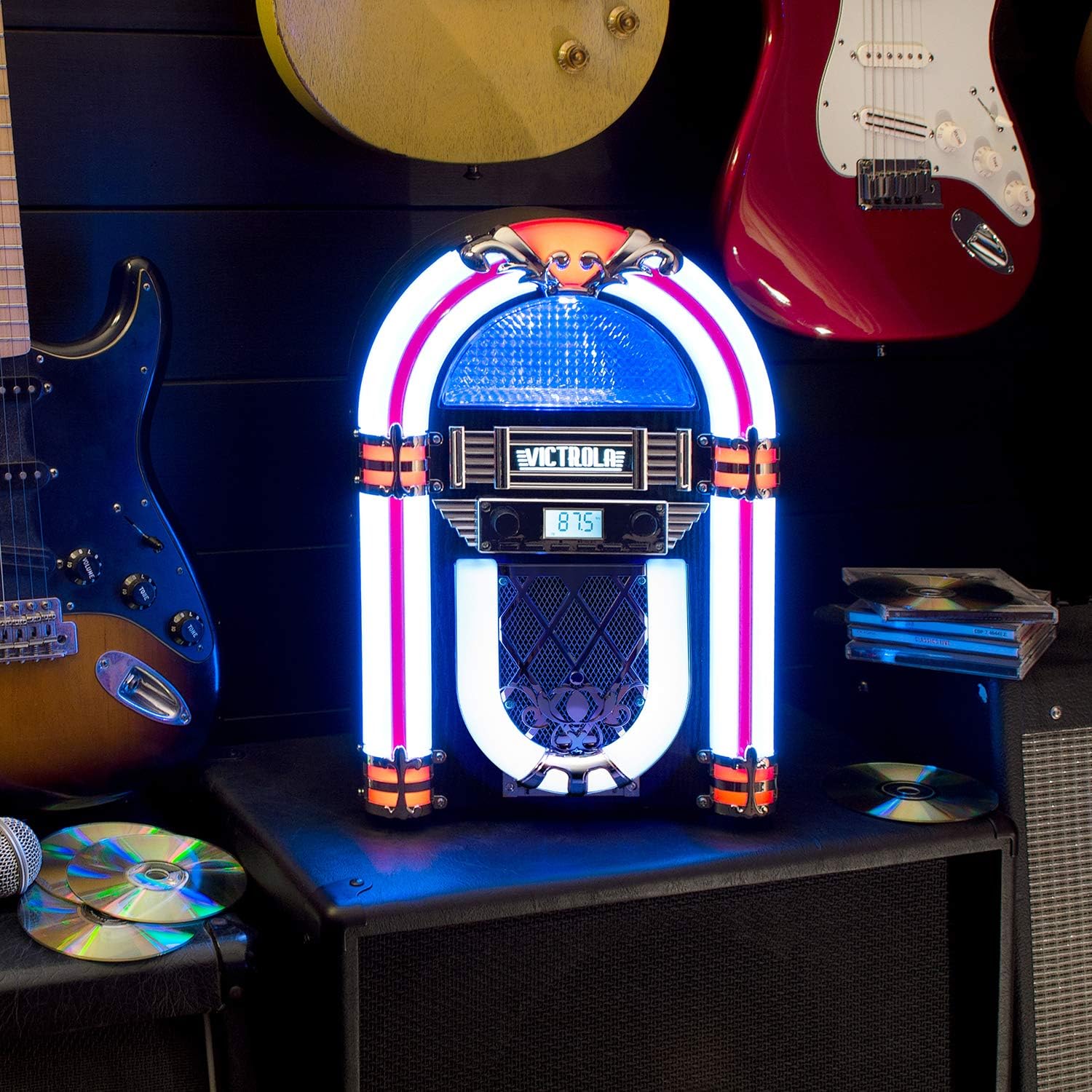
Figure 2: Jukebox in a Room Setting. This image shows the Victrola Redding Jukebox illuminated with white and orange light tubes, placed on a speaker cabinet in a room. Guitars are visible in the background, suggesting its use in a music-oriented environment. This view emphasizes the unit's aesthetic appeal and how its lighting can complement a space.
Control Panel Features:
- VOLUME Knob: Controls the audio output level.
- FUNCTION Button: Toggles between modes (FM Radio, Bluetooth, AUX). Press and hold to power the unit on/off.
- LIGHT Button: Cycles through LED light colors or turns lights off.
- TUNING Knobs: Adjusts FM radio frequency.
- Digital Display: Shows current mode and FM frequency.
- AUX IN Jack: 3.5mm input for external audio devices.
Setup
- Unpacking: Carefully remove the jukebox from its packaging. Retain all packaging materials for future transport or storage.
- Placement: Place the unit on a stable, level surface away from direct sunlight, heat sources, and excessive dust or moisture. Ensure adequate ventilation around the unit.
- Power Connection: Connect the provided power adapter to the DC IN jack on the back of the jukebox, then plug the adapter into a standard wall outlet (AC 100-240V, 50/60Hz).
Operating Instructions
Power On/Off
- To turn the unit ON, press and hold the FUNCTION button for approximately 2 seconds. The digital display will illuminate.
- To turn the unit OFF, press and hold the FUNCTION button again for approximately 2 seconds. The display will turn off.
AM/FM Radio Operation
- Turn on the jukebox.
- Press the FUNCTION button repeatedly until "FM" appears on the digital display.
- Rotate the TUNING knob to manually tune to your desired FM radio station. The frequency will be shown on the display.
- Adjust the VOLUME knob to your preferred listening level.
Bluetooth Pairing
- Turn on the jukebox.
- Press the FUNCTION button repeatedly until "BT" (Bluetooth) appears on the digital display. The unit will enter pairing mode, indicated by a flashing "BT" on the display.
- Enable Bluetooth on your external device (smartphone, tablet, etc.) and search for "Victrola VJB-127".
- Select "Victrola VJB-127" from the list of available devices to pair. Once successfully paired, the "BT" indicator on the jukebox display will stop flashing and remain solid.
- You can now play music wirelessly from your device through the jukebox. Adjust the volume on both your device and the jukebox.
Auxiliary Input (AUX IN)
- Turn on the jukebox.
- Connect one end of a 3.5mm audio cable (not included) to the AUX IN jack on the back of the jukebox.
- Connect the other end of the audio cable to the headphone jack or audio output of your external audio device.
- Press the FUNCTION button repeatedly until "AUX" appears on the digital display.
- Play audio from your external device. Adjust the volume on both your device and the jukebox.
LED Light Control
- Press the LIGHT button to cycle through the available LED light colors (e.g., red, blue, green, purple, white, color-changing mode).
- Continue pressing the LIGHT button to turn the lights off.
Maintenance
- Cleaning: Wipe the exterior of the unit with a soft, dry cloth. Do not use abrasive cleaners, waxes, or solvents as they may damage the finish.
- Storage: If storing the unit for an extended period, unplug it from the power outlet and store it in a cool, dry place, preferably in its original packaging.
Troubleshooting
| Problem | Possible Cause | Solution |
|---|---|---|
| No power | Power adapter not connected or outlet not active. | Ensure the power adapter is securely plugged into the unit and a working wall outlet. Press and hold the FUNCTION button to power on. |
| No sound | Volume too low; incorrect mode selected; device not paired (Bluetooth) or connected (AUX). | Increase the VOLUME knob. Ensure the correct mode (FM, BT, AUX) is selected. For Bluetooth, ensure the device is paired. For AUX, ensure the cable is fully inserted. |
| Bluetooth not connecting | Jukebox not in pairing mode; device too far; previously paired device connected. | Ensure the jukebox is in Bluetooth mode ("BT" flashing). Move your device closer to the jukebox. Disconnect from any other Bluetooth devices. Try restarting both the jukebox and your device. |
| Poor FM radio reception | Weak signal; interference. | Adjust the position of the unit. Try tuning to a stronger station. Avoid placing near other electronic devices that may cause interference. |
Specifications
- Model Name: VJB-127
- Brand: Victrola
- Material: Wood
- Speaker Type: Jukebox
- Special Feature: Radio, Bluetooth
- Recommended Uses: For Smartphones or Tablets, Personal or office use as a decorative and functional music player
- Compatible Devices: Laptop, Phones, Smartphone, Tablet, iPhone
- Product Dimensions: 11"D x 6.6"W x 12.7"H
- Item Weight: 4 Pounds
- Maximum Bluetooth Range: 33 Feet (10 Meters)
- Power Source: Corded Electric
- Speaker Maximum Output Power: 10 Watts
- Connectivity Technology: Wired, Wireless (Bluetooth)
- Audio Output Mode: Stereo
- Mounting Type: Countertop
- UPC: 816203018038
Warranty and Support
Victrola products come with a limited warranty. For detailed warranty information, product support, or to inquire about service, please visit the official Victrola website or contact their customer service department. Keep your proof of purchase for warranty claims.
Manufacturer: Victrola
For further assistance, please refer to the official Victrola support channels.