
EKO EK9260BMT-80L
EKO Mirage X Motion Sensor Trash Can User Manual
Model: EK9260BMT-80L | Brand: EKO
Introduction
This manual provides comprehensive instructions for the setup, operation, and maintenance of your EKO Mirage X 80 Liter / 21.1 Gallons Motion Sensor Trash Can. Designed for convenience and hygiene, this touchless trash can features a durable stainless steel construction and intelligent sensor technology for hands-free use. Please read this manual thoroughly before using the product to ensure proper function and longevity.
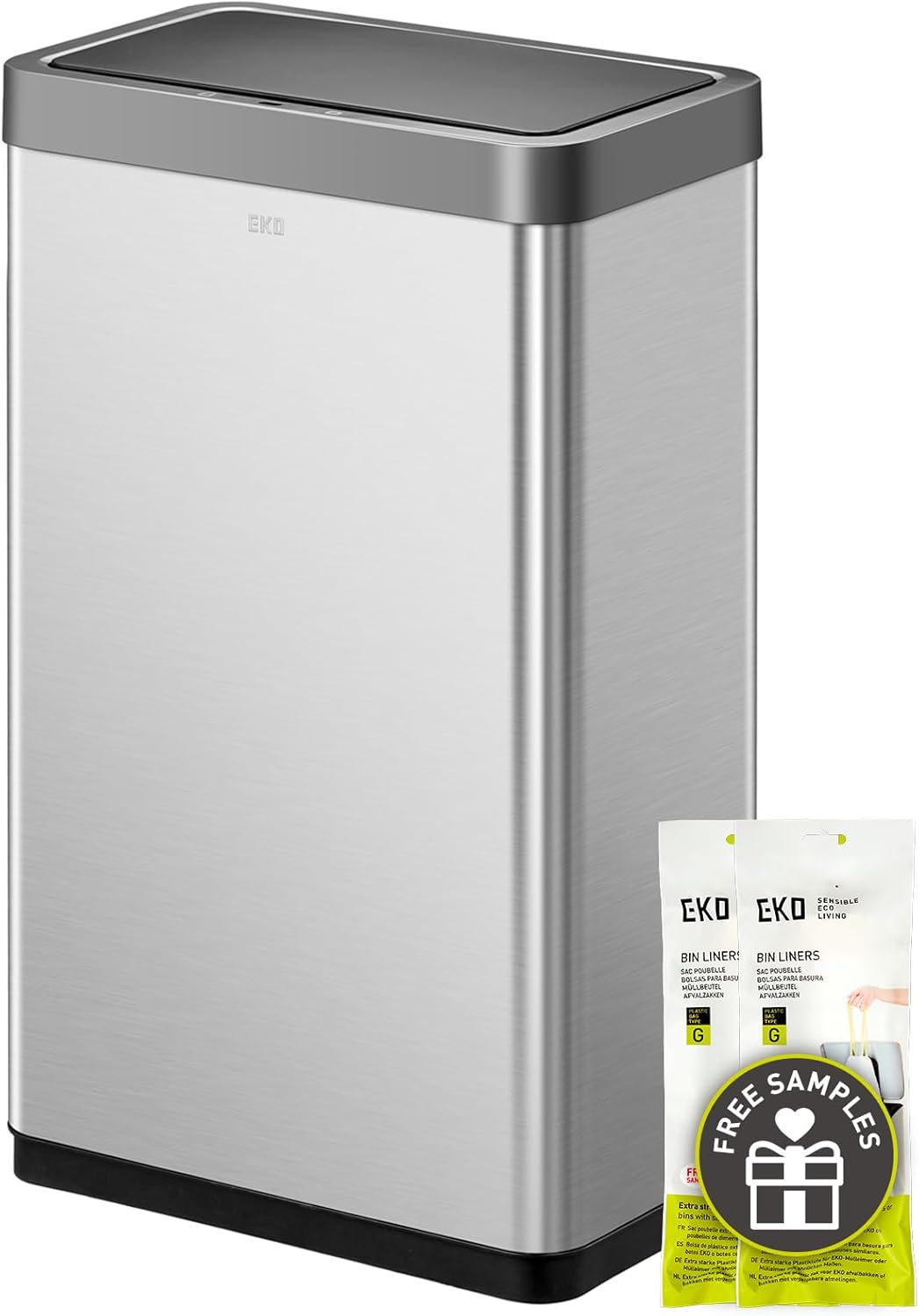
Image: The EKO Mirage X 80 Liter Motion Sensor Trash Can, showcasing its sleek stainless steel design and included sample trash bags.

Image: The EKO Mirage X trash can positioned in a modern kitchen environment, demonstrating its seamless integration with home decor.
Product Features
- Premium Motion Sensor Technology: Provides smooth, seamless, and hands-free lid opening and closing.
- Ultimate Fingerprint Resistance: The brushed stainless steel finish resists smudges, maintaining a clean and stylish appearance.
- Convenient Stay-Open Option: A dedicated 'Press-to-Open' feature allows the lid to remain open for up to 20 minutes, ideal for longer tasks.
- Sleek and Durable Finish: Crafted from stainless steel, offering a cool, smooth texture and robust construction suitable for any home decor.
- Increased Capacity (No Inner Liner Design): Maximizes internal space by 25% compared to designs with inner liners, allowing for more trash disposal.
- Removable Inner Ring: Securely holds trash bags in place and simplifies bag removal.
- Built-in Deodorizer Compartment: Allows for the integration of your preferred deodorizer product to manage odors.

Image: Depicts the fast-reacting and accurate motion sensor for touchless opening, alongside the whisper-quiet gentle operation of the lid.

Image: Illustrates the convenient stay-open mode, activated by a simple touch, allowing the lid to remain open for extended periods during tasks.

Image: Shows the interior of the trash can, highlighting the "No Inner Liner Design" which expands capacity by 25%.

Image: A split image demonstrating the fingerprint-resistant exterior and the maximized internal capacity due to the absence of an inner liner.
Setup
- Unpacking: Carefully remove all packaging materials from the trash can and its components. Inspect for any damage.
- Battery Installation:
- Locate the battery compartment on the underside of the lid.
- Press the button to open the battery compartment cover.
- Insert 6 AA alkaline batteries (not included) according to the polarity indicators (+/-). Do not use rechargeable batteries.
- Close the battery compartment cover securely.
- Positioning: Place the trash can in your desired indoor location. Ensure there is adequate space above and in front of the sensor for proper operation. The sensor is designed to trigger from the back, reducing accidental openings.
- Power On: Locate the on/off switch, typically at the back of the lid unit, and switch it to the 'ON' position. The sensor light may briefly illuminate.
- Install Trash Bag:
- Remove the inner ring from the top of the trash can.
- Drape your trash bag (EKO Code G or standard 21 Gallon bags recommended) over the inner ring.
- Tuck the edges of the bag neatly into the inner ring.
- Place the inner ring with the bag back into the trash can, ensuring the bag is securely held in place and hidden from view.

Image: Demonstrates the streamlined trash bag management system, showing how the removable liner ring effortlessly secures and simplifies trash bag handling.

Image: Illustrates the compatibility of the trash can with EKO Code G trash bags, indicating the recommended bag size for optimal fit.
Operating Instructions
Motion Sensor Operation
The EKO Mirage X trash can is equipped with an intelligent motion sensor for hands-free operation. When an object or hand is detected within the sensor's range (typically above the lid), the lid will automatically open smoothly and quietly. The lid will remain open for a few seconds and then close automatically once the object is removed from the sensor's range.
Manual Stay-Open Mode
For tasks requiring the lid to remain open for an extended period, such as scraping plates or changing the trash bag, utilize the manual stay-open feature:
- Gently press the 'Press-to-Open' button located on the lid.
- The lid will open and remain in the open position for approximately 20 minutes.
- To close the lid before the 20-minute timer expires, simply press the 'Press-to-Open' button again.
Deodorizer Compartment
The Mirage X features a built-in compartment for a deodorizer product. To use, open the lid and locate the small compartment. Insert your preferred deodorizer (e.g., activated carbon filter, scent pod) into this compartment to help manage odors.
Maintenance
- Cleaning the Exterior: The stainless steel exterior is fingerprint-resistant. Wipe the surface with a soft, damp cloth and a mild, non-abrasive cleaner. Avoid harsh chemicals or abrasive pads that could damage the finish.
- Cleaning the Interior: If spills occur inside the can, remove the trash bag and inner ring. Wipe the interior with a damp cloth and mild detergent. Ensure the interior is completely dry before re-inserting the trash bag.
- Lid and Sensor Care: Keep the sensor area on the lid clean and free from obstructions to ensure optimal performance. Do not submerge the lid in water.
- Battery Replacement: When the sensor light indicates low battery or the lid operation becomes sluggish, replace all 6 AA alkaline batteries. Refer to the "Setup" section for battery installation instructions.
- Deodorizer Replacement: Replace the deodorizer product in its compartment periodically as recommended by the deodorizer manufacturer or when odors persist.
Troubleshooting
| Problem | Possible Cause | Solution |
|---|---|---|
| Lid does not open or close. |
|
|
| Lid opens unexpectedly or too frequently. |
|
|
| Lid flickers or behaves erratically. |
|
|
| Lid closes too quickly in motion sensor mode. |
|
|
Specifications
| Attribute | Detail |
|---|---|
| Brand | EKO |
| Model Number | EK9260BMT-80L |
| Capacity | 80 Liters (21.1 Gallons) |
| Color | Black, Grey, Silver (Brushed Finish) |
| Opening Mechanism | Motion-Sensor |
| Material | Stainless Steel |
| Recommended Use | Indoor use only (Kitchen, Home) |
| Shape | Rectangular |
| Item Weight | 6.7 Kilograms (14.74 pounds) |
| Product Dimensions (L x W x H) | 18.5"L x 11"W x 27.1"H |
| Batteries Required | 6 AA Alkaline Batteries (not included) |
| Special Features | Motion Sensor, Quiet Close, Removable Lid, Removable Liner (Ring), Smudge Resistant, Stay Open Lid |

Image: Detailed dimensions of the EKO Mirage X 80 Liter trash can, showing height, length, and width measurements in both centimeters and inches.
Warranty and Support
For detailed warranty information and customer support, please refer to the official EKO website or contact EKO customer service directly. Keep your purchase receipt as proof of purchase for any warranty claims.
You can visit the EKO brand store for more information: EKO Official Store
Related documentsEK9260BMT-80L


Ask a question about this manual
Ask about setup, troubleshooting, compatibility, parts, safety, or missing instructions. Manuals+ will review the question and use this page’s manual context to help answer it.