1. Introduction
The Retekess PR11 is a compact and lightweight portable FM/AM radio designed for ease of use and portability. It features a durable UV-based surface, a rechargeable battery, and multiple playback options including MP3 from USB or TF cards, and AUX input. This manual provides detailed instructions for setting up, operating, and maintaining your PR11 radio.
2. What's in the Box
Please check the package contents upon unboxing:
- 1 x Retekess PR11 Radio
- 1 x BL-5C Lithium Battery
- 1 x USB Charging Cable
- 1 x User Manual

Image: Retekess PR11 radio with its included BL-5C lithium battery and USB charging cable.
3. Product Overview & Features
The Retekess PR11 radio is designed for convenience and versatility. Its compact form factor makes it ideal for various situations, from daily listening to emergency use.
Key Features:
- Compact and Portable Design: Features a stylish UV-based surface, small size, and lightweight construction for easy carrying.
- FM/AM Radio: Supports automatic station search and storage, and direct station input for quick access to your favorite programs.
- MP3 Player Functionality: Play MP3 music stored on a TF card or USB flash drive (not included). Music playback resumes from where it stopped when the radio is turned off.
- Rechargeable Battery: Equipped with a long-lasting BL-5C lithium battery.
- LED Flashlight: High-brightness LED flashlight with a dedicated button for easy night use.
- Large Digital Display: Clear LED digital display for easy readability.
- Audio Connectivity: Includes a 3.5mm headphone jack for private listening and an AUX audio input to connect external audio equipment.
- MP3 Repeat Modes: Offers three repeat modes: repeat current MP3, repeat current folder's MP3s, and repeat all MP3s.

Image: Front view of the Retekess PR11 Portable FM/AM Radio in red.

Image: The Retekess PR11 radio fits easily into a back pocket, highlighting its small and portable design.

Image: Detailed view of the Retekess PR11 radio's side, showing the TF card slot, earphone jack, AUX input, LED flashlight, DC input, and USB disk slot.
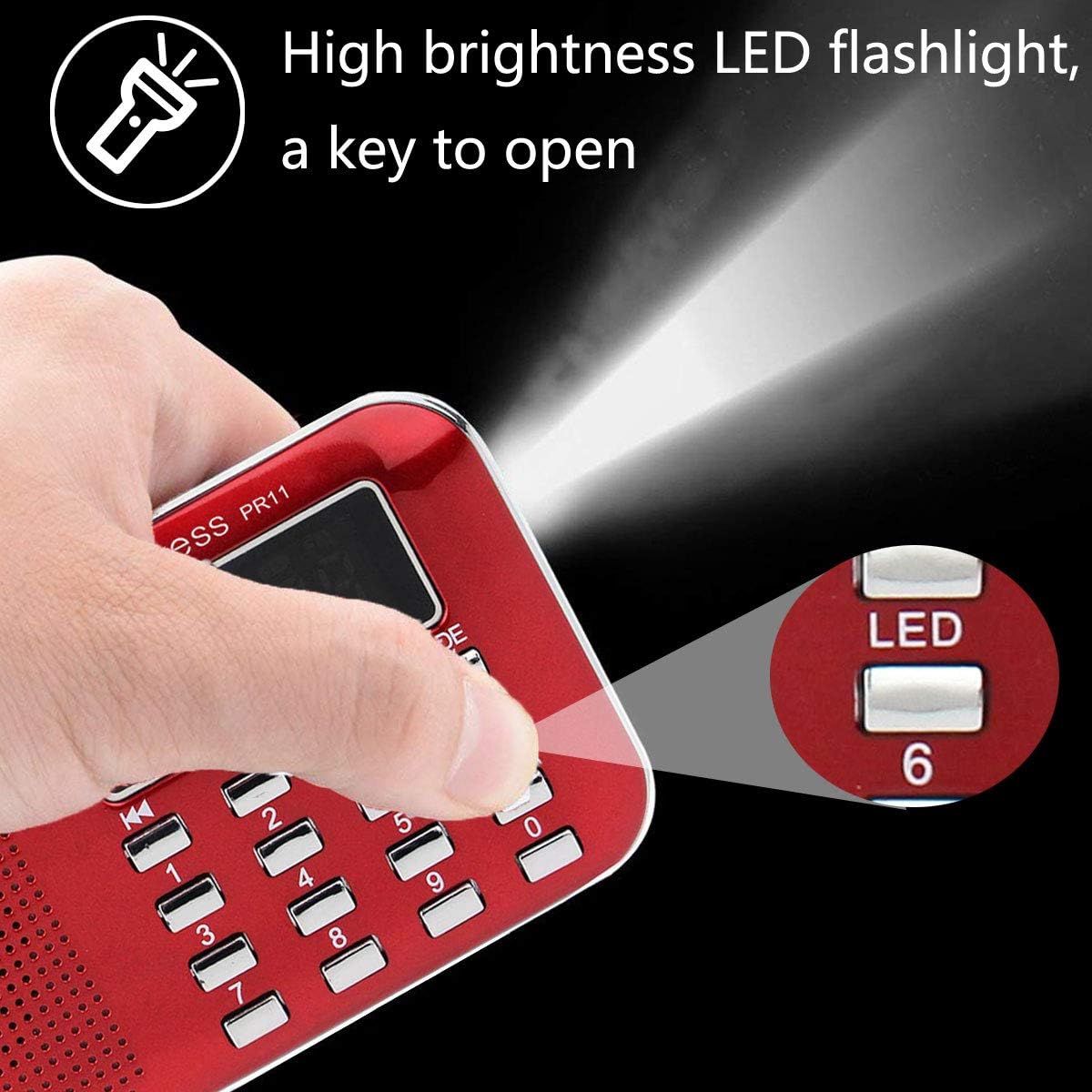
Image: A hand activating the high-brightness LED flashlight on the Retekess PR11 radio.
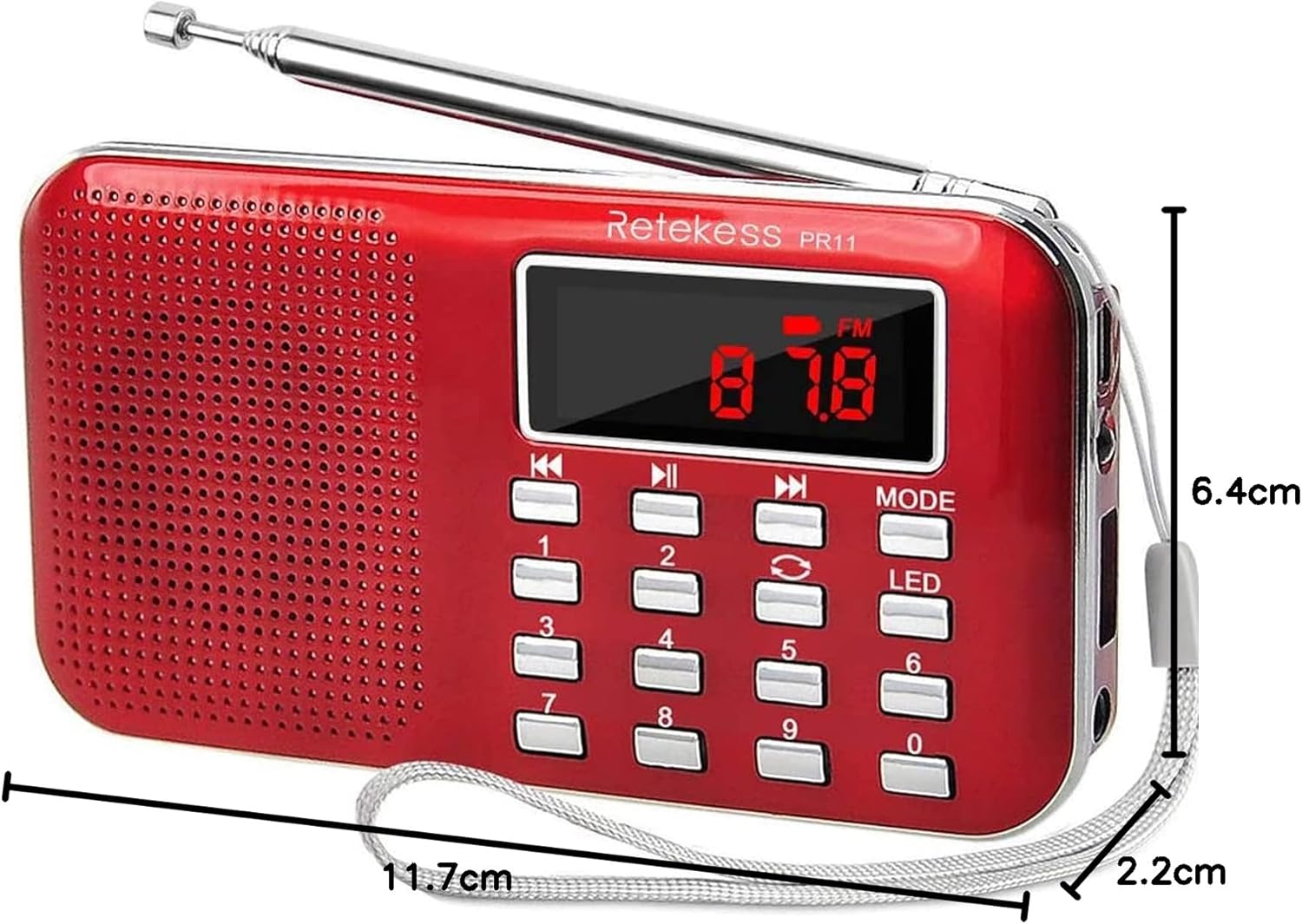
Image: The Retekess PR11 radio with its dimensions clearly marked, showing its compact size.
4. Setup
4.1 Battery Installation
- Locate the battery compartment on the back of the radio.
- Open the battery compartment cover.
- Insert the provided BL-5C lithium battery, ensuring correct polarity.
- Close the battery compartment cover securely.
4.2 Charging the Battery
- Connect the small end of the USB charging cable to the DC input port on the side of the radio.
- Connect the larger end of the USB charging cable to a standard USB power adapter (not included) or a computer's USB port.
- The charging indicator light will illuminate. Once fully charged, the light may change color or turn off, depending on the model.
4.3 Power On/Off
Slide the ON/OFF switch located on the side of the radio to turn the device on or off.
5. Operating Instructions
5.1 Radio Function (FM/AM)
- Extend the telescopic antenna for better reception.
- Press the MODE button to select FM or AM band.
- Automatic Scan and Store: Long-press the SCAN button (or similar, refer to device buttons) to automatically search for and store available stations.
- Manual Tuning: Use the number buttons (0-9) to directly input a station frequency.
- Navigate Stations: Use the Previous/Next buttons to cycle through stored stations.

Image: The Retekess PR11 radio with its antenna extended, indicating good FM reception.
5.2 MP3 Playback (USB/TF Card)
- Insert a USB flash drive into the USB port or a TF card into the TF card slot.
- The radio will automatically switch to MP3 playback mode or you may need to press the MODE button to select it.
- Use the Previous/Next buttons to skip tracks.
- Press the Play/Pause button to control playback.
- The radio supports 3 repeat modes for MP3s: repeat current track, repeat current folder, or repeat all tracks. Cycle through these options using the designated repeat button (if available, or a long press on a navigation button).
5.3 AUX Audio Input
Connect an external audio device (e.g., smartphone, MP3 player) to the AUX input port using a 3.5mm audio cable (not included). The radio will function as an external speaker for your device.
5.4 Headphone Use
Plug a 3.5mm headphone into the headphone jack for private listening. The internal speaker will be muted automatically.
5.5 LED Flashlight
Press the LED button to turn the high-brightness LED flashlight on or off.
6. Maintenance
- Clean the radio with a soft, dry cloth. Do not use abrasive cleaners or solvents.
- Avoid exposing the radio to extreme temperatures, direct sunlight, or high humidity.
- If the radio will not be used for an extended period, remove the battery to prevent leakage.
- Ensure the charging port is free from dust and debris.
7. Troubleshooting
| Problem | Possible Cause | Solution |
|---|---|---|
| Radio does not turn on. | Battery is depleted or incorrectly installed. | Charge the battery or ensure it is installed with correct polarity. |
| Poor radio reception. | Antenna not extended or weak signal area. | Fully extend the telescopic antenna. Try moving to a location with better signal. |
| MP3 playback not working. | USB/TF card not inserted correctly, or unsupported file format. | Ensure the USB/TF card is fully inserted. Check that music files are in MP3 format. |
| Low battery warning is not clear. | The battery indicator may not provide precise level information. | Charge the radio regularly to avoid unexpected power off. |
8. Specifications
- Model Number: EUF9210C
- Brand: Retekess
- Dimensions: 11.7 x 6.4 x 2.2 cm
- Weight: 127 g
- Power Source: Battery powered (1 x BL-5C Lithium Ion battery included)
- Connectivity Technology: USB
- Tuner Technology: AM/FM
- Supported Radio Bands: AM/FM
- Included Components: Retekess PR11 Radio, BL-5C Lithium Battery, USB Charging Cable, User Manual
9. Safety Information
Hearing Protection: Prolonged exposure to loud sounds from any source can temporarily or permanently affect your hearing. The higher the volume of the radio, the greater the impact on hearing, and the less time you should listen. Always listen at a moderate volume.
Battery Safety: Use only the specified BL-5C battery. Do not expose batteries to excessive heat or dispose of them in fire. Do not short-circuit the battery terminals.
10. Warranty and Support
For warranty information and customer support, please refer to the warranty card included with your product or visit the official Retekess website. Keep your purchase receipt as proof of purchase.
11. Product Video
Video: An introductory video showcasing the features and design of the Retekess PR11 portable radio. This video provides a visual overview of the product's functionalities and compact nature.


