
Introduction
This manual provides detailed instructions for the operation and maintenance of your Magicteam Sound Machine, Model SN-A1. Designed to create a peaceful environment, this device offers a variety of non-looping sounds and customizable settings to enhance sleep and relaxation for all ages.
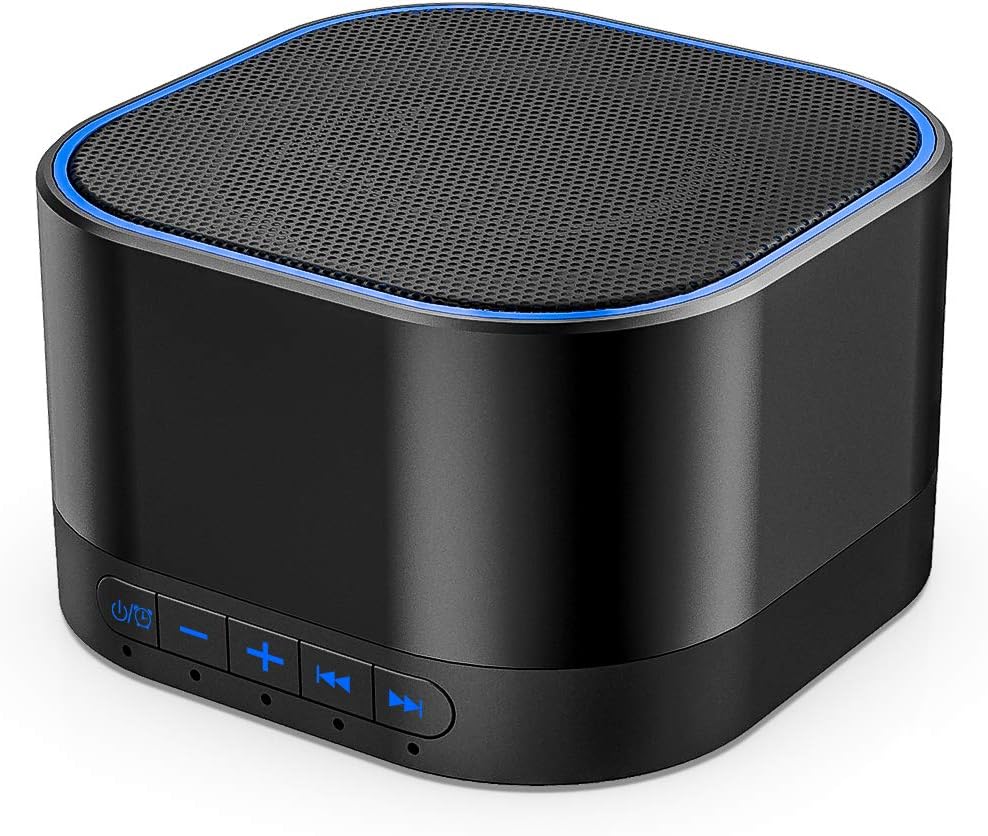
Figure 1: Magicteam Sound Machine, Model SN-A1.
Key Features
- 20 Non-Looping Sleep Sounds: Includes white noise, brown noise, pink noise, blue noise, fan, brook, rain, ocean, bird, and bonfire sounds.
- Precise Volume & Timer Settings: Features 32 levels of volume adjustment and timer options for 1, 2, 3, 4 hours, or continuous play.
- Unique & Portable Design: Compact size (2.64 x 2.64 x 2.83 inches) ideal for home, office, or travel.
- Memory Function: Automatically restores your previous volume, sound, and timer settings.
- Dual Power Options: Can be powered by AC adapter or USB cable.

Figure 2: Overview of the 20 non-looping soothing sounds.
Safety Information
Caution:
This device is powered by electricity. To reduce the risk of electric shock, do not expose to water or moisture. Use only with the provided AC adapter or USB cable. This product is not a toy; keep it out of reach of young children. While designed for sleep therapy, avoid prolonged exposure to high volume levels.
Setup
Your Magicteam Sound Machine is designed for easy setup. Follow these steps to begin:
- Power Connection: Connect the provided USB cable to the sound machine and either plug it into the AC adapter (included) for wall power or into a compatible USB port (e.g., computer, power bank).

Figure 3: Powering the device via AC adapter or USB.
Operating Instructions
The Magicteam Sound Machine offers intuitive controls for a personalized experience.
Sound Selection
The device comes pre-loaded with 20 non-looping natural sounds. To cycle through the available sounds, use the forward (▶▶) and backward (◀◀) buttons located on the control panel. Each press will switch to the next or previous sound in the sequence.

Figure 4: Control panel for sound and volume adjustments.
Volume Adjustment
Adjust the volume to your preferred level using the plus (+) and minus (-) buttons. The device offers 32 distinct volume levels for fine-tuned control.
Timer Settings
The sound machine features a sleep timer function. Press the timer button (often indicated by a clock symbol) to cycle through the preset durations: 1 hour, 2 hours, 3 hours, 4 hours, or continuous play. When set to a timed duration, the sound will gradually fade out as the timer expires, ensuring a gentle transition to silence.

Figure 5: Customizable timer settings.
Memory Function
The built-in memory function ensures that the device automatically restores your last used sound, volume, and timer settings when powered on, eliminating the need to reconfigure your preferences each time.
No Official Seller Videos Available
At this time, there are no official seller-created videos specifically demonstrating the operation of the Magicteam Sound Machine. Please refer to the text instructions and images provided in this manual for guidance.
Maintenance
To ensure the longevity and optimal performance of your Magicteam Sound Machine, follow these simple maintenance guidelines:
- Cleaning: Wipe the device with a soft, dry cloth. Do not use liquid cleaners or abrasive chemicals, as they may damage the surface or internal components.
- Storage: When not in use for extended periods, store the device in a cool, dry place, away from direct sunlight and extreme temperatures.
- Handling: Handle the device with care. Avoid dropping it or subjecting it to strong impacts.
- Moisture: Keep the device away from water and high humidity environments to prevent electrical hazards and damage.
Troubleshooting
If you encounter any issues with your Magicteam Sound Machine, please refer to the following common troubleshooting tips:
| Problem | Possible Cause | Solution |
|---|---|---|
| Device does not turn on. | No power supply or loose connection. | Ensure the AC adapter or USB cable is securely plugged into both the device and a working power outlet/USB port. |
| No sound output. | Volume is too low or muted. | Increase the volume using the '+' button. Check if the device is accidentally muted (though no explicit mute button is listed, it's a common issue). |
| Sound is looping or repetitive. | This device features non-looping sounds. If you experience looping, it may indicate a rare software glitch. | Try turning the device off and on again. If the issue persists, contact customer support. |
| Timer function not working as expected. | Incorrect timer setting selected. | Press the timer button repeatedly to cycle through and select the desired duration (1H, 2H, 3H, 4H, or continuous). |
If these solutions do not resolve the issue, please contact Magicteam customer support for further assistance.
Specifications
| Feature | Detail |
|---|---|
| Product Dimensions | 2.64 x 2.64 x 2.83 inches |
| Item Model Number | SN-A1 |
| Item Weight | 5.76 ounces |
| Brand | Magicteam |
| Color | Black |
| Power Source | Corded Electric (AC or USB) |
| Music Tracks | 20 Non-Looping Natural Sounds |
| Volume Levels | 32 |
| Timer Options | 1H, 2H, 3H, 4H, Continuous |
Warranty and Support
For warranty information, technical support, or any inquiries regarding your Magicteam Sound Machine, please contact Magicteam customer service directly. Contact details can typically be found on the product packaging or the official Magicteam website.
Note: Statements regarding dietary supplements have not been evaluated by the FDA and are not intended to diagnose, treat, cure, or prevent any disease or health condition. This product is a sound machine and not a dietary supplement.
