
Introduction
Welcome to the ESSLNB 80mm Astronomical Travel Telescope user manual. This guide provides comprehensive instructions for setting up, operating, and maintaining your new telescope. Designed for both beginners and experienced astronomy enthusiasts, this telescope offers a clear and immersive viewing experience of celestial objects.
Please read this manual thoroughly before using your telescope to ensure optimal performance and longevity.
Package Contents
Before assembly, please verify that all components listed below are present in your package:
- 1 x Telescope Optical Tube
- 1 x K25mm Eyepiece
- 1 x K9mm Eyepiece
- 1 x 3X Barlow Lens
- 1 x Protective Cover
- 1 x Adjustable Aluminum Tripod (with Accessory Tray)
- 1 x 5X20 Erect-Image Finder Scope
- 1 x Phone Adapter with 10X Eyepiece
- 1 x Star Target Planisphere (PVC)
- 1 x Metal Moon Filter
- 1 x Backpack (for telescope)
- 1 x Accessory Backpack (for smaller components)
- 1 x Cleaning Cloth
- 1 x User Manual
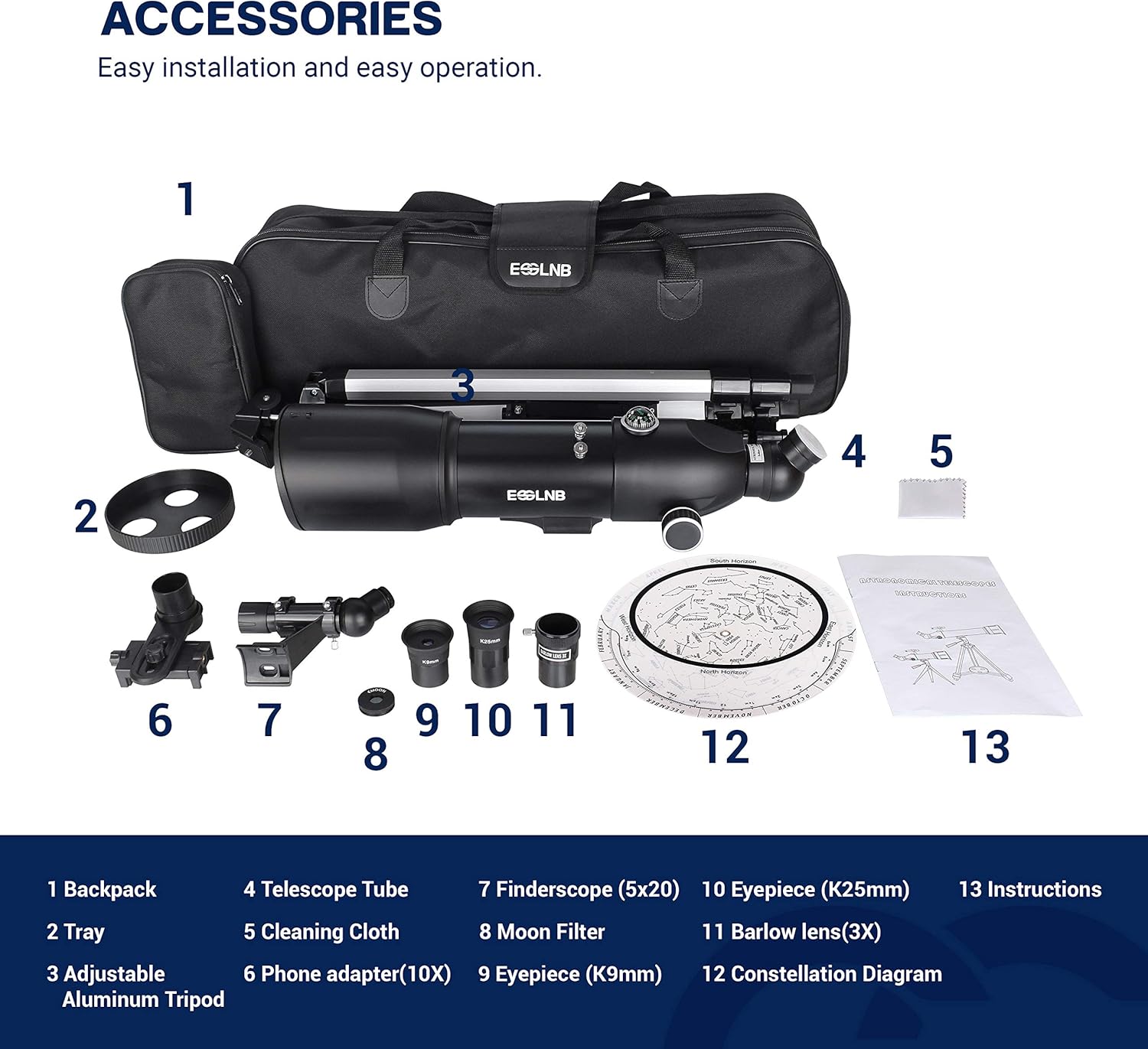
Image: A complete overview of all included accessories, neatly arranged for easy identification.
Assembly & Setup
Follow these steps to assemble your ESSLNB telescope:
- Set up the Tripod: Extend the aluminum tripod legs to your desired height. Ensure the tripod is stable on a flat surface. Attach the accessory tray to the designated clips on the tripod legs.
- Mount the Telescope Tube: Securely attach the telescope optical tube to the tripod's altazimuth mount. Use the provided screws to fasten it firmly.
- Attach the Finder Scope: Mount the 5X20 erect-image finder scope to the top of the main telescope tube using the small screws. This will help you locate objects more easily.
- Insert the Diagonal Prism: Insert the 128° erect-image diagonal prism into the focuser of the telescope. Ensure it is seated correctly.
- Insert an Eyepiece: Choose either the K9mm or K25mm eyepiece and insert it into the diagonal prism. For higher magnification, you can first insert the 3X Barlow lens into the diagonal, and then the eyepiece into the Barlow lens.
- Attach Moon Filter (Optional): If observing the moon, gently screw the metal moon filter onto the bottom of your chosen eyepiece before inserting it into the diagonal.
- Attach Phone Adapter (Optional): The phone adapter can be attached to an eyepiece to allow for photo and video capture through your smartphone.

Image: Key components of the telescope, highlighting the eyepiece, diagonal lens, finderscope, objective, and tripod head for assembly reference.
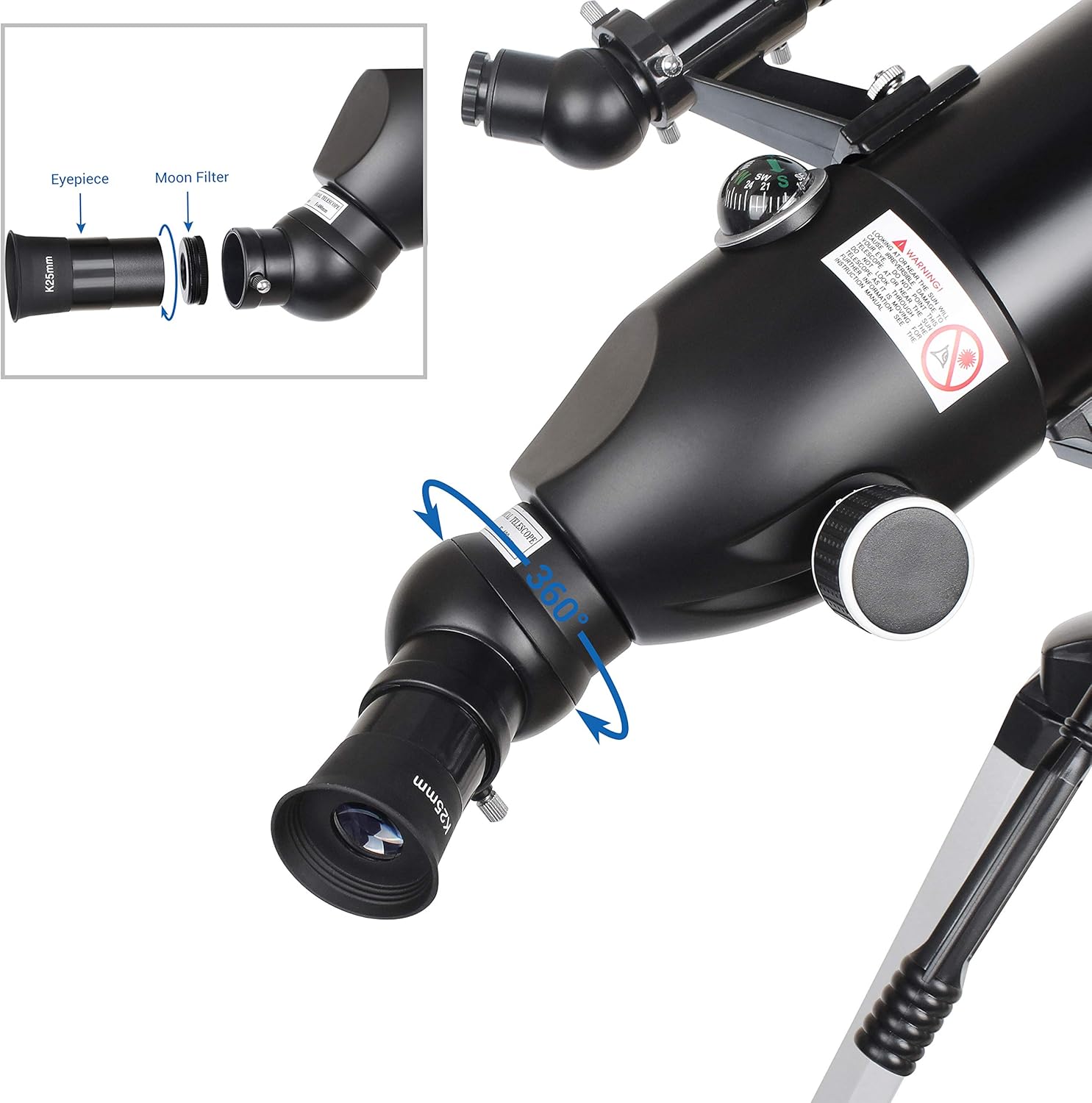
Image: Illustration of eyepiece and moon filter attachment, demonstrating the 360-degree rotation capability of the diagonal prism.
Optical Features
Your ESSLNB telescope is equipped with advanced optical features for superior viewing:
- High-Transmission Optical Lens: The 400mm focal length and 80mm objective lens, combined with multi-fully high transmission coated all-optical lenses, significantly improve image brightness and clarity. This provides a broad and comfortable field of view.
- 3X Magnification: The telescope includes 1.25" high-power interchangeable Kellner eyepieces (K9mm, K25mm) and a 3X Barlow lens. The Barlow lens triples the magnification of any eyepiece it's paired with.
- Erect Images and Comprehensive Viewing Angle: Thanks to the 128° erect-image diagonal prism and the 5X20 erect-image finder scope, this telescope produces upright images. The 128° diagonal prism can rotate 360°, offering a wider and more comfortable observation experience compared to inverted diagonals.
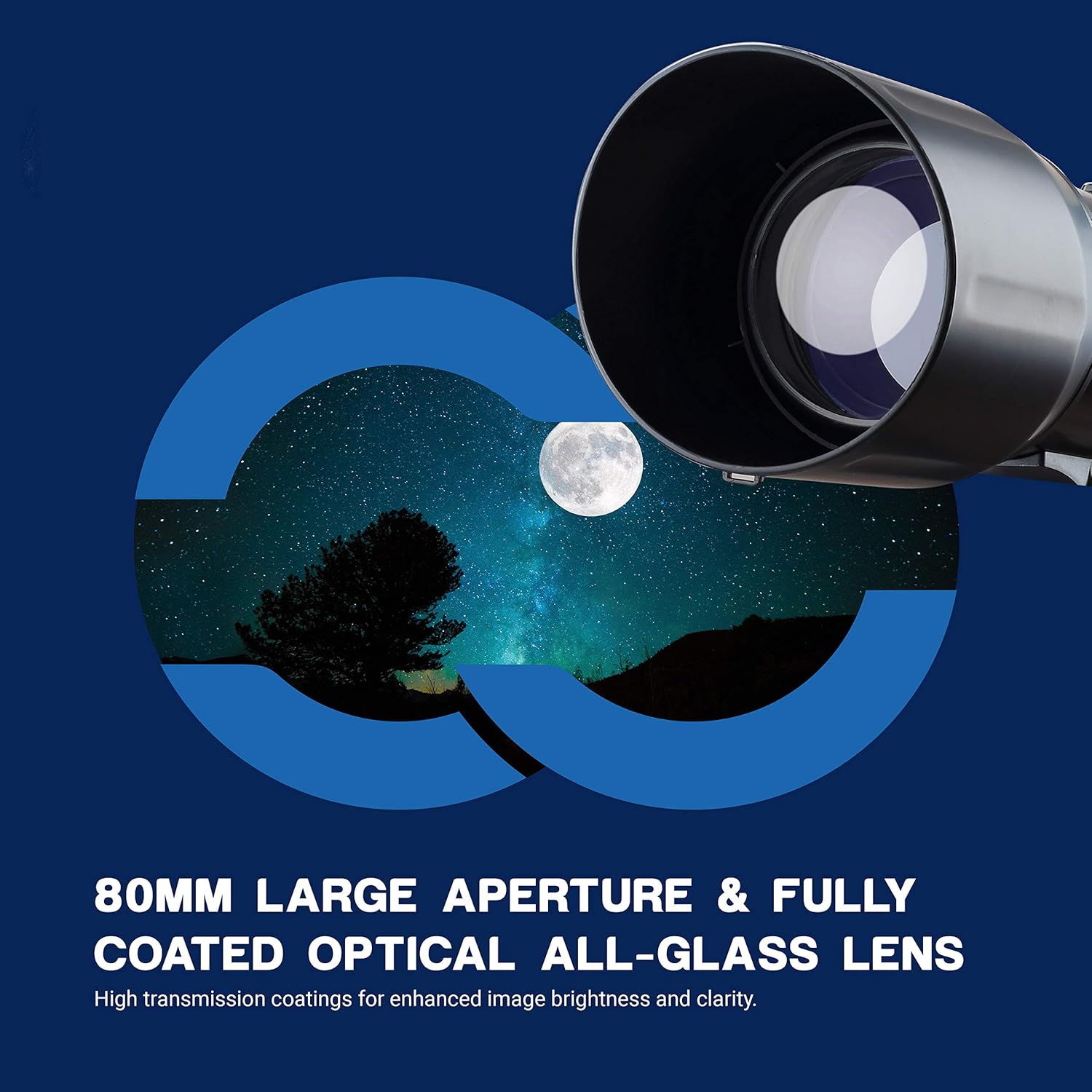
Image: Highlighting the 80mm large aperture and fully coated optical all-glass lens, designed for enhanced image brightness and clarity.
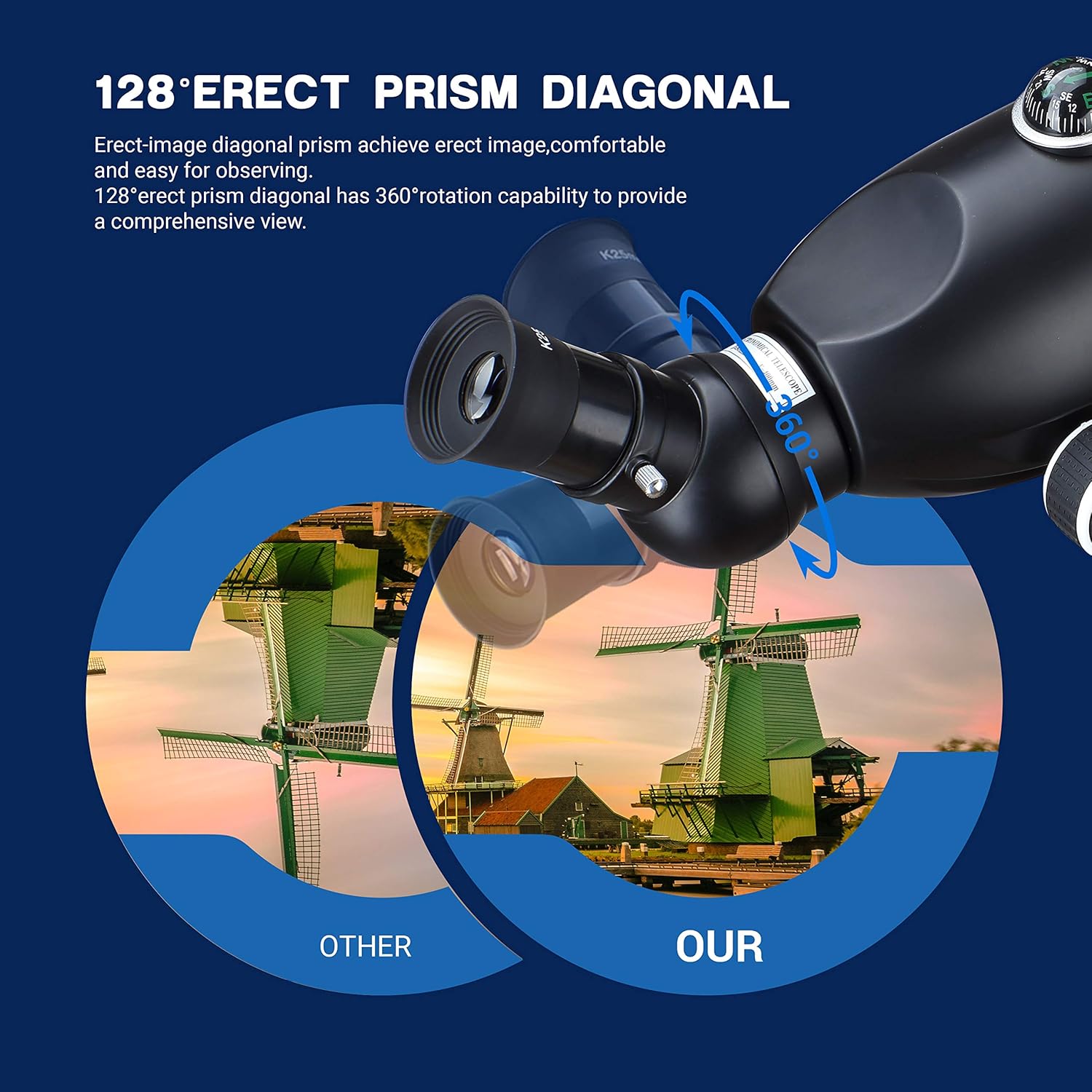
Image: Demonstrating the 128° erect prism diagonal, which ensures upright images and offers a 360° rotation for a comprehensive viewing angle.
Operating the Telescope
To begin your astronomical observations:
- Locate an Object: Use the 5X20 finder scope to initially locate the celestial object you wish to observe. Align the crosshairs of the finder scope with the object.
- Adjust Focus: Once the object is centered in the main telescope's field of view, use the focusing knobs to achieve a sharp, clear image.
- Adjust Viewing Position: The aluminum tripod can be adjusted 180 degrees vertically and 360 degrees horizontally, allowing for optimal viewing positions. The telescope's height can be adjusted up to 120cm.
- Using the Phone Adapter: The included phone adapter with a 10X eyepiece allows you to easily attach your smartphone to the telescope for capturing photos and videos of your observations.
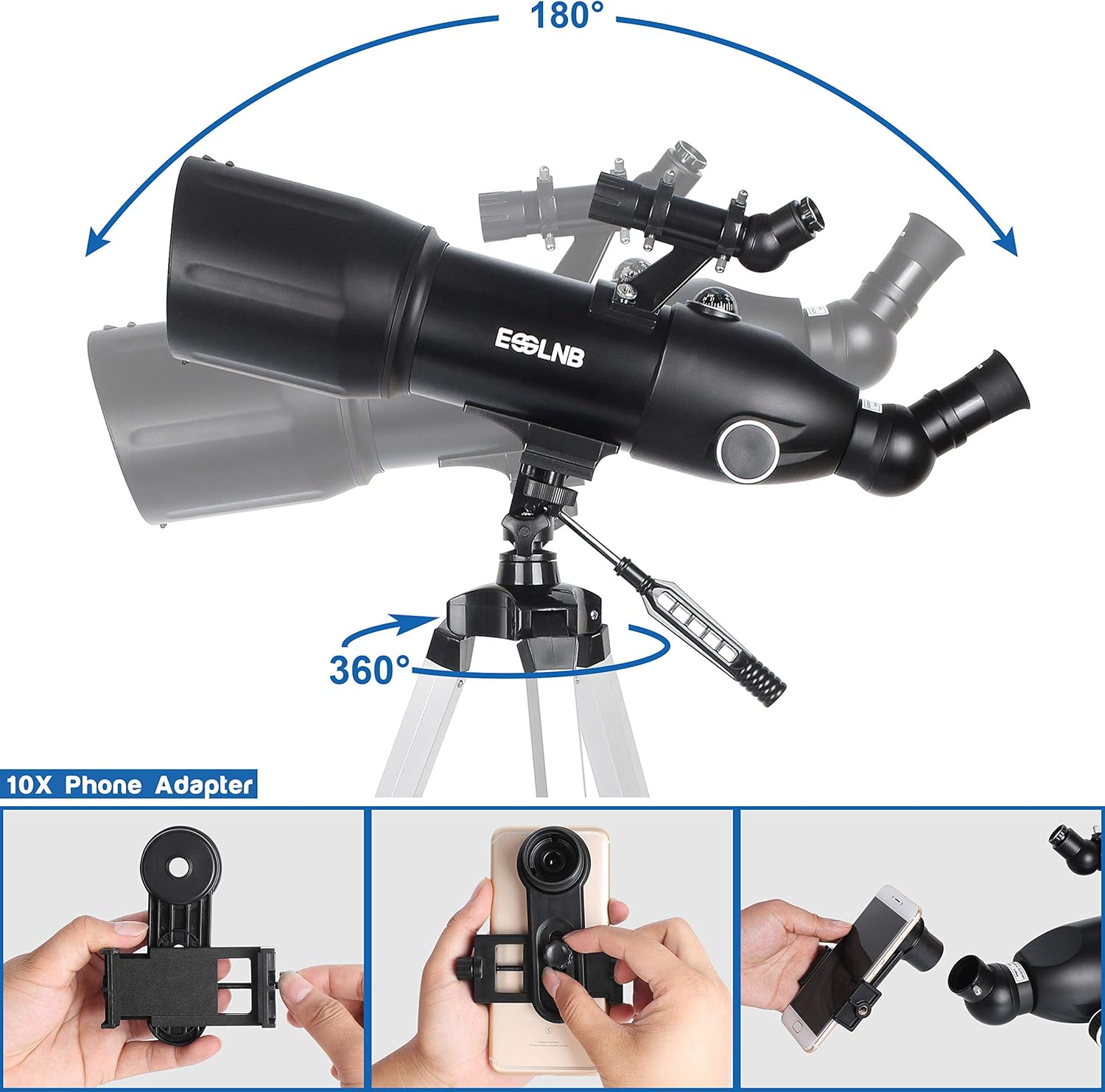
Image: Demonstrating the telescope's full range of motion (180° vertical, 360° horizontal) and a step-by-step guide for attaching the 10X phone adapter.

Image: Highlighting the adjustable height of the tripod and the 360-degree rotation of the eyepiece for versatile viewing.
Maintenance
Proper maintenance will ensure the longevity and performance of your telescope:
- Cleaning Lenses: Use the provided cleaning cloth to gently wipe the lenses. Avoid using abrasive materials or harsh chemicals, as they can damage the optical coatings.
- Storage: When not in use, store the telescope and its accessories in the provided backpacks in a dry, dust-free environment. Ensure all caps are on the lenses to prevent dust accumulation.
- Handling: Always handle the telescope with care. Avoid dropping it or subjecting it to sudden impacts, which can misalign optical components.
Troubleshooting
If you encounter any issues with your telescope, refer to the following common problems and solutions:
- Blurred Images: Ensure the focusing knobs are properly adjusted. Check that the eyepieces and diagonal are securely inserted and clean. Atmospheric conditions can also affect image clarity.
- Difficulty Locating Objects: Make sure the finder scope is correctly aligned with the main telescope. Practice using the finder scope during daylight hours on distant terrestrial objects.
- Unstable View: Ensure the tripod legs are fully extended and locked, and that the telescope is securely mounted. Avoid observing in windy conditions.
- No Image Through Phone Adapter: Verify that the phone's camera lens is perfectly aligned with the eyepiece. Adjust the phone's position until the image is centered.
Specifications
| Feature | Detail |
|---|---|
| Product Dimensions | 25 x 25 x 51.6 inches |
| Item Weight | 6.3 ounces |
| Optical Tube Length | 400 Millimeters |
| Objective Lens Diameter | 80 Millimeters |
| Eyepiece Lens Description | Kellner |
| Telescope Mount Description | Altazimuth Mount |
| Focus Type | Manual Focus |
| Finderscope | Reflex |
Warranty & Support
For detailed warranty information and additional support, please refer to the official documentation or contact ESSLNB customer service.
An installation manual in PDF format is available for download: Installation Manual (PDF)
Visit the official ESSLNB Store for more products and support: ESSLNB Store
