
1. Introduction
This manual provides essential instructions for the safe and efficient operation, setup, and maintenance of your IDEAL 1135 Guillotine Paper Trimmer. Please read this manual thoroughly before using the device to ensure proper function and user safety. The IDEAL 1135 is designed for precise paper cutting in office and business environments, featuring a 13.75-inch cutting length and a German Solingen steel blade.
2. Safety Instructions
WARNING: Improper use can result in serious injury. Always follow these safety guidelines.
- Keep hands and fingers clear of the blade area at all times, especially during cutting operations.
- Ensure the transparent Lexan safety guard is properly in place before operating the trimmer. This guard covers the blade in every position.
- Do not attempt to cut materials thicker than the specified capacity (up to 25 sheets of standard paper).
- Always place the trimmer on a stable, flat, non-slip surface before use. The non-slip base feet help prevent movement.
- Keep children and unauthorized personnel away from the trimmer.
- Exercise caution when handling the blade for cleaning or maintenance. The Solingen steel blade is extremely sharp.
- Never leave the trimmer unattended with the blade in an open or unsecured position.
- Do not operate the trimmer if any parts are damaged or missing.
3. Components Identification
Familiarize yourself with the main parts of your IDEAL 1135 Guillotine Paper Trimmer:

Figure 3.1: Overall View of the IDEAL 1135 Paper Trimmer. This image displays the complete paper trimmer, highlighting its white base, red ergonomic handle, and transparent safety guard. The cutting bed features measurement guides.

Figure 3.2: Key Components and Dimensions. This image labels the blade length (13.75 inches), the lockable back gauge, and the easy lift release mechanism. It also shows the overall dimensions of the trimmer: 15 inches in depth and 12.75 inches in width.

Figure 3.3: Solingen Steel Blade. A close-up view of the cutting edge, emphasizing the German Solingen steel blade, known for its sharpness and durability. The image also shows the red cutting strip.

Figure 3.4: Ergonomic Handle. This image focuses on the red ergonomic handle, designed for comfortable and safe operation, reducing user fatigue during cutting.

Figure 3.5: Measurement Guides. A detailed view of the sturdy metal cutting table, showing standard measuring sizes in centimeters and inches, along with common paper formats (DIN A4, A5, A6) and angle guides (30°, 45°, 60°) for precise alignment.
Figure 3.6: Transparent Lexan Safety Guard. This image highlights the clear safety guard that covers the blade, providing protection while allowing an unobstructed view of the cutting line.
4. Setup
- Unpacking: Carefully remove the trimmer from its packaging. Retain packaging for future transport or storage.
- Placement: Position the trimmer on a flat, stable, and level surface. Ensure there is adequate space around the trimmer for safe operation and material handling. The non-slip base feet should firmly grip the surface.
- Safety Guard Check: Verify that the transparent Lexan safety guard is securely attached and moves freely.
- Blade Inspection: Visually inspect the Solingen steel blade for any damage or dullness. A sharp blade is crucial for clean cuts.
5. Operating Instructions
- Prepare Material: Gather the paper or material to be cut. Ensure it is free from staples, paper clips, or other foreign objects that could damage the blade.
- Lift Safety Guard and Blade: Carefully lift the ergonomic handle and the transparent safety guard to open the cutting area.
- Position Material: Place the material flat on the cutting bed, aligning it with the desired measurement guides (cm/in, DIN A4, A5, A6, or angle guides). Use the lockable back gauge for consistent, repetitive cuts.
- Secure Material: The automatic clamp will engage as the blade is lowered, holding the paper firmly in place. Ensure the material is held securely to prevent shifting during the cut.
- Perform Cut: While keeping hands clear of the blade path, firmly and smoothly pull the ergonomic handle downwards through the material. Apply even pressure for a clean cut.
- Retrieve Cut Material: Once the cut is complete, lift the handle and safety guard, then remove the trimmed material.
- Close Blade: Always return the blade to its fully closed and secured position when not in use.
Cutting Capacity: The IDEAL 1135 is designed to cut up to 25 sheets of standard 20 lb bond paper at once. Exceeding this capacity may result in poor cut quality or damage to the blade and trimmer.
6. Maintenance
- Cleaning: Regularly wipe down the cutting bed and blade with a dry, soft cloth to remove paper dust and debris. Do not use abrasive cleaners or solvents.
- Blade Care: The German Solingen steel blade is self-sharpening under normal use. However, if the blade becomes dull or damaged, it can be professionally re-sharpened or replaced. Refer to the manufacturer for replacement knife information.
- Lubrication: Periodically apply a small amount of light machine oil to the blade pivot points and guide rails to ensure smooth operation.
- Storage: When not in use, store the trimmer in a clean, dry environment with the blade in the fully closed and secured position.
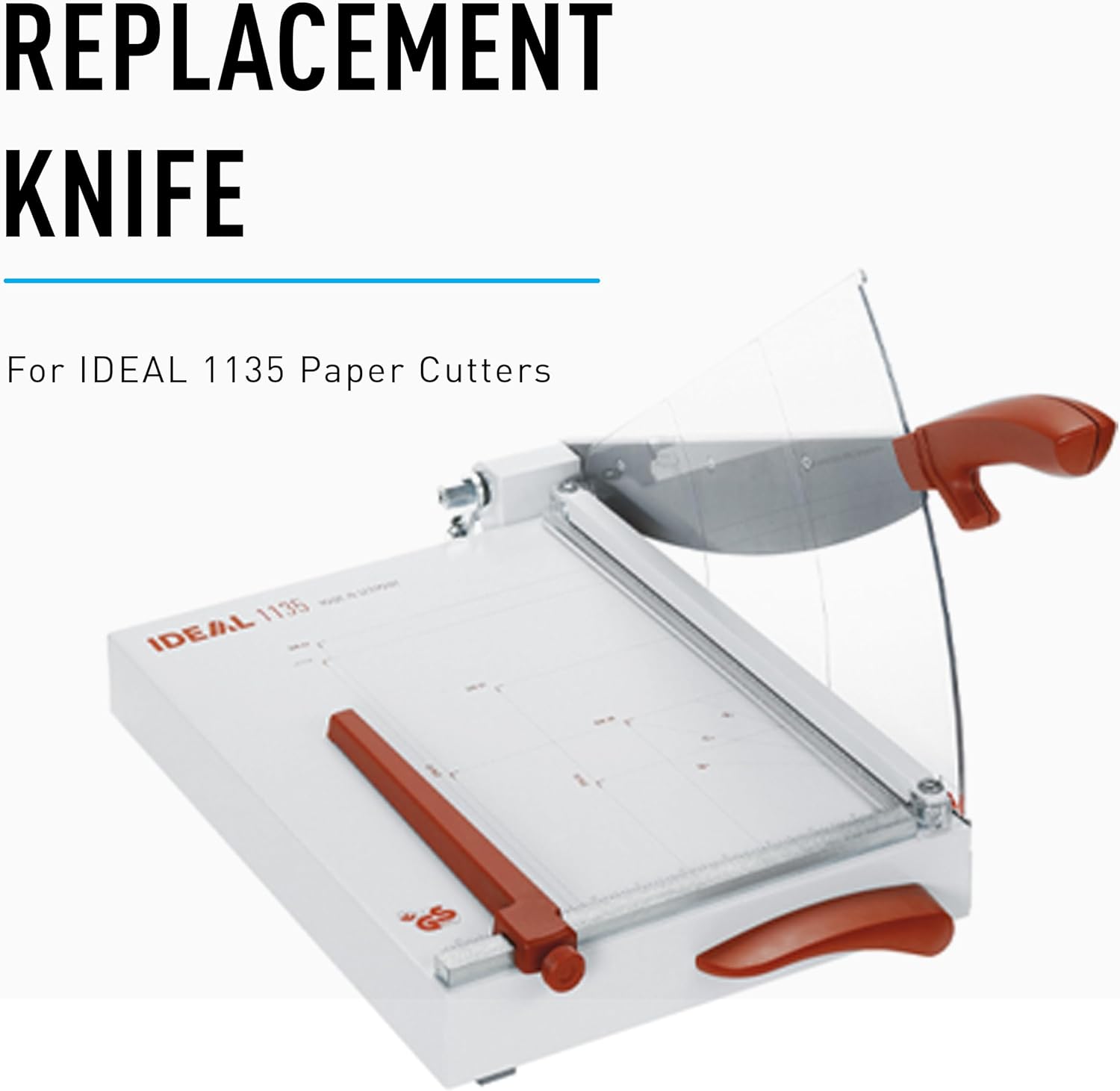
Figure 6.1: Replacement Knife. This image shows the IDEAL 1135 paper cutter, indicating the availability of replacement knives for continued accuracy and performance.
7. Troubleshooting
| Problem | Possible Cause | Solution |
|---|---|---|
| Uneven or ragged cuts | Dull blade, too much material, material shifting, improper alignment. | Inspect blade for sharpness; reduce number of sheets; ensure material is securely clamped and aligned; re-sharpen or replace blade if necessary. |
| Blade sticking or difficult to move | Accumulation of paper dust/debris, lack of lubrication, bent components. | Clean blade and guide rails; apply light machine oil to pivot points; inspect for physical damage. |
| Material not clamping securely | Automatic clamp mechanism obstructed or damaged. | Check for debris obstructing the clamp; ensure the clamp mechanism moves freely. |
8. Specifications
| Feature | Detail |
|---|---|
| Model | 1135 |
| Cutting Length | 13.75 inches (350 mm) |
| Cutting Capacity | Up to 25 sheets (standard 20 lb bond paper) |
| Blade Material | German Solingen Steel |
| Handle Material | Acrylonitrile Butadiene Styrene (ABS) |
| Safety Features | Transparent Lexan Safety Guard, Automatic Clamp |
| Base Material | Heavy-Duty Metal |
| Item Weight | 10 pounds |
| Dimensions (Approx.) | 15" (Depth) x 12.75" (Width) |
| UPC | 810792030280 |
| Manufacturer | MBM |
9. Warranty and Support
For warranty information, technical support, or to inquire about replacement parts (such as the replacement knife), please contact IDEAL customer service or visit the official IDEAL website. Keep your purchase receipt as proof of purchase.
Manufacturer: MBM
Brand: IDEAL
For further assistance, please refer to the contact information provided with your product packaging or visit the IDEAL Store on Amazon.


