1. Overview
The Rollei Compactline Pocket Digital Camera is designed for ease of use and portability, allowing you to capture high-quality photos and videos on the go. Featuring a 50-megapixel sensor and 16x digital zoom, it delivers clear and vibrant images. Its compact design makes it an ideal companion for travel and everyday moments, ensuring you are always ready to capture memories in 2.7K video resolution.
2. What's in the Box
Carefully unpack your Rollei Compactline Pocket Digital Camera and ensure all items are present. If any items are missing or damaged, please contact customer support.
- Rollei Compactline Pocket Camera
- Lithium-ion Battery
- Wrist Strap
- USB-C Cable
- Carrying Pouch
- User Manual

Image: Contents of the Rollei Compactline Pocket package, including the camera, battery, USB-C cable, wrist strap, and carrying pouch.
3. Camera Parts and Controls
Front View

Image: Front view of the Rollei Compactline Pocket camera, showing the lens, flash, and Rollei branding.
- Lens: Captures images and videos.
- Flash: Provides illumination in low-light conditions.
- Microphone: Records audio during video capture.
Rear View
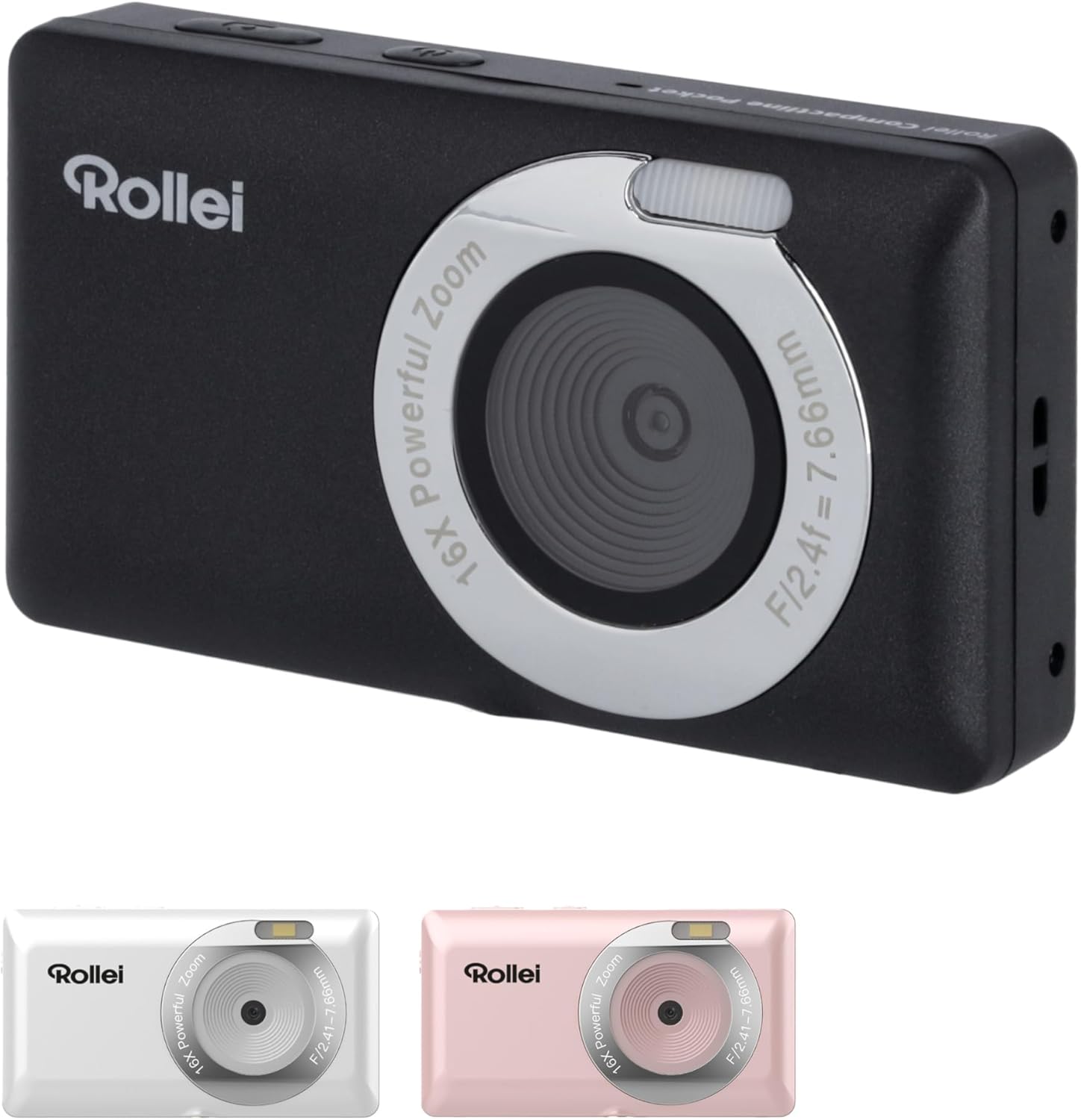
Image: Rear view of the Rollei Compactline Pocket camera, displaying the 2.4-inch IPS screen and control buttons.
- 2.4-inch IPS Display: For viewing live images, playback, and menu navigation.
- Power Button: Turns the camera on or off.
- Shutter Button: Takes photos or starts/stops video recording.
- Zoom Buttons (W/T): Controls digital zoom (Wide/Telephoto).
- Directional Pad (Up/Down/Left/Right) with OK Button: Navigates menus and confirms selections.
- Menu Button: Accesses camera settings.
- DISP Button: Changes display information.
- Playback Button: Enters playback mode to view photos and videos.
4. Setup
4.1. Battery Installation
- Locate the battery compartment cover on the bottom of the camera.
- Slide the latch to open the cover.
- Insert the Lithium-ion battery according to the polarity indicators (+/-).
- Close the battery compartment cover until it clicks securely.
4.2. Memory Card Installation
A microSD card (not included) is required to store photos and videos.
- Open the battery compartment cover.
- Locate the microSD card slot.
- Insert the microSD card with the metal contacts facing down until it clicks into place.
- Close the battery compartment cover.
4.3. Charging the Battery
- Connect the small end of the USB-C cable to the camera's USB-C port.
- Connect the large end of the USB-C cable to a USB power adapter (not included) or a computer's USB port.
- The charging indicator light will illuminate. It will turn off or change color when charging is complete.
5. Operating the Camera
5.1. Power On/Off
- To Power On: Press and hold the Power button until the screen illuminates.
- To Power Off: Press and hold the Power button until the screen turns off.
5.2. Taking Photos
- Turn on the camera. It will typically start in photo mode.
- Frame your shot using the 2.4-inch IPS display.
- Press the Shutter button halfway down to focus. The focus indicator will confirm when focus is achieved.
- Press the Shutter button fully down to capture the photo.
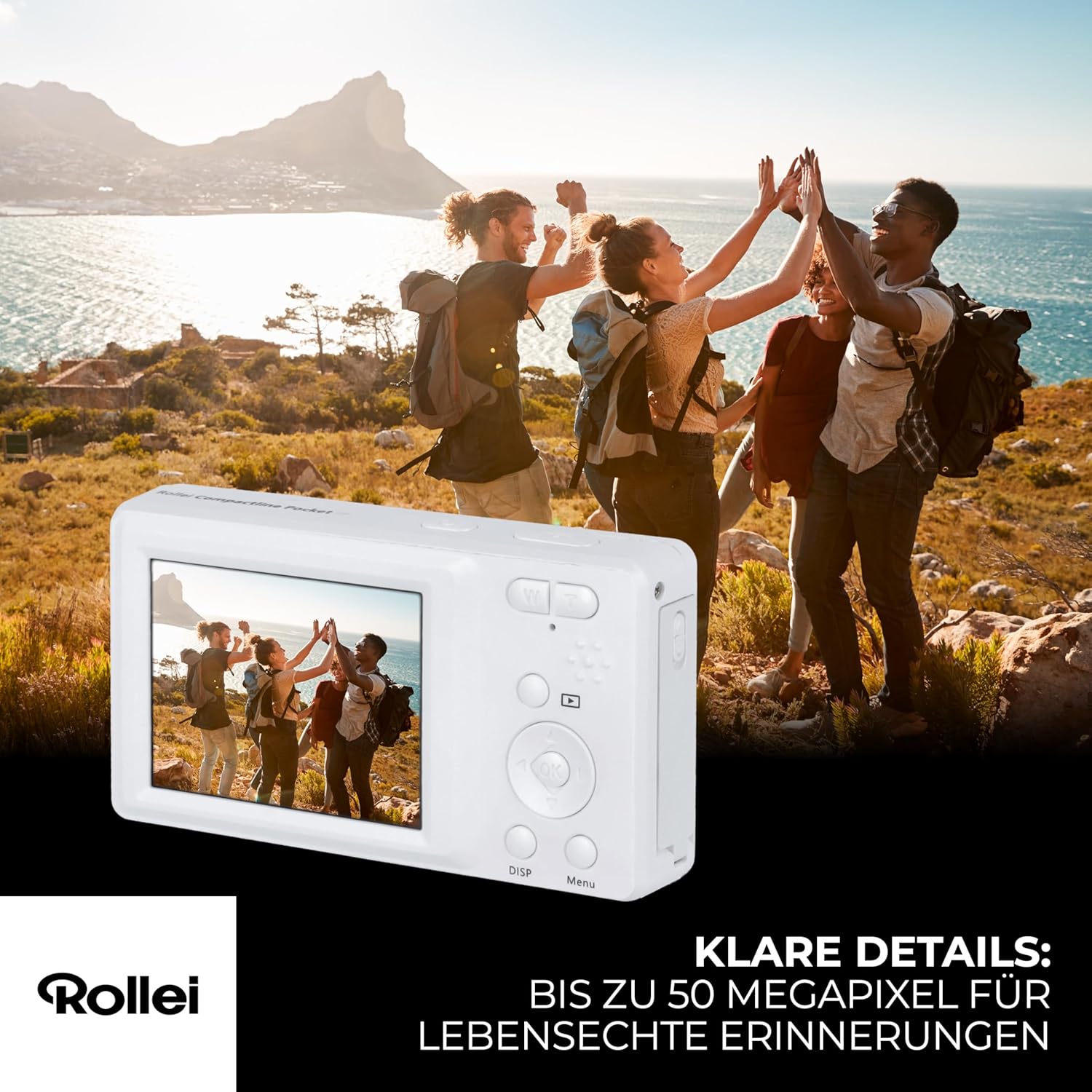
Image: A person holding the Rollei Compactline Pocket camera, demonstrating how to frame a shot for photography.
5.3. Recording Videos
- Turn on the camera.
- Switch to video mode (refer to the camera's on-screen menu or a dedicated button if available).
- Frame your video.
- Press the Shutter button to start recording. A timer or indicator will appear on the screen.
- Press the Shutter button again to stop recording.

Image: The Rollei Compactline Pocket camera's screen showing a vibrant video scene of people enjoying a beach, illustrating video recording capability.
5.4. Playback
- Press the Playback button to enter playback mode.
- Use the Left/Right directional buttons to navigate through your photos and videos.
- Press the OK button to view a video or zoom into a photo.
- Press the Playback button again to exit playback mode.
5.5. Menu Navigation
- Press the Menu button to access camera settings.
- Use the Up/Down directional buttons to scroll through menu options.
- Use the Left/Right directional buttons to change settings within an option.
- Press the OK button to confirm a selection.
- Press the Menu button again to exit the menu.
5.6. Connecting to a Computer
- Ensure the camera is powered off.
- Connect the camera to your computer using the provided USB-C cable.
- Power on the camera. It should appear as a removable disk drive on your computer.
- You can now transfer photos and videos to your computer.
6. Maintenance
- Cleaning the Lens: Use a soft, lint-free cloth specifically designed for camera lenses. Do not use harsh chemicals.
- Cleaning the Body: Wipe the camera body with a soft, dry cloth. For stubborn dirt, slightly dampen the cloth with water.
- Storage: Store the camera in a cool, dry place away from direct sunlight and extreme temperatures. Remove the battery if storing for extended periods.
- Water Resistance: This camera is not waterproof. Avoid exposure to water or high humidity.
7. Troubleshooting
Camera Will Not Turn On
- Ensure the battery is correctly inserted and fully charged.
- Try charging the battery for at least 30 minutes.
Poor Image Quality
- Check if the lens is clean and free from smudges or dust.
- Ensure there is adequate lighting for your shot.
- Avoid excessive digital zoom, which can reduce image clarity.
Memory Card Error
- Ensure the memory card is correctly inserted.
- Try formatting the memory card (this will erase all data, so back up first).
- Test with a different, compatible microSD card.
Battery Not Charging
- Verify the USB-C cable is securely connected to both the camera and the power source.
- Try using a different USB power adapter or computer USB port.
- Ensure the battery is not damaged.
8. Specifications
| Feature | Specification |
|---|---|
| Brand | Rollei |
| Model Name | Compactline Pocket |
| Model Number | 10858 |
| Effective Still Resolution | 52 Megapixels |
| Video Resolution | 2160p (2.7K) |
| Digital Zoom | 16x |
| Optical Zoom | 1x (Fixed Lens) |
| Display | 2.4 inch IPS Screen |
| Aperture | F2.8 |
| Focal Length | 16mm |
| ISO Range | 100 to 6400 |
| Image Stabilization | Yes |
| Battery Type | Lithium-ion |
| Connectivity | USB |
| Item Weight | 100 Grams |
| Product Dimensions (L x W x H) | 11 x 9 x 7 cm |
| Water Resistance Level | Not waterproof |
9. Warranty and Support
Warranty Information
The Rollei Compactline Pocket Digital Camera comes with a 24-Month Exchange Guarantee from the date of purchase. Please retain your proof of purchase for warranty claims.
Customer Support
Our experts are available to assist you with any questions or issues you may encounter.
- Phone Support: +49 40 270 750 277
- Operating Hours: Monday to Friday, 10:00 AM to 4:00 PM (CET)


