1. Introduction and Overview
The SANWA 104 Capacity CD/DVD/Blu-ray Storage Case is designed to provide secure and organized storage for your optical discs. Constructed with durable materials and a thoughtful design, it protects your media from scratches, dust, and damage, making it ideal for home, office, or travel use.
Key features include:
- Protection + Fabric: Made of soft non-woven fabric with minimal unevenness to prevent scratches and unevenness transfer. Suitable for Blu-ray discs, DVDs, and CDs.
- Premium Material: The case is made of solid PP (case) and soft PU (handle), offering durability, water resistance, and dust protection. The disc contact surface has a grainy finish to prevent label ink from sticking.
- Considerate Design: Non-woven fabric sleeves feature a slit for easy disc insertion and removal, and a side stopper to prevent discs from falling out. Double sewing thread reinforcement on the edge enhances durability. The high-quality, smooth zipper ensures easy and secure closure.
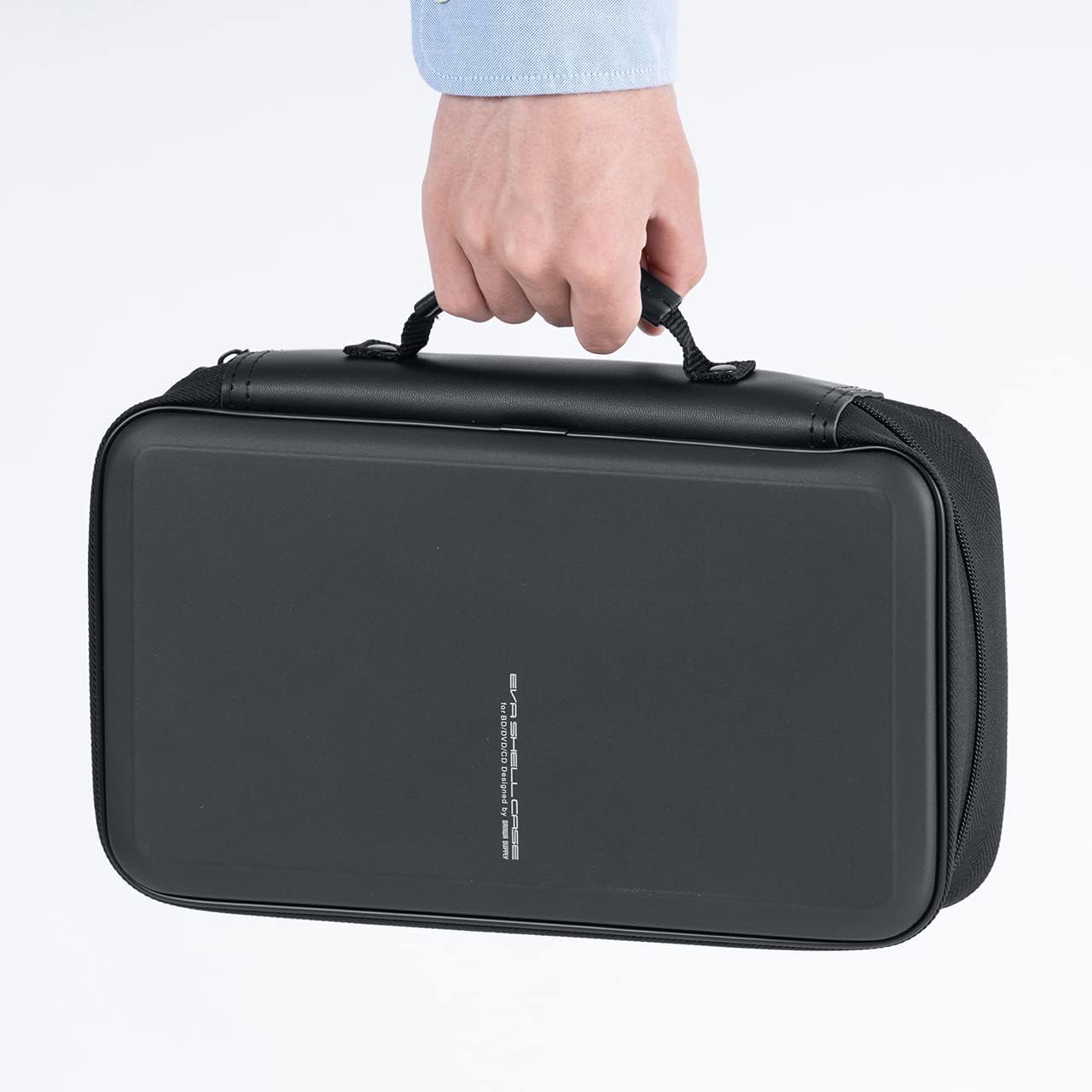
- Easy to Carry: Equipped with a convenient handle for portability, making it easy to transport during exhibitions or travel.
2. Setup and Disc Insertion
Before using your SANWA storage case, ensure it is clean and free of debris. The case is ready for immediate use upon unboxing.
Inserting Discs:
- Open the zipper closure of the case.
- Locate an empty non-woven fabric sleeve. Each sleeve is designed to hold one disc securely.
- Gently slide your CD, DVD, or Blu-ray disc into the sleeve through the slit. Ensure the disc is fully seated within the sleeve and past the side stopper to prevent accidental dislodgement.
- Repeat for all discs until the desired capacity is reached. The case can hold up to 104 discs.


3. Operating Instructions
Accessing Discs:
- Unzip the case using the smooth, high-quality zipper.
- Flip through the pages to locate the desired disc.
- Gently pull the disc out of its sleeve through the slit. Avoid bending the disc or forcing it out to prevent damage.
Portability:
The integrated handle allows for easy carrying. When transporting, ensure the case is fully zipped to keep all discs secure.

4. Maintenance
To ensure the longevity of your SANWA storage case and the safety of your discs, follow these maintenance guidelines:
- Cleaning the Exterior: Wipe the exterior of the case with a soft, damp cloth. Avoid harsh chemicals or abrasive cleaners, as they may damage the material.
- Cleaning the Interior Sleeves: If the interior sleeves become dusty, gently wipe them with a dry, lint-free cloth. Do not use liquids directly on the sleeves while discs are inside.
- Storage: Store the case in a cool, dry place away from direct sunlight and extreme temperatures to prevent material degradation.
5. Troubleshooting
- Discs not fitting: Ensure you are inserting standard-sized CDs, DVDs, or Blu-ray discs. The sleeves are designed for these standard sizes. Do not force oversized media into the sleeves.
- Discs falling out: Make sure discs are fully inserted past the side stopper in each sleeve. The slip lock design is intended to prevent discs from sliding down.
- Zipper sticking: If the zipper becomes stiff, apply a small amount of zipper lubricant or rub a graphite pencil along the teeth. Avoid forcing the zipper.
- Scratches on discs: The soft non-woven fabric is designed to minimize scratches. Always handle discs by their edges and ensure the sleeves are clean before insertion.
6. Specifications
| Feature | Detail |
|---|---|
| Brand | SANWA |
| Model Number | GFCDWLBD104BK |
| Capacity | 104 Discs |
| Item Weight | 15.3 ounces |
| Product Dimensions (LxWxH) | 11.69 x 7.28 x 3.62 inches |
| Color | Black |
| Material | Solid PP (case), Soft PU (handle), Non-woven fabric (sleeves) |

7. Official Product Video
8. Safety Information
Please read and adhere to the following safety guidelines:
- The plastic bag is not a toy. To avoid danger of suffocation, keep plastic bags away from babies and children.
- This product may contain small parts. Please keep it safe and guard against swallowing by babies and children.
9. Warranty and Support
All SANWA products come with the same high-quality after-service as in Japan, including a 1-Year Worry-Free Manufacturer Warranty and free lifetime technical support. For any inquiries or support needs, please refer to the contact information provided with your purchase or visit the official SANWA website.


