
Introduction
This manual provides detailed instructions for the safe and efficient operation of your KitchenAid 12 Cup Drip Coffee Maker. Designed for everyday use, this coffee maker features a unique spiral showerhead for optimal extraction, programmable settings, and a convenient warming plate to keep your coffee at the perfect temperature.
Setup
Unpacking and First Use
Carefully remove all packaging materials from the coffee maker. Before first use, it is recommended to run a full cycle with only water to clean the internal components. Ensure all removable parts are washed with warm, soapy water and rinsed thoroughly.
Water Reservoir
The clear, removable water tank is designed for easy filling and cleaning. It features a large opening to minimize spills and includes a dosage chart for precise measurements.

Image: The removable water tank, detached from the coffee maker, showing its clear construction and measurement markings.
Filter Installation
The coffee maker includes a reusable gold-tone filter. Place the filter securely into the brew basket. The filter also has measuring marks to ensure consistent results. Alternatively, you may use a standard #4 cone paper filter.
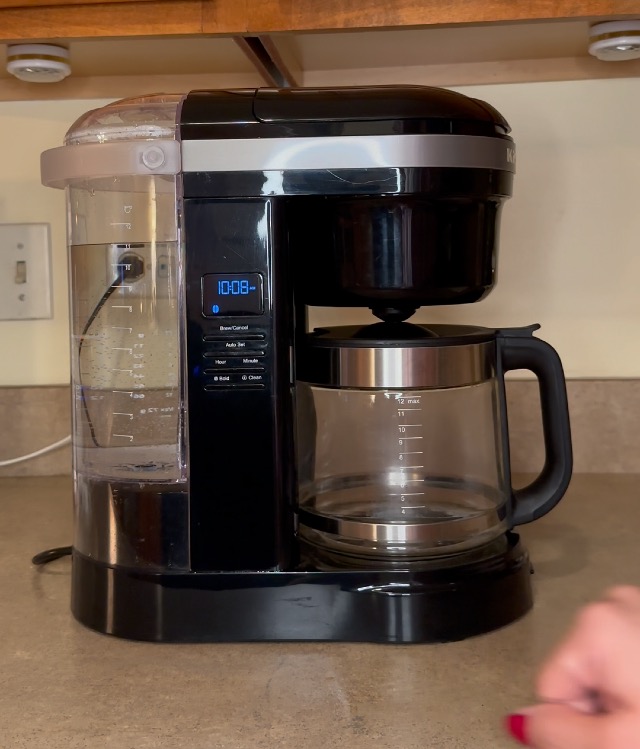
Image: A close-up view of the coffee maker's brew basket, showing the reusable gold-tone filter in place.
Operating Instructions
Brewing Coffee
Fill the water tank to your desired level using the measurement markings. Add your preferred coffee grounds to the filter. The unique 29-hole spiral showerhead will evenly saturate the coffee grounds for optimal extraction, producing a flavorful cup of coffee.

Image: The KitchenAid 12-cup drip coffee maker, ready for brewing on a kitchen countertop.
Programmable Features
Utilize the 24-hour programmability to set your coffee to be ready at any time, day or night. The control panel allows you to set the hour and minute for automatic brewing.
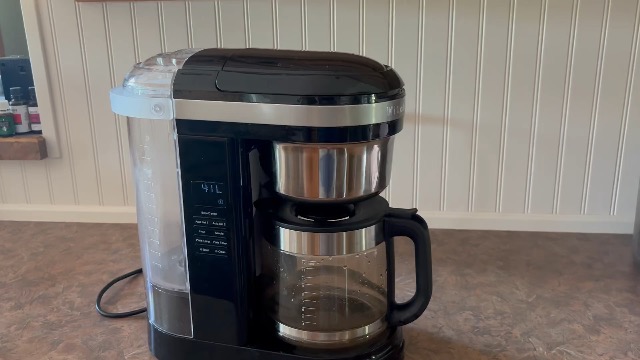
Image: A detailed view of the coffee maker's control panel, showing the digital clock and various function buttons.
Brew Strength Selection
Choose between regular and bold strengths using the brew strength selector on the control panel to customize your coffee to your preference.
Pause and Pour
The convenient pause and pour feature allows you to temporarily stop the brewing cycle to pour a cup of coffee before the entire brewing process is complete.

Image: A hand pouring freshly brewed coffee from the glass carafe into a white mug.
Warming Plate
The integrated warming plate keeps your coffee at the perfect temperature for up to two hours. You can adjust the plate temperature and set a plate timer for desired warming duration.
Maintenance
Daily Cleaning
After each use, discard used coffee grounds and rinse the reusable filter and brew basket. The removable water tank should also be rinsed regularly. The glass carafe and its lid are easy to clean.
Deep Cleaning / Descaling
The coffee maker features a dedicated 'Clean' setting on the control panel. This cycle helps to remove mineral buildup and maintain optimal performance. Follow the instructions in the user guide for proper descaling procedures, typically using a descaling solution or vinegar solution.
Troubleshooting
Common Concerns
If you experience issues such as water dripping from the lid when opened, this is often due to condensation buildup. Have a cloth ready to wipe away excess water. If the warming plate makes a clicking sound, this can be due to thermal expansion of materials. Ensure the coffee maker is placed on a stable, level surface.
For persistent issues, refer to the comprehensive user guide or contact KitchenAid customer support.
Specifications
- Brand: KitchenAid
- Model Name: Drip Coffee Maker with Spiral Showerhead
- Model Number: KCM1208DG
- Color: Matte Grey
- Product Dimensions: 13.4"D x 14.34"W x 7.17"H
- Coffee Maker Type: Drip Coffee Machine
- Capacity: 12 Cup
- Filter Type: Reusable (Gold-tone)
- Operation Mode: Fully Automatic
- Voltage: 120V
- Item Weight: 11 pounds
- Country of Origin: China
Warranty and Support
Warranty Information
This KitchenAid coffee maker comes with a 1 Year Manufacturer's Warranty. Please retain your proof of purchase for warranty claims.
Additional Resources
For more detailed information, troubleshooting, or customer support, please refer to the official user documents:


