
Introduction
This manual provides instructions for the Polder Digital Kitchen Timer, Model TMR-636-95. Please read these instructions carefully before using your timer to ensure proper operation and longevity of the device. This timer features a 100-minute countdown/count-up function and a 60-second alarm.
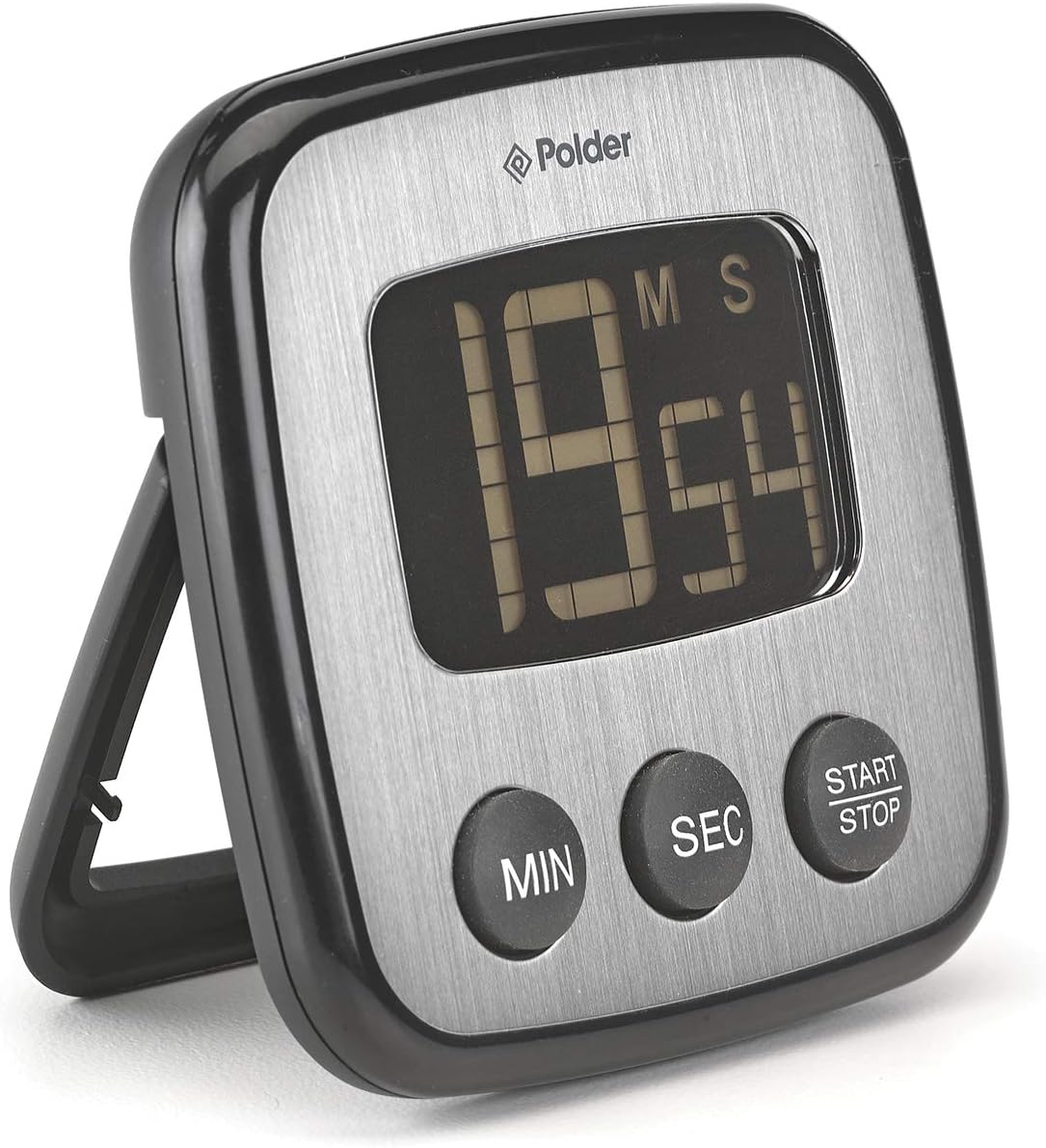
Figure 1: Front view of the Polder Digital Kitchen Timer.
Setup
1. Battery Installation
The Polder Digital Kitchen Timer requires two CR2032 batteries (included). To install or replace batteries:
- Locate the battery compartment cover on the back of the timer.
- Use a small coin or screwdriver to gently twist the cover counter-clockwise to open.
- Insert two CR2032 batteries, ensuring the positive (+) side faces upwards.
- Replace the battery compartment cover and twist clockwise to secure.

Figure 2: Back view of the timer with battery compartment.
2. Placement Options
The timer offers versatile placement options:
- Magnetic Mount: The timer features high-strength magnets on its back, allowing it to be securely attached to metallic surfaces such as refrigerators or ovens.
- Tabletop Stand: A built-in stand arm on the back allows the timer to be propped up on a flat surface for easy viewing.

Figure 3: Timer with tabletop stand extended.
Operating Instructions
1. Setting the Timer (Countdown)
- Ensure the timer display shows "00:00". If not, press the START/STOP button to clear any previous setting.
- Press the MIN button repeatedly to set the desired minutes. Each press increases the minutes by one. Hold the button for faster adjustment.
- Press the SEC button repeatedly to set the desired seconds. Each press increases the seconds by one. Hold the button for faster adjustment.
- Once the desired time is set, press the START/STOP button to begin the countdown. The display will show the remaining time.
- To pause the countdown, press the START/STOP button again. Press it once more to resume.
- When the countdown reaches "00:00", the alarm will sound for 60 seconds. Press any button to silence the alarm.
2. Using the Count-Up Function
The timer can also function as a stopwatch:
- Ensure the timer display shows "00:00". If a countdown time is set, press START/STOP to clear it.
- Press the START/STOP button once to begin counting up from "00:00".
- To pause the count-up, press the START/STOP button again. Press it once more to resume.
- To reset the count-up timer to "00:00", press the START/STOP button to pause, then press and hold it until the display clears.
3. Memory Function
The timer features a memory function for convenience, ideal for repetitive tasks like batch cooking or baking:
- After a countdown has completed and the alarm has sounded, the timer will automatically recall the last set time.
- To reuse the last set time, simply press the START/STOP button.
Maintenance
Cleaning
To clean your Polder Digital Kitchen Timer, wipe it with a soft, damp cloth. Do not immerse the timer in water or use abrasive cleaners, as this can damage the electronic components and display.
Battery Replacement
When the display becomes dim or the timer functions erratically, it is time to replace the batteries. Refer to the "Battery Installation" section under Setup for detailed instructions.
Troubleshooting
- Timer not turning on or display is blank: Ensure batteries are correctly installed with the correct polarity. Replace batteries if they are old or depleted.
- Display is dim or difficult to read: This indicates low battery power. Replace the two CR2032 batteries.
- Buttons are unresponsive: Check battery power. If the issue persists after battery replacement, contact customer support.
- Alarm not sounding: Ensure the timer is counting down to zero. If the alarm still does not sound, replace batteries.
- Battery compartment cover is difficult to open/close: Apply gentle, even pressure when twisting. Do not force the cover, as this may cause damage.
Specifications

Figure 4: Product dimensions.
| Feature | Detail |
|---|---|
| Model Number | TMR-636-95 |
| Brand | Polder |
| Color | Black |
| Material | Plastic |
| Product Dimensions (D x W x H) | 4.57" x 4.57" x 1.06" |
| Item Weight | 0.23 Pounds |
| Battery Type | 2 x CR2032 (included) |
| Timer Range | 100 minutes (countdown/count-up) |
| Alarm Duration | 60 seconds |
Warranty and Support
For warranty information and customer support, please refer to the official Polder website or contact the retailer where the product was purchased. This manual does not contain specific warranty details.
For further assistance, visit the Polder Store on Amazon or the manufacturer's official website.

