
Coredy R750
Coredy R750 Robot Vacuum Cleaner User Manual
Model: R750
Introduction
Thank you for choosing the Coredy R750 Robot Vacuum Cleaner. This manual provides essential information for the safe operation, maintenance, and troubleshooting of your device. Please read it thoroughly before use and keep it for future reference.

Figure 1: Coredy R750 Robot Vacuum Cleaner, showing the main unit, a smartphone displaying the control app, and the detachable mopping water tank with a cloth.
Package Contents
Ensure all items are present in the package:
- 1x R750 Robotic Vacuum Cleaner
- 1x Water Tank (with included mop cloth)
- 2x Side Brushes
- 1x HEPA Filter
- 1x Remote Control
- 1x Charging Dock
- 1x AC Power Adapter
- 1x Cleaning Tool
Setup
1. Unpacking and Placement
Remove all packaging materials and protective films from the robot and its accessories. Place the charging dock against a wall on a hard, level surface, ensuring there are no obstacles within 3 feet (1 meter) to the front and 1.5 feet (0.5 meters) to the sides.
2. Charging the Robot
Connect the AC power adapter to the charging dock and plug it into a wall outlet. Place the R750 onto the charging dock, ensuring the charging pins align. The indicator light on the robot will show charging status. Fully charge the robot before first use (approximately 5-6 hours).

Figure 2: The Coredy R750 robot vacuum automatically returning to its charging dock when power is low or after completing a cleaning cycle.
3. Installing Side Brushes
Attach the side brushes to the corresponding posts on the bottom of the robot until they click into place.
4. App Connection (Optional)
Download the Coredy app from your smartphone's app store. Follow the in-app instructions to connect your R750 to your home Wi-Fi network. This enables advanced control and scheduling features.
Operating Instructions
1. Starting/Pausing Cleaning
Press the power button on the robot or use the remote control/app to start a cleaning cycle. Press again to pause.
2. Cleaning Modes
The R750 offers various cleaning modes:
- Auto Mode: The robot intelligently navigates and cleans your home.
- Spot Cleaning: Focuses on a specific dirty area.
- Edge Cleaning: Cleans along walls and furniture edges.
- Mopping Mode: Attaches the water tank for wet cleaning.

Figure 3: The Coredy R750 robot vacuum in mopping mode, illustrating the intelligent mopping system with adjustable water levels (Low, Medium, High) and corresponding runtimes (150, 120, 90 minutes).

Figure 4: Illustration of the Coredy R750's 3-Point Cleaning System, featuring 2200 Pa suction, 3-level suction adjustment, and bilateral side brushes for comprehensive cleaning.
3. Boost-Intellect Technology
The R750 automatically increases suction power when it detects carpet, ensuring a deeper clean. Suction returns to normal on hard surfaces.

Figure 5: The Coredy R750 robot vacuum demonstrating Boost-Intellect Technology, automatically increasing suction when moving from a hard floor to a carpeted area.
4. Virtual Boundary (Sold Separately)
Use virtual boundary strips to create off-limit areas for the robot, preventing it from entering specific rooms or disturbing delicate items.

Figure 6: The Coredy R750 robot vacuum adhering to a virtual boundary, which prevents it from entering designated areas. Boundary strips are sold separately.
5. Voice and App Control
Control your R750 using voice commands via Amazon Alexa or Google Assistant, or manage it remotely through the Coredy smartphone app. The app allows for real-time monitoring, scheduling, and mode customization.
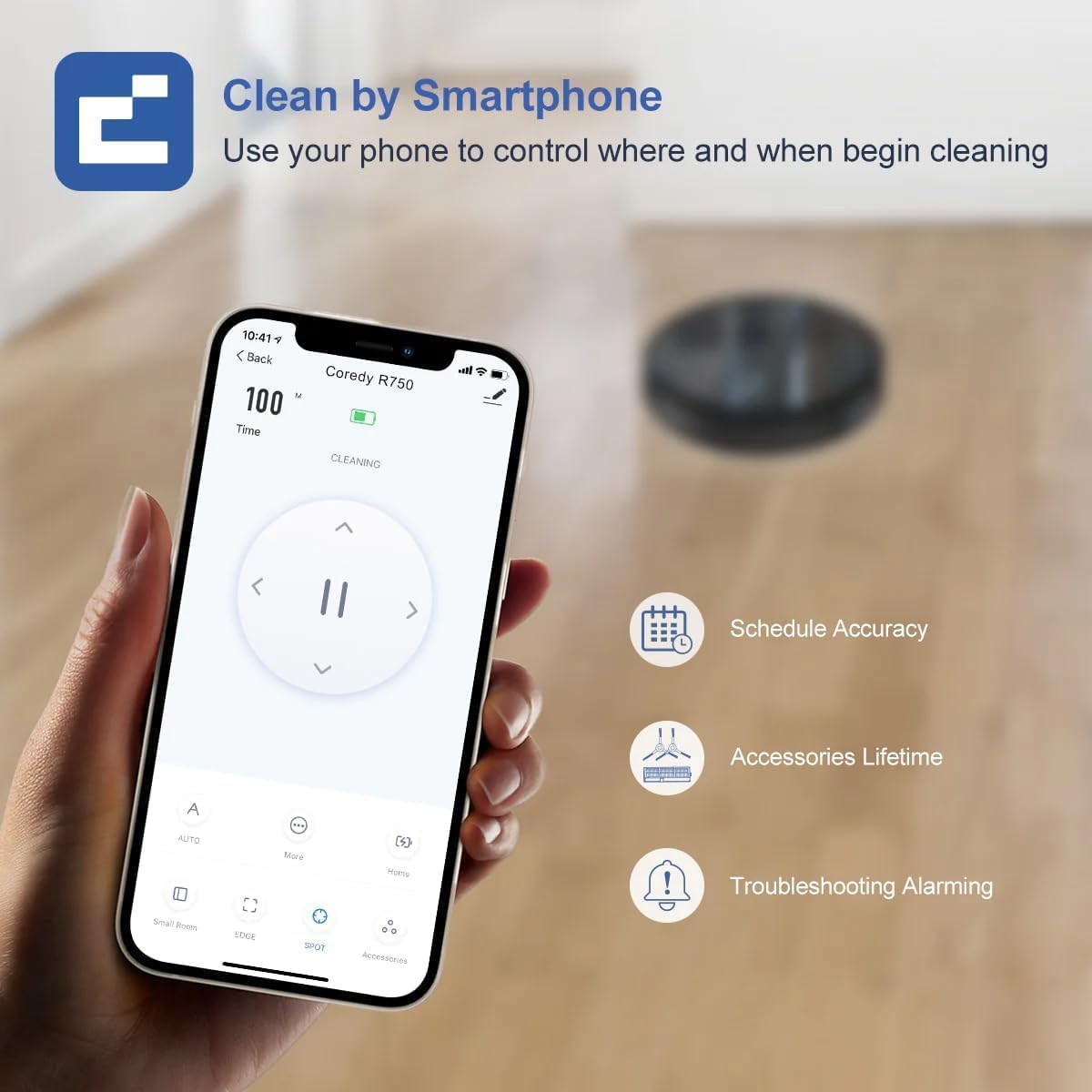
Figure 7: A smartphone screen showing the Coredy R750 control app interface, which allows users to start/stop cleaning, set schedules, and monitor the robot's status.

Figure 8: The Coredy R750 robot vacuum being controlled via voice command through a smart speaker, demonstrating compatibility with Amazon Alexa and Google Assistant for hands-free operation.
Maintenance
Regular maintenance ensures optimal performance of your Coredy R750.
1. Emptying the Dust Bin
Empty the 500ml dust bin after each cleaning cycle or when full. Press the release button to remove the bin, open it, and discard debris.

Figure 9: The Coredy R750 robot vacuum, highlighting its 500ml dust bin capacity, which allows for extended cleaning sessions up to 120 minutes before needing to be emptied.
2. Cleaning the Main Brush and Side Brushes
Regularly remove hair and debris from the main brush and side brushes using the provided cleaning tool. This prevents tangles and maintains cleaning efficiency.
3. Cleaning the HEPA Filter
Tap the HEPA filter to remove dust. Do not wash the HEPA filter with water. Replace the filter every 2-3 months, depending on usage.
4. Maintaining the Water Tank (for Mopping)
After mopping, empty any remaining water from the tank and clean the mop cloth. The mop cloth can be hand-washed or machine-washed.
Troubleshooting
If your Coredy R750 encounters an issue, refer to the following common solutions:
- Robot not charging: Ensure the charging dock is powered on and the robot's charging contacts are clean and properly aligned with the dock.
- Robot gets stuck frequently: Clear obstacles from the cleaning path. Ensure virtual boundary strips are correctly placed if used. The robot features comprehensive protection technology to navigate around obstacles and avoid falls.
- Poor cleaning performance: Empty the dust bin, clean the main brush, side brushes, and HEPA filter. Check if the suction mode is set appropriately for the floor type.
- Mopping not effective: Ensure the water tank is filled and the mop cloth is properly attached. Check the water flow setting in the app (Low, Medium, High).
- App connectivity issues: Ensure your Wi-Fi network is stable and the robot is within range. Restart the robot and your router if necessary.
For more detailed troubleshooting, please refer to the official Troubleshooting Guide (PDF).
Specifications
| Brand | Coredy |
| Model Name | Coredy R750 Robotic Vacuum Cleaner |
| Special Feature | 2200pa Strong Suction Power, Virtual Boundary Capability, Wi-Fi Compatible, Works with Alexa |
| Color | R750 |
| Product Dimensions | 12.8"L x 12.7"W x 2.72"H |
| Filter Type | Ultra High Efficiency Filters |
| Battery Life | 120 minutes |
| Voltage | 240 Volts |
| Capacity (Dust Bin) | 500 Milliliters |
| Power Source | Battery Powered |
| Control Method | App, Remote Control, Voice |
| Compatible Devices | Smartphones, Amazon Alexa, Google Assistant |
| Item Weight | 10.06 pounds |
| Manufacturer | Coredy |
| Item model number | R750 |
| Batteries Required | 1 Lithium Ion batteries (included) |

Figure 10: Detailed dimensions of the Coredy R750 robot vacuum cleaner, showing its diameter of 12.8 inches and height of 2.72 inches.
Warranty and Support
The Coredy R750 Robot Vacuum Cleaner comes with a 1-year manufacturer's warranty.
For product support, technical assistance, or warranty claims, please visit the official Coredy website or refer to the contact information provided in your product packaging.
Additional resources:
Related documentsR750


Ask a question about this manual
Ask about setup, troubleshooting, compatibility, parts, safety, or missing instructions. Manuals+ will review the question and use this page’s manual context to help answer it.