1. Important Safety Information
Please read this instruction manual carefully before setting up and operating your Blumfeldt Arcadia Garden Fountain. Keep this manual for future reference.
- Ensure the power supply matches the voltage specified on the pump label.
- Always disconnect the fountain from the power supply before performing any maintenance, cleaning, or when moving it.
- Do not operate the pump dry. Ensure the pump is fully submerged in water during operation.
- Keep children and pets away from the fountain during operation to prevent accidents.
- Position the power cable to avoid tripping hazards and protect it from damage.
- Do not use the fountain if any part, especially the power cable or pump, is damaged. Contact customer support for assistance.
- This fountain is designed for both indoor and outdoor use. For outdoor use, ensure the power outlet is weather-protected and suitable for outdoor applications.
- Protect the fountain from freezing temperatures if used outdoors.
2. Product Overview
The Blumfeldt Arcadia Garden Fountain (Model 10033529) is a decorative water feature crafted from durable polyresin, suitable for enhancing both indoor and outdoor environments. It features integrated LED lighting and operates on a closed-circuit "Loopflow Concept" for continuous water circulation.
Key Features:
- Material: High-quality polyresin, offering a realistic stone appearance.
- Durability: UV and frost-resistant for extended outdoor life.
- Water Circulation: Efficient "Loopflow Concept" ensures a continuous, self-contained water cycle.
- Lighting: Integrated LED lights illuminate the water flow, creating an ambient effect.
- Versatility: Suitable for both indoor and outdoor placement.
- Humidification: Contributes to automatic air humidification when used indoors.

Figure 2.1: The Blumfeldt Arcadia Garden Fountain illuminated in an outdoor setting, showcasing its elegant design and LED lighting.

Figure 2.2: A detailed view of the integrated LED lighting, highlighting the warm glow it provides to the water feature.
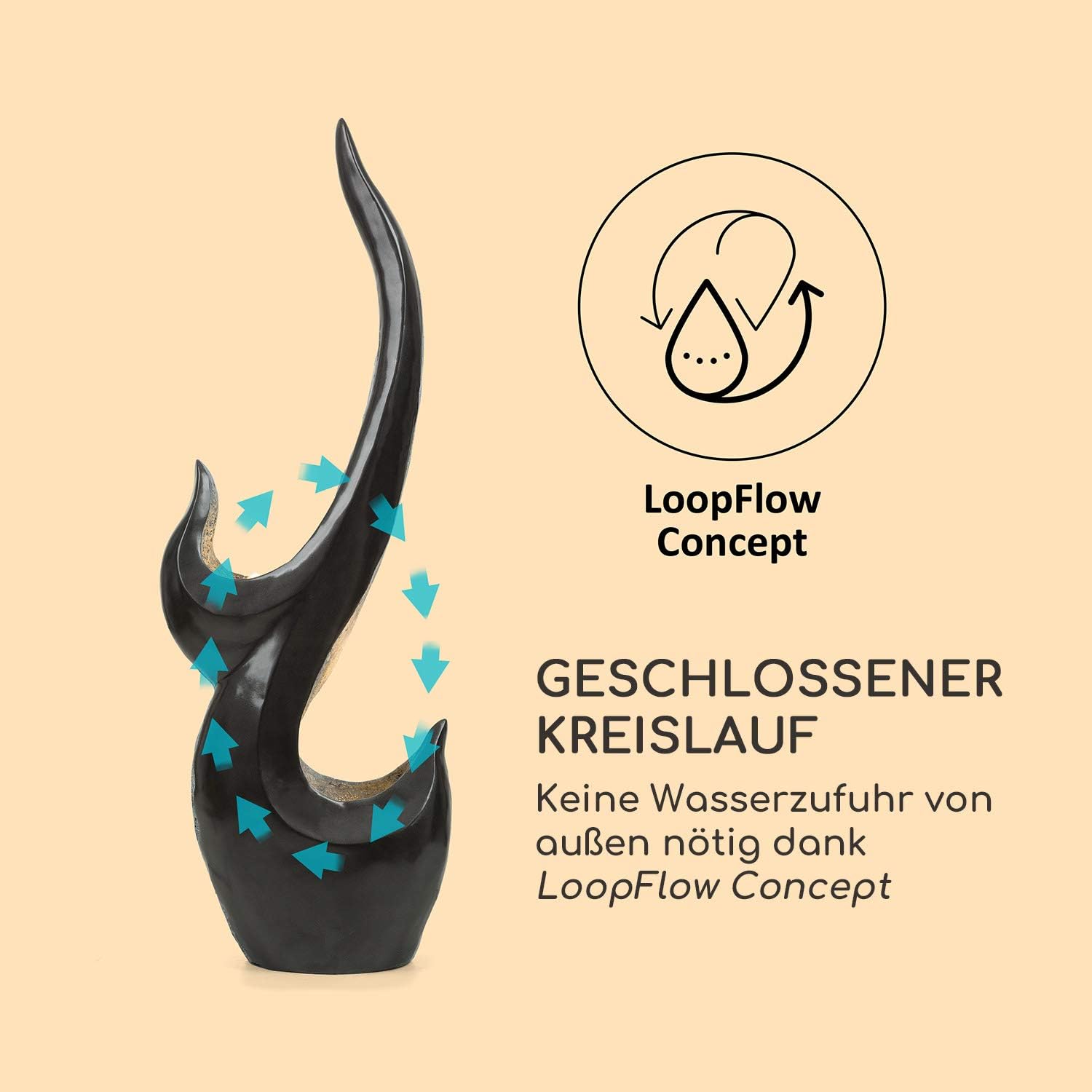
Figure 2.3: Visual representation of the Loopflow Concept, demonstrating the closed-circuit water circulation system that eliminates the need for external water supply.
3. Setup
3.1 Unpacking
- Carefully remove all components from the packaging.
- Check for any damage during transit. If any damage is found, do not proceed with setup and contact customer support.
- Ensure all parts are present: fountain body, pump, power adapter, and instruction manual.
3.2 Placement
- Choose a level and stable surface to prevent the fountain from tipping over.
- For outdoor use, select a location near a weather-protected power outlet. Ensure the 10-meter power cable can reach without tension.
- For indoor use, place the fountain on a waterproof mat or tray to protect flooring from potential splashes.
- Avoid placing the fountain in direct sunlight for prolonged periods to minimize algae growth and water evaporation.

Figure 3.1: The fountain's versatility for indoor and outdoor placement, highlighting the long power cable for flexible positioning.
3.3 Assembly and Filling
- Place the pump inside the designated compartment within the fountain basin.
- Connect the pump's outlet nozzle to the water tube inside the fountain. Ensure a secure connection.
- Fill the fountain basin with clean, distilled water until the pump is fully submerged. Do not overfill.
- Ensure the power cable is routed safely and not pinched.
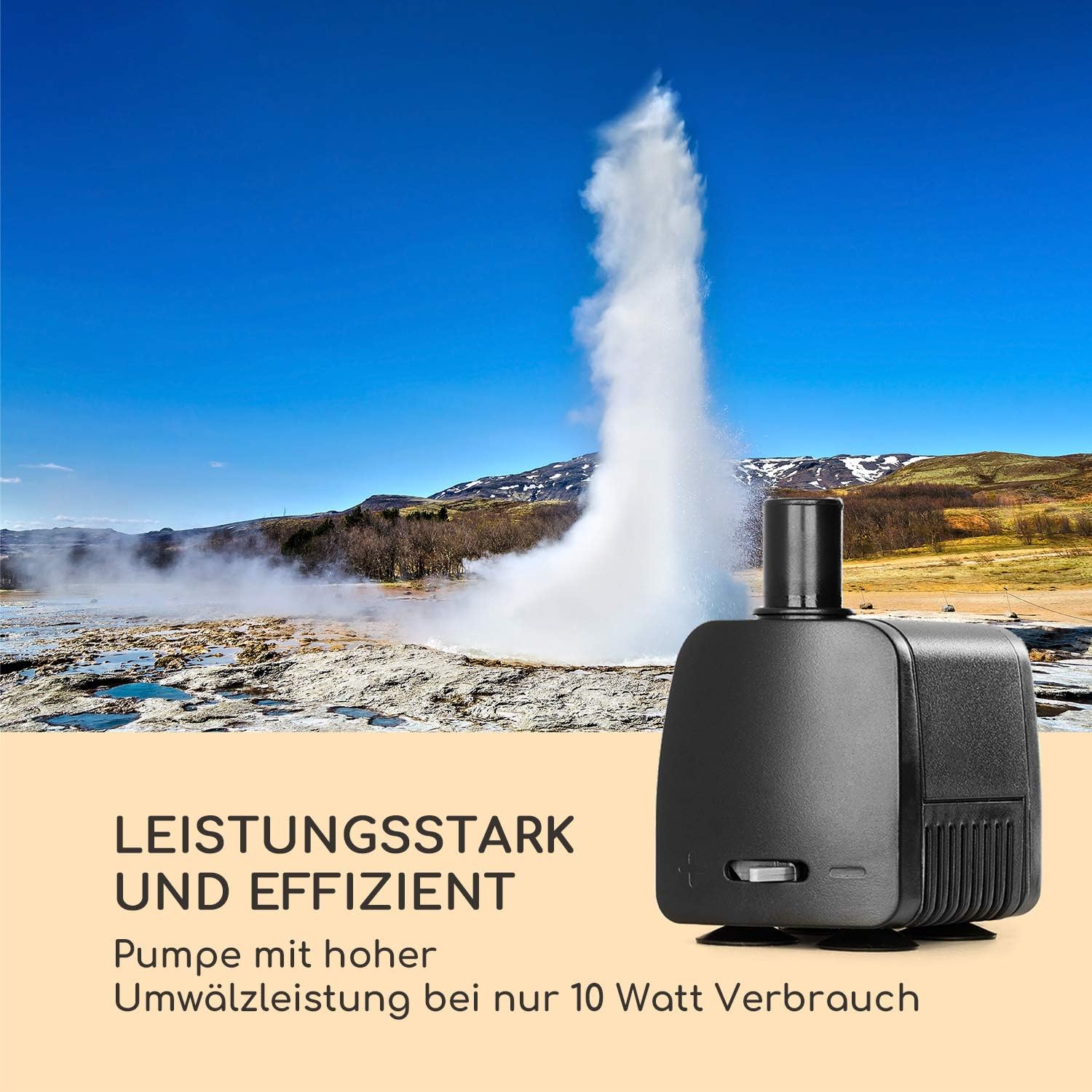
Figure 3.2: The powerful and efficient water pump, essential for the fountain's operation.
4. Operating Instructions
4.1 Initial Start-up
- After ensuring the fountain is properly assembled and filled with water, plug the power adapter into a suitable electrical outlet.
- The pump will start circulating water, and the LED lights will illuminate automatically.
- Allow a few moments for the water to circulate and for any trapped air to escape from the pump.
4.2 Daily Operation
- Regularly check the water level. Due to evaporation, especially outdoors or in dry indoor environments, water levels will decrease.
- Refill with clean, distilled water as needed to ensure the pump remains fully submerged. Operating the pump dry will cause damage and void the warranty.
- To turn off the fountain, simply unplug the power adapter from the electrical outlet.
5. Maintenance
Regular maintenance ensures the longevity and optimal performance of your Blumfeldt Arcadia Garden Fountain.
5.1 Cleaning the Fountain
- Disconnect Power: Always unplug the fountain before cleaning.
- Drain Water: Empty the water from the basin.
- Clean Surfaces: Use a soft cloth or sponge with mild soap and water to clean the polyresin surfaces. Avoid abrasive cleaners or harsh chemicals, as these can damage the material.
- Rinse Thoroughly: Rinse all components with clean water to remove any soap residue.
- Refill: Refill the fountain with clean, distilled water.
5.2 Cleaning the Pump
The pump should be cleaned periodically (e.g., monthly) to prevent blockages and maintain efficient water flow.
- Disconnect Power: Unplug the fountain.
- Remove Pump: Carefully remove the pump from the fountain basin.
- Disassemble Pump: Open the pump casing (refer to pump instructions if available) and remove the impeller.
- Clean Components: Use a small brush (like a toothbrush) and clean water to remove any debris, algae, or mineral deposits from the impeller and pump housing.
- Reassemble and Reinstall: Reassemble the pump and place it back into the fountain.
5.3 Winterization (Outdoor Use)
Although the fountain is frost-resistant, it is recommended to prepare it for winter in regions with freezing temperatures to ensure its longevity.
- Disconnect Power: Unplug the fountain.
- Drain Water: Completely drain all water from the basin and tubes.
- Remove Pump: Remove the pump and store it in a frost-free location, ideally submerged in a bucket of water to keep seals moist.
- Cover or Store: If possible, move the fountain indoors for winter storage. If it must remain outdoors, cover it with a breathable, waterproof cover to protect it from snow and ice accumulation.

Figure 5.1: The fountain's resistance to various weather conditions, including UV and frost, due to its polyresin construction.
6. Troubleshooting
| Problem | Possible Cause | Solution |
|---|---|---|
| Pump not running / No water flow |
|
|
| Weak water flow |
|
|
| LED lights not working |
|
|
| Excessive splashing |
|
|
7. Specifications
| Feature | Detail |
|---|---|
| Model Number | 10033529 |
| Brand | Blumfeldt |
| Material | Polyresin (Stone-like finish) |
| Color | Grey |
| Dimensions (L x W x H) | 25 x 44 x 131 cm |
| Item Weight | 5.9 kg |
| Power Consumption | 10W |
| Cable Length | 10 meters |
| Features | LED Lighting, UV-resistant, Frost-resistant, Loopflow Concept |
| Intended Use | Indoor and Outdoor |
8. Warranty and Support
Blumfeldt products are manufactured to high-quality standards. In the unlikely event of a defect or issue, please contact your retailer or Blumfeldt customer support for assistance.
Please retain your proof of purchase for warranty claims. The warranty period and terms may vary depending on your region and local regulations.
For further support, product information, or to order replacement parts, please visit the official Blumfeldt website or contact their customer service department.


