
SIMOLIO JH-712
SIMOLIO Kids Bluetooth Headphones User Manual
Model: JH-712
1. Introduction
Thank you for choosing SIMOLIO Kids Bluetooth Headphones. These headphones are designed with children's hearing safety in mind, featuring multiple volume limiting levels and a comfortable, durable design. This manual provides detailed instructions for setup, operation, and maintenance to ensure optimal performance and longevity of your headphones.
2. Key Features
- Hearing Protection: Exclusive 3-level volume limiter (75dB/85dB/94dB) suitable for toddlers, kids, and adults.
- Dual Mode Connectivity: Supports both wireless Bluetooth and wired 3.5mm audio connections.
- Built-in Microphone: Enables hands-free calling in Bluetooth mode.
- Share Port: Allows daisy-chaining another headphone for shared listening.
- Long Battery Life: Up to 15 hours of music/talk time in wireless mode.
- Comfort & Durability: Adjustable headband with memory stainless steel strips and soft noise-isolating memory foam earmuffs.
- Portable Design: Foldable design with an included hard EVA carrying case for easy storage and travel.

Image: SIMOLIO Kids Bluetooth Headphones in grey, shown with charging cable, AUX cable, and hard EVA carrying case.
3. What's in the Box
Upon opening the package, please verify that all the following items are included:
- SIMOLIO Kids Bluetooth Headphones (Model: JH-712)
- USB Charging Cable
- 3.5mm AUX Audio Cable
- Hard EVA Carrying Case
- User Manual (this document)
4. Setup Guide
4.1 Charging the Headphones
Before first use, fully charge the headphones. A full charge takes approximately 2-3 hours.
- Connect the small end of the USB charging cable to the charging port on the headphone.
- Connect the larger end of the USB charging cable to a USB power adapter (not included) or a computer's USB port.
- The LED indicator light will turn red during charging and turn off when fully charged.
4.2 Adjusting Volume Limit
The headphones feature a 3-level volume limiter to protect hearing. The switch is located on the left earcup.
- 75dB: Toddler Mode (lowest volume, recommended for very young children).
- 85dB: Kids Mode (standard safe listening level for most children).
- 94dB: Travel Mode (higher volume for noisy environments, suitable for older children/adults).

Image: Close-up of the headphone earcup highlighting the 3-level volume limit switch (75dB, 85dB, 94dB).
5. Operating Instructions
5.1 Wireless (Bluetooth) Mode
- Power On: Press and hold the Multi-function Button (MFB) for 3 seconds until the LED indicator flashes blue.
- Pairing: The headphones will automatically enter pairing mode (LED flashes red and blue alternately).
- Connect: On your device (smartphone, tablet, laptop), enable Bluetooth and select "SIMOLIO JH-712" from the list of available devices. The LED will turn solid blue when connected.
- Controls:
- Press MFB once to Play/Pause music or Answer/End calls.
- Press MFB twice to Redial last number.
- Press MFB three times to activate voice assistant (Siri, Google Assistant).
- Press Volume + to increase volume.
- Press Volume - to decrease volume.
- Press Next Track button to skip to the next song.
- Press Previous Track button to go to the previous song.
- Power Off: Press and hold the MFB for 3 seconds until the LED indicator turns red and then off.

Image: A child wearing SIMOLIO headphones while using a laptop, illustrating the "Safe Volume Limited" feature in a study environment.

Image: Two children demonstrating wireless and wired modes. One child uses headphones wirelessly with a laptop, the other uses them wired with a smartphone. Note: Microphone only works in Bluetooth mode.
5.2 Wired Mode
The headphones can be used as wired headphones even if the battery is depleted.
- Insert one end of the 3.5mm AUX audio cable into the audio input port on the headphone.
- Insert the other end of the 3.5mm AUX audio cable into the audio output jack of your device (e.g., tablet, phone, computer).
- In wired mode, the headphone's battery is not used, and the volume limiting feature remains active. Note that the built-in microphone will not function in wired mode.
5.3 Share Port Function
The share port allows multiple headphones to listen to the same audio source.
- Connect the first SIMOLIO headphone to your device via Bluetooth (wireless) or AUX cable (wired).
- Connect one end of a 3.5mm AUX audio cable to the share port on the first headphone.
- Connect the other end of the 3.5mm AUX audio cable to the audio input port of a second headphone.
- Both headphones will now play audio from the same source.
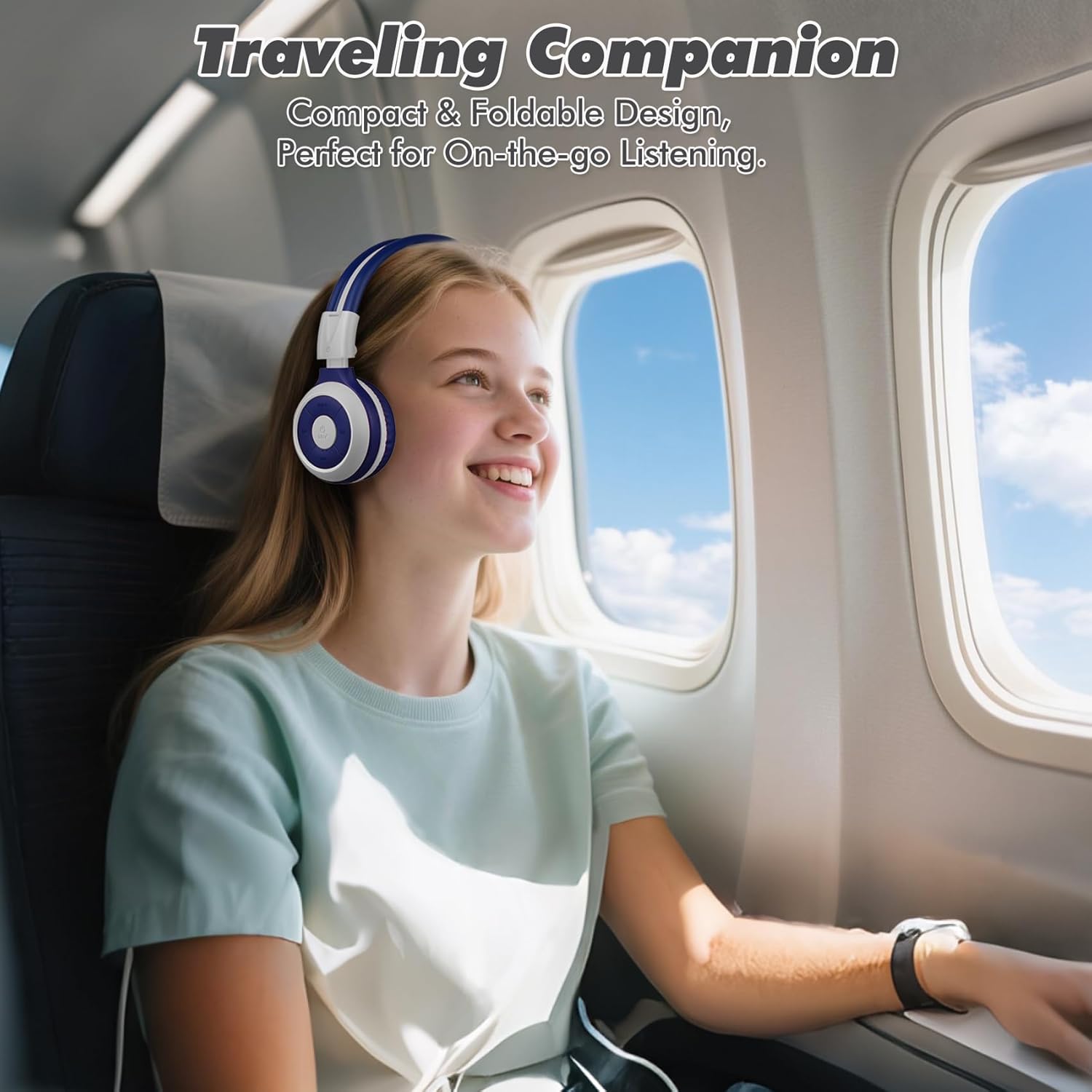
Image: A child comfortably wearing SIMOLIO headphones on an airplane, highlighting the compact and foldable design for travel.
6. Maintenance and Care
- Cleaning: Use a soft, dry cloth to clean the headphones. Do not use abrasive cleaners or solvents.
- Storage: When not in use, fold the headphones and store them in the provided hard EVA carrying case to protect them from dust and damage.
- Temperature: Avoid exposing the headphones to extreme temperatures (hot or cold) or high humidity.
- Water Exposure: These headphones are not waterproof. Avoid contact with water or other liquids.
- Handling: Do not bend the headband hinge excessively. While durable, improper force can cause damage.

Image: Diagram illustrating the flexibility of the headband with memory elastic metal strips, showing how it can be remoulded to fit the user's head. Important note: Do not bend the hinge.
7. Troubleshooting
| Problem | Possible Cause | Solution |
|---|---|---|
| Headphones do not power on. | Battery is low or depleted. | Charge the headphones fully using the provided USB cable. |
| Cannot pair via Bluetooth. | Headphones not in pairing mode; device Bluetooth off; too far from device. | Ensure headphones are in pairing mode (flashing red/blue). Turn device Bluetooth off/on. Move headphones closer to device (within 10 meters). |
| No sound in wireless mode. | Volume too low; not connected; incorrect audio output selected on device. | Increase headphone and device volume. Ensure headphones are successfully paired. Check device's audio output settings. |
| No sound in wired mode. | AUX cable not fully inserted; cable damaged; device audio jack issue. | Ensure AUX cable is fully inserted into both headphone and device. Try a different AUX cable. Test with another device. |
| Microphone not working. | Headphones in wired mode; device microphone settings. | The microphone only functions in Bluetooth mode. Ensure headphones are connected wirelessly. Check device's microphone privacy settings. |
8. Specifications
| Feature | Detail |
|---|---|
| Model Name | Kids Wireless Bluetooth Headphones JH-712G |
| Connectivity Technology | Wireless (Bluetooth), Wired (3.5mm AUX) |
| Bluetooth Range | 10 Meters (33 feet) |
| Battery Life | Up to 15 Hours (wireless mode) |
| Audio Driver Size | 40 Millimeters |
| Volume Limiting Levels | 75dB, 85dB, 94dB |
| Material | Acrylonitrile Butadiene Styrene (ABS) |
| Product Dimensions | 5.51 x 3.15 x 5.31 inches |
| Item Weight | 13.4 ounces |
| Included Components | Charging Cable, AUX Cable, User Manual, Carrying EVA Case |
9. Warranty and Support
SIMOLIO provides a 12-month hassle-free warranty for these headphones. For any product-related inquiries, technical support, or warranty claims, please contact SIMOLIO customer service through the following channels:
- Email: Refer to the contact information provided on the product packaging or SIMOLIO official website.
- Online Support: Visit the SIMOLIO Store on Amazon: SIMOLIO Store
Please have your model number (JH-712) and purchase date ready when contacting support.
Related documentsJH-712


Ask a question about this manual
Ask about setup, troubleshooting, compatibility, parts, safety, or missing instructions. Manuals+ will review the question and use this page’s manual context to help answer it.