
Rii OND-RK104-FR
Contents
Rii RK104 Wired Gaming Keyboard User Manual
Model: OND-RK104-FR | Brand: Rii
Introduction
Welcome to your Rii RK104 Wired Gaming Keyboard. This manual provides detailed instructions for setup, operation, maintenance, and troubleshooting to ensure optimal performance and longevity of your device. Please read this manual carefully before using the keyboard.
Setup
Connecting the Keyboard
The Rii RK104 keyboard features a simple plug-and-play USB connection, requiring no additional drivers for most operating systems.
- Locate an available USB port on your computer (PC, laptop, desktop).
- Insert the USB cable of the Rii RK104 keyboard firmly into the USB port.
- The keyboard will be automatically recognized by your operating system (Windows, Android, macOS). You can begin using it immediately.

Image: The Rii RK104 keyboard with its wired USB connection, ready for plug-and-play setup.
Operating Instructions
Backlight Control
The Rii RK104 features a vibrant RGB backlight with adjustable modes and brightness.
- Turn On/Off Backlight: Press the dedicated backlight button (often indicated by a sun or light icon) to toggle the backlight on or off.
- Change Backlight Mode: Press Fn + Backlight Button to switch between different lighting effects, such as breathing mode or static illumination.
- Adjust Brightness: Press Fn + Page Up to increase backlight brightness and Fn + Page Down to decrease backlight brightness.
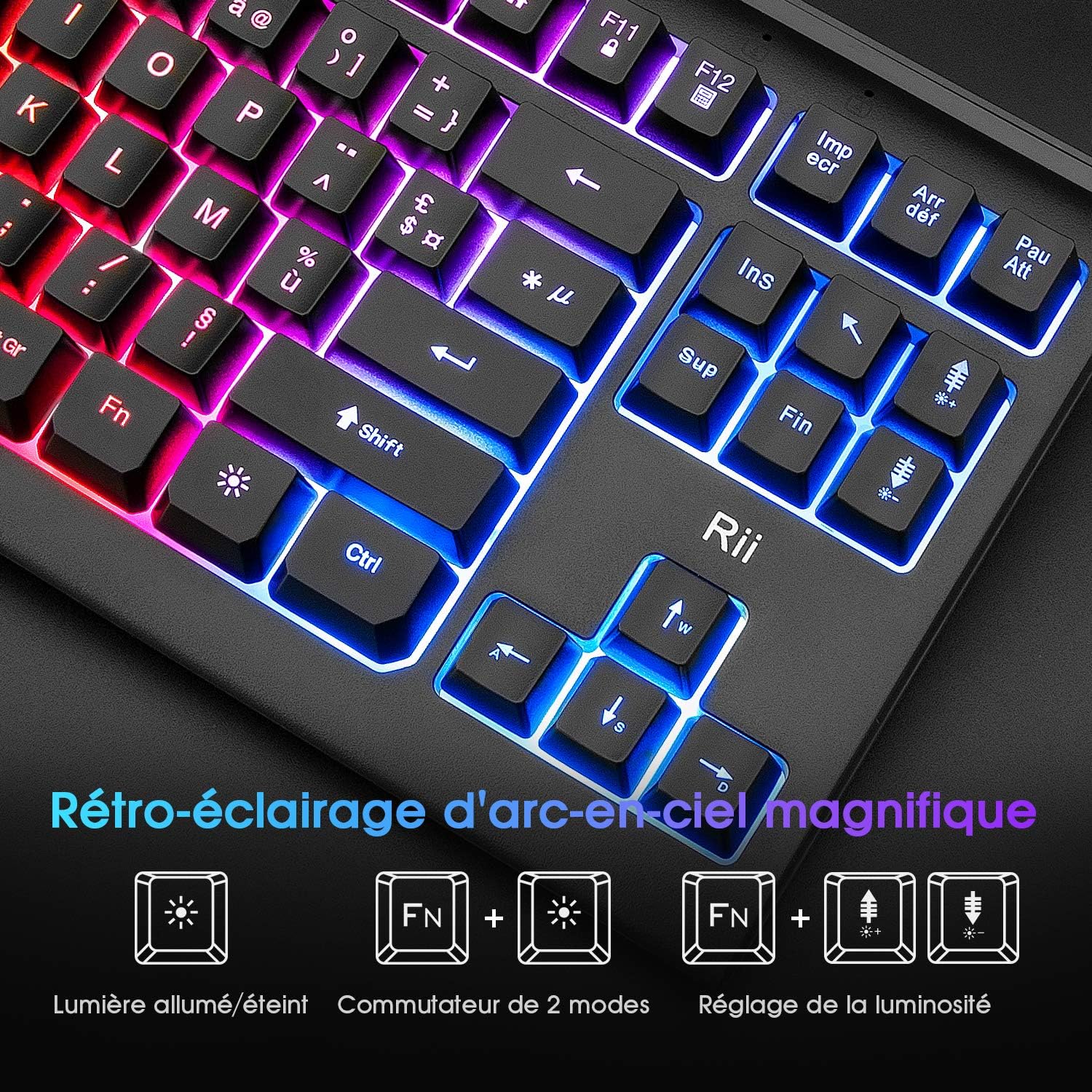
Image: Visual guide for controlling the keyboard's RGB backlight, including on/off, mode switching, and brightness adjustment.
Multimedia Shortcuts
The keyboard includes 12 convenient multimedia shortcut keys, accessible by pressing the Fn key in combination with the corresponding function key (F1-F12).
| Function | Key Combination |
|---|---|
| Music | Fn + F1 |
| Volume Down | Fn + F2 |
| Volume Up | Fn + F3 |
| Mute | Fn + F4 |
| Stop | Fn + F5 |
| Previous Track | Fn + F6 |
| Play/Pause | Fn + F7 |
| Next Track | Fn + F8 |
| Fn + F9 | |
| Home Page | Fn + F10 |
| Lock | Fn + F11 |
| Calculator | Fn + F12 |

Image: Overview of the 12 multimedia shortcut functions available on the keyboard.
Anti-Ghosting Keys
The Rii RK104 features anti-ghosting technology, which ensures that multiple key presses are registered simultaneously and accurately. This is particularly beneficial for fast-paced gaming and rapid typing, preventing missed inputs.

Image: Visual representation of the anti-ghosting feature, highlighting its benefit for accurate key registration, especially for common gaming keys like WASD.
Maintenance
Cleaning
Regular cleaning helps maintain the keyboard's appearance and functionality.
- Always disconnect the keyboard from your computer before cleaning.
- Use a soft, dry, lint-free cloth to wipe down the keys and surface.
- For stubborn dirt or grime, a slightly damp cloth with a small amount of mild soap can be used. Ensure no liquid enters the keyboard's internal components.
- Use compressed air to remove dust, crumbs, and debris from between the keys.
Storage
When not in use for extended periods, store the keyboard in a cool, dry place away from direct sunlight, excessive heat, or extreme cold to prevent damage.
Troubleshooting
Keyboard Not Responding
- Ensure the USB cable is securely plugged into both the keyboard and a functioning USB port on your computer.
- Try plugging the keyboard into a different USB port on your computer.
- Restart your computer.
- Test the keyboard on another computer if possible to determine if the issue is with the keyboard or your computer's setup.
Backlight Not Working
- Press the backlight toggle button to ensure it is not simply turned off.
- Check if the brightness is set too low by pressing Fn + Page Up repeatedly.
Keys Not Registering or Sticking
- Clean around the affected keys to remove any debris, dust, or crumbs that might be causing them to stick or preventing proper registration.
- Ensure the keyboard is on a flat, stable surface.
Specifications
| Feature | Detail |
|---|---|
| Model | OND-RK104-FR |
| Brand | Rii |
| Connectivity | Wired USB |
| Key Layout | AZERTY |
| Number of Keys | 87 |
| Backlight | RGB (Rainbow) |
| Special Features | Multimedia Shortcuts, Anti-Ghosting, Spill-Resistant Design |
| Compatible Systems | Windows 10/8/7, Android, macOS |
| Color | Black |

Image: Visual representation of the Rii RK104 keyboard's compatibility with Windows, Android, and Mac operating systems.
Warranty and Support
Warranty Information
The Rii RK104 keyboard comes with a 12-month warranty from the date of purchase. This warranty covers manufacturing defects and issues arising from normal use.
Please retain your proof of purchase (receipt or order confirmation) as it will be required for any warranty claims.
Customer Support
For any issues, questions, or technical assistance not covered in this manual, please contact Rii customer support.
Contact: Refer to the contact information provided with your product packaging or visit the official Rii website for the most up-to-date support details and contact methods.
Ask a question about this manual
Ask about setup, troubleshooting, compatibility, parts, safety, or missing instructions. Manuals+ will review the question and use this page’s manual context to help answer it.