
1. Introduction
This manual provides essential instructions for the safe and efficient use, setup, operation, and maintenance of your GALAX PRO 20V Max 1.3Ah Lithium-ION Battery and Fast Charger. This battery pack is designed for use with all GALAX PRO 20V Max cordless power tools. Please read this manual thoroughly before first use and retain it for future reference.
2. Safety Information
Always observe basic safety precautions when using electrical products to reduce the risk of fire, electric shock, and personal injury. Failure to follow these instructions may result in serious injury or property damage.
- Battery Safety:
- Do not disassemble, open, or shred battery packs.
- Do not expose battery packs to heat or fire. Avoid storage in direct sunlight.
- Do not short-circuit a battery pack. Do not store battery packs indiscriminately in a box or drawer where they may short-circuit each other or be short-circuited by conductive materials.
- Do not remove a battery pack from its original packaging until required for use.
- Do not subject battery packs to mechanical shock.
- In the event of battery leakage, do not allow the liquid to come into contact with the skin or eyes. If contact has been made, wash the affected area with copious amounts of water and seek medical advice.
- Keep battery packs clean and dry.
- Recharge only with the specified GALAX PRO charger.
- Do not use any charger other than that specifically provided for use with the equipment.
- Do not leave a battery on charge when not in use.
- Do not store battery packs in temperatures exceeding 60°C (140°F).
- The battery features protection against overcharging, overheating, and short-circuiting.
- Charger Safety:
- Use the charger only in dry conditions.
- Do not use the charger if the cord or plug is damaged.
- Do not attempt to charge non-rechargeable batteries.
- Unplug the charger from the power outlet when not in use.
3. Product Overview
The GALAX PRO 20V Max 1.3Ah Lithium-ION Battery and Fast Charger are designed to provide reliable power for your cordless tools. The battery features a durable PC+ABS case and a 3-LED fuel gauge for immediate charge status indication.
Battery Components

Image 3.1: Top view of the GALAX PRO 20V battery. This image highlights the three metal joints for tool connection, the PC+ABS protective case, the charging socket, the battery indicator lights, and the power view key to check the charge level.
- Three Metal Joints: For secure connection to GALAX PRO 20V tools.
- PC+ABS Case: Durable and protective housing.
- Charging Socket: Port for connecting the charger.
- Battery Indicator: 3 LED lights to show the remaining charge.
- Power View Key: Press to activate the battery indicator.
Charger Components

Image 3.2: The charger plug, showing its external diameter of 6.6mm and internal diameter of 3.0mm. The tinned copper wire core ensures efficient power transmission and corrosion resistance for extended service life.
- Charger Plug: DC barrel connector (External diameter: 6.6mm, Internal diameter: 3.0mm).
- Power Cord: Connects the charger to the main power supply.
- LED Indicator: Shows charging status.
4. Setup and Charging
Before first use, the battery pack must be fully charged. Always use the provided GALAX PRO 20V Max Lithium Battery Charger.
Charging Procedure
- Connect the charger to a standard 230V AC power outlet. The charger's LED indicator will illuminate green, indicating it is ready.
- Insert the charger plug into the charging socket on the GALAX PRO 20V battery pack (refer to Image 3.1 for socket location).
- Once the battery is connected, the charger's LED indicator will turn red, signifying that charging is in progress.
- Allow approximately 70 minutes for a full charge. The charger's LED indicator will turn green again when the battery is fully charged.
- Once charging is complete, disconnect the charger from the battery and then from the power outlet.
Charger LED Status Indicators

Image 4.1: The GALAX PRO quick battery charger and its LED status table. The table indicates that a green light means no battery is connected or the battery is fully charged, while a red light means a battery is connected and charging.
| State | Red LED | Green LED |
|---|---|---|
| Plug in the socket (no battery included) | Off | On |
| Plug in the socket with battery | On | Off |
| Plug in the socket (full charged) | Off | On |
The battery can be charged at any time, regardless of its current charge level, as it has no memory effect.
5. Operating Instructions
The GALAX PRO 20V Max 1.3Ah Lithium-ION Battery is compatible with all GALAX PRO 20V cordless power tools.
Attaching the Battery to a Tool
- Align the battery pack with the battery port on your GALAX PRO 20V cordless tool.
- Slide the battery into the tool until it clicks securely into place. Ensure it is firmly seated to prevent accidental detachment during operation.
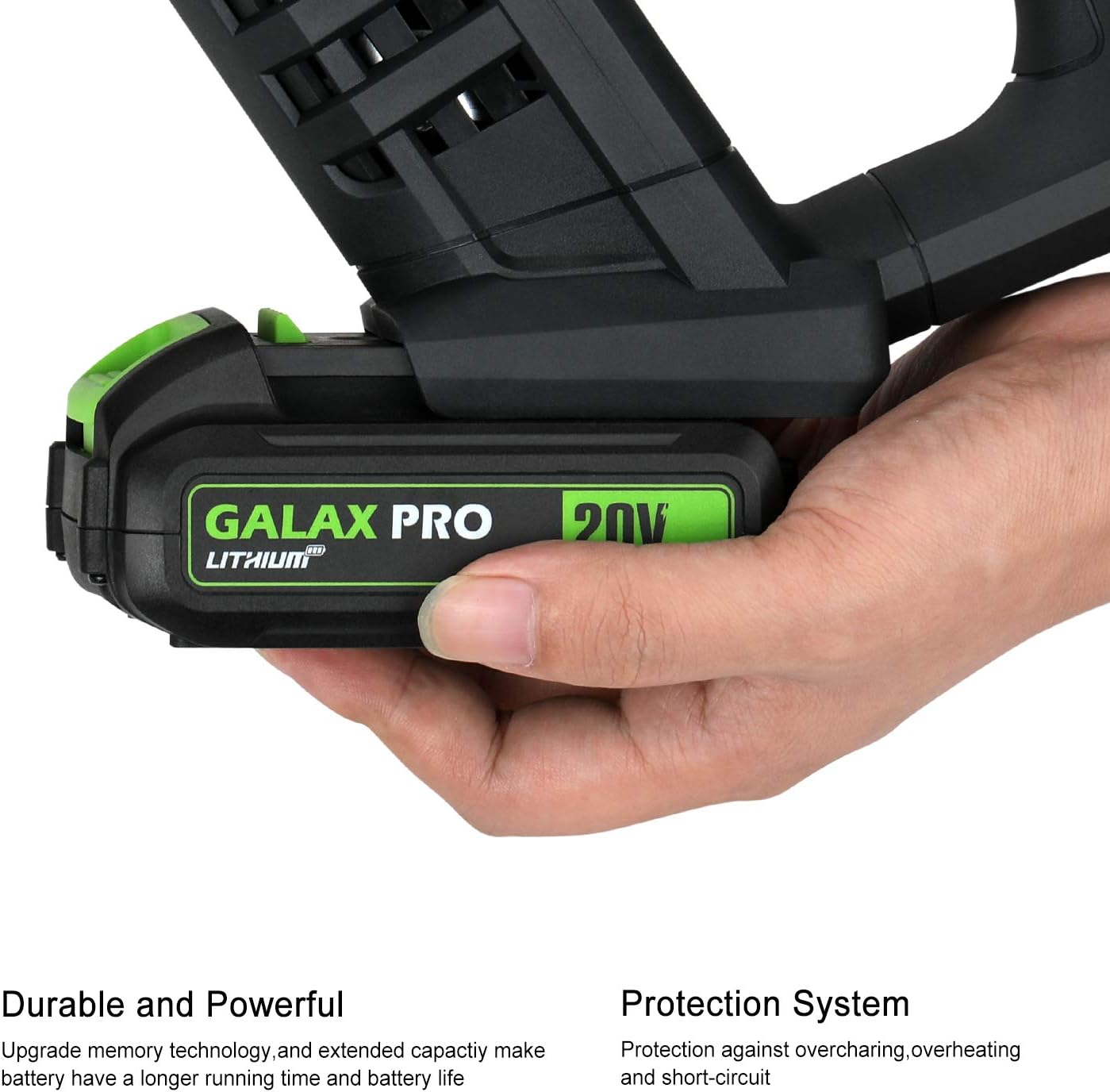
Image 5.1: The GALAX PRO 20V battery securely inserted into a compatible cordless power tool, ready for operation.
Removing the Battery from a Tool
- Locate the battery release button on the tool (if applicable).
- Press and hold the release button, then slide the battery pack out of the tool.
Checking Battery Charge Level
Press the "Power View Key" on the battery pack (refer to Image 3.1). The 3 LED indicators will light up to show the approximate remaining charge:
- 3 LEDs: Full charge
- 2 LEDs: Medium charge
- 1 LED: Low charge, recharge soon
6. Maintenance and Storage
Proper maintenance and storage will extend the life of your GALAX PRO battery and charger.
- Cleaning: Keep the battery and charger clean and free from dust and debris. Use a dry cloth to wipe surfaces. Do not use liquids or harsh chemicals.
- Storage:
- Store the battery pack in a cool, dry place, away from direct sunlight and moisture.
- Avoid storing batteries in temperatures exceeding 60°C (140°F).
- For long-term storage, it is recommended to store the battery with a partial charge (around 50%) rather than fully charged or fully discharged.
- Store the charger in a dry, indoor location.
- Disposal: Lithium-ion batteries should be recycled or disposed of according to local regulations. Do not dispose of batteries in household waste or fire.
7. Troubleshooting
If you encounter issues with your battery or charger, refer to the following common troubleshooting steps:
| Problem | Possible Cause | Solution |
|---|---|---|
| Battery not charging | Charger not plugged in; faulty outlet; battery not properly connected; damaged charger/battery. | Ensure charger is securely plugged into a working outlet. Re-seat the battery on the charger. Check charger LED status (Image 4.1). If issues persist, contact customer support. |
| Battery not powering tool | Battery not fully charged; battery not properly seated in tool; battery fault. | Check battery charge level using the Power View Key. Ensure battery is fully inserted into the tool until it clicks. If fully charged and properly seated, the battery may be faulty. |
| Charger LED not indicating correctly | Charger malfunction; incorrect connection. | Refer to the Charger LED Status table (Image 4.1). Ensure connections are secure. If the LED behavior is inconsistent with the table, the charger may be faulty. |
8. Specifications
| Feature | Specification |
|---|---|
| Battery Type | Lithium-ION |
| Battery Voltage | 20V Max |
| Battery Capacity | 1.3Ah (1300mAh) |
| Full Charge Time | Approx. 70 minutes |
| Charger Input Voltage | 230V AC |
| Charger Output Voltage | 21.5V |
| Charger Current | 400mA |
| Charging Temperature Range | -20°C to 60°C (-4°F to 140°F) |
| Battery Weight | 0.5 Kg (approx.) |
| Charger Weight | 0.2 Kg (approx.) |
| Certifications | CE, RoHS |
| Compatible Tools | All GALAX PRO 20V Max Cordless Power Tools |
| Compatible Battery Models | 96504, 96505, 95307, D6001, 97630, 97705, 97802 |
9. Warranty and Support
For warranty information or technical support, please refer to the contact details provided with your product packaging or visit the official GALAX PRO website. Keep your purchase receipt as proof of purchase.