1. Product Overview
The RSHTECH 5-Port Powered USB 3.0 Hub (Model RSH-A35) is designed to expand your computer's USB connectivity, offering high-speed data transfer and efficient charging capabilities. It features four USB 3.0 data ports and one dedicated fast charging port, all powered by an external 24W (12V/2A) power adapter for stable performance.
Key Features:
- Super Speed 4 USB 3.0 Data Ports: Up to 5Gbps data transfer speed on each port, ten times faster than USB 2.0, allowing for rapid data synchronization.
- 1 Fast Charging Port: Designed for quick charging of phones, tablets, cameras, gaming controllers, etc. Automatically recognizes device quick charge protocols and can charge over 50% of a phone in 30 minutes. (Note: External power adapter must be plugged in to activate quick charging. Devices not supporting quick charge will perform normal charging. Fast-charging ports do NOT support data transfer.)
- Individual On/Off Switches: Each USB port has an On/Off switch with an LED indicator, allowing easy power status monitoring. Ports maintain their set status once power is restored.
- Broad Compatibility: Compatible with Windows XP / Vista / 7 / 8.1 / 10 / 10.1, Windows 2000, Mac OS, Linux 9 and more. Also compatible with PS4, PS4 Pro, Xbox 360, Xbox One.
- Portable Design: Securely protected by its solid body, easier to carry with a detachable cord, making it suitable for travel and office use.
2. Package Contents
Please verify that all items are present in your package:
- 1 x RSHTECH 4+1 Port USB Hub (RSH-A35)
- 1 x Detachable 1m/3.3ft USB Cable
- 1 x AC Power Adapter (12V/2A)
- 1 x User Manual

Image: Contents of the RSHTECH USB Hub package, showing the hub, power adapter, USB 3.0 data cable, and user manual.
3. Setup Instructions
- Connect Power Adapter: Plug the provided AC Power Adapter (12V/2A) into the DC 12V input port on the back of the USB hub. Then, plug the power adapter into a wall outlet. This is essential for stable operation and to enable the fast charging port.
- Connect to Computer: Connect the detachable 1m/3.3ft USB 3.0 cable to the USB 3.0 input port on the back of the hub. Connect the other end of the USB 3.0 cable to an available USB 3.0 port on your computer (laptop or desktop).
- Plug and Play: The RSHTECH USB Hub is plug-and-play, meaning no additional drivers are required for most operating systems. Your computer should automatically recognize the hub.
- Connect Devices: You can now connect your USB devices (e.g., keyboard, mouse, printer, external hard drives, USB flash drives) to the blue USB 3.0 data ports. For fast charging, connect your compatible devices to the red fast charging port.

Image: Step-by-step connection diagram for the RSHTECH USB Hub, illustrating power and data connections.

Image: Visual explanation of the advantages of a 12V power supply for the hub, supporting devices like phones, headphones, gaming consoles, printers, SSDs, and HDDs.
4. Operating Instructions
4.1. Individual Port Control:
Each USB port on the hub is equipped with an individual On/Off switch and an LED indicator. To activate a specific port, press its corresponding button. The LED will illuminate to indicate that the port is active and receiving power. To deactivate a port, press the button again.

Image: Detail of the hub's individual on/off switches and LED indicators for each port.
4.2. Data Transfer:
The four blue USB 3.0 ports support data transfer speeds of up to 5Gbps. Connect your USB 3.0 compatible devices to these ports for optimal performance when transferring files, syncing data, or connecting peripherals.

Image: Graphic illustrating the "Fast Transmission" capability of USB 3.0 at 5Gbps compared to USB 2.0's 480Mbps.
4.3. Fast Charging:
The single red port is a dedicated fast charging port. It can deliver up to 2.4 amps and is designed to quickly charge compatible devices. Remember that this port does not support data transfer.
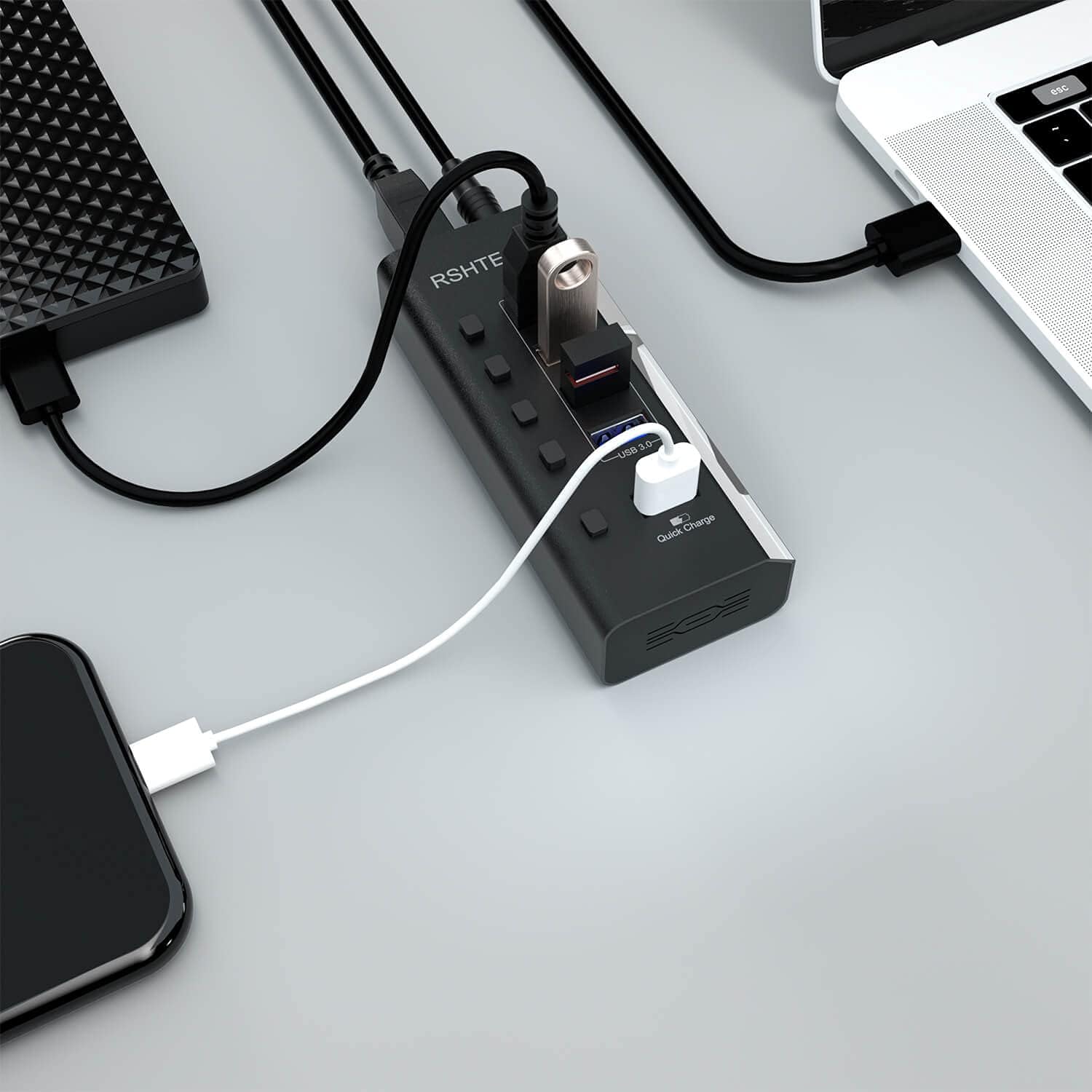
Image: The USB hub in use, connected to a laptop, an external SSD, and a smartphone being charged.

Image: The USB hub integrated into a desktop setup, connecting to a monitor, external hard drive, and a gaming controller.
5. Maintenance and Care
- Cleaning: Use a soft, dry cloth to clean the surface of the hub. Avoid using liquid cleaners or aerosols, as they may damage the device.
- Storage: When not in use, store the hub in a cool, dry place away from direct sunlight and extreme temperatures.
- Handling: Avoid dropping the hub or subjecting it to strong impacts, which could damage internal components.
- Cable Management: Ensure cables are not excessively bent or tangled to prevent damage to the cables and ports.
6. Troubleshooting
- Devices Not Recognized:
- Ensure the hub's power adapter is securely plugged in and the hub is receiving power.
- Verify that the individual On/Off switch for the connected port is pressed and its LED indicator is lit.
- Try connecting the device directly to your computer's USB port to confirm the device itself is functioning correctly.
- Restart your computer.
- Slow Data Transfer Speed:
- Ensure both the hub and your connected device are utilizing USB 3.0 ports and cables for optimal speed. USB 2.0 devices will operate at USB 2.0 speeds.
- 2.4Ghz wireless devices (e.g., wireless keyboard or mouse receivers) may experience interference when in close proximity to USB 3.0 cables. It is recommended to connect the powered USB 3.0 hub to a USB 2.0 port if possible, or use an extension cable to keep dongles or receivers away from the USB 3.0 cable.
- Ensure the external power adapter is connected to the hub, especially for power-hungry devices like external hard drives.
- Fast Charging Port Not Working:
- Confirm the 12V/2A power adapter is connected to the hub and a wall outlet. The fast charging port requires external power.
- Note that the fast charging port does not support data transfer. It is solely for charging.
- Ensure your device supports quick charge protocols for faster charging. Otherwise, it will charge at normal speed.
7. Specifications
| Feature | Detail |
|---|---|
| Brand | RSHTECH |
| Model Number | RSH-A35 |
| Product Dimensions | 4.5 x 1.8 x 1 inches |
| Item Weight | 9.6 ounces |
| Hardware Interface | USB 3.0 |
| Special Feature | Powered |
| Compatible Devices | Smartphones, Digital Cameras, Tablets, Gaming Consoles, Desktops |
| Power Adapter | 12V/2A (24W) |
| Data Transfer Speed | Up to 5Gbps (USB 3.0) |
8. Warranty and Support
For warranty information and technical support, please contact the manufacturer, ShenZhen Rong ShengHui Electric Co., Ltd. Refer to the contact details provided in the original product packaging or on the official RSHTECH website.
This product includes a user manual within its package, providing detailed instructions and further assistance.


