
1. Introduction and Overview
The Lifepro Hovert 3D Vibration Plate Machine is designed to assist in improving strength, balance, and mobility through gentle, therapeutic vibrations. This device utilizes dual motors to provide three distinct motion types: Oscillation, Lateral, and a Combination of both, allowing for a comprehensive full-body workout experience. Regular use can contribute to enhanced circulation, increased bone density, improved metabolism, and accelerated muscle recovery.
This manual provides essential information for the safe and effective operation of your Hovert 3D machine, including setup, usage guidelines, maintenance, and troubleshooting.
2. Safety Information
Before operating the Lifepro Hovert 3D Vibration Plate Machine, please read and understand all safety instructions. Failure to follow these instructions may result in injury or damage to the product.
- Consult with a healthcare professional before starting any new exercise program, especially if you have pre-existing medical conditions, are pregnant, or have recently undergone surgery.
- Use the machine only on a stable, level surface. Ensure adequate clear space around the machine for safe operation.
- Do not use the machine if you weigh more than the maximum recommended weight capacity of 330 lbs (150 kg).
- Keep children and pets away from the machine during operation.
- Do not insert any objects into the machine's openings.
- Unplug the machine from the power outlet when not in use or before cleaning.
- If you experience pain, dizziness, or discomfort during use, stop immediately and consult a healthcare professional.
- Do not use the machine if the power cord or plug is damaged.
3. Package Contents
Carefully unpack your Lifepro Hovert 3D Vibration Plate Machine and verify that all components are present and undamaged. If any items are missing or damaged, please contact customer support.

- Lifepro Hovert 3D Vibration Plate Machine
- Remote Control
- Resistance Bands (various strengths)
- Resistance Ropes with Handles
- Power Cord
- User Manual (this document)
4. Setup
Follow these steps to set up your Hovert 3D Vibration Plate Machine:
- Choose a Location: Place the machine on a firm, level surface. Ensure there is sufficient space around the machine for safe movement during exercises.
- Connect Power: Plug the power cord into the machine's power input, then plug the other end into a standard electrical outlet.
- Positioning: The Hovert 3D features built-in rollers for easier transport. To move the machine, gently lift one end and roll it to your desired location.

5. Operating Instructions
The Hovert 3D machine is equipped with an LED panel and a remote control for easy operation. It offers 99 speed levels and 8 preset programs.

Powering On/Off
- Press the power button on the machine or the remote control to turn the unit on or off.
Selecting Motion Modes
The Hovert 3D offers three distinct motion types:
- Oscillation: Mimics a seesaw motion, moving up and down.
- Lateral: Moves side-to-side.
- Combination (3D): Combines both oscillation and lateral movements for a multi-directional vibration.
Use the mode selection buttons on the remote control to switch between these motions based on your exercise goals.
Adjusting Speed and Programs
- Use the '+' and '-' buttons on the remote to adjust the speed level (1-99).
- Select from the 8 preset programs for guided workout routines. Refer to the remote control for program selection buttons.
6. Exercises and Usage
The Lifepro Hovert 3D can be used for a variety of exercises to target different muscle groups and achieve various fitness goals. The three motion types offer diverse benefits.


General Usage Tips:
- Start with lower speeds and shorter durations, gradually increasing as your body adapts.
- Maintain a slight bend in your knees and keep your core engaged during standing exercises.
- Utilize the included resistance bands and ropes for added challenge and upper body workouts.
Benefits of Whole-Body Vibration:

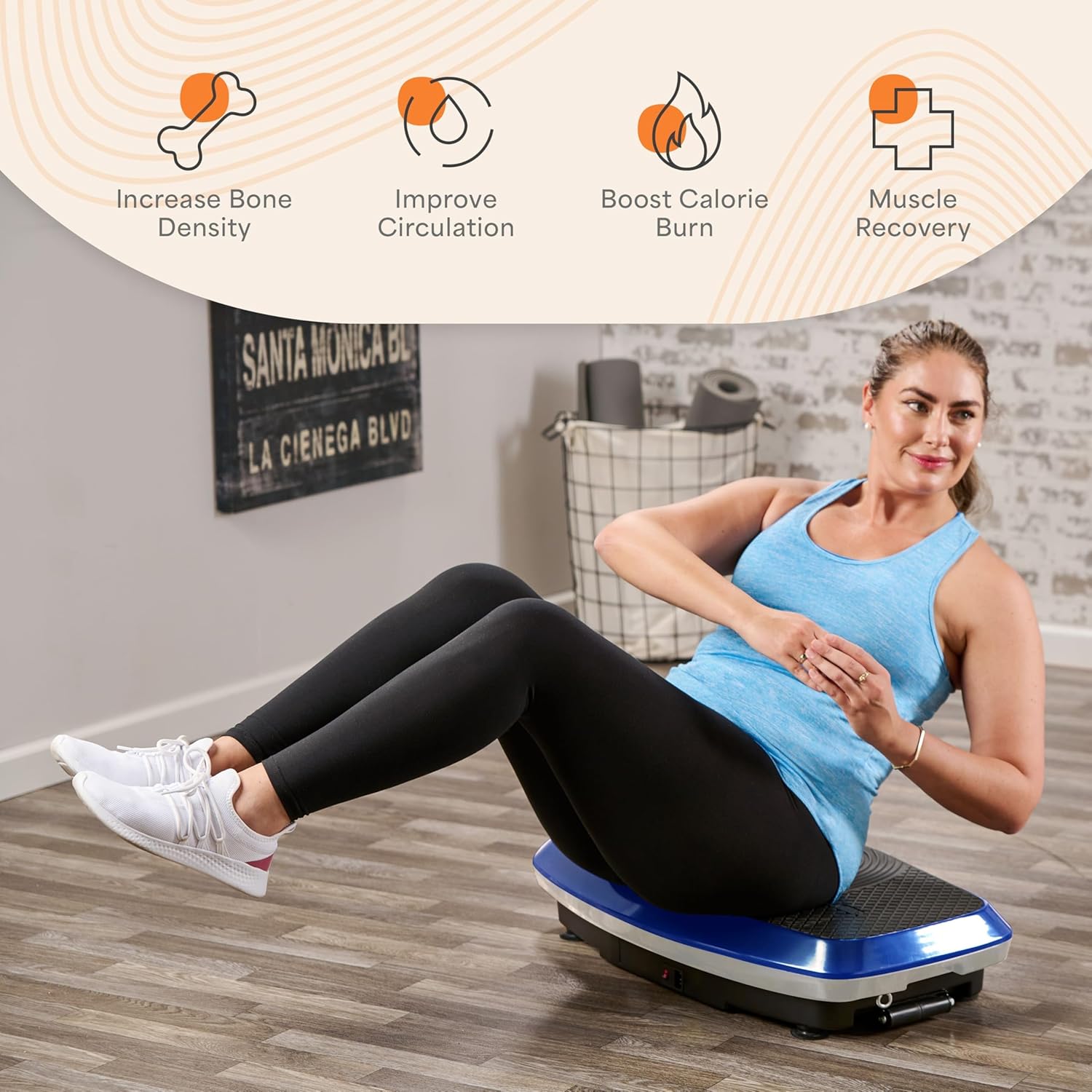
- Strength & Balance: Vibrations stimulate muscles, leading to improved muscle tone and better balance.
- Recovery: Increased circulation and blood flow aid in faster muscle recovery and reduced soreness.
- Bone Density: Weight-bearing vibrations can contribute to stronger bones.
- Circulation & Lymphatic Drainage: The movement helps to improve blood flow and lymphatic system function.
7. Maintenance
Proper maintenance ensures the longevity and optimal performance of your Lifepro Hovert 3D Vibration Plate Machine.
- Cleaning: Wipe down the machine with a soft, damp cloth after each use. Do not use abrasive cleaners or solvents. Ensure the machine is unplugged before cleaning.
- Storage: Store the machine in a cool, dry place away from direct sunlight and extreme temperatures.
- Inspection: Periodically check the power cord for any signs of damage. Ensure all connections are secure.
8. Troubleshooting
If you encounter issues with your Hovert 3D machine, refer to the following common troubleshooting steps:
| Problem | Possible Cause | Solution |
|---|---|---|
| Machine does not power on. | Power cord not properly connected; Power outlet issue; Machine fault. | Ensure power cord is securely plugged into both the machine and a working outlet. Try a different outlet. If problem persists, contact customer support. |
| Remote control not working. | Dead batteries; Obstruction between remote and machine; Remote not paired. | Replace batteries in the remote. Ensure no obstructions. Refer to remote pairing instructions (if applicable, not detailed in this manual). |
| Unusual noise during operation. | Machine not on a level surface; Internal component issue. | Ensure the machine is on a flat, stable surface. If the noise persists or is severe, discontinue use and contact customer support. |
For issues not listed here or if troubleshooting steps do not resolve the problem, please contact Lifepro customer support.
9. Specifications
Key specifications for the Lifepro Hovert 3D Vibration Plate Machine:

- Brand: LifePro
- Model: Hovert 3D
- Color: Blue (variant shown)
- Material: Metal
- Product Dimensions: 31"D x 18"W x 7"H (78.7 cm D x 45.7 cm W x 17.8 cm H)
- Item Weight: 15.87 Kilograms (approx. 35 lbs)
- Max Weight Capacity: 330 lbs (150 kg)
- Speed Levels: 99
- Preset Programs: 8
- Motion Types: Oscillation, Lateral, Combination (3D)
10. Warranty and Support
Lifepro is committed to providing comprehensive support and ensuring the quality of your product.
- Lifetime Warranty: Every Lifepro Hovert 3D machine comes with a built-in lifetime warranty, ensuring peace of mind regarding its power and efficacy.
- Customer Support: Access to LIVE support from Lifepro's 'guiding angels' is available for any questions or assistance you may need.
- Training Resources: Free access to a comprehensive library of training videos and tools is provided to help you maximize your use of the machine.
For warranty claims, technical assistance, or to access training resources, please visit the official Lifepro website or contact their customer service directly.