Geekee G350

Geekee G350 True Wireless Earbuds Instruction Manual

Model: G350

1. Introduction

The Geekee G350 True Wireless Earbuds offer a high-fidelity audio experience with advanced Bluetooth 5.0 technology. Designed for comfort and versatility, these in-ear headphones feature deep bass, crystal clear treble, and noise-cancelling capabilities. They are sweatproof with an IPX5 rating, making them suitable for sports and active use. The earbuds provide a stable connection, instant pairing, and extended battery life with their portable charging case.

Geekee G350 True Wireless Earbuds in charging case

Image 1: Geekee G350 True Wireless Earbuds in their charging case.

2. Package Contents

Please verify that all items are present in your package:

Contents of the Geekee G350 Earbuds package

Image 2: All items included in the Geekee G350 package.

3. Setup

3.1 Initial Pairing

For the first-time use, follow these steps to pair your Geekee G350 earbuds:

  1. Remove Protective Film: Before charging or first use, remove the plastic protective film from the charging contact points located on the bottom of each earbud.
  2. Charge Earbuds: Place both earbuds back into the charging case and allow them to charge for a short period.
  3. Automatic Power On & Pairing Mode: Take both earbuds out of the charging case. They will automatically power on and enter pairing mode.
  4. Connect via Bluetooth: On your smartphone or Bluetooth-enabled device, go to the Bluetooth settings menu and select "Geekee G350" to connect.

After the initial connection, the earbuds will automatically turn on and connect to your smartphone when removed from the case, and automatically turn off and charge when placed back in the case.

Steps for instant pairing of Geekee G350 earbuds

Image 3: Visual guide for initial pairing of the earbuds.

3.2 Charging

The earbuds and charging case have separate battery capacities and charging times:

  • Earbud Battery Capacity: 50mAh/3.7V per earbud.
  • Earbud Charging Time: Approximately 1.5 hours for a full charge.
  • Charging Case Battery Capacity: 500mAh/3.7V.
  • Charging Case Charging Time: Approximately 2.5 hours for a full charge.

The charging case provides additional power, extending the total playtime. A fully charged case can boost the earbuds' playtime from 3-3.5 hours to 15 hours. In mono mode, using one earbud while the other charges, playtime can be extended up to 28 hours.

Battery life and charging times for Geekee G350 earbuds

Image 4: Overview of battery life and charging specifications.

4. Operating Instructions

4.1 Earbud Controls

Each earbud features a multi-function button and an LED indicator. Refer to the diagram below for control functions:

Geekee G350 earbud function button and LED indicator guide

Image 5: Detailed functions of the earbud button and LED indicator.

  • Play/Pause: Press the function button once.
  • Next Track: Press the function button for 2 seconds (Right earbud).
  • Previous Track: Press the function button for 2 seconds (Left earbud).
  • Activate Voice Assistant (Siri): Double press the function button.
  • Answer/End Call: Press the function button once.
  • Reject Call: Press the function button for 2 seconds.

The LED indicator displays charging status and Bluetooth connection status.

4.2 Listening Modes

The Geekee G350 earbuds support two listening modes:

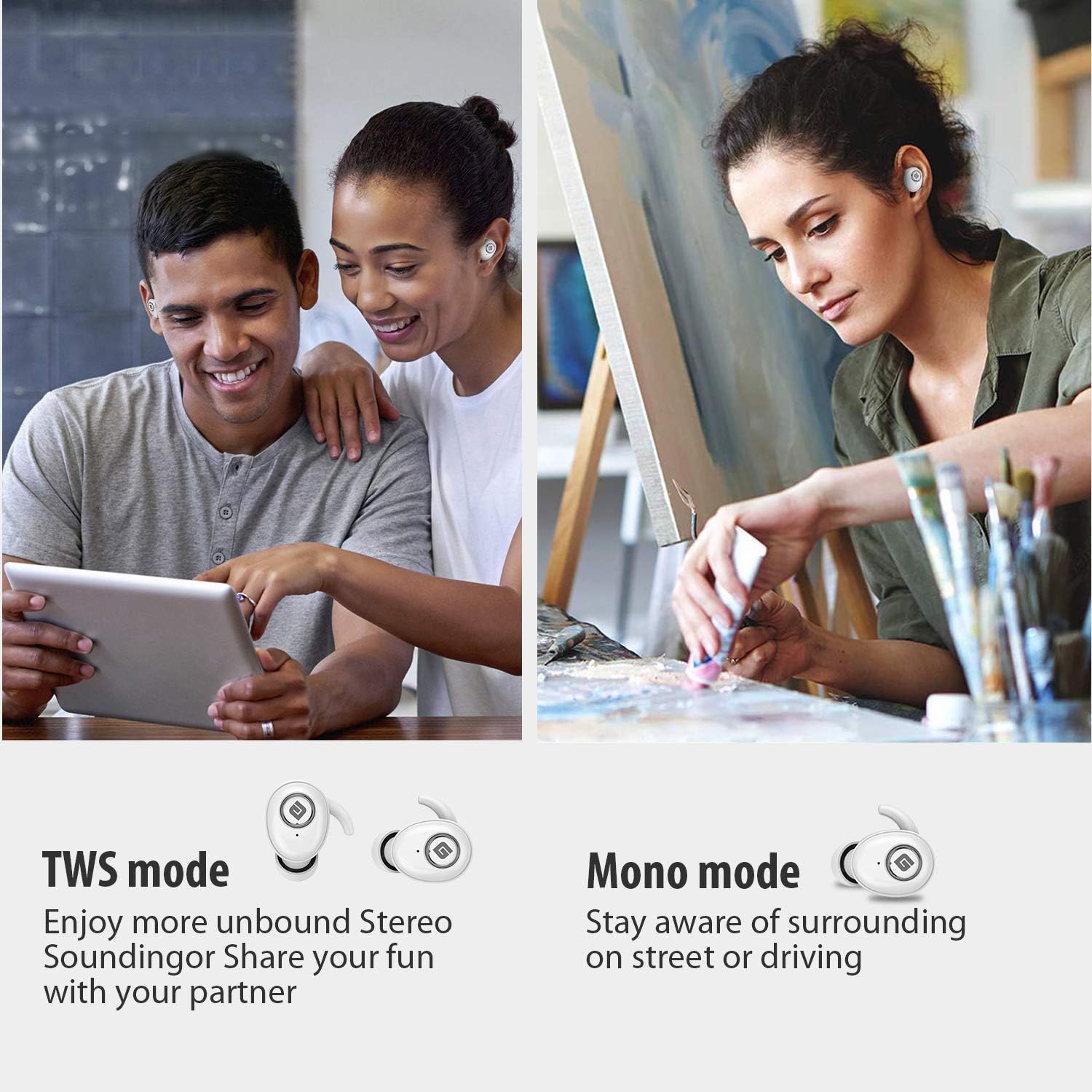
  • TWS (True Wireless Stereo) Mode: Use both earbuds simultaneously for a full stereo sound experience. This mode is ideal for immersive audio.
  • Mono Mode: Use a single earbud (only the Right earbud supports mono mode) to stay aware of your surroundings, such as when driving or walking in public.
Illustration of TWS and Mono listening modes for earbuds

Image 6: Comparison of TWS and Mono listening modes.

5. Maintenance

6. Troubleshooting

If you encounter issues with your Geekee G350 earbuds, please refer to the following common solutions:

7. Specifications

Feature Detail
Bluetooth Standard V5.0
Wireless Profile HFP, HSP, A2DP, AVRCP
Operating Range 10m (33ft)
Charging Voltage DC 5V 1A
Standby Time 160 hours
Talk / Playing Time 2~3 hours (single charge), up to 15 hours with charging case, up to 28 hours in mono mode
Charging Time (Headset) 1.5 hours
Charging Time (Charging Case) 2.5 hours
Battery Capacity (Headset) 50mAh/3.7V
Battery Capacity (Charging Case) 500mAh/3.7V
Item Weight 1.76 ounces (approx. 50g)
Product Dimensions 0.8 x 0.4 x 0.4 inches (per earbud)
Water Resistance IPX5 Sweatproof
Noise Control Active Noise Cancellation
Microphone Included

8. Warranty & Support

Geekee is committed to providing high-quality service and professional support for its products. For any technical assistance or inquiries, please contact our support team.

Geekee customer support contact information

Image 7: Geekee customer support details.

Official Product Video

Video 1: An official overview of the Geekee G350 True Wireless Earbuds, highlighting key features and design.

Related Documents - G350

Preview Geekee G450 True Wireless Earbuds User Manual
User manual for Geekee G450 True Wireless Earbuds, covering package contents, product specifications, charging, pairing, usage, controls, FAQs, disposal, and warranty.
Preview Geekee G02 True Wireless Earbuds: User Manual, Features, and Specifications
Official user manual for Geekee G02 True Wireless Earbuds. Get detailed information on pairing, controls, charging, product specifications, tips, and important warnings. Enhance your audio experience with G02.
Preview Smart Battery Camera Operation Instructions and Setup Guide
Comprehensive guide for setting up and operating the Smart Battery Camera, including product appearance, quick start, setup procedures, troubleshooting, and specifications.
Preview Avaya G350 Media Gateway Hardware Installation Quick Start Guide
This guide provides essential information for the hardware installation of the Avaya G350 Media Gateway, including preparation, unpacking, mounting, module installation, power connection, and initial configuration steps.