
1. Introduction
This manual provides essential information for the safe and efficient use of your TCL 32B400 32-inch HD LCD TV. Please read it thoroughly before operating the television and retain it for future reference.
The TCL 32B400 features a direct-lit LED backlight for uniform high brightness and image quality. Its VA panel technology delivers superior contrast, allowing for natural expression of subtle light and dark details. Equipped with a dual tuner, this TV supports terrestrial digital, BS digital, and 110-degree CS digital broadcasts, enabling simultaneous recording of one program while watching another. It supports various recording functions including instant, scheduled, daily/weekly repeat, and event recording. Connectivity options include two HDMI Ver1.4a input terminals (Port 1 supports ARC) and one USB2.0 input/output terminal, allowing connection to Blu-ray/DVD players/recorders and external speakers via ARC.

Figure 1: Front view of the TCL 32B400 TV.
2. Setup
2.1 Unboxing and Component Check
Carefully remove all components from the packaging. Ensure all items listed below are present:
- Remote control x1
- AAA batteries x2
- miniB-CAS card x1
- Power cord x1
- Tip-over prevention parts set x1
- Stand x2
- Screws (ST4, 20mm) x4 (for 32-inch model)
- Instruction manual
- Quick guide
- Warranty card

Figure 2: Included accessories.
2.2 Stand Installation
- Place the TV screen-down on a soft, flat surface to prevent damage.
- Align the stands with the corresponding slots on the bottom of the TV.
- Secure each stand using the provided screws (ST4, 20mm).
2.3 Connecting Cables
Connect the necessary cables to the appropriate ports on the TV. Refer to the connection diagram below.
- Power Cord: Connect the power cord to the TV's power input and then to a wall outlet.
- Antenna: Connect your terrestrial digital antenna cable to the 'Antenna Input' port. For BS/CS broadcasts, connect the satellite antenna cable to the 'BS/CS 110°' port.
- HDMI Devices: Connect external devices like Blu-ray players or game consoles to the HDMI input ports. HDMI Port 1 supports Audio Return Channel (ARC).
- USB Devices: Connect external USB storage devices for recording to the USB port.
- miniB-CAS Card: Insert the miniB-CAS card into its dedicated slot.

Figure 3: Connection terminals overview.
2.4 Initial Setup
After connecting all cables and powering on the TV, follow the on-screen instructions to complete the initial setup, including channel tuning and network configuration (if applicable).
3. Operating Instructions
3.1 Basic Operation
- Power On/Off: Press the power button on the remote control or the TV.
- Channel Selection: Use the 'CH +/-' buttons or number buttons on the remote control.
- Volume Adjustment: Use the 'VOL +/-' buttons on the remote control.
- Input Source: Press the 'Input' button on the remote to select between HDMI, TV, and other connected sources.
3.2 Recording Programs
Your TCL 32B400 TV supports recording to an external USB Hard Disk Drive (HDD) thanks to its dual tuner. This allows you to record one program while watching another.
- Connect a compatible external USB HDD to the TV's USB port.
- Format the HDD if prompted by the TV.
- To record, select the desired program and use the recording options in the TV menu (e.g., instant recording, scheduled recording via EPG).

Figure 4: Dual tuner allows watching one program while recording another.
3.3 Picture and Sound Settings
Access the TV's menu to adjust picture (brightness, contrast, color, sharpness) and sound (bass, treble, balance, sound mode) settings to your preference.
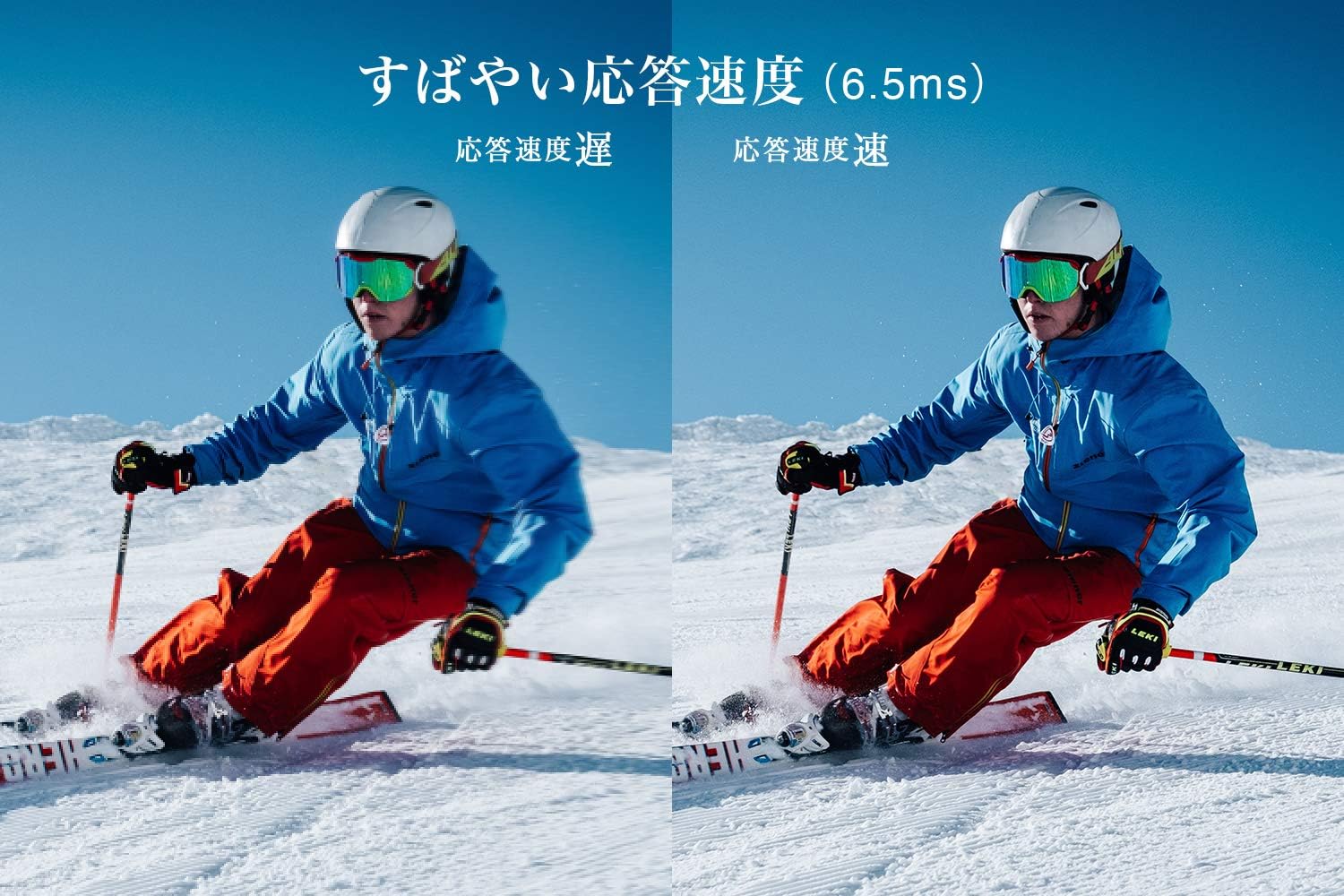
Figure 5: The TV features a fast response speed of 6.5ms for clear motion.
4. Maintenance
4.1 Cleaning the Screen
Gently wipe the screen with a soft, dry, lint-free cloth. For stubborn marks, lightly dampen the cloth with water or a specialized screen cleaner (ensure it's suitable for LCD screens) and wipe carefully. Avoid applying excessive pressure.
4.2 Cleaning the TV Body
Wipe the TV body with a soft, dry cloth. Do not use abrasive cleaners, waxes, or solvents as they can damage the finish.
4.3 General Care
- Avoid exposing the TV to direct sunlight or extreme temperatures.
- Ensure adequate ventilation around the TV to prevent overheating.
- Unplug the TV from the power outlet during lightning storms or when it will be unused for extended periods.
5. Troubleshooting
If you encounter issues with your TV, refer to the following common troubleshooting steps. If the problem persists, contact customer support.
5.1 No Power
- Check if the power cord is securely connected to both the TV and the wall outlet.
- Verify that the wall outlet is functioning by plugging in another device.
- Press the power button on the TV itself, not just the remote.
5.2 No Picture/No Signal
- Ensure the correct input source is selected (e.g., HDMI 1, TV).
- Check all cable connections (HDMI, antenna) for looseness or damage.
- If using an external device, ensure it is powered on and functioning correctly.
- Perform a channel scan if you are watching broadcast TV.
5.3 No Sound
- Check the volume level and ensure the TV is not muted.
- If using external speakers, ensure they are properly connected and powered on.
- Check audio settings in the TV menu.
5.4 Remote Control Not Working
- Replace the batteries with new ones.
- Ensure there are no obstructions between the remote and the TV's IR sensor.
6. Specifications
| Feature | Specification |
|---|---|
| Display Size | 32 inches |
| Display Technology | LCD |
| Resolution | HD (1366 x 768) |
| Refresh Rate | 60 Hz |
| Aspect Ratio | 16:9 |
| Contrast Ratio | 3000:1 |
| Viewing Angle | 178/178 degrees (JEITA standard, CR>=10) |
| Backlight Type | Direct-lit LED |
| Response Speed | 6.5ms |
| Dimensions (with stand) | W731 x H491 x D186 mm |
| Dimensions (without stand) | W731 x H436 x D76 mm |
| Weight (with stand) | 4.4 Kg |
| Weight (without stand) | 4.3 Kg |
| Wall Mount (VESA) | 100x100mm |
| Annual Power Consumption | 45 kWh/year |
| HDMI Ports | 2 (HDMI Ver1.4a, Port 1 supports ARC) |
| USB Ports | 1 (USB2.0) |
| Tuner Type | Terrestrial Digital, BS Digital, 110-degree CS Digital (Dual Tuner) |
| Model Year | 2019 |

Figure 6: TV dimensions and recommended viewing distance.

Figure 7: VA panel technology provides superior contrast and depth.
7. Warranty and Support
7.1 Manufacturer's Warranty
This product comes with a 1-year manufacturer's warranty from the date of purchase. Please retain your proof of purchase for warranty claims.
7.2 Customer Support
For any inquiries, technical assistance, or repair requests, please contact TCL customer support. Our dedicated Japanese staff are available to assist you.
- Phone: 0120-955-517
- Operating Hours: 9:00 - 18:00 (Weekdays and Holidays, excluding year-end and New Year holidays)
- Website: https://www.tcl.com/jp/ja/services.html
Nationwide repair service is available.
Figure 8: TCL Customer Support details.


