1. Important Safety Instructions
Please read these instructions carefully before using the product and retain them for future reference. Follow all warnings and instructions provided with the product.
- Do not use this apparatus near water.
- Clean only with a dry cloth.
- Do not block any ventilation openings. Install in accordance with the manufacturer's instructions.
- Do not install near any heat sources such as radiators, heat registers, stoves, or other apparatus (including amplifiers) that produce heat.
- Protect the power cord from being walked on or pinched, particularly at plugs, convenience receptacles, and the point where they exit from the apparatus.
- Only use attachments/accessories specified by the manufacturer.
- Unplug this apparatus during lightning storms or when unused for long periods of time.
- Refer all servicing to qualified service personnel. Servicing is required when the apparatus has been damaged in any way, such as power-supply cord or plug is damaged, liquid has been spilled or objects have fallen into the apparatus, the apparatus has been exposed to rain or moisture, does not operate normally, or has been dropped.
2. Package Contents
Ensure all items are present upon unpacking:
- Mersoco M415 Portable Bluetooth Turntable (Main Unit)
- Power Adapter
- USB Cable (for PC connection)
- RCA Audio Cable
- Audio Capture Software CD (for digitizing vinyl)
- User Manual
3. Product Overview
The Mersoco M415 is a vintage-style suitcase record player designed for portability and versatility. It features a belt-driven 3-speed turntable, built-in stereo speakers, and multiple connectivity options.

Figure 1: Mersoco M415 Turntable with lid open.
Key Components:
- Platter: Where the vinyl record rests.
- Tone Arm: Holds the stylus and tracks the record grooves.
- Stylus (Needle): Reads the audio from the record.
- Speed Selector: Switch to choose between 33, 45, and 78 RPM.
- Auto-Stop Switch: Enables or disables automatic stopping of the platter at the end of a record.
- Power/Volume Knob: Turns the unit on/off and adjusts volume.
- Mode Selector: Switches between Phono (Vinyl), Bluetooth (BT), and Line In modes.
- Headphone Jack: For private listening.
- Built-in Speakers: Integrated stereo speakers for direct audio playback.
- AUX In Port: Connect external audio devices via a 3.5mm cable.
- RCA Line Out Ports: Connect to external amplifiers or powered speakers.
- USB Port: For connecting to a PC for vinyl-to-digital conversion.

Figure 2: Control panel and connectivity options.
4. Setup
4.1 Initial Setup
- Unpack the record player and all accessories from the box.
- Place the unit on a flat, stable surface.
- Connect the power adapter to the DC IN port on the back of the unit and plug it into a wall outlet.
- Carefully remove the white needle guard from the stylus before use.
- Release the tone arm clip to allow the tone arm to move freely.

Figure 3: Auto-stop switch for platter control.
5. Operating Instructions
5.1 Playing Vinyl Records
- Turn the Power/Volume knob clockwise to turn on the unit. The power indicator will light up.
- Select 'Phono' mode using the Mode Selector switch.
- Place a vinyl record on the turntable platter. The turntable supports 7", 10", and 12" records. For 12-inch records, gently tilt the record toward the tonearm to ensure proper playback.
- Select the appropriate speed (33, 45, or 78 RPM) using the Speed Selector switch. Use the 45 RPM adapter for 7-inch records with large center holes.
- Lift the tone arm using the cueing lever and position it over the desired track of the record.
- Gently lower the tone arm onto the record using the cueing lever. The record will begin to play.
- Adjust the volume using the Power/Volume knob.
- At the end of the record, if the Auto-Stop switch is ON, the platter will stop spinning automatically. If it's OFF, the platter will continue to spin. Manually lift the tone arm and return it to its rest.

Figure 4: Playing a 3-speed vinyl record.
5.2 Bluetooth Mode
- Turn on the record player and select 'BT' mode using the Mode Selector switch. The Bluetooth indicator will flash.
- Enable Bluetooth on your smartphone, tablet, or other audio device.
- Search for 'Turntable' in your device's Bluetooth settings and pair with it. Once connected, the Bluetooth indicator will stop flashing and remain solid.
- Play music from your connected device. Audio will stream through the record player's built-in speakers.
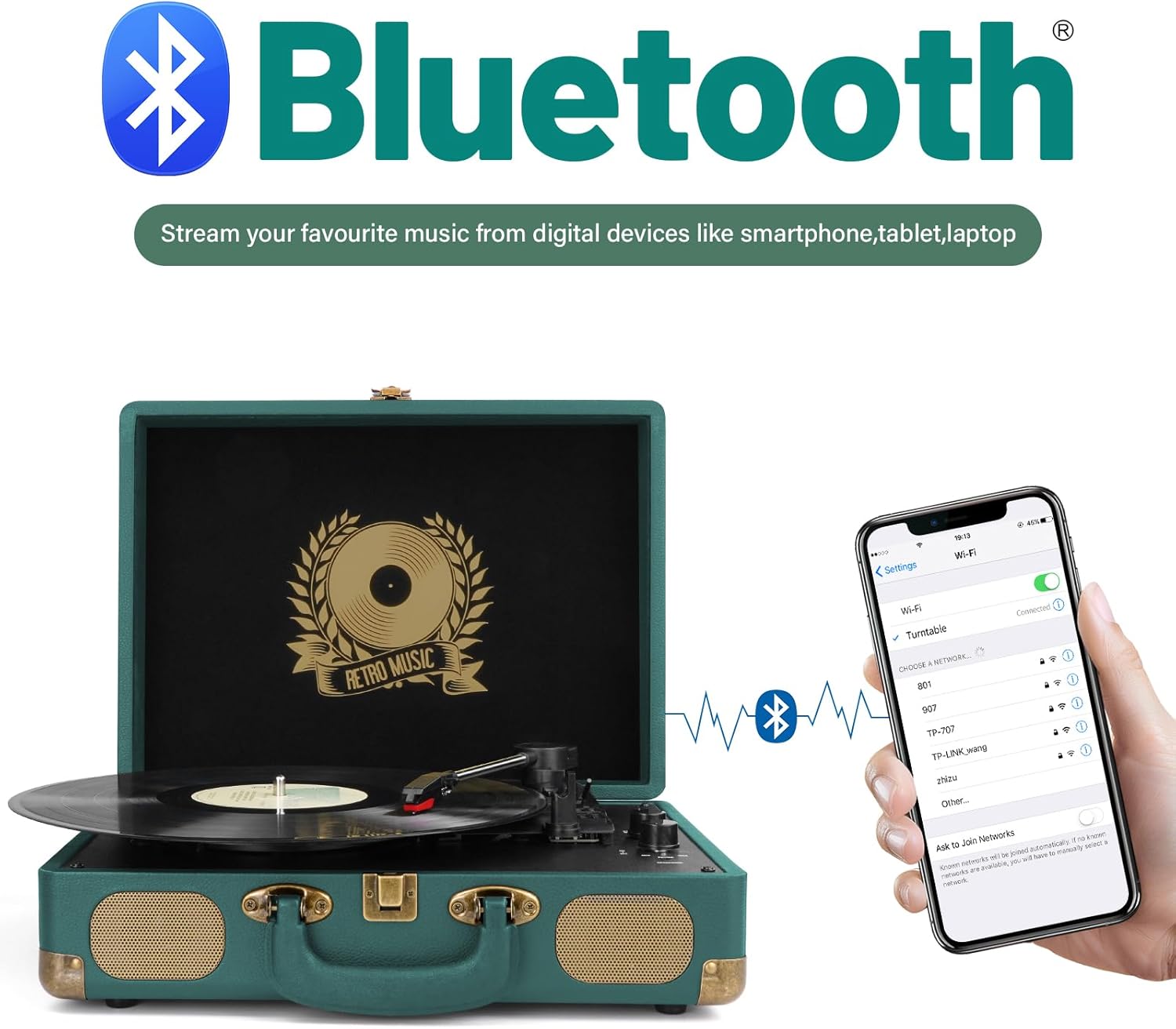
Figure 5: Bluetooth connectivity for streaming digital music.
5.3 AUX Input
Connect external audio devices (e.g., MP3 players, CD players) to the record player using a 3.5mm AUX cable. Select 'Line In' mode to play audio through the record player's speakers.
5.4 RCA Line Out
For enhanced sound, connect the record player to external powered speakers or an amplifier using the RCA Line Out ports on the back of the unit. Ensure the external audio system is set to the correct input.
5.5 Headphone Jack
Plug standard 3.5mm headphones into the headphone jack for private listening. The built-in speakers will automatically mute when headphones are connected.

Figure 6: Overview of connectivity features.
5.6 Vinyl to Digital Conversion (USB)
The Mersoco M415 allows you to convert your vinyl records to digital MP3/WAV files on your PC.
- Install the provided Audio Capture Software on your computer using the included CD.
- Connect the record player to your PC using the supplied USB cable.
- Follow the software instructions to record and save your vinyl audio.

Figure 7: Converting vinyl to digital format via USB.
6. Maintenance
6.1 Cleaning the Stylus
Use a soft brush to gently clean the stylus, brushing from back to front. Avoid touching the stylus with your fingers.
6.2 Cleaning Records
Use a soft, anti-static cloth to wipe records gently in a circular motion, following the grooves, to remove dust and debris.
6.3 General Care
Keep the unit in a clean, dry environment. When not in use, ensure the tone arm is secured with its clip and the lid is closed to protect the components.
7. Troubleshooting
| Problem | Possible Cause | Solution |
|---|---|---|
| No power | Power adapter not connected or outlet not working. | Ensure power adapter is securely connected and try a different outlet. |
| No sound from speakers | Volume too low, headphones connected, or incorrect mode selected. | Increase volume, disconnect headphones, or select correct mode (Phono/BT/Line In). |
| Record skipping | Dirty record, damaged stylus, or unstable surface. | Clean record, check stylus for damage (replace if necessary), place unit on a stable surface. |
| Bluetooth not pairing | Device too far, Bluetooth not enabled, or incorrect mode. | Ensure device is within range, Bluetooth is enabled, and 'BT' mode is selected. |
8. Specifications
- Product Dimensions: 15.75 x 13.19 x 6.06 inches
- Item Weight: 6.34 pounds
- Model Name: M415 Vinyl Record Player Hunter Green
- Brand: Mersoco
- Speeds: 33 1/3, 45, 78 RPM
- Connectivity: Bluetooth, AUX Input, RCA Line Out, Headphone Jack, USB
- Motor Type: DC Motor
- Material: Plastic

Figure 8: Product dimensions.
9. Warranty and Support
This product comes with a standard manufacturer's warranty. For detailed warranty information, please refer to the documentation included in your package or contact Mersoco customer support.
For technical assistance, troubleshooting, or any inquiries, please contact Mersoco customer service through the contact information provided in your product packaging or on the official Mersoco website.
10. Product Videos
Video 1: An overview of the record player's features and functionality, demonstrating its ease of use and various modes.
Video 2: Showcasing the aesthetic appeal and timeless design of the vinyl record player in various settings.
Video 3: Demonstrating the process of placing a vinyl record on the turntable and initiating playback.


