
eufy AK-T2251111
Contents
eufy RoboVac G30 Edge Robot Vacuum Instruction Manual
Model: AK-T2251111
Brand: eufy by Anker
Introduction
This manual provides essential information for the safe and efficient operation, maintenance, and troubleshooting of your eufy RoboVac G30 Edge. Please read this manual thoroughly before using the product and retain it for future reference.

Image: The eufy RoboVac G30 Edge, a black circular robot vacuum, is shown alongside its charging base and a roll of boundary strips. A smartphone displaying the eufy app interface with a cleaning map is also visible.
Setup
What's in the Box
Upon unboxing, verify that all components are present:
- RoboVac G30 Edge Unit
- Charging Base
- AC Power Adapter
- 13.2 ft Boundary Strip
- 2 Side Brushes (additional)
- Additional Unibody Filter
- Cleaning Tool
- 5 Cable Ties
- Welcome Guide
Charging Base Placement
Place the charging base on a hard, level surface against a wall. Ensure there is at least 3 feet (1 meter) of clear space to the front and 1 foot (0.3 meters) to each side of the charging base to allow the RoboVac to dock properly.
Initial Charge
Connect the AC power adapter to the charging base and plug it into a wall outlet. Place the RoboVac onto the charging base, ensuring the charging contacts align. Allow the RoboVac to fully charge before its first use. The indicator lights will show charging status.
App Setup & Wi-Fi Connection
Download the eufyHome app from your device's app store. Follow the in-app instructions to connect your RoboVac to your home Wi-Fi network. Note: The RoboVac G30 Edge supports 2.4GHz Wi-Fi networks only. Ensure your router is configured to support a 2.4GHz frequency band.

Image: A hand holds a smartphone displaying the eufyHome app, showing options for scheduling, spot cleaning, manual control, and cleaning history for the RoboVac G30 Edge.
Boundary Strips Placement
Use the provided boundary strips to define areas where the RoboVac should not enter. Place the strips flat on the floor. The RoboVac uses specialized dual-Hall sensors to detect these strips, preventing it from crossing into restricted zones.

Image: The eufy RoboVac G30 Edge is shown on a light-colored floor, with a boundary strip laid out to define a 'no-go' zone, illustrating how the robot avoids specific areas.
Operating Your RoboVac
Cleaning Modes & Navigation
The RoboVac G30 Edge features Smart Dynamic Navigation 2.0, which uses dual gyroscopes and a location detection system to plan logical cleaning routes, ensuring thorough coverage without missing spots. It moves in a straight path, avoiding repeated passes for efficient cleaning.

Image: The eufy RoboVac G30 Edge is depicted cleaning a hard floor in a systematic, back-and-forth pattern, illustrating its Dynamic Navigation 2.0 capabilities.
With 2000 Pa of Hard-Hitting Suction, the RoboVac effectively picks up debris across various surfaces. It also includes BoostIQ™ Technology, which automatically increases suction power when transitioning from hard floors to carpets, optimizing cleaning performance.

Image: The eufy RoboVac G30 Edge is shown from above, cleaning a hard floor covered with pet hair, demonstrating its strong suction power. A dog is visible in the foreground.

Image: A diagram illustrates the BoostIQ™ feature, showing how the RoboVac automatically adjusts suction power for different floor types, increasing it for carpets and reducing it for hard floors.
Starting and Stopping Cleaning
You can start or stop a cleaning cycle by pressing the button on the RoboVac or through the eufyHome app. The app provides full control, allowing you to check cleaning records, set scheduled cleanings, switch modes, and more.

Image: A smartphone displays a detailed cleaning report within the eufyHome app, showing a map of the area cleaned by the RoboVac, along with cleaning time and area covered.
Voice Control
The RoboVac G30 Edge is compatible with Amazon Alexa and Google Assistant. You can control your RoboVac using voice commands, for example, "Alexa, ask RoboVac to start cleaning."
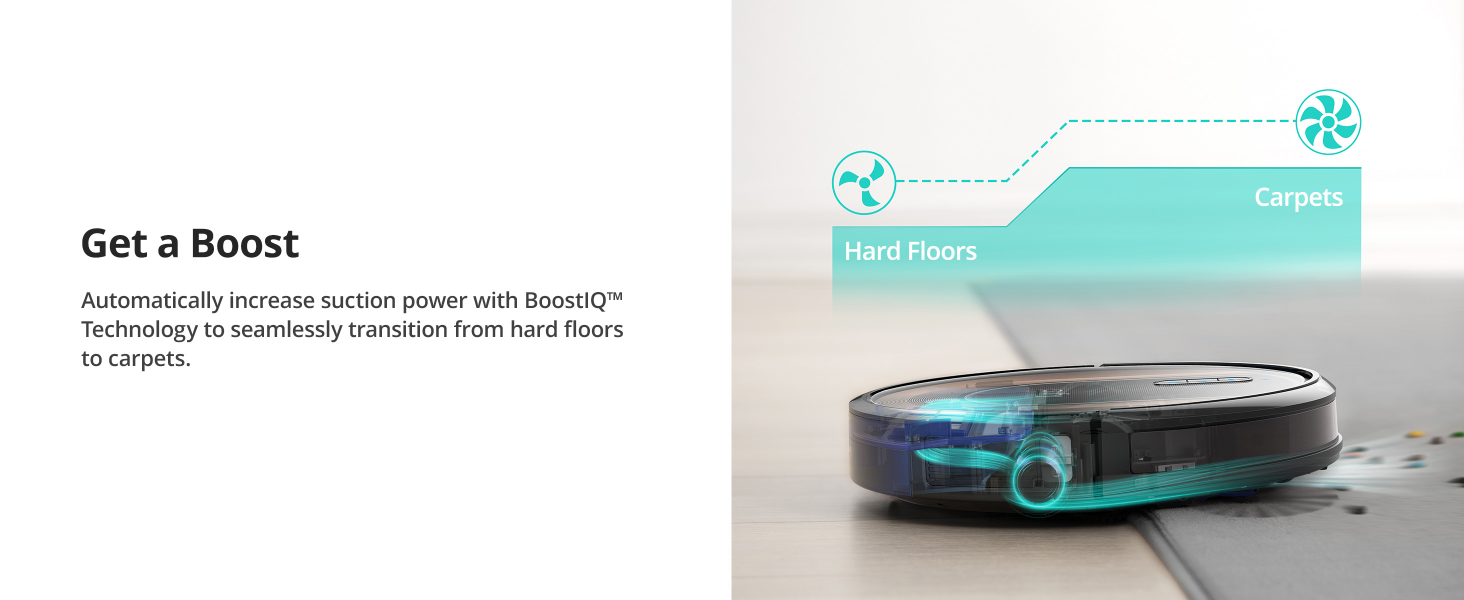
Image: The RoboVac G30 Edge is shown on a dirty floor, with logos indicating compatibility with Amazon Alexa and Google Assistant, highlighting its voice control capabilities.
Auto-Return Cleaning
When the battery level is low, the RoboVac G30 Edge will automatically return to its charging base to recharge. Once charged to 80%, it will resume cleaning from where it stopped, ensuring complete coverage.

Image: A diagram illustrates the RoboVac's auto-return feature, showing its path to the charging base when the battery is low and its return to the cleaning area after recharging.
Safety Features
The RoboVac G30 Edge is equipped with Drop-Proof Technology, using sensors to detect drops and prevent it from falling down stairs or off ledges.
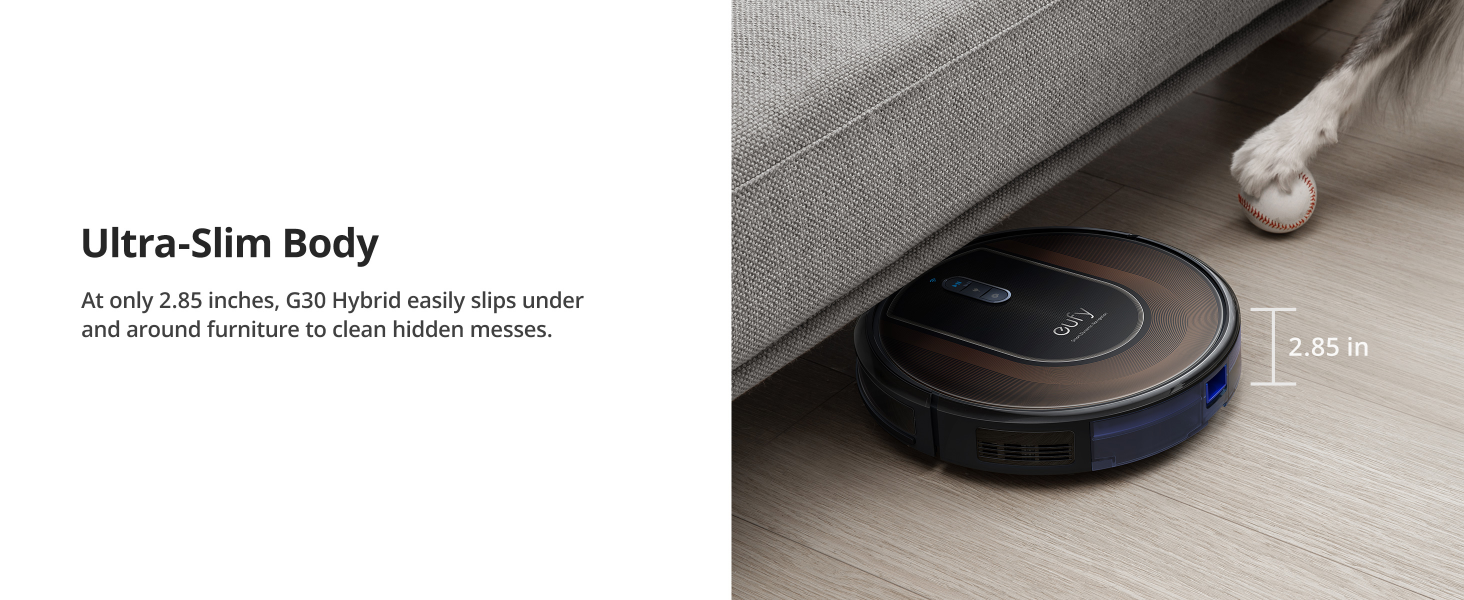
Image: The RoboVac G30 Edge is shown at the edge of a step, with blue light beams indicating its drop-sensing technology preventing it from falling.
It also features an Anti-Collision Sensor with 9 anti-collision, infrared sensors that help the RoboVac avoid bumping into obstacles, ensuring non-stop cleaning without requiring extra intervention.
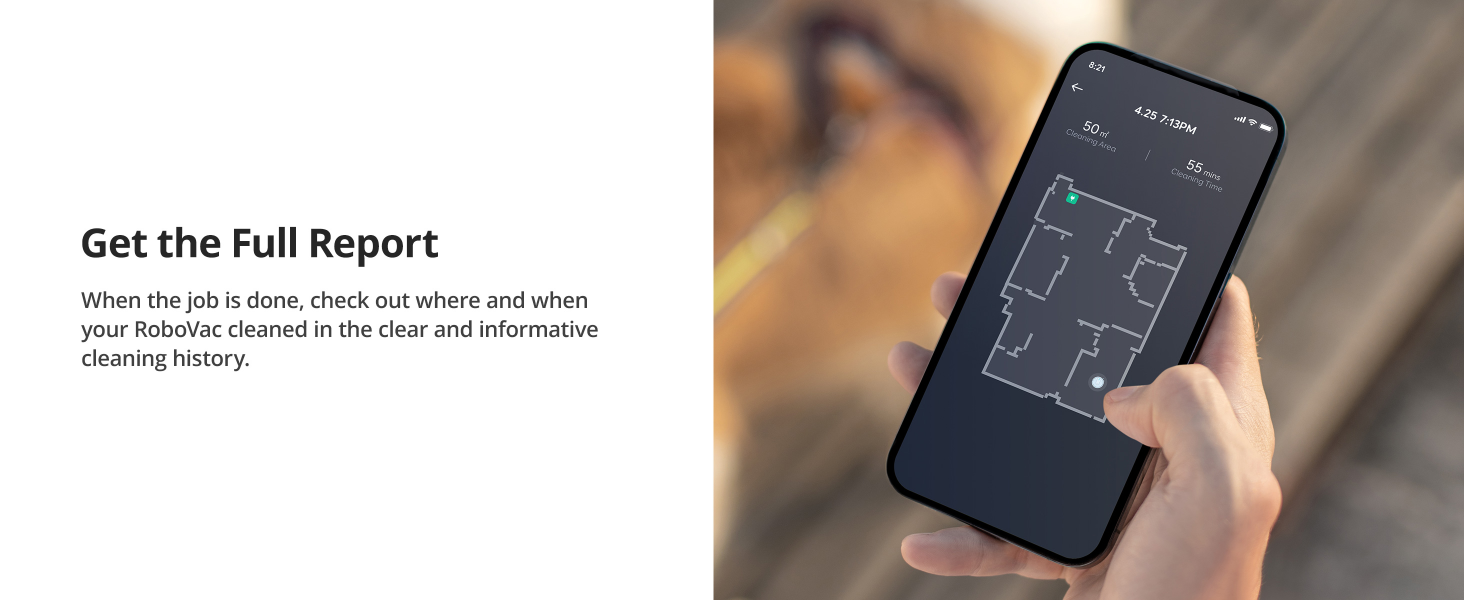
Image: The RoboVac G30 Edge is shown navigating around a chair leg, with blue arcs indicating its anti-collision sensors detecting and avoiding the obstacle.
Quiet Cleaning & Ultra-Slim Design
The RoboVac G30 Edge is designed for quiet operation, with noise levels as low as 55 dB. Its ultra-slim body, at only 2.85 inches (7.2 cm) tall, allows it to easily slip under and around furniture to clean hidden messes.

Image: The RoboVac G30 Edge is shown cleaning quietly under a sofa, emphasizing its low noise level and ability to clean without disturbance.

Image: The RoboVac G30 Edge is shown cleaning under a low-clearance furniture piece, highlighting its ultra-slim design (2.85 inches height) that allows it to access hard-to-reach areas.
Maintenance
Regular maintenance is crucial for optimal performance of your RoboVac. Always turn off the RoboVac and unplug the charging base before performing any maintenance.
Emptying the Dust Bin
Empty the dust bin after each use or when the 'full' indicator illuminates. Press the dust bin release button, remove the bin, and discard collected debris.
Cleaning the Filter
The unibody filter should be cleaned weekly. Tap off excess dirt or use the cleaning tool to brush away debris. Replace the filter every 3-6 months, or as needed, to maintain suction power.
Cleaning the Brushes
- Rolling Brush: Remove the brush guard and lift out the rolling brush. Use the cleaning tool to cut and remove any hair or debris tangled around the brush. Clean the brush bearings.
- Side Brushes: Gently pull off the side brushes. Remove any hair or debris. If the bristles are bent, you can soak them in warm water for a few minutes to reshape them. Reattach the brushes, ensuring they click into place.
Cleaning Sensors and Charging Contacts
Wipe the drop sensors, anti-collision sensors, and charging contacts on both the RoboVac and the charging base with a clean, dry cloth. This ensures proper navigation and charging.
Troubleshooting
If your RoboVac encounters an issue, refer to the following common solutions:
- RoboVac not charging: Ensure the charging contacts on both the RoboVac and the charging base are clean and free of dust. Verify the power adapter is securely plugged into the wall outlet and the charging base.
- RoboVac not starting: Check if the battery is charged. Press the power button on the RoboVac or use the eufyHome app to start a cleaning cycle.
- RoboVac getting stuck frequently: Clear any obstacles, loose cables, or thick rugs from the cleaning path. Use boundary strips to block off problematic areas.
- Reduced suction power: Empty the dust bin and clean or replace the filter. Check the rolling brush and side brushes for tangled hair or debris.
- Wi-Fi connection issues: Ensure your router is broadcasting a 2.4GHz signal. Restart your router and the RoboVac. Try reconnecting through the eufyHome app.
For more detailed troubleshooting steps and error codes, please consult the full User Manual PDF available online or through the eufyHome app.
Specifications
| Feature | Specification |
|---|---|
| Product Dimensions | 13 x 13 x 3 inches (33 x 33 x 7.6 cm) |
| Item Model Number | AK-T2251111 |
| Weight | 5.95 Pounds (2.7 kg) |
| Battery Type | Lithium Ion |
| Suction Power | 2000 Pa |
| Navigation Type | Smart Dynamic Navigation 2.0 |
| Special Features | Logical Navigation, Programmable, Smart Mapping, Boundary Strips, BoostIQ™ |
| Color | Black |
Warranty and Support
Your eufy RoboVac G30 Edge comes with a worry-free 12-month warranty. For warranty claims or technical support, please refer to the contact information provided in your Welcome Guide or visit the official eufy support website.
Additional resources, including a detailed User Manual PDF, are available for download:
Note on Videos: No official product videos with 'Seller' as creator type were provided in the product data for embedding in this manual.
Ask a question about this manual
Ask about setup, troubleshooting, compatibility, parts, safety, or missing instructions. Manuals+ will review the question and use this page’s manual context to help answer it.