
TOZO T6
TOZO T6 True Wireless Earbuds User Manual
Model: T6 | Brand: TOZO
1. Product Overview
The TOZO T6 True Wireless Earbuds offer a premium audio experience with advanced features designed for comfort and convenience. Featuring OrigX technology, these earbuds deliver deep bass, clear mids, and crisp trebles for immersive sound. With a long playtime, wireless charging, IPX8 waterproofing, and app compatibility, the T6 earbuds are suitable for various activities and environments.
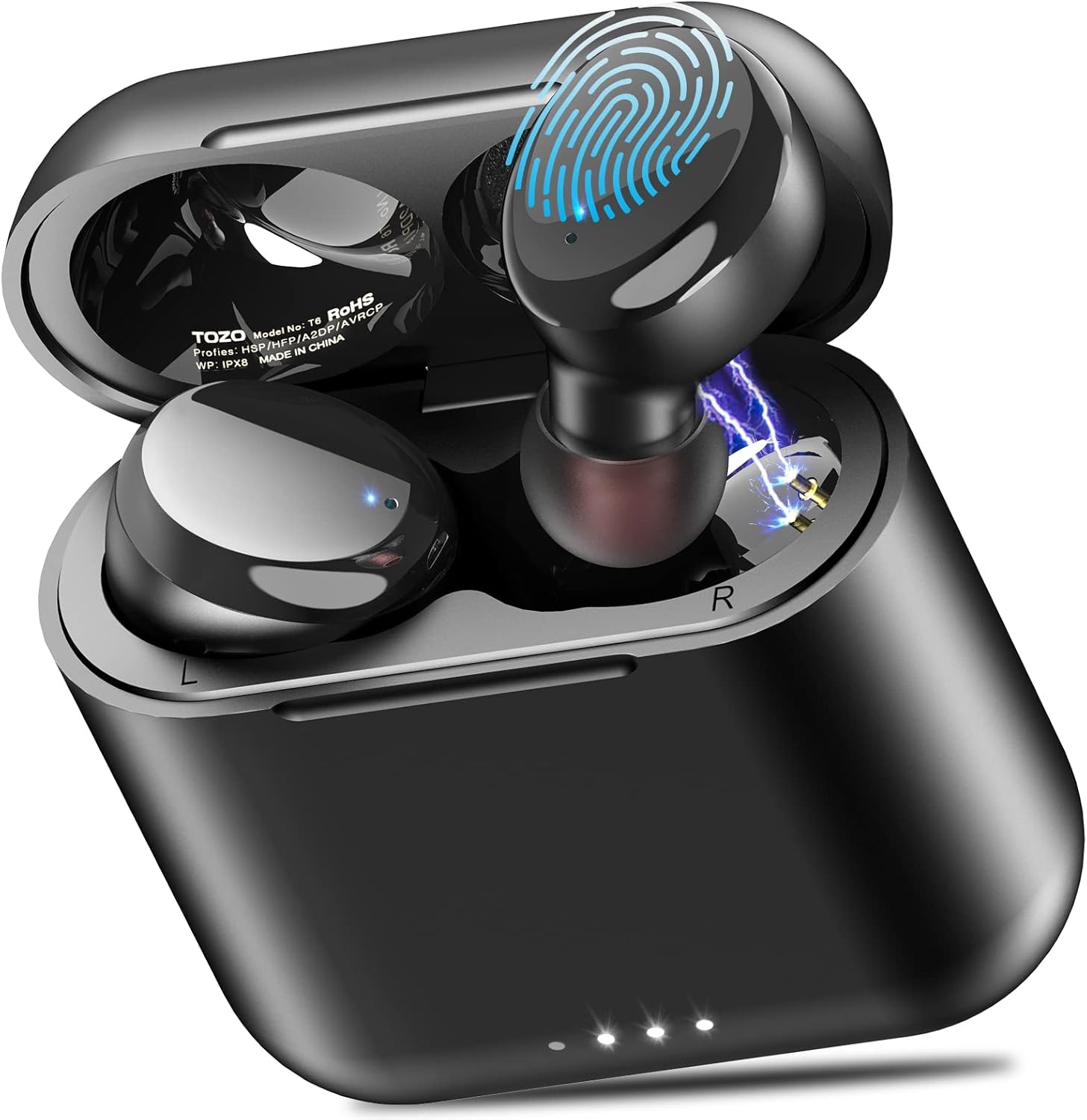
Image: The TOZO T6 True Wireless Earbuds shown in their compact charging case.
2. What's in the Box
Your TOZO T6 package includes the following components:
- TOZO T6 Wireless Earbuds
- Wireless Charging Case
- 6 pairs of Eartips (XS/S/M/L/XL/XXL)
- USB Charging Cable
- Quick Guide & User Manual
3. Setup Guide
3.1. Charging the Earbuds and Case
Before first use, fully charge the earbuds and the charging case. The case can be charged via the included USB-A to Micro USB cable or wirelessly using a compatible wireless charging pad.
- Wired Charging: Connect the USB charging cable to the case and a power source. The case fully charges in approximately 55 minutes.
- Wireless Charging: Place the charging case on a wireless charging pad. The case fully charges in under 2 hours wirelessly.
- Earbud Charging: Place the earbuds into the charging case. They will begin charging automatically. A single charge provides up to 10 hours of playtime, extended to 45 hours with the charging case.

Image: The TOZO T6 charging case being charged wirelessly on a charging pad, illustrating its 45-hour total playtime.
3.2. One-Step Pairing
The TOZO T6 earbuds feature a convenient one-step pairing process for quick connection to your devices.
- Take both earbuds out of the charging case. They will automatically enter pairing mode.
- On your device (smartphone, tablet, laptop), enable Bluetooth and search for "TOZO-T6" in the list of available devices.
- Select "TOZO-T6" to connect. Once connected, you will hear a confirmation prompt.
The earbuds are compatible with iOS, Android, and Windows devices, ensuring stable connections and exceptional sound quality.

Image: Illustration of the one-step pairing process, showing earbuds connecting to a smartphone via Bluetooth.
3.3. Optimal Fit and Comfort
For the best audio experience and secure fit, it is crucial to select the correct ear tip size. The TOZO T6 comes with 6 pairs of eartips (XS/S/M/L/XL/XXL) to ensure a snug and comfortable fit for various ear shapes.
- Experiment with different ear tip sizes to find the one that creates a good seal in your ear canal. A proper seal enhances bass response and passive noise isolation.
- The ergonomic design of the earbuds ensures comfort even during extended use, making them ideal for daily wear, exercise, or travel.

Image: The compact and lightweight design of the TOZO T6 earbuds, shown held in a hand.
4. Operating Instructions
4.1. Touch Controls
The TOZO T6 earbuds feature intuitive touch controls for managing your audio playback and calls. The touch-sensitive surface is located on the outer part of each earbud.
| Action | Control |
|---|---|
| Play/Pause | Single tap (either earbud) |
| Next Song | Double tap (right earbud) |
| Previous Song | Double tap (left earbud) |
| Volume Up | Hold (right earbud) |
| Volume Down | Hold (left earbud) |
| Answer/Hang Up Call | Single tap (either earbud) |
| Activate Siri/Voice Assistant | Triple tap (either earbud) |

Image: A visual guide to the touch controls on the TOZO T6 earbuds.
4.2. TOZO APP Compatibility
Enhance your listening experience by utilizing the TOZO APP. The app allows you to customize your audio settings and explore various features.
- 32 Preset EQ Modes: Freely switch between 32 pre-configured equalizer modes to match your music genre or personal preference.
- Fine-Tuned Audio: Adjust bass, mids, and trebles to achieve your desired sound profile.
- White Noise Tracks: Access over 100 white noise tracks for relaxation or focus.
- User-Shared EQs: Discover and utilize over 2000 user-shared EQ settings.
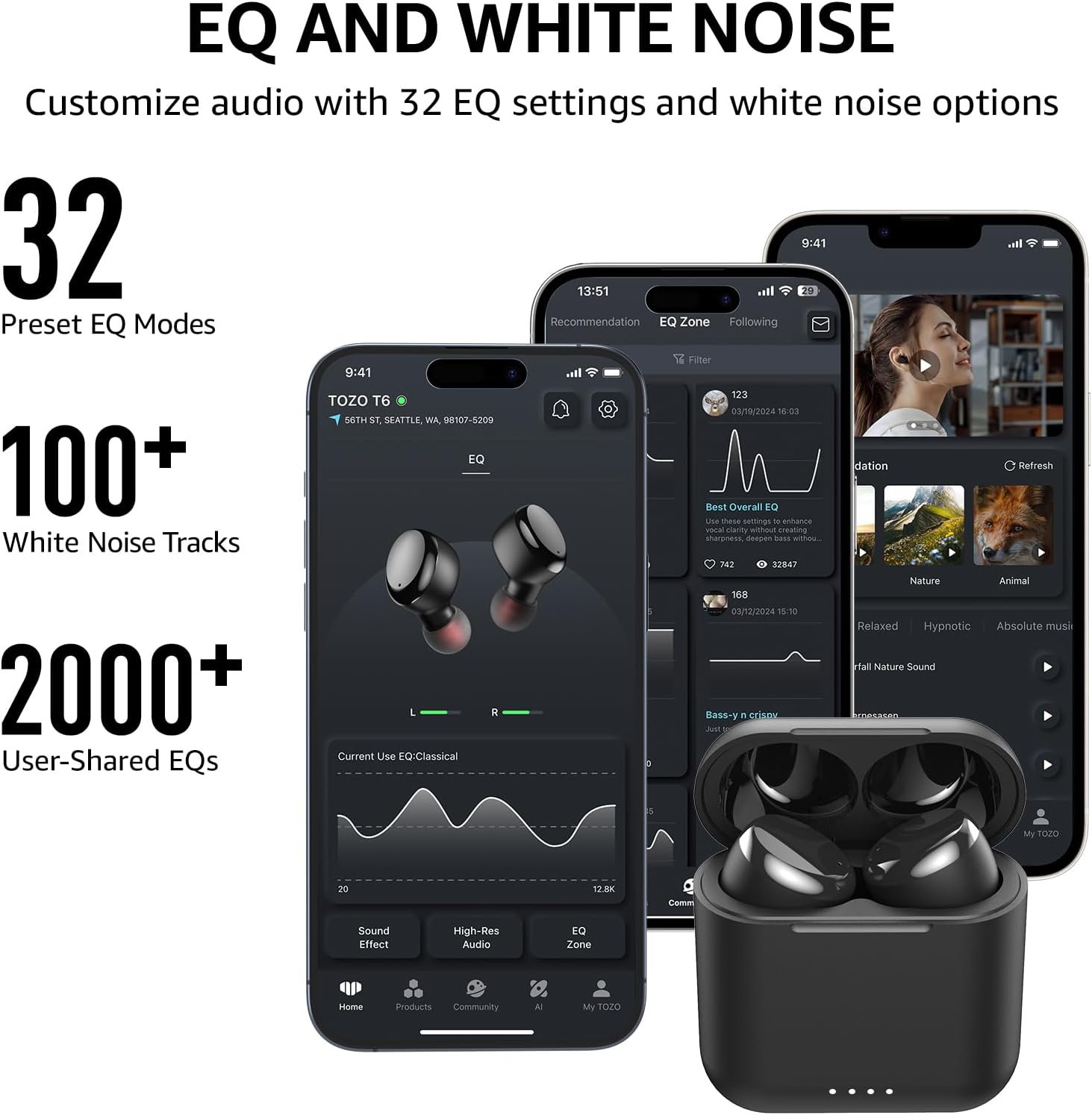
Image: Screenshots of the TOZO App interface, highlighting EQ settings and white noise features.
4.3. IPX8 Waterproofing
The TOZO T6 earbuds boast an IPX8 waterproof rating, making them resistant to sweat, water, and rain. This feature ensures durability and reliability during outdoor activities, workouts, or even in the shower.
- The fully-sealed cavity technology provides robust water resistance.
- While designed to withstand water exposure, it is recommended to dry the earbuds thoroughly before placing them back in the charging case to prevent damage to the charging contacts.

Image: The TOZO T6 earbuds demonstrating their IPX8 waterproof capability under running water.
4.4. Audio Quality (OrigX Acoustic Technology)
The TOZO T6 earbuds incorporate OrigX technology, which compensates for frequency loss as sound travels through the ear canal. This ensures that the sound reaching your eardrum is as close to the original recording as possible, providing a natural and immersive listening experience.
- Delivers deep bass down to 18Hz.
- Maintains clear mids and crisp trebles up to 20KHz.
- The acoustic tuning aims to reproduce every detail of the music vividly.

Image: An internal diagram illustrating TOZO's OrigX Acoustic Technology, showing sound wave compensation.
5. Maintenance
Proper maintenance ensures the longevity and optimal performance of your TOZO T6 earbuds.
- Cleaning: Regularly clean the earbuds and charging case with a soft, dry, lint-free cloth. For ear tips, remove them and clean with mild soap and water, then dry completely before reattaching. Ensure charging contacts on both earbuds and case are free of debris.
- Storage: When not in use, store the earbuds in their charging case to protect them and keep them charged. Store in a cool, dry place away from extreme temperatures.
- Water Exposure: Although IPX8 waterproof, avoid prolonged submersion. Always dry the earbuds thoroughly after exposure to water or sweat before placing them back in the charging case.
6. Troubleshooting
If you encounter issues with your TOZO T6 earbuds, refer to the following common troubleshooting steps:
- Earbuds not pairing/connecting:
- Ensure both earbuds are fully charged.
- Place both earbuds back into the charging case, close the lid, wait a few seconds, then take them out again.
- Forget "TOZO-T6" from your device's Bluetooth settings and attempt to re-pair.
- Ensure no other Bluetooth devices are causing interference.
- Sound is low or distorted:
- Check the ear tip size for a proper seal. An improper seal can significantly affect sound quality, especially bass.
- Clean any earwax or debris from the earbud nozzles and ear tips.
- Adjust the volume on both your device and the earbuds.
- Touch controls unresponsive:
- Ensure your fingers are clean and dry.
- Try resetting the earbuds by placing them in the case and taking them out again.
- Battery life seems shorter than advertised:
- Ensure the charging case is fully charged.
- High volume levels can reduce battery life.
- Ensure earbuds are properly seated in the case for charging.
For persistent issues, consult the official TOZO support resources or the detailed user manual (PDF) provided with your product.
7. Specifications
| Feature | Detail |
|---|---|
| Model Name | TOZO T6 |
| Connectivity Technology | Wireless (Bluetooth 5.3) |
| Bluetooth Range | 15 Meters |
| Water Resistance Level | IPX8 Waterproof |
| Battery Life (Earbuds) | Up to 10 hours (single charge) |
| Battery Life (with Case) | Up to 45 hours |
| Charging Time (Case) | 1.5 Hours (wired) / Under 2 hours (wireless) |
| Frequency Response | 18Hz - 20kHz |
| Impedance | 16 Ohm |
| Sensitivity | 100 dB |
| Control Type | APP / Touch Control |
| Material | Polycarbonate (PC), Acrylonitrile Butadiene Styrene (ABS) |
| Item Weight | 0.13 Ounces |
| Product Dimensions | 0.59 x 0.79 x 0.59 inches |
8. Warranty and Support
TOZO products are designed for reliability and performance. For detailed warranty information and customer support, please refer to the official TOZO website or the documentation included with your product.
- User Guide (PDF): Download User Guide
- User Manual (PDF): Download User Manual
- For further assistance, visit the official TOZO Store: TOZO Store on Amazon
Related documentsT6


Ask a question about this manual
Ask about setup, troubleshooting, compatibility, parts, safety, or missing instructions. Manuals+ will review the question and use this page’s manual context to help answer it.