
Zarker XD25
Zarker XD25 3-Digit Combination Mini Padlock User Manual
Model: XD25 | Brand: Zarker
Introduction
The Zarker XD25 is a compact 3-digit combination padlock designed for various security needs. It features a durable zinc alloy and plated steel construction, offering 1,000 possible combinations for enhanced security. This manual provides instructions on how to set and reset your personal combination, operate the lock, and ensure its longevity.
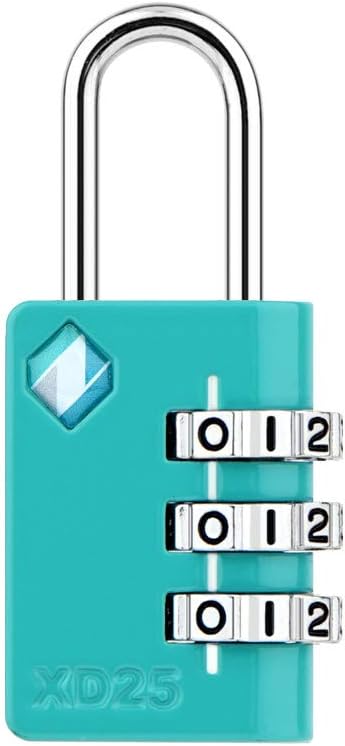
Image: Zarker XD25 3-Digit Combination Mini Padlock, Emerald color. The lock features a teal body, a silver shackle, and three silver number dials set to '0-0-0'. The model number 'XD25' is visible on the lower left of the lock body.
Setting Your Combination
The Zarker XD25 padlock comes with a factory-set combination, typically 0-0-0. You can easily set your own personalized 3-digit combination without any additional tools. Follow these steps:
- Open the Shackle: Align the initial password (factory default or current set combination) with the red line on the front of the lock. Pull the shackle upwards to open the lock.
- Rotate the Shackle: With the shackle open, rotate it 90 degrees counter-clockwise. There is a small groove on the lock body where the shackle will align when rotated correctly.
- Set New Combination: While holding the shackle pressed down into the lock body in the 90-degree rotated position, set your desired 3-digit combination by turning the number dials. Ensure the numbers are clearly aligned with the red line.
- Complete Setting: Lift the shackle up, rotate it back 90 degrees clockwise to its original open position, and then push it down to lock. Your new combination is now set.

Image: A four-step diagram illustrating how to set the combination on the Zarker XD25 padlock. Step 1 shows opening the shackle. Step 2 shows rotating the shackle 90 degrees. Step 3 shows pressing the shackle down and setting the new numbers. Step 4 shows lifting the shackle and returning it to the locked position.
Operating the Padlock
To open the Zarker XD25 padlock, align your set 3-digit combination with the red indicator line on the front of the lock. Once the correct combination is entered, pull the shackle upwards to release it. To lock the padlock, ensure the shackle is fully inserted into the lock body, then scramble the number dials to secure it. The compact design makes it suitable for various applications such as securing luggage, backpacks, small lockers, or toolboxes.
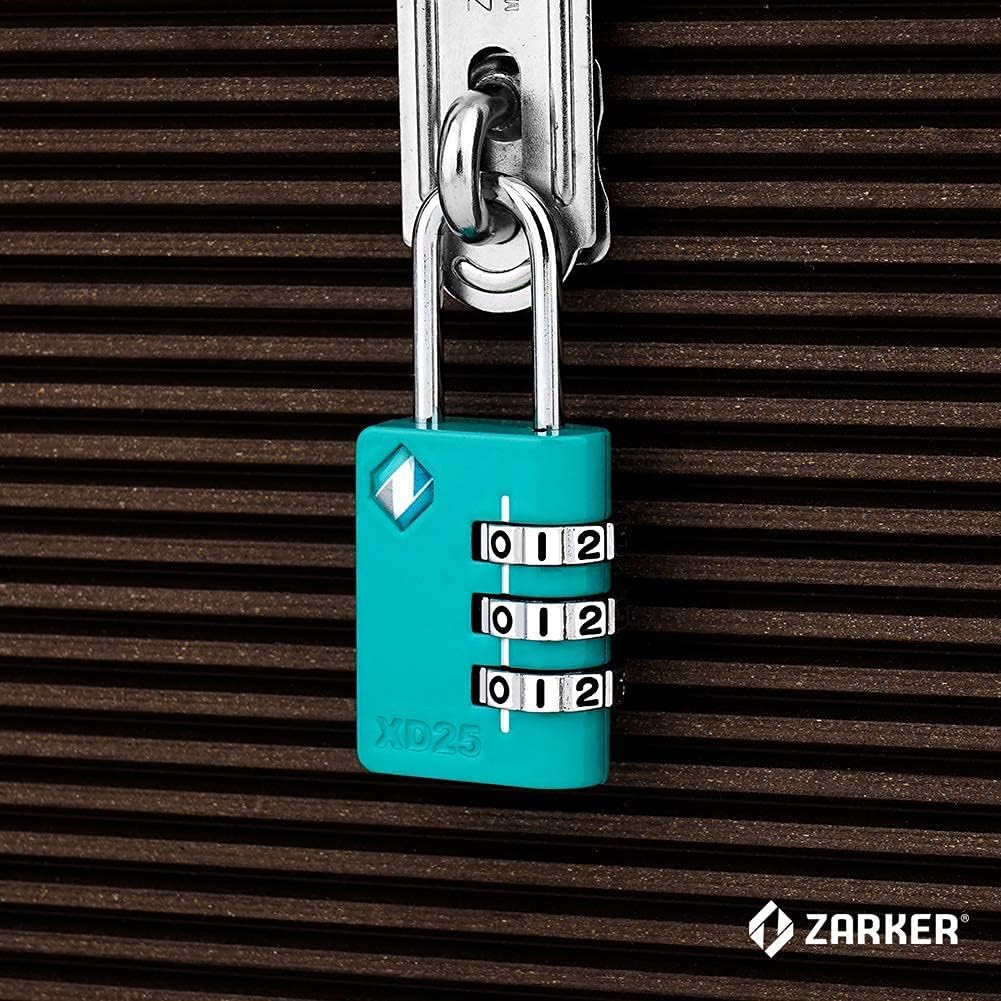
Image: A Zarker XD25 padlock, emerald in color, shown securing the zippers of a dark, textured bag. The lock's shackle passes through the zipper pulls, demonstrating its use for luggage or bag security.
Care and Maintenance
To ensure the longevity and smooth operation of your Zarker XD25 padlock, follow these simple maintenance guidelines:
- Cleaning: Wipe the lock body and dials with a soft, dry cloth to remove dust and grime. Avoid using abrasive cleaners or solvents, as these can damage the finish.
- Lubrication: If the dials become stiff over time, a small amount of graphite lubricant or a silicone-based spray can be applied to the moving parts. Do not use oil-based lubricants as they can attract dirt.
- Storage: Store the padlock in a dry environment when not in use to prevent corrosion, especially if it has been exposed to moisture.
- Avoid Force: Do not force the shackle or dials if they are stuck. Recheck your combination and ensure proper alignment.
Troubleshooting
- Lock will not open:
- Ensure the correct 3-digit combination is perfectly aligned with the red indicator line.
- Try wiggling the shackle gently while pulling it up.
- If you forgot your combination, there is no master key or override. You will need to try combinations or replace the lock.
- Dials are stiff or hard to turn:
- Apply a small amount of graphite powder or silicone spray lubricant to the dials.
- Clean any visible dirt or debris from around the dials.
- Shackle does not fully insert or lock:
- Ensure the dials are scrambled after inserting the shackle to engage the locking mechanism.
- Check for any obstructions inside the shackle hole.
Specifications
| Feature | Detail |
|---|---|
| Brand | Zarker |
| Model Number | XD25 |
| Lock Type | 3-Digit Combination Lock |
| Special Feature | Keyless |
| Material | Zinc Alloy, Plated Steel |
| Item Dimensions (L x W x H) | 1 x 0.43 x 2.1 inches |
| Item Weight | 1.44 ounces (0.04 Kilograms) |
| Recommended Uses | Security (Travel, Backpack, Small Storage) |
| Color | Emerald (variant) |

Image: A detailed diagram illustrating the dimensions of the Zarker XD25 padlock in inches. Key measurements include: Shackle ⌀ 0.12, Shackle Height 0.8, Body Height 1.3, inside width of Shackle 0.35, Body Width 1, Lateral Body Width 0.43, and Total height 2.1. The item weight is also noted as 1.44 ounces.
Warranty and Support
For specific warranty information or technical support regarding your Zarker XD25 padlock, please refer to the product packaging or visit the official Zarker website. You can also contact Zarker customer service through their official channels for assistance.
Visit the Zarker Store for more products and information.
Ask a question about this manual
Ask about setup, troubleshooting, compatibility, parts, safety, or missing instructions. Manuals+ will review the question and use this page’s manual context to help answer it.