1. Introduction
This manual provides essential information for setting up, operating, maintaining, and troubleshooting your Samsung Galaxy A20e smartphone. Please read this manual carefully to ensure proper use and to maximize the device's features.
The Samsung Galaxy A20e offers an immersive 5.8-inch Infinity-V display, a versatile dual rear camera system, and a secure fingerprint reader. It is designed for everyday use with expandable storage and fast charging capabilities.
2. What's in the Box
Upon unboxing your Samsung Galaxy A20e, verify that all the following components are included:
- Samsung Galaxy A20e Smartphone
- Charging Adapter
- USB Type-C Cable
- Audio Headphones with Microphone
- SIM Ejection Pin
- Quick Start Guide and Warranty Information
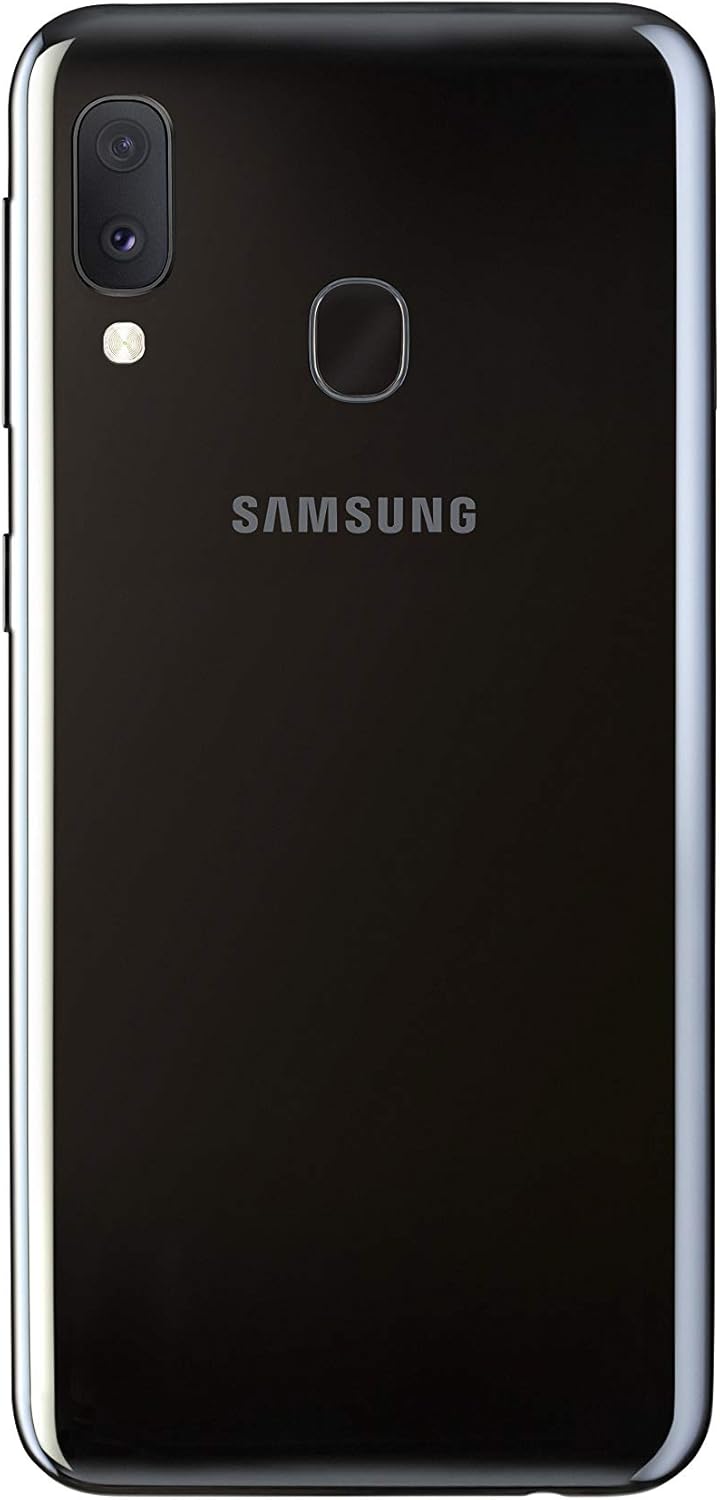
Image: Samsung Galaxy A20e smartphone and its standard accessories.
3. Initial Setup
3.1 Inserting the SIM Card and MicroSD Card
- Locate the SIM card tray on the side of your device.
- Insert the SIM ejection pin into the small hole on the tray to open it.
- Place your Nano-SIM card(s) and/or microSD card into the tray with the gold contacts facing down. The Galaxy A20e supports two SIM cards and one microSD card simultaneously.
- Carefully push the tray back into the slot until it clicks into place.

Image: SIM and microSD card tray for the Galaxy A20e.
3.2 Charging the Battery
Before first use, fully charge the device battery. Connect the USB Type-C cable to the charging adapter and then to the phone's charging port. Plug the adapter into a power outlet. The device supports 15W fast charging.
3.3 Powering On/Off
- To power on: Press and hold the Power key until the Samsung logo appears.
- To power off: Press and hold the Power key, then tap 'Power off' on the screen.
4. Basic Operation
4.1 Navigating the Interface
The Galaxy A20e runs on Android 9.0 (Pie). Use touch gestures to navigate:
- Tap: Select an item or open an app.
- Swipe: Move between screens or scroll through lists.
- Pinch: Zoom in or out on photos and web pages.
4.2 Making Calls and Sending Messages
Use the Phone app to make calls and the Messages app to send and receive text messages. Ensure your SIM card is properly inserted and activated.
4.3 Connecting to Wi-Fi and Bluetooth
Access the Quick Settings panel by swiping down from the top of the screen. Tap the Wi-Fi or Bluetooth icons to enable/disable and connect to available networks or devices.
5. Camera Features
The Galaxy A20e is equipped with a dual rear camera system and a front camera for capturing various moments.
- Dual Rear Camera: Capture detailed photos and wider landscapes with the ultra-wide-angle lens. The main optical sensor resolution is 13 MP.
- Front Camera: The front camera is ideal for selfies and video calls.
- Video Recording: Record videos in 1080p resolution.
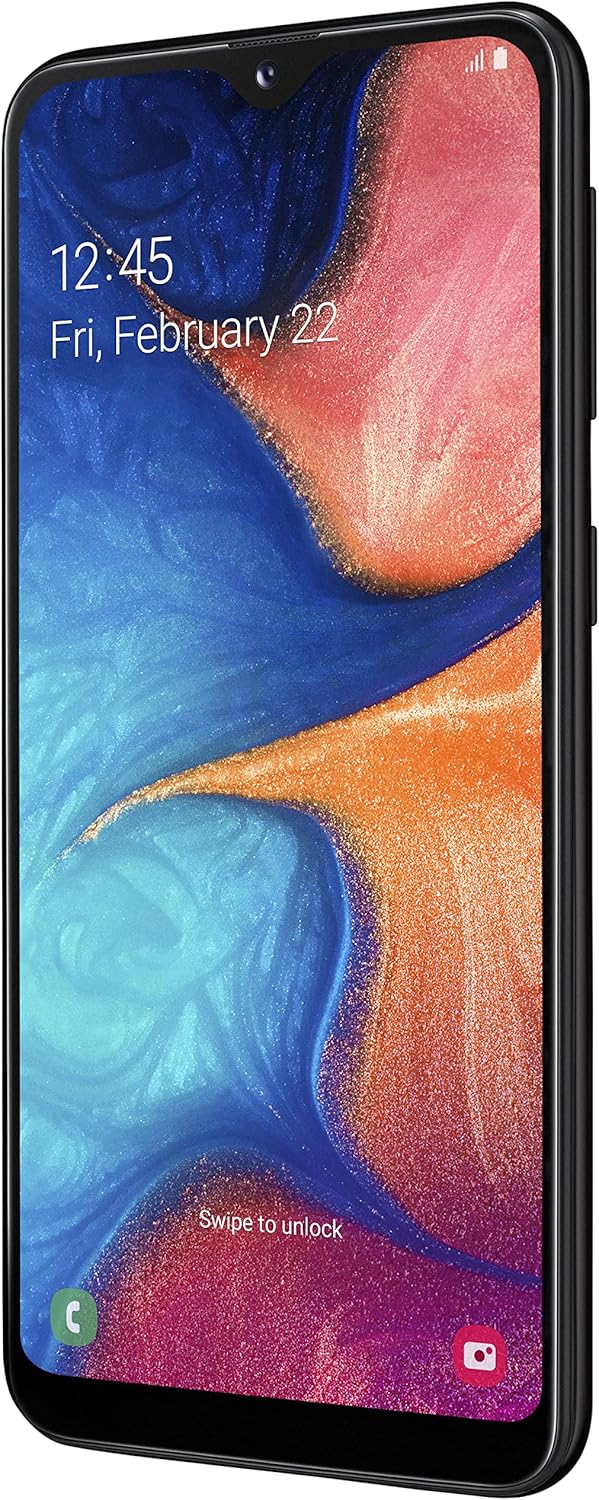
Image: Rear view of the Galaxy A20e, showing the dual camera.
6. Display Features
The device features a 5.8-inch Infinity-V HD+ display, providing an immersive viewing experience for your content.
- Display Type: AMOLED
- Screen Size: 5.8 inches
- Resolution: 720 x 1520 pixels

Image: Front view of the Galaxy A20e display.
7. Battery and Charging
The Galaxy A20e is equipped with a 3000 mAh Lithium-ion battery and supports 15W fast charging.
- Battery Capacity: 3000 mAh
- Fast Charging: The 15W fast charging technology allows for quick recharging of your device.
8. Security Features
Protect your valuable content with the integrated fingerprint reader, offering fast and secure unlocking.
- Fingerprint Sensor: Located on the rear of the device for convenient and secure access.
- Facial Recognition: Set up facial recognition for an alternative unlocking method.
9. Storage and Connectivity
The Galaxy A20e provides ample storage and various connectivity options.
- Internal Memory: 32 GB, with 3 GB RAM.
- Expandable Storage: Expandable via microSD card up to 512 GB.
- Dual SIM: Supports two Nano-SIM cards for flexible usage.
- Wireless Connectivity: Wi-Fi 802.11 b/g/n and Bluetooth 5.0.
- Cellular Technology: 4G LTE.
10. Maintenance
To ensure the longevity and optimal performance of your Samsung Galaxy A20e, follow these maintenance guidelines:
- Software Updates: Regularly check for and install software updates to enhance security and performance.
- Cleaning: Use a soft, lint-free cloth to clean the screen and body of the device. Avoid harsh chemicals.
- Battery Care: Avoid extreme temperatures and do not allow the battery to fully discharge frequently.
- Storage Management: Periodically clear unnecessary files and apps to free up storage space and maintain performance.
11. Troubleshooting
If you encounter issues with your device, try the following common troubleshooting steps:
- Device Not Responding: Press and hold the Power key and Volume Down key simultaneously for more than 7 seconds to restart the device.
- Battery Draining Quickly: Check background app usage, reduce screen brightness, and disable unused features like Wi-Fi or Bluetooth.
- Connectivity Issues: Restart your device, toggle Wi-Fi/Bluetooth on and off, or reset network settings.
- App Crashes: Clear the app's cache and data, or uninstall and reinstall the app.
- Slow Performance: Close unused apps, clear cache, or perform a factory reset (back up your data first).
12. Technical Specifications
| Feature | Specification |
|---|---|
| Brand | Samsung |
| Model Name | A20e |
| Item Model Number | SM-A202FZKDITV |
| Product Dimensions | 14.74 x 6.97 x 0.84 cm; 141 grams |
| Operating System | Android 9.0 |
| Processor Speed | 1.6 GHz |
| Processor Type | A-Series Dual-Core A4-3420 |
| Installed RAM Size | 3 GB |
| Memory Capacity | 32 GB |
| Maximum RAM Size | 512 GB (expandable via MicroSD) |
| Screen Size | 5.8 Inches |
| Display Type | AMOLED |
| Resolution | 720 x 1520 |
| Optical Sensor Resolution | 13 MP |
| Video Resolution | 1080p |
| Battery Capacity | 3000 Milliamper-hour (mAh) |
| Wireless Type | 802.11a, 802.11b, 802.11g |
| Cellular Technology | 4G |
| Bluetooth Support | Yes (Bluetooth 5.0) |
| Autofocus | Yes |
13. Product Videos
Samsung Galaxy A20e Features Overview
This video provides a brief overview of the Samsung Galaxy A20e's key features, including its display, camera capabilities, and security options. (Duration: 0:37)
14. Warranty and Support
Your Samsung Galaxy A20e smartphone comes with a standard manufacturer's warranty. Please refer to the warranty card included in the product packaging for detailed terms and conditions, including coverage period and service procedures.
For technical support, service, or further assistance, please visit the official Samsung support website or contact their customer service. Keep your proof of purchase handy when seeking support.
Important Note: To use this [Italian Version] smartphone in a non-European country, you must first make at least 5 minutes of calls with a European SIM card.