
1. Introduction
The CATIGA CS-121 Scientific Calculator is a versatile tool designed for both beginner and advanced users in various academic and professional fields. It combines scientific calculation capabilities with graphic functions, providing an intuitive interface for complex mathematical operations. This manual provides detailed instructions on setting up, operating, and maintaining your calculator.

Figure 1.1: The CATIGA CS-121 Scientific Calculator, showing its graphic display capabilities.
2. Setup and Initial Use
2.1 Battery Installation
Your CATIGA CS-121 calculator requires one LR44 battery, which is included. To install or replace the battery:
- Locate the battery compartment on the back of the calculator.
- Open the compartment cover.
- Insert the LR44 battery, ensuring correct polarity (+/-).
- Close the battery compartment cover securely.
2.2 Power On/Off and Reset
To turn on the calculator, press the ON button. To turn off, press SHIFT then OFF. If the calculator does not turn on or behaves unexpectedly, press the reset button located on the back of the unit using a thin, pointed object (e.g., a paperclip).
3. Operating Modes
The CATIGA CS-121 offers three primary operating modes to suit different calculation needs:
- Angle Measurement Mode: Allows calculations in Degrees, Radians, or Grads.
- Calculation Mode: Supports various computations including Complex numbers, Standard Deviation, Regression, and Base-n calculations.
- Display Mode: Configures how results are shown, including Normal, Fixed Decimals, and Significant Digits.
To switch between modes, press the MODE button and select the desired option from the menu.

Figure 3.1: The three operating modes of the CS-121 calculator.
4. Functions and Capabilities
The CS-121 calculator is equipped with over 360 functions, covering a wide range of mathematical and scientific applications. Key capabilities include:
4.1 Graphic Functions
- 20 Built-In Graphs
- Graph Composition
- Trace, Plot, Line Scroll
- Zoom-In, Zoom-Out
- Overwrite, Statistical Graph
4.2 Core Mathematical Functions
- Fractions: Display fractions, improper fractions, and decimal equivalents.
- Trigonometry: Standard and inverse trigonometric functions (sin, cos, tan).
- Algebra: Equation Solver, simplifying radicals, simultaneous equations, polynomial equations, table function, complex number calculations.
- Statistics: Standard Deviation, Linear Regression, Permutations, and Combinations.
- Basic Functions: Hyperbolic and inverse hyperbolic functions, exponential/logarithmic, power functions, sexagesimal functions.
- Utilities: 9 variable memories, instant replay for correcting or replaying problems.
- Geometry: Coordinate conversion.

Figure 4.1: Overview of key features and calculation types.
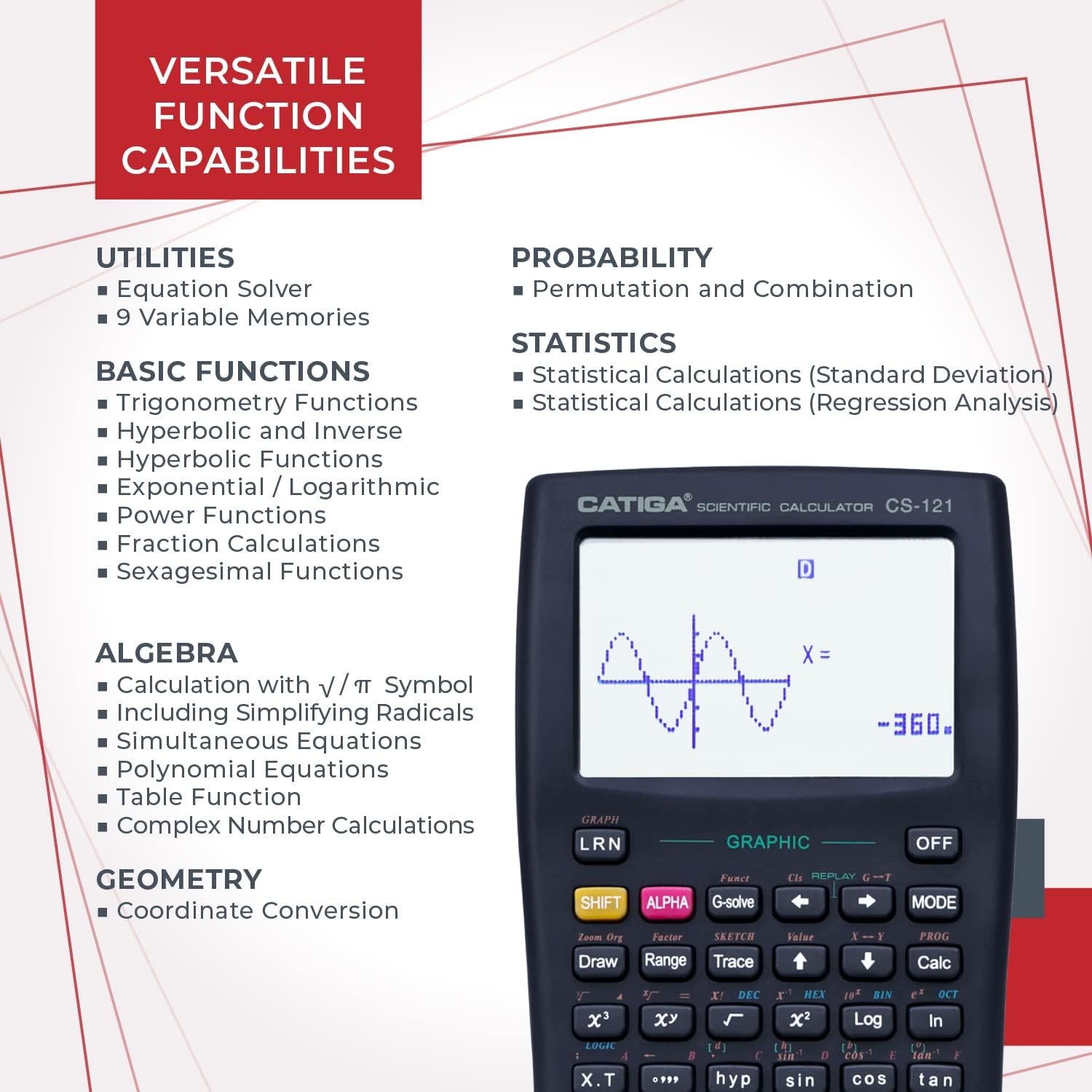
Figure 4.2: Detailed breakdown of versatile function capabilities.
For detailed instructions on specific functions, refer to the comprehensive instruction manual provided with your calculator, or the digital version available online.

Figure 4.3: The detailed instruction manual for the CS-121.
5. Maintenance and Care
To ensure the longevity and optimal performance of your CATIGA CS-121 calculator, follow these maintenance guidelines:
- Keep the calculator clean by wiping it with a soft, dry cloth. Avoid using harsh chemicals or abrasive cleaners.
- Protect the calculator from extreme temperatures, humidity, and direct sunlight.
- Avoid dropping the calculator or subjecting it to strong impacts.
- Always use the provided protective cover when not in use to prevent scratches and damage to the screen and keys.

Figure 5.1: The protective cover helps safeguard your calculator.
6. Troubleshooting
If you encounter issues with your CATIGA CS-121 calculator, try the following troubleshooting steps:
- Calculator does not turn on: Ensure the battery is correctly installed and has sufficient charge. If the issue persists, press the reset button on the back of the calculator.
- Display is blank or dim: Check battery level. Replace the battery if necessary.
- Incorrect calculations: Verify that the calculator is in the correct operating mode (e.g., Degrees vs. Radians for trigonometric functions). Perform a reset if calculations remain incorrect.
- Keys are unresponsive: Ensure no debris is lodged under the keys. If a key remains stuck or unresponsive after cleaning, contact customer support.
7. Specifications
| Feature | Specification |
|---|---|
| Product Dimensions | 7.12 x 4.5 x 0.8 inches |
| Item Weight | 4.8 ounces |
| Model Number | CS-121 |
| Batteries | 1 LR44 battery (included) |
| Screen Size | 3 Inches |
| Calculator Type | Business, Engineering/Scientific, Graphing |
| Power Source | Battery Powered |

Figure 7.1: The large 3-inch display provides clear visibility for graphs and equations.
8. Warranty and Support
CATIGA offers a 365-day limited warranty for the CS-121 Scientific Calculator. If you experience any issues with your product, please contact our customer support team. We are committed to providing a response within 24 hours.
Additionally, we provide:
- 24/7 Customer Support
- Lifetime Phone Support (9am - 5pm PST)
- 30-Day Unconditional Return Guarantee
For further assistance, please visit the official CATIGA store or contact us through the details provided on our website or product packaging.

