
1. Introduction
The Laney Drumhub DH80 is an 80-watt personal drum monitor designed for electronic percussion. It features a 10-inch coaxial woofer and a 3-inch tweeter, providing a full-range sound suitable for practice at home or in a classroom setting. The DH80 includes multiple input options, including Bluetooth connectivity, allowing users to stream audio from external devices. A headphone output is also provided for silent practice.
2. Important Safety Instructions
Please read and retain these instructions for future reference. Adhere to all warnings and follow all instructions. Do not use this apparatus near water. Clean only with a dry cloth. Do not block any ventilation openings. Install in accordance with the manufacturer's instructions. Do not install near any heat sources such as radiators, heat registers, stoves, or other apparatus (including amplifiers) that produce heat. Protect the power cord from being walked on or pinched, particularly at plugs, convenience receptacles, and the point where they exit from the apparatus. Only use attachments/accessories specified by the manufacturer. Unplug this apparatus during lightning storms or when unused for long periods of time. Refer all servicing to qualified service personnel.
3. Package Contents
- Laney Drumhub DH80 Personal Drum Monitor
- Power Cable
- User Manual
4. Product Features
- 80 Watts RMS output power
- 1 x 10-inch Custom woofer & 3-inch Co-axial tweeter for full-range sound
- Bass reflex cabinet design for enhanced low-frequency response
- Multiple input options including two mini-jack inputs and Bluetooth audio streaming
- Headphone output for silent practice
- Easy-grip plastic handle for portability
- Compact and robust design

Figure 4.1: Front view of the Laney Drumhub DH80 Personal Drum Monitor, showcasing the speaker grille and control panel.

Figure 4.2: Rear view of the Laney Drumhub DH80, showing the bass reflex port and integrated carry handle.
5. Controls and Connections
The DH80 features an intuitive control panel for easy operation.
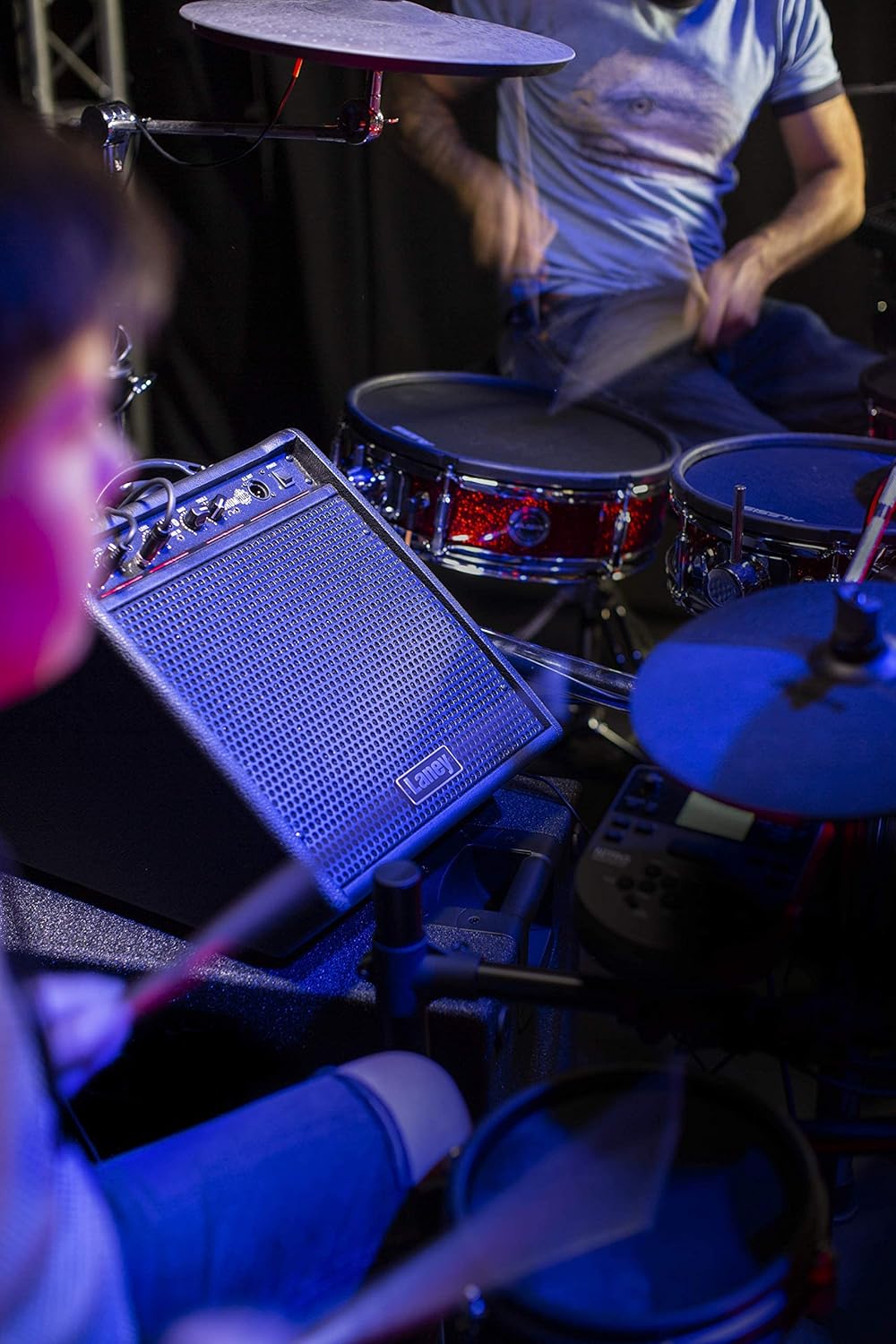
Figure 5.1: Detailed view of the Laney Drumhub DH80 control panel, showing input levels, EQ, Aux In, DI Out, and Power switch.
- Input 1 Level: Adjusts the volume for Input 1.
- Input 2 Level: Adjusts the volume for Input 2.
- Aux In: 3.5mm stereo input for connecting external audio devices.
- Bluetooth Indicator: Lights up when Bluetooth is active and paired.
- Bass EQ: Adjusts the low-frequency response.
- Treble EQ: Adjusts the high-frequency response.
- DI Out: XLR output for connecting to a mixing console or recording device.
- Power Switch: Turns the unit on or off.
- Headphone Out: 3.5mm stereo output for headphones (located on the front panel, typically mutes main speaker).
6. Setup
- Placement: Position the DH80 on a stable, flat surface. Ensure adequate ventilation around the unit.
- Power Connection: Connect the supplied power cable to the AC input on the rear of the unit and then to a suitable power outlet.
- Initial Power On: Ensure all volume controls are set to minimum before turning on the unit using the Power switch.
- Connecting Instruments: Connect your electronic drum kit or other instruments to Input 1 and/or Input 2 using appropriate cables (e.g., 3.5mm jack).
7. Operating Instructions
- Volume Adjustment: Gradually increase the Input Level controls for your connected instruments to achieve the desired volume.
- EQ Adjustment: Use the Bass and Treble EQ controls to shape your sound. Turn clockwise to boost frequencies, counter-clockwise to cut.
- Headphone Use: Plug headphones into the Headphone Out jack for private practice. This typically mutes the main speaker output.
- DI Output: For connecting to a PA system or recording interface, use an XLR cable from the DI Out. This output provides a balanced signal.
8. Bluetooth Connectivity
The DH80 allows you to stream audio wirelessly via Bluetooth from your smartphone, tablet, or other Bluetooth-enabled device.
- Activate Bluetooth: Ensure the DH80 is powered on. The Bluetooth indicator light will flash, indicating it is ready for pairing.
- Pairing: On your audio device, go to its Bluetooth settings and search for available devices. Select "Laney DH80" from the list.
- Confirmation: Once paired, the Bluetooth indicator light on the DH80 will glow solid. You can now play audio from your device through the monitor.
- Volume Control: Adjust the volume from your connected device and the DH80's Input Level controls for the desired mix.

Figure 8.1: Close-up of the Aux In jack and Bluetooth indicator light on the DH80 control panel.
9. Maintenance
- Cleaning: Use a soft, dry cloth to clean the exterior of the unit. Do not use abrasive cleaners or solvents.
- Ventilation: Ensure that the ventilation openings are kept clear of dust and debris to prevent overheating.
- Storage: When not in use for extended periods, store the monitor in a cool, dry place, away from direct sunlight and extreme temperatures.
10. Troubleshooting
- No Sound:
- Check if the unit is powered on and the power cable is securely connected.
- Ensure all volume controls (Input Level, connected device volume) are turned up.
- Verify that instruments and audio sources are properly connected to the correct inputs.
- If headphones are plugged in, unplug them to check main speaker output.
- Distorted Sound:
- Reduce the input level from your instrument or audio source.
- Lower the Input Level controls on the DH80.
- Check for damaged cables.
- Bluetooth Pairing Issues:
- Ensure Bluetooth is enabled on your audio device.
- Make sure the DH80 is in pairing mode (Bluetooth indicator flashing).
- Try unpairing and re-pairing the device.
- Move your audio device closer to the DH80.
11. Specifications
| Feature | Specification |
|---|---|
| Model Number | DH80 |
| Output Wattage | 80 Watts |
| Speaker Configuration | 1 x 10-inch Custom Woofer & 3-inch Co-axial Tweeter |
| Inputs | 2 x 3.5mm Jack, Bluetooth |
| Outputs | 3.5mm Headphone Out, XLR DI Out |
| EQ | Bass, Treble |
| Compatible Devices | Electronic Drums, Guitar (via appropriate adapter/preamp) |
| Power Source | Corded Electric |
| Item Weight | 20.9 pounds (9.48 kg) |
| Product Dimensions | 12.52 x 14.17 x 15.28 inches (31.8 x 36 x 38.8 cm) |
| Color | Black |
| Material Type | Plastic |
12. Warranty and Support
For warranty information and technical support, please refer to the documentation provided with your purchase or visit the official Laney website. Keep your proof of purchase for any warranty claims.


