1. Product Overview
This manual provides detailed instructions for the operation and maintenance of your Calvas Air Conditioner Remote Control. This remote is designed to be compatible with various Mitsubishi air conditioner models, ensuring convenient control over your cooling and heating settings.
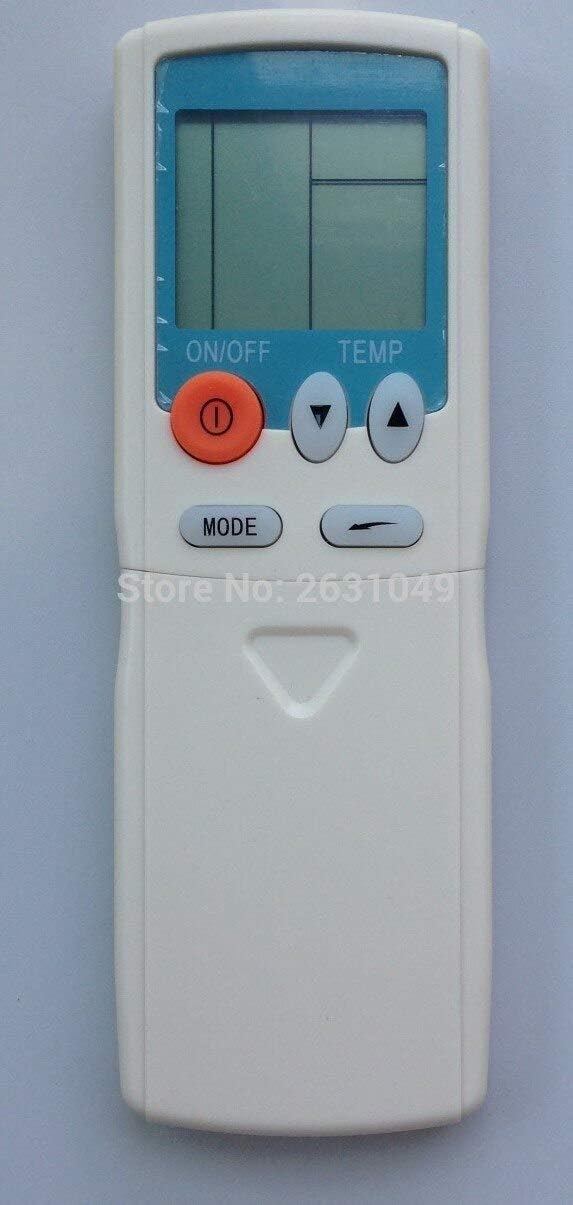
Figure 1: Front view of the Calvas Air Conditioner Remote Control. It features a clear LCD display at the top, an orange ON/OFF button, two triangular temperature adjustment buttons (up and down), and a MODE button below them. The remote is white with a light blue accent around the display.
2. Setup
2.1 Battery Installation
To begin using your remote control, you must first install the batteries. This remote requires standard batteries (typically AAA, though the product specifications mention Lithium, please verify the battery type indicated in the battery compartment).
- Locate the battery compartment on the back of the remote control.
- Slide the battery compartment cover downwards or in the direction indicated by an arrow to open it.
- Insert the batteries, ensuring the positive (+) and negative (-) terminals align correctly with the markings inside the compartment. Incorrect insertion can prevent the remote from functioning.
- Replace the battery compartment cover by sliding it back into place until it clicks securely.
After battery installation, the LCD display on the remote should illuminate, indicating it is ready for use.
3. Operating Instructions
Familiarize yourself with the buttons on your remote control to effectively manage your air conditioner's functions.

Figure 2: Detailed view of the remote control with the lower panel extended, revealing additional function buttons. These include buttons for fan speed, timer settings, and possibly a reset clock function.
3.1 Basic Functions
- ON/OFF Button (●): Press this orange button to turn the air conditioner unit on or off.
- Temperature Adjustment Buttons (▲ TEMP ▼): Use the up (▲) and down (▼) triangular buttons to increase or decrease the desired temperature setting.
- MODE Button: Press this button to cycle through the available operating modes, such as Cool, Heat, Fan, Dry, and Auto. The current mode will be displayed on the LCD screen.
3.2 Advanced Functions (Under Sliding Cover)
Some models of this remote control feature a sliding cover at the bottom that reveals additional function buttons. Slide the cover down to access these controls.
- Fan Speed Buttons: Typically represented by fan icons, these buttons allow you to adjust the fan speed (e.g., Low, Medium, High, Auto).
- Timer Buttons (HR., MIN.): Used to set the ON/OFF timer for the air conditioner. Refer to your air conditioner's main manual for specific timer programming instructions.
- CLEAR Button: May be used to clear certain settings or timer programs.
- RESET CLOCK Button: Used to reset the internal clock of the remote, if applicable.
- BATTERY Indicator: Some remotes may have a low battery indicator or a button to check battery status.
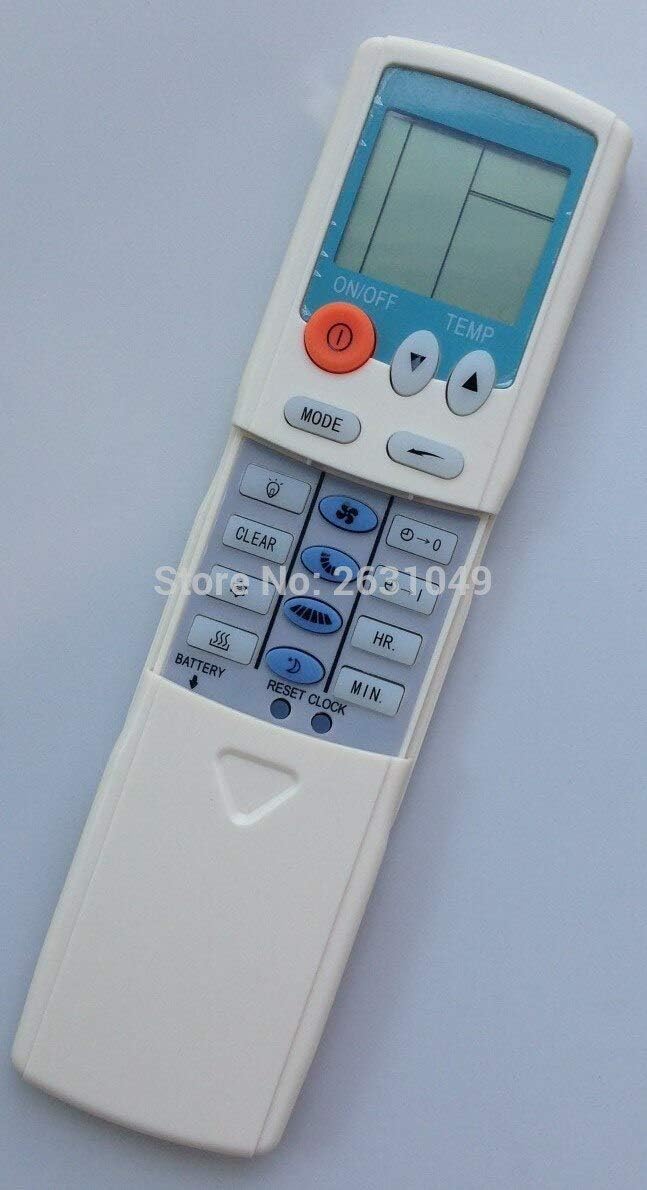
Figure 3: Side view of the remote control, providing a clearer perspective of the button arrangement and the sliding cover mechanism.
4. Maintenance
4.1 Cleaning the Remote
To ensure the longevity and proper functioning of your remote control, keep it clean and free from dust and debris.
- Wipe the surface of the remote with a soft, dry cloth.
- For stubborn dirt, lightly dampen the cloth with water or a mild, non-abrasive cleaner. Do not spray cleaner directly onto the remote.
- Avoid using harsh chemicals, solvents, or abrasive cleaning materials, as these can damage the remote's finish or internal components.
4.2 Battery Replacement
Replace batteries when the display becomes dim or the remote's range decreases. Always replace all batteries at the same time with new ones of the same type.
- Follow the battery installation steps outlined in Section 2.1.
- Dispose of used batteries responsibly according to local regulations.
5. Troubleshooting
If you experience issues with your remote control, try the following troubleshooting steps before seeking further assistance.
| Problem | Possible Cause | Solution |
|---|---|---|
| Remote not responding / Air conditioner not reacting. |
|
|
| Display is dim or blank. |
|
|
| Remote functions intermittently. |
|
|
6. Specifications
| Feature | Detail |
|---|---|
| Brand | Calvas |
| Model Compatibility | HYPFCR-38W, HYPFCR-30, HYPFCR-37W, HYPFCR-47, HYPFCR-48W |
| Wireless Communication | Infrared (IR) |
| Frequency | 433 MHz |
| Channel | 1 |
| Compatible Devices | Air Conditioner |
| Material | Other |
| Battery Type | Lithium (Please verify actual battery type in compartment, typically AAA/AA for remotes) |


