
1. Product Overview
The Geepas GTR8126 is a rechargeable, cordless dry trimmer designed for men's personal grooming. It features a hard alloy steel blade for efficient trimming and an ergonomic design for comfortable handling. This trimmer is suitable for various hair trimming needs with its adjustable levels and included trimming heads.

Image 1.1: Geepas GTR8126 Dry Trimmer with various comb attachments.
Key Features:
- Hard Alloy Steel Blade: Ensures precise and efficient cutting.
- Cordless Operation: Provides convenience and flexibility during use.
- LED Indicator Light: Displays charging status.
- Ergonomic Design: Offers a comfortable and secure grip.
- Waterproof: Allows for easy cleaning under running water.
- Rechargeable Battery: Requires approximately 8 hours for a full charge.
- Multiple Trimming Heads: Includes various attachments for different hair lengths and styles.

Image 1.2: Geepas GTR8126 Trimmer packaging detailing key features.
2. Safety Information
Please read all safety instructions carefully before using the Geepas GTR8126 trimmer to prevent injury and ensure proper operation.
- Sharp Blades: The trimmer is equipped with sharp blades. Handle with extreme care to avoid skin injury.
- Firm Grip: Always ensure a firm and comfortable grip while using the trimmer to maintain control and prevent accidents.
- Water Exposure: While the trimmer is waterproof, ensure the charging port is completely dry before connecting to power. Do not immerse the charging adapter or cable in water.
- Children: Keep the trimmer and its accessories out of reach of children.
- Damage: Do not use the trimmer if the blades are damaged, bent, or if the device itself shows signs of damage, as this may cause injury or malfunction.
- Power Supply: Use only the charging cable and adapter provided by the manufacturer. Ensure the power current in your location matches the specified 220-240 volts.
- Disassembly: Do not attempt to disassemble or repair the trimmer yourself. Contact qualified service personnel for any repairs.
3. Setup and Charging
Before first use, or if the trimmer has not been used for an extended period, fully charge the device.
- Initial Charge: Connect the charging cable to the trimmer's charging port and plug the adapter into a standard 220-240V AC power outlet. The LED indicator light will illuminate to confirm that charging is in progress.
- Full Charge: Allow approximately 8 hours for the trimmer to achieve a full charge. The LED indicator light may change color or turn off once fully charged, depending on the specific model's design.
- Attaching Trimming Heads: Select the desired trimming head (comb attachment) based on your preferred hair length. Align the attachment with the trimmer body and gently push until it securely clicks into place. Ensure it is firmly attached before use.

Image 3.1: Geepas GTR8126 Trimmer with various trimming comb attachments.
4. Operating Instructions
Follow these steps for effective and safe use of your Geepas GTR8126 trimmer.
- Preparation: Ensure the trimmer is fully charged and the desired trimming head is securely attached. For best results, use on clean, dry hair.
- Power On: Locate the on/off switch on the trimmer body and press it to activate the device.
- Trimming:
- For beard styling or clean shaving, hold the trimmer against the skin with the blades flat, moving it slowly and steadily against the direction of hair growth.
- Utilize the attached comb heads to achieve your desired hair length. The trimmer offers 4 levels and degrees for precise shaving and trimming.
- Apply gentle pressure; do not press too hard against the skin.
- Power Off: Once you have finished trimming, press the on/off switch again to turn off the trimmer.
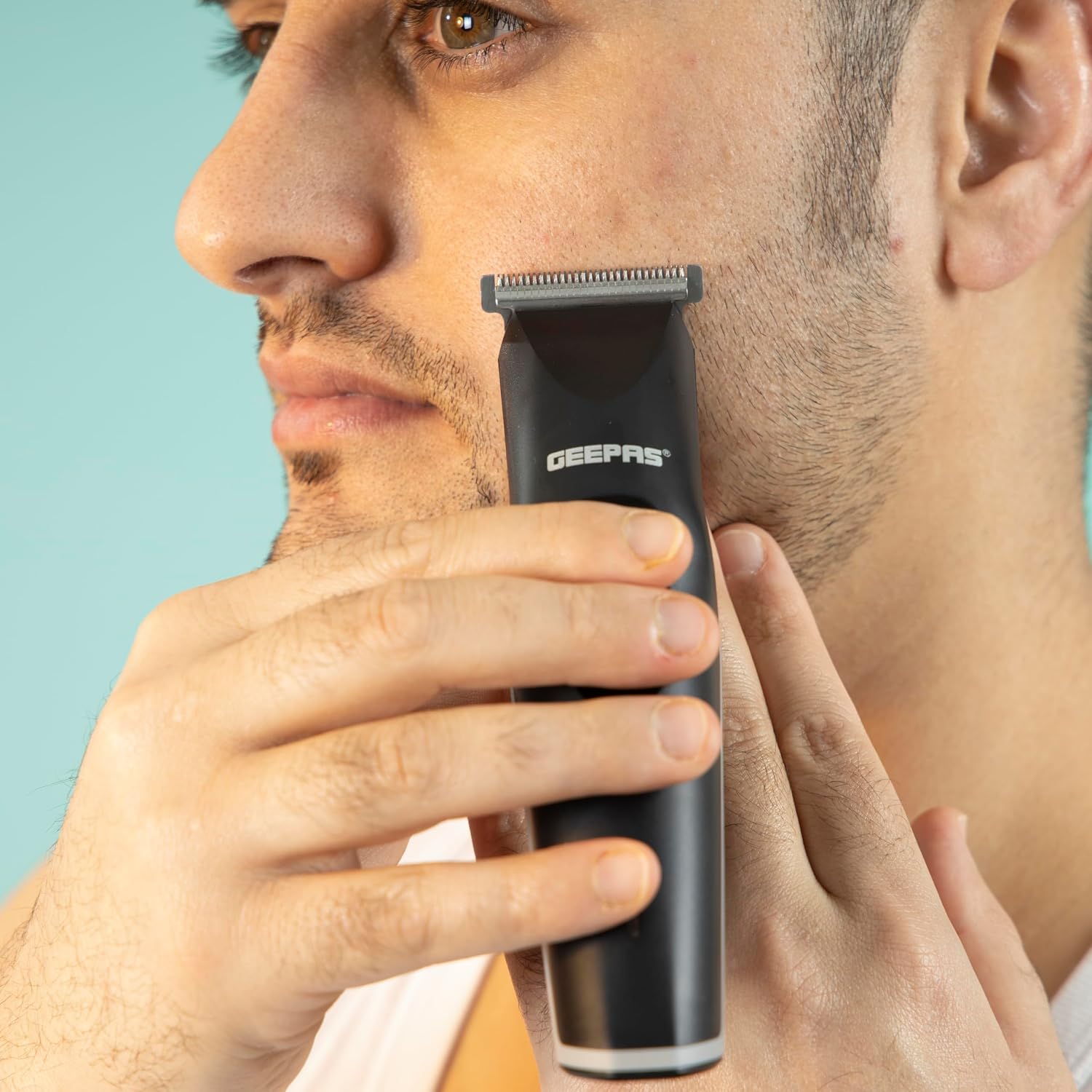

Image 4.1: Demonstrating the use of the Geepas GTR8126 Trimmer for facial hair grooming.
5. Maintenance and Cleaning
Regular cleaning and maintenance will ensure the longevity and optimal performance of your trimmer.
- Cleaning After Use:
- Turn off the trimmer and detach the trimming head.
- Use the provided cleaning brush to remove any trapped hairs from the blades and the trimmer body.
- Since the trimmer is waterproof, you may rinse the blades and trimming heads under running water. Ensure the main body (especially the charging port) is not exposed to excessive water if not explicitly designed for full immersion. Dry all parts thoroughly before reattaching or storing.
- Lubrication: Periodically lubricate the blades with the provided oil (or a suitable light machine oil) to maintain cutting efficiency and prevent rust. Apply a few drops to the blades, turn on the trimmer for a few seconds to distribute the oil, then wipe off any excess with a soft cloth.
- Storage: Store the trimmer in a dry place, away from direct sunlight, high humidity, and extreme temperatures. Ensure it is turned off and disconnected from the charger when stored.
6. Troubleshooting
If you encounter issues with your Geepas GTR8126 trimmer, refer to the following common problems and solutions.
| Problem | Possible Cause | Solution |
|---|---|---|
| Trimmer does not turn on. | Battery is depleted. | Charge the trimmer for at least 8 hours. Ensure the charging cable is properly connected and the power outlet is functional. |
| Poor trimming performance or pulling hair. | Blades are dull, dirty, or not lubricated. Hair buildup in the cutting unit. | Clean the blades and trimming head thoroughly. Lubricate the blades with oil. If blades are dull, consider replacement if available from the manufacturer. |
| Trimmer stops working shortly after charging. | Battery not holding charge effectively. | Ensure a full 8-hour charge. If the problem persists, the battery may need servicing or replacement. Contact customer support. |
| Excessive noise or vibration. | Hair caught in the motor or blades. Blades not properly aligned. | Clean the trimmer thoroughly to remove any trapped hair. Check if the trimming head is securely attached and blades are properly aligned. |
7. Product Specifications
| Specification | Detail |
|---|---|
| Brand | Geepas |
| Model Number | GTR8126 |
| Target Audience | Men |
| Power Source | Battery Powered (Rechargeable) |
| Charging Time | Approximately 8 hours for full charge |
| Operating Voltage | AC 220-240V |
| Blade Material | Hard Alloy Steel |
| Special Features | Cordless, Rechargeable, Waterproof, LED Indicator Light, Ergonomic Design |
| Color | Black/White (as per available variants) |
| Item Weight | 0.35 Kilograms |
| Package Dimensions | 18 x 14.2 x 7 cm |
| Country of Origin | China |
| First Available Date | 28 January 2019 |
8. Warranty and Support
For warranty information and customer support, please refer to the documentation included with your purchase or contact the retailer where the product was acquired. Geepas products typically come with a manufacturer's warranty against defects in materials and workmanship.
For technical assistance, inquiries about parts, or further support, please visit the official Geepas website or contact their customer service department directly. It is recommended to keep your purchase receipt as proof of purchase for any warranty claims or service requests.