
1. Introduction
Thank you for purchasing the Flylinktech 22000mAh 2000A Peak 12V Jump Starter, Model CF100. This device is designed to provide reliable jump-starting for your vehicle and serve as a portable power bank for your electronic devices. Please read this manual thoroughly before use to ensure safe and effective operation. Keep this manual for future reference.
2. Important Safety Information
Failure to follow these safety instructions may result in electric shock, fire, or serious injury.
- Always wear eye protection and protective clothing when working with batteries.
- Do not allow the jump starter clamps to touch each other or connect to the same metal piece.
- Do not attempt to jump start a frozen battery.
- Ensure the vehicle is in park (P) or neutral (N) and the parking brake is engaged before jump starting.
- Keep out of reach of children.
- Do not expose the product to rain or moisture.
- Do not disassemble, modify, or attempt to repair the unit.
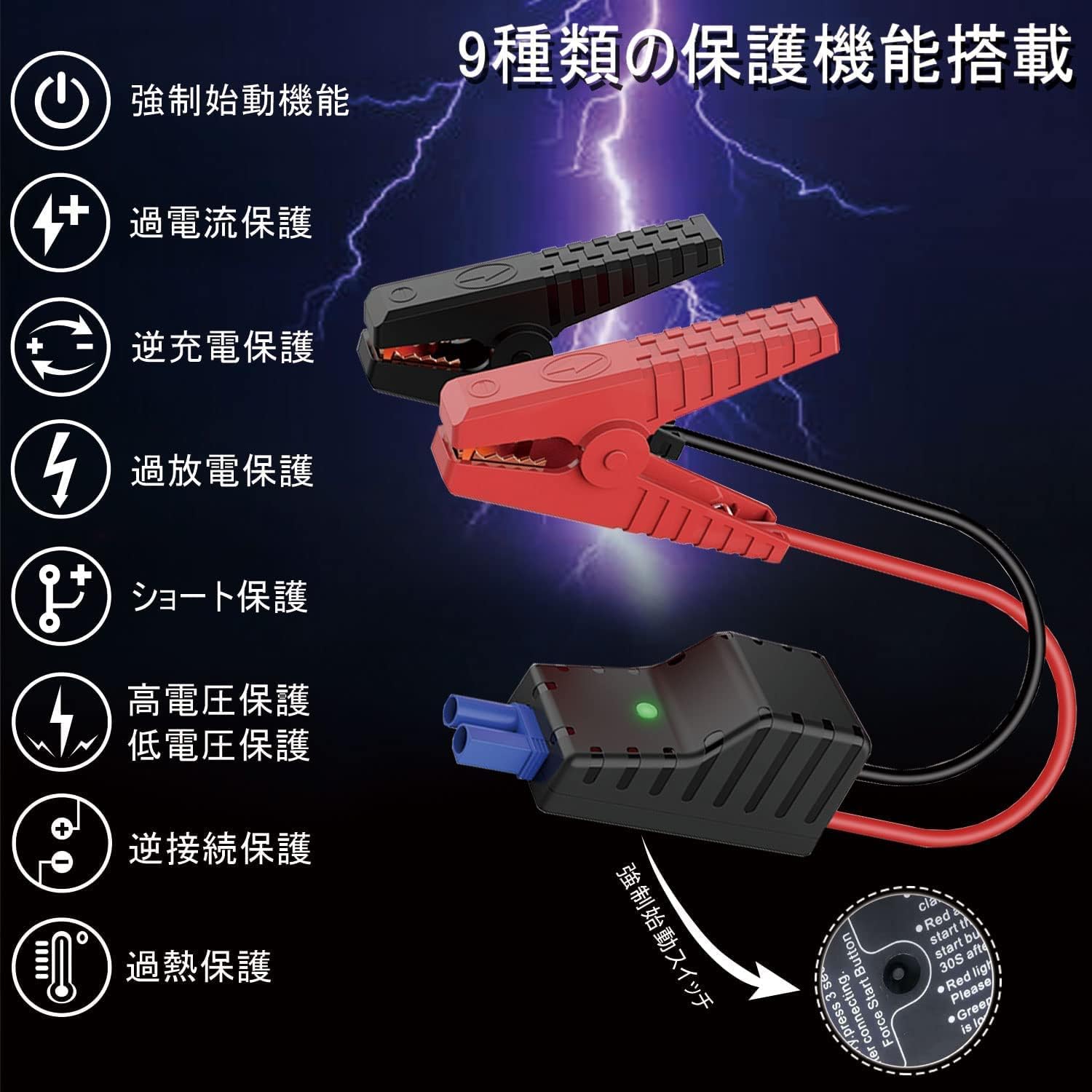
- This jump starter is equipped with 9 protection functions: short circuit protection, reverse connection protection, over-discharge protection, over-current protection, reverse charge protection, high voltage protection, low voltage protection, forced start function, and overheat protection. These features are designed to prevent various dangers and ensure safe operation.
3. Package Contents
Verify that all items are present in your package:
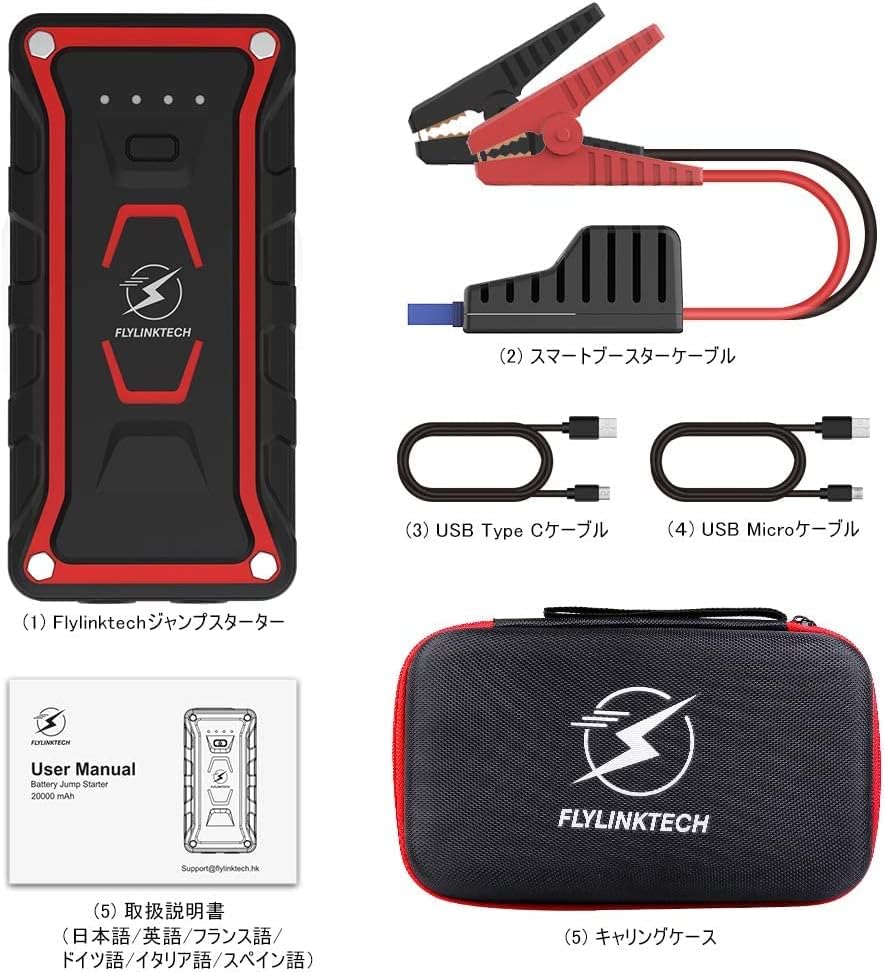
- Flylinktech Jump Starter Unit (1)
- Smart Jump Starter Cables (1 set)
- USB Type-C Cable (1)
- Micro USB Cable (1)
- Dedicated Carrying Case (1)
- Instruction Manual (1)
4. Product Features
- High Capacity & Peak Current: 22000mAh battery capacity with 2000A peak current, capable of jump-starting all gasoline vehicles and diesel vehicles up to 7.0L.
- Multi-functional LED Light: Equipped with 2 high-brightness LEDs, offering three modes: illumination, strobe, and SOS signal.
- IP68 Waterproof Rating: Complies with IP68 protection class (dustproof class: 6, waterproof class: 8) based on IEC and JIS standards, protecting the unit from water and dust when terminal covers are closed.
- Portable Power Bank: Features two USB output ports for simultaneous fast charging of two USB devices, including smartphones, tablets, cameras, and more.

5. Setup and Charging the Jump Starter
5.1 Initial Charging
Before using the jump starter for the first time, ensure it is fully charged. It is recommended to fully charge the unit every 3-6 months to maintain battery health, even when not in use.
5.2 Charging the Unit
The jump starter can be charged using either the Micro USB input port or the USB Type-C input port. Connect the provided USB cable to a 5V/3A, 9V/2A, or 12V/1.5A USB charger (not included). The indicator lights on the unit will show the charging status.

6. Operating Instructions: Jump Starting a Vehicle
Follow these steps carefully to jump start your vehicle:
- Ensure the jump starter is fully charged.
- Turn off your vehicle's ignition and all accessories (lights, radio, etc.).
- Connect the red (+) clamp of the smart jump starter cable to the positive (+) terminal of your vehicle's battery.
- Connect the black (-) clamp of the smart jump starter cable to the negative (-) terminal of your vehicle's battery.
- Plug the smart jump starter cable connector into the jump starter unit's output port. Ensure a secure connection.
- Once connected, the indicator on the smart cable should turn green, indicating it's ready to start. If it's red, check connections or refer to troubleshooting.
- Start your vehicle's engine. If it doesn't start immediately, wait 30 seconds and try again. Do not crank for more than 3 seconds per attempt.
- Once the vehicle starts, immediately disconnect the smart jump starter cable from the jump starter unit.
- Then, disconnect the black (-) clamp from the vehicle battery, followed by the red (+) clamp.

7. Operating Instructions: Power Bank Function
The Flylinktech jump starter can also function as a portable power bank to charge your electronic devices.
- Connect your electronic device (smartphone, tablet, etc.) to one of the two USB output ports on the jump starter using an appropriate USB cable.
- The jump starter will automatically begin charging your device. The unit supports QC3.0 fast charging for compatible devices.
- You can charge two devices simultaneously.
8. Operating Instructions: LED Light Function
The integrated LED light provides illumination for various situations:
- Press and hold the power button for 3 seconds to turn on the LED light (illumination mode).
- Press the power button once more to switch to Strobe mode.
- Press the power button again to switch to SOS signal mode.
- Press the power button one more time to turn off the LED light.

9. Troubleshooting
If you encounter issues, refer to the following common problems and solutions:
- Jump Starter not turning on: Ensure the unit is charged. If the battery is completely depleted, it may take a few minutes of charging before it responds.
- Vehicle not starting:
- Check that the smart jump starter cable clamps are securely connected to the correct battery terminals (red to positive, black to negative).
- Ensure the smart cable connector is fully inserted into the jump starter unit.
- Verify the jump starter has sufficient charge.
- If the smart cable indicator is red, refer to the cable's specific error codes (if any) or recheck connections.
- Do not attempt to crank the engine for too long. Allow the jump starter to cool down between attempts.
- Device not charging via USB: Ensure the jump starter is powered on and has sufficient battery. Try a different USB cable or port.
If problems persist, please contact customer support.
10. Specifications
| Feature | Specification |
|---|---|
| Brand | FLYLINKTECH |
| Model Number | CF100 |
| Battery Capacity | 22000 mAh |
| Peak Current | 2000 A |
| Voltage | 12 Volts |
| Battery Type | Lithium-ion |
| Compatible Vehicle Types | All Gasoline Vehicles, Diesel Vehicles up to 7.0L |
| Waterproof Rating | IP68 (Dustproof: 6, Waterproof: 8) |
| USB Output | 2 Ports (QC3.0 Fast Charging) |
| Charging Input | Micro USB, USB Type-C (5V/3A, 9V/2A, 12V/1.5A) |
11. Maintenance and Storage
- Clean the unit with a dry, soft cloth. Do not use abrasive cleaners or solvents.
- Store the jump starter in a cool, dry place, away from direct sunlight and extreme temperatures.
- For optimal battery life, fully charge the unit every 3-6 months, even if it has not been used.
- Keep the terminal covers closed when not in use to maintain the IP68 rating.
12. Warranty and Customer Support
This Flylinktech jump starter comes with a 24-month manufacturer's warranty from the date of purchase. This warranty covers defects in materials and workmanship under normal use.
For any questions, concerns, or warranty claims, please do not hesitate to contact our customer support team:
Email: Support@flylinktech.hk
Please have your purchase details and model number (CF100) ready when contacting support.


