
ROMOSS Sense8PF
ROMOSS Sense8PF 30000mAh Power Bank User Manual
Model: Sense8PF
1. Introduction
The ROMOSS Sense8PF 30000mAh Power Bank is a high-capacity portable charger designed to provide reliable power for a wide range of electronic devices. Featuring 22.5W fast charging, multiple input and output ports, and a smart digital display, it is an ideal solution for keeping your devices charged on the go or during extended periods without access to a wall outlet.
Official product overview video demonstrating the ROMOSS 30000mAh Power Bank's features and capabilities.
Official video showcasing the fast charging capabilities of the ROMOSS Sense8p+ Power Bank.
2. Safety Information
- Do not expose the power bank to extreme temperatures (above 60°C/140°F) or direct sunlight.
- Avoid dropping, disassembling, or attempting to repair the device yourself.
- Keep away from water, moisture, and flammable materials.
- Use only certified cables and adapters for charging the power bank and your devices.
- Store in a cool, dry place when not in use.
- Keep out of reach of children.
- If the power bank shows signs of swelling, leakage, or unusual heat, discontinue use immediately and dispose of it properly at a certified recycling center.

Internal view of the power bank highlighting its ten safety protection features, including over-charge, over-current, and short-circuit protection.
3. Package Contents
Please check the package for the following items:
- ROMOSS Sense8PF 30000mAh Power Bank
- User Manual (this document)
- USB Charging Cable (Note: Cable type may vary, typically USB-A to Micro USB or USB-C)
Note: Wall adapter is not included.

Image showing the ROMOSS Sense8PF Power Bank along with its packaging and included USB cable.
4. Product Overview
The ROMOSS Sense8PF features a sleek design with a clear digital display and multiple ports for versatile charging.

Front view of the ROMOSS Sense8PF 30000mAh Power Bank, showcasing its digital display and the included charging cables.
4.1. Ports and Indicators
- Digital Display: Shows remaining battery percentage, charging current (A), and voltage (V).
- Micro USB Input Port: For charging the power bank.
- Lightning Input Port: For charging the power bank using a Lightning cable.
- Type-C Input/Output Port: For charging the power bank or fast charging compatible devices.
- USB-A Output Ports (x2): For charging various USB-powered devices.
- Power Button: Press once to check battery level or activate charging.

Detailed view of the power bank's multiple input and output ports, including Micro USB, Lightning, Type-C, and two USB-A ports.

Illustration of the smart digital display, indicating how it shows current (A), voltage (V), fast charge status, and battery percentage.
5. Setup
5.1. Initial Charge
Before first use, fully charge your ROMOSS Sense8PF Power Bank. This ensures optimal battery performance and longevity.
- Connect a compatible charging cable (Micro USB, Lightning, or Type-C) to one of the input ports on the power bank.
- Connect the other end of the cable to a USB wall charger (not included) or a computer's USB port. For fastest charging, use an 18W or higher power adapter.
- The digital display will show the charging progress. It typically takes approximately 8 hours to fully charge the 30000mAh power bank with an 18W adapter.
- Once the display shows "100", the power bank is fully charged and ready for use.

Visual representation of the power bank being charged, indicating that a full charge of 30,000mAh takes approximately 8 hours with an 18W high-speed adapter.
6. Operating Instructions
6.1. Charging Your Devices
- Connect your device's charging cable to one of the output ports (USB-A or Type-C) on the power bank.
- Connect the other end of the cable to your device.
- The power bank will automatically begin charging your device. If it does not, press the power button once to activate charging.
- The digital display will show the current battery level of the power bank.
- You can charge up to three devices simultaneously using the available output ports.

Image demonstrating the power bank's ability to charge three devices concurrently, highlighting its multi-device charging capability.
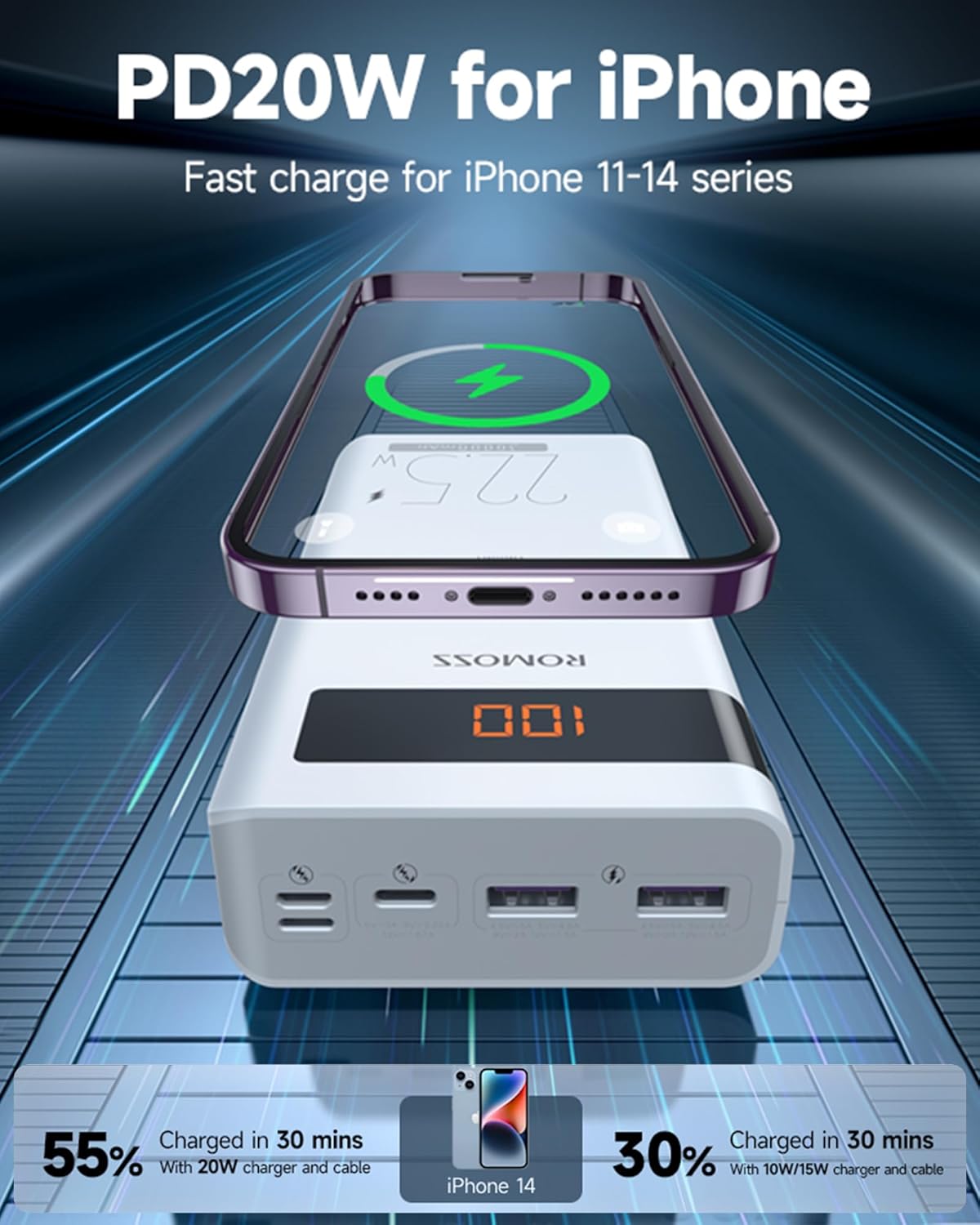
Illustration showing an iPhone being fast charged by the power bank, indicating that it can reach 55% charge in 30 minutes with a 20W charger and cable.

Depiction of the power bank's versatility, showing it being used for charging both at home and during travel, emphasizing its portability and long battery life.

Image illustrating the wide compatibility of the power bank with various mobile phones and tablets.
6.2. Checking Battery Level
Press the power button once to view the remaining battery percentage on the digital display. The display will turn off automatically after a few seconds to conserve power.
7. Maintenance
- Clean the power bank with a soft, dry cloth. Do not use liquid cleaners or aerosols.
- Avoid exposing the power bank to extreme temperatures, humidity, or corrosive environments.
- If storing for an extended period, charge the power bank to about 50-70% every 3 months to maintain battery health.
- Do not block the ventilation ports (if any) during use or charging.
8. Troubleshooting
| Problem | Possible Cause | Solution |
|---|---|---|
| Power bank not charging devices. | Low battery on power bank; cable issue; device not compatible. | Charge the power bank fully. Try a different charging cable. Ensure your device is compatible with USB charging. Press the power button once. |
| Power bank not recharging. | Charging cable issue; adapter issue; input port damage. | Try a different charging cable and/or wall adapter. Ensure the cable is fully inserted into the input port. |
| Slow charging. | Using a non-fast charging port/cable; device not supporting fast charge; multiple devices charging. | Use the Type-C port for fast charging if your device supports it. Ensure your cable supports fast charging. Charging multiple devices simultaneously may reduce individual charging speeds. |
| Digital display not working. | Power bank is off; internal issue. | Press the power button. If it still doesn't light up, the power bank may be completely drained or have an internal fault. |
9. Specifications
| Feature | Detail |
|---|---|
| Model | Sense8PF |
| Battery Capacity | 30000mAh (111Wh) |
| Input Ports | Micro USB, Lightning, Type-C |
| Output Ports | 2 x USB-A, 1 x Type-C |
| Max Output Power | 22.5W (PD Fast Charge) |
| Dimensions | 1.29 x 6.57 x 3.15 inches |
| Weight | 1.47 pounds |
| Battery Type | Lithium Polymer |
| Special Features | Digital Display, Fast Charging, Multi-device Charging |
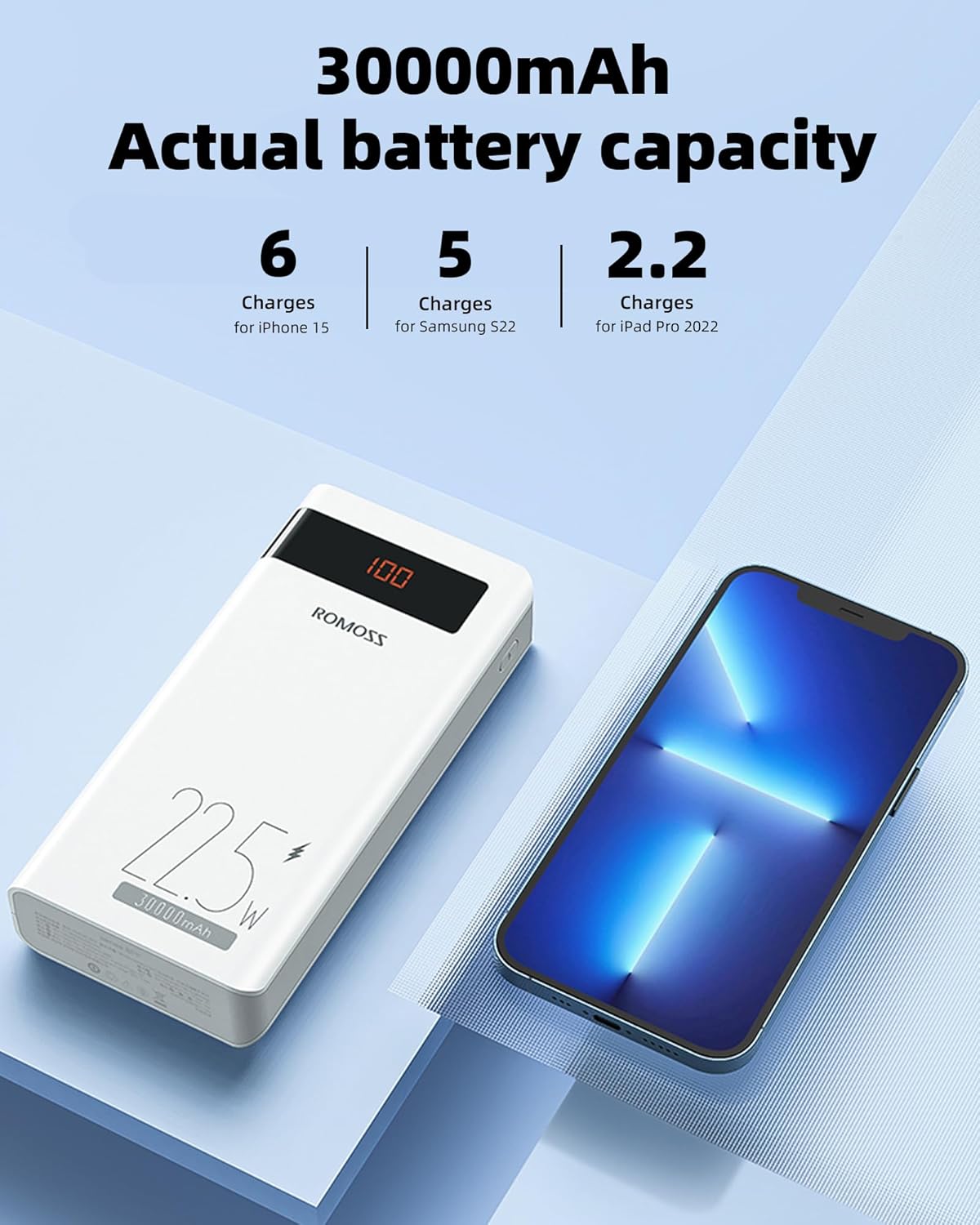
Illustration showing the 30000mAh actual battery capacity and approximate number of charges for various devices like iPhone 15, Samsung S22, and iPad Pro 2022.
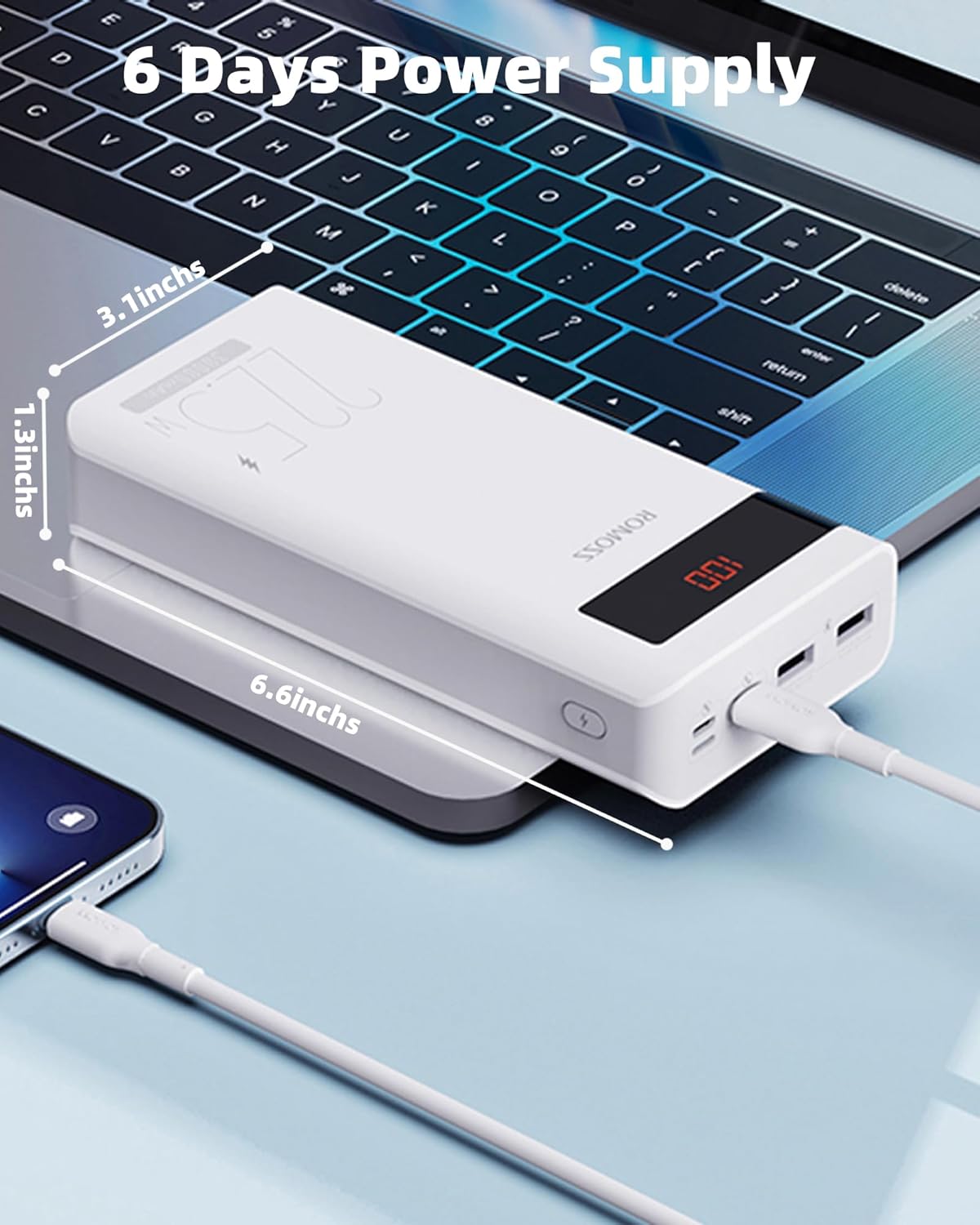
Image displaying the physical dimensions of the power bank (3.1 inches, 1.3 inches, 6.6 inches) and its capability to provide power for up to 6 days.

Chart detailing fast charge compatible models and protocols, including PD, QC, SCP, FCP, and AFC, supporting outputs from 10W to 22.5W.

Visual comparison of approximate charge cycles provided by the power bank for different phone models, such as iPhone 13, iPhone 15, Samsung Galaxy S21, and Google Pixel 8 Pro.
10. Warranty & Support
10.1. Warranty Information
ROMOSS products typically come with a standard manufacturer's warranty. Please refer to the warranty card included in your package or visit the official ROMOSS website for detailed warranty terms and conditions specific to your region.
10.2. Customer Support
For technical assistance, troubleshooting, or warranty claims, please contact ROMOSS customer support through their official website or the contact information provided in your product packaging.
Official ROMOSS Store on Amazon: ROMOSS Store
Ask a question about this manual
Ask about setup, troubleshooting, compatibility, parts, safety, or missing instructions. Manuals+ will review the question and use this page’s manual context to help answer it.