
CooSpo H808S
Contents
COOSPO H808S Heart Rate Monitor Chest Strap User Manual
Model: H808S
1. Introduction
Thank you for choosing the COOSPO H808S Heart Rate Monitor Chest Strap. This device is designed to provide accurate, real-time heart rate data for your training and fitness activities. It features dual-mode connectivity (Bluetooth 4.0 & ANT+) for broad compatibility with various fitness devices and applications. Please read this manual carefully to ensure proper usage and maintenance.

Image: Overview of the COOSPO H808S Heart Rate Monitor Chest Strap.
2. Package Contents
The COOSPO H808S package typically includes:
- COOSPO H808S Heart Rate Sensor
- Adjustable Chest Strap
- CR2032 Battery (pre-installed or separate)
- User Manual

Image: COOSPO H808S Heart Rate Monitor packaging, showing the sensor and strap.
3. Setup and Wearing Instructions
- Attach the Sensor: Take the heart rate sensor and snap it onto the chest strap electrodes.
- Moisten Electrodes: Fully wet both sides of the plastic electrode areas on the back of the chest strap with water or electrode gel. This ensures good contact and accurate heart rate detection.
- Wear the Strap: Position the chest strap firmly around your chest, directly below your pectoral muscles. The sensor should be centered on your sternum.
- Adjust for Comfort: Adjust the length of the strap to ensure a snug but comfortable fit. It should be secure enough not to slip during exercise.

Image: Step 3 in the 'How to use' guide, showing the sensor being mounted onto the chest strap.

Image: Step 2 in the 'How to use' guide, illustrating the moistening of the electrode areas.

Image: Step 4 in the 'How to use' guide, showing the proper placement of the chest strap under the chest muscle.

Image: Step 5 in the 'How to use' guide, demonstrating how to adjust the strap for a comfortable fit.
Video: COOSPO H808S Heart Rate Monitor Chest Strap - A visual guide to setting up and wearing the heart rate monitor.
4. Operating Instructions
4.1. Power On/Off and LED Indicator
The H808S sensor automatically powers on when worn and detects a heart rate signal. It powers off automatically when removed from the chest strap.
- LED Indicator: The integrated LED light provides status feedback.
- Blue Light: Flashes when Bluetooth is connected.
- Green Light: Flashes when Bluetooth is disconnected (or searching for connection).
- Beep-Beep: Two short beeps indicate the device has started working.
- One Long Beep: Indicates the device has stopped working.

Image: Diagram explaining the LED light and beep indicators for the COOSPO H808S.
4.2. Connectivity (Bluetooth & ANT+)
The H808S supports both Bluetooth 4.0 and ANT+ protocols, allowing connection to a wide range of devices simultaneously.
- Bluetooth Connection: Connect directly through your fitness app (e.g., Strava, Wahoo Fitness, Peloton, Zwift) on your smartphone or tablet. Do not connect via your phone's Bluetooth settings directly. The Bluetooth name will appear as H808S-******.
- ANT+ Connection: Connect to ANT+ compatible devices such as GPS bike computers, sports watches, and other fitness equipment.

Image: Visual representation of BLE (Bluetooth Low Energy) and ANT+ connectivity with various devices like smartwatches, bike computers, and fitness equipment.
Video: Demonstrating ANT+ connectivity with a heart rate monitor.
4.3. Compatible Third-Party Applications
The H808S is compatible with a wide range of popular fitness applications and devices, including but not limited to:
- Peloton
- Strava
- Wahoo Fitness
- Polar Beat
- DDP Yoga
- Openrider
- Zwift
- Runtastic
- CooSporid
- Kinomap
- Elite HRV

Image: Illustration showing the COOSPO H808S connected to a smartphone displaying heart rate data, with logos of various compatible third-party applications.
Video: Instructions on how to connect CooSpo heart rate monitors with the Kinomap App.
Video: Instructions on how to connect CooSpo heart rate monitors with the Strava App.
5. Maintenance
5.1. Cleaning the Chest Strap
To ensure accurate readings and prolong the life of your chest strap, it is important to clean it regularly:
- After each use, detach the sensor from the strap.
- Rinse the chest strap with clean water.
- Hang the strap to dry. Do not machine wash or tumble dry.
- Avoid using strong detergents or chemicals, as these can damage the electrodes.
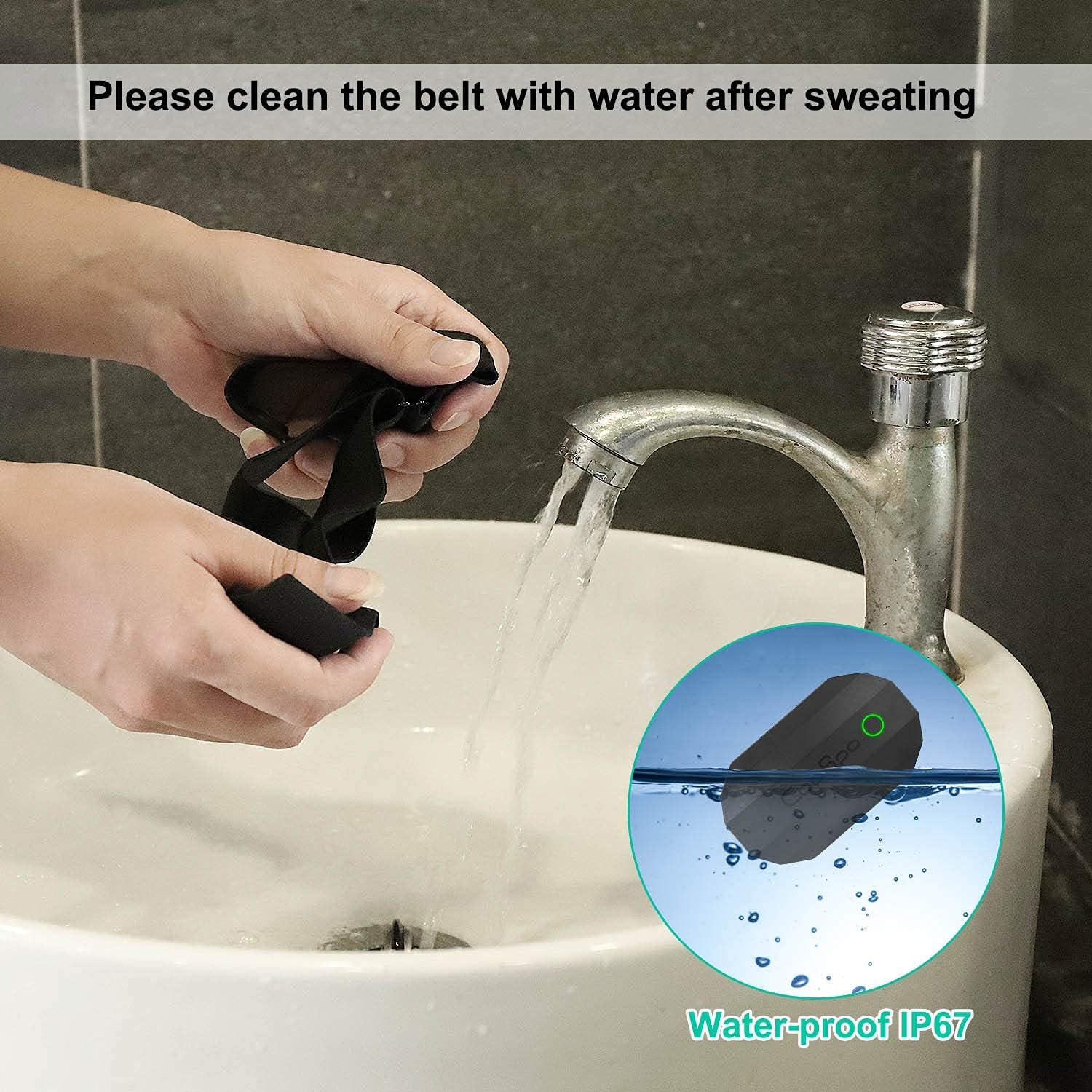
Image: A hand rinsing the chest strap under running water, demonstrating the IP67 waterproof feature.
5.2. Battery Replacement
The H808S uses a replaceable CR2032 battery, offering up to 300 hours of battery life. When the battery is low, the sensor's performance may degrade or it may stop transmitting data.
- Twist the battery cover counter-clockwise to open.
- Remove the old CR2032 battery.
- Insert a new CR2032 battery with the positive (+) side facing up.
- Replace the battery cover and twist clockwise to secure it. Ensure the O-ring seal is properly seated to maintain water resistance.

Image: Illustration showing the replaceable CR2032 battery and the battery compartment of the COOSPO H808S sensor.
6. Troubleshooting
- No Heart Rate Reading:
- Ensure the electrode areas on the chest strap are thoroughly moistened.
- Check that the sensor is securely snapped onto the chest strap.
- Verify the chest strap is worn correctly and snugly against your skin.
- Replace the battery if it has been in use for an extended period (approx. 300 hours).
- Cannot Connect via Bluetooth:
- Important: Connect the heart rate sensor within your fitness app, not directly through your phone's Bluetooth settings.
- Ensure Bluetooth is enabled on your device.
- Move closer to your receiving device.
- Restart your fitness app and/or your phone.
- Inconsistent Readings:
- Ensure the strap is clean and the electrodes are moist.
- Avoid wearing the sensor over loose clothing.
- Interference from other electronic devices can sometimes affect readings. Try moving away from potential sources of interference.
- Strap Wear: The chest strap is a consumable item. It is recommended to replace the strap once every 6 months or after 300 washes to maintain optimal performance.
7. Specifications
| Feature | Specification |
|---|---|
| Model Number | H808S |
| Brand | CooSpo |
| Material | Plastic |
| Color | Black |
| Connectivity | Bluetooth 4.0 & ANT+ |
| Waterproof Rating | IP67 |
| Battery Type | CR2032 (Replaceable) |
| Battery Life | Up to 300 hours |
| Item Weight | 15 g |
| Product Dimensions | 2.36"L x 1.37"W x 0.59"H |
| Accuracy | ±1 BPM |
8. Warranty and Support
COOSPO products are designed for reliability and performance. For warranty information, technical support, or any questions regarding your H808S Heart Rate Monitor, please refer to the official COOSPO website or contact their customer service directly. Keep your purchase receipt as proof of purchase for warranty claims.
Official Website: www.coospo.com
Ask a question about this manual
Ask about setup, troubleshooting, compatibility, parts, safety, or missing instructions. Manuals+ will review the question and use this page’s manual context to help answer it.