
Ukoke USPC01W
Contents
Ukoke USPC01W Smart WiFi Portable Air Conditioner User Manual
Model: USPC01W | Brand: Ukoke
Introduction
This manual provides essential information for the safe and efficient operation of your Ukoke USPC01W Smart WiFi Portable Air Conditioner. Please read it thoroughly before installation and use, and retain it for future reference.
Safety Information
Always follow basic safety precautions when using electrical appliances to reduce the risk of fire, electric shock, and injury. Ensure the unit is placed on a stable, level surface. Do not block air inlets or outlets. Disconnect power before cleaning or servicing. Keep out of reach of children.
Package Contents
Verify that all components are present upon unboxing:
- Ukoke USPC01W Portable Air Conditioner Unit
- Remote Control
- Window Installation Kit
- Exhaust Hose
- User Manual (this document)
- Washable Filter (pre-installed)

Image: Front view of the Ukoke USPC01W Portable Air Conditioner.
Setup
The Ukoke USPC01W is designed for easy installation. Follow these steps for proper setup:
- Positioning: Place the unit on a flat, stable surface near a window. Ensure there is at least 20 inches of space around the unit for proper airflow. The unit features 4 built-in wheels for easy mobility.
- Exhaust Hose Installation: Attach the exhaust hose to the designated port on the back of the unit. Extend the hose and connect it to the window installation kit.
- Window Kit Installation: Install the window kit into your window opening. The kit is compatible with both horizontal and vertical sliding windows. Adjust the panels to fit snugly and seal any gaps to prevent air leakage.
- Power Connection: Plug the power cord into a grounded electrical outlet.
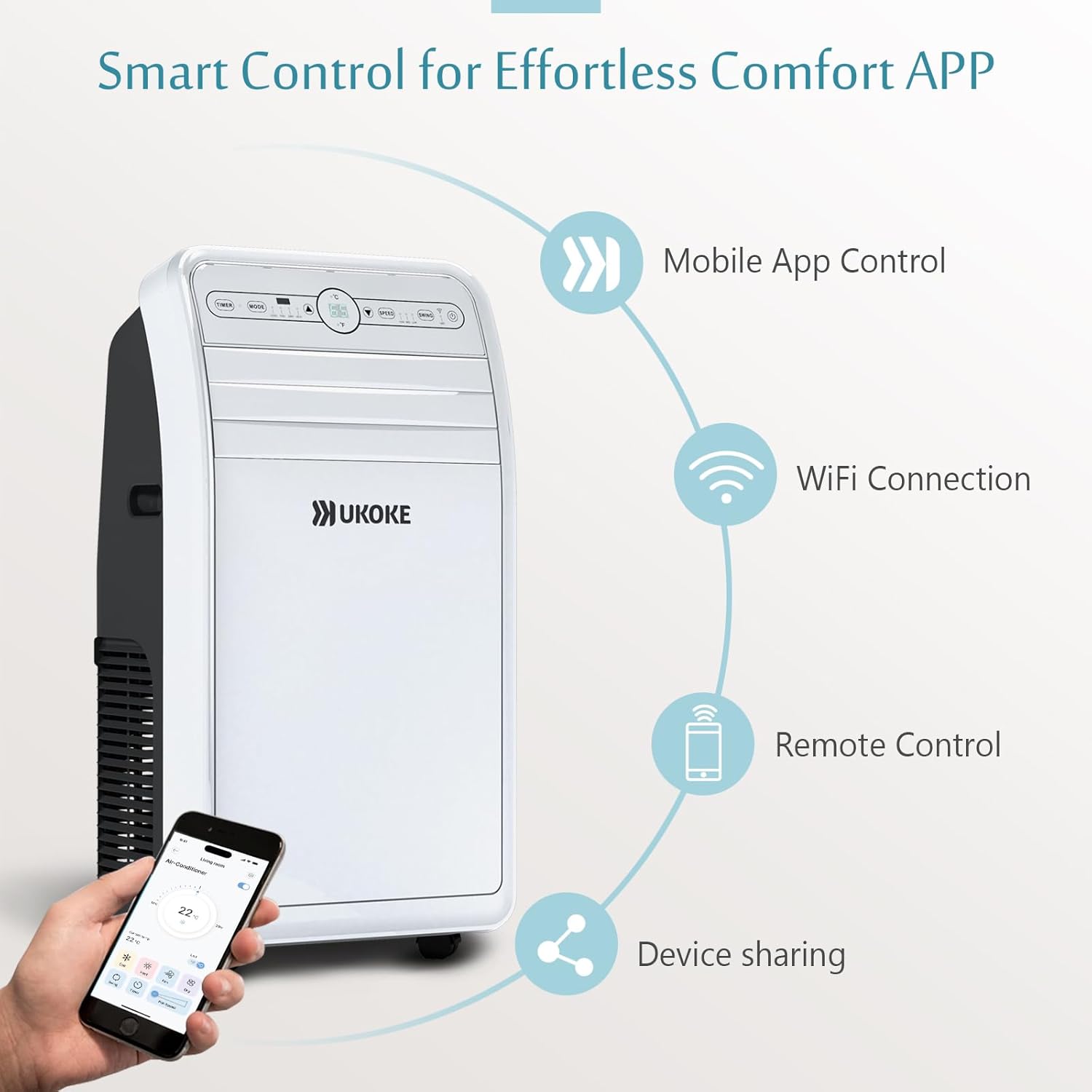
Image: The portable AC unit highlighting its features like swing function, timer mode, and washable dust filter.

Image: Diagram showing quick setup and wide compatibility with horizontal and vertical sliding windows.
Operating Instructions
Your Ukoke USPC01W offers versatile control options and multiple operating modes:
Control Options:
- Digital LED Display Panel: Directly adjust settings on the unit's control panel.
- Remote Control: Use the included remote for convenient adjustments from a distance.
- Ukoke Smart App (Wi-Fi Control): Download the Ukoke Smart App from the Apple App Store or Google Play to control the unit from your smartphone, tablet, or computer. This allows for temperature management, mode selection, fan speed adjustment, and scheduling from anywhere.

Image: Close-up of the 4-in-1 control panel with clear LED indicators for easy operation.

Image: Visual representation of smart control options: Mobile App Control, WiFi Connection, Remote Control, and Device Sharing.
Operating Modes:
- Cooling Mode: Provides powerful cooling for rooms up to 400 sq. ft.
- Heating Mode: Offers efficient heating for cooler environments.
- Dehumidifier Mode: Removes excess moisture from the air, with a capacity of 1.8 liters per hour.
- Fan Mode: Circulates air with three speed levels (High, Medium, Low).
The unit also features a Swing Function to automatically adjust airflow direction for optimal comfort.
Image: Icons representing the four-in-one functionality: Cool, Heat, Dehumidifier, and 3-Speed Fan.

Image: Diagram illustrating the unit's capacity: 400 sq. ft. space covered, 1.8 Litre/Hour moisture removal, 1200 BTU cooling power, and 360 M Cube/Hour airflow.
Maintenance
Regular maintenance ensures optimal performance and longevity of your unit:
- Washable Filter: The unit includes a washable filter. Detach it regularly (e.g., every two weeks, depending on usage) for a quick rinse under running water. Allow it to dry completely before re-inserting. This helps maintain air quality and unit efficiency.
- Draining: In Dehumidifier mode or high humidity conditions, the internal water tank may fill. The unit will indicate when draining is required. Connect a drain hose to the continuous drain port or manually empty the tank as needed.
- Cleaning: Wipe the exterior of the unit with a soft, damp cloth. Do not use harsh chemicals or abrasive cleaners.

Image: Illustration of the easy-clean washable filter being detached for rinsing.
Troubleshooting
If you encounter issues with your unit, refer to the following common problems and solutions:
| Problem | Possible Cause | Solution |
|---|---|---|
| Unit does not turn on | No power, tripped circuit breaker, power cord not fully inserted. | Check power connection, reset circuit breaker, ensure plug is secure. |
| Unit not cooling effectively | Dirty air filter, blocked air intake/outlet, room size too large, windows/doors open. | Clean air filter, clear obstructions, ensure room is sealed, verify unit BTU matches room size. |
| Water leakage | Drain plug not secure, continuous drain hose kinked or blocked, internal tank full. | Check drain plug, clear drain hose, empty internal tank if not using continuous drain. |
| Unit is noisy | Unit not on a level surface, fan speed too high, internal components vibrating. | Ensure unit is level, reduce fan speed, check for loose parts (contact support if persistent). |
For issues not listed here, or if troubleshooting steps do not resolve the problem, please contact customer support.
Specifications
- Model: USPC01W
- Brand: Ukoke
- Cooling Capacity: 12,000 BTU
- Coverage Area: Up to 400 Sq. Ft.
- Functions: Cool, Heat, Dehumidify, Fan
- Moisture Removal: 1.8 Litre/Hour
- Airflow: 360 M Cube/Hour
- Power Source: Corded Electric
- Voltage: 110V
- Wattage: 1380 kWh
- Noise Level: 53 dB
- Item Weight: 59 pounds
- Product Dimensions: 16.7"D x 31.6"W x 15.8"H
- Special Features: Dehumidifier, LED Display, Portable, WiFi
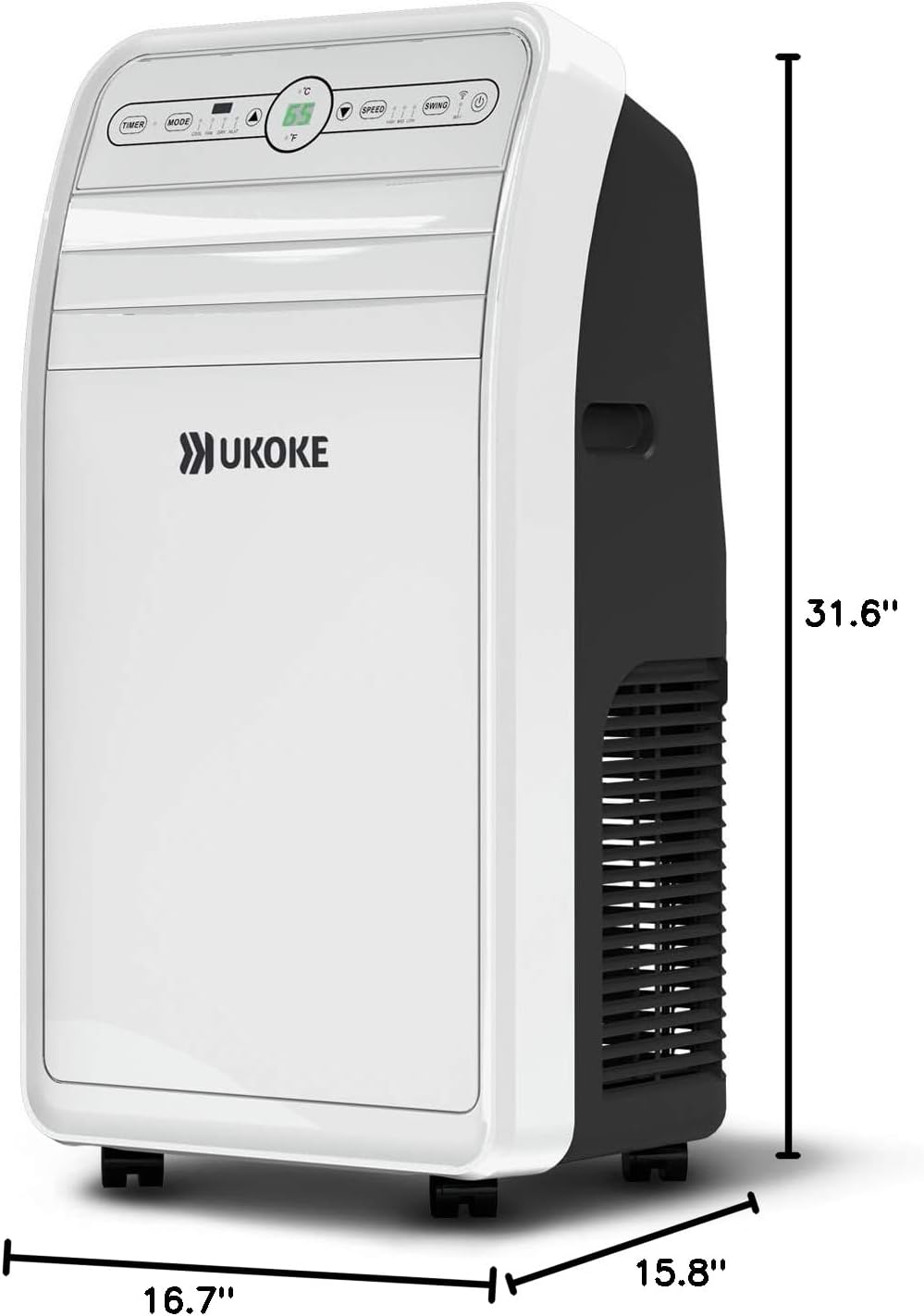
Image: Detailed dimensions of the portable air conditioner unit.

Image: Visual indicating the low noise level of 53 dB for the unit.
Warranty and Support
Ukoke stands behind the quality of its products:
- Warranty: The Ukoke USPC01W Smart WiFi Portable Air Conditioner comes with a 1-Year New Replacement Warranty for any manufacturing or quality-related issues.
- Certified Quality: This product is Intertek-certified for safety and reliability, designed to meet high standards of performance and quality assurance.
- Customer Support: For any inquiries, technical assistance, or warranty claims, please contact our U.S.-based customer care team. We aim to respond to all inquiries within 24 hours.
For further assistance, you may refer to the official User Manual (PDF) available online.
Ask a question about this manual
Ask about setup, troubleshooting, compatibility, parts, safety, or missing instructions. Manuals+ will review the question and use this page’s manual context to help answer it.