1. Introduction
The Safety 1st Quick Read 2-In-1 Thermometer is designed for fast and accurate temperature readings. It offers both oral and underarm measurement options and includes features like a Reset Timer and Fever Light™ Bar for ease of use. Please read this manual thoroughly before use to ensure proper operation and care.
2. Product Overview
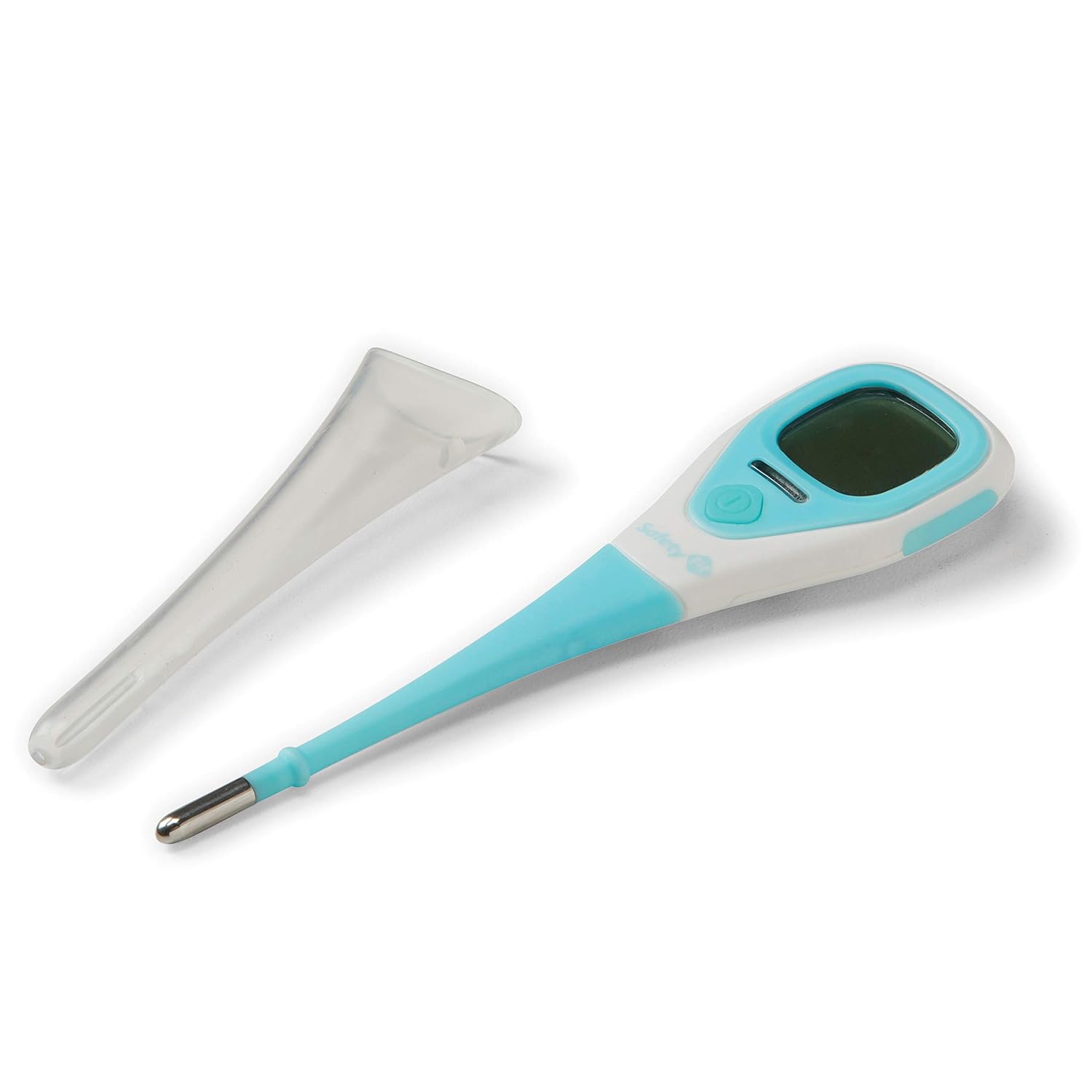
The thermometer features a large digital display, a power button, and a flexible tip for comfort. It is designed for quick readings and includes a protective cover for hygiene and storage.

3. Setup
3.1. Unpacking
- Carefully remove the thermometer from its packaging.
- Inspect the device for any damage. Do not use if damaged.
- Retain the protective cover for storage.
3.2. Battery Installation (if required)
The thermometer comes with batteries pre-installed. If replacement is needed, refer to the battery compartment usually located at the back or side of the device. Ensure correct polarity when inserting new batteries.

4. Operating Instructions
4.1. Taking a Temperature (Oral or Underarm)
- Press the power button to turn on the thermometer. The display will show the last reading, then 'Lo' and a flashing '°F' or '°C' indicating it's ready.
- For Oral Use: Place the tip of the thermometer under the tongue, ensuring good contact. Close the mouth and hold the thermometer in place.
- For Underarm Use: Place the tip of the thermometer in the armpit, ensuring it touches the skin directly. Hold the arm firmly against the body to keep the thermometer in place.
- Wait for approximately 8 seconds until the thermometer beeps, indicating the reading is complete.
- Read the temperature displayed on the screen.
- Press the power button to turn off the thermometer, or it will automatically shut off after a period of inactivity.
4.2. Reset Timer Feature
The thermometer includes a 60-second Reset Timer. After taking a reading, allow 60 seconds before taking another reading to ensure the thermometer has reset to room temperature for optimal accuracy.
4.3. Fever Light™ Bar
The Fever Light™ Bar will glow amber if an above-normal temperature is detected, providing a quick visual alert.
4.4. Switching Between °F and °C
To switch between Fahrenheit (°F) and Celsius (°C), ensure the thermometer is off. Press and hold the power button for approximately 3 seconds until the unit changes. Release the button, and the new unit will be set.
Video 1: Safety 1st Lifestyle Video. This video provides a general overview of the Safety 1st brand and its commitment to baby safety and development, rather than specific instructions for this thermometer model.
5. Maintenance
5.1. Cleaning
To clean the thermometer, wipe the tip and body with a soft cloth dampened with rubbing alcohol or mild soap and water. Do not immerse the entire thermometer in water. Allow it to air dry completely before storing.
5.2. Storage
Always store the thermometer in its protective cover when not in use. Keep it in a cool, dry place, away from direct sunlight and extreme temperatures.
6. Troubleshooting
| Issue | Possible Cause | Solution |
|---|---|---|
| Inaccurate or inconsistent readings | Not waiting for Reset Timer; improper placement; low battery. | Ensure 60-second wait between readings. Verify correct placement (oral/underarm). Replace batteries if needed. |
| Thermometer does not turn on | Dead batteries; device malfunction. | Replace batteries. If issue persists, contact customer support. |
| No beep sound when reading is complete | Device malfunction. | Observe the flashing '°F' or '°C' symbol; when it stops flashing, the reading is stable. Contact customer support if the lack of beep is a concern. |
7. Specifications
| Feature | Detail |
|---|---|
| Brand | Safety 1st |
| Model Name | Quick Read 2-In-1 Thermometer |
| Item Model Number | TH0940600 |
| Display Type | Digital |
| Response Time | 8 seconds |
| Power Source | Battery Powered |
| Special Feature | High Accuracy, Fever Light™ Bar, Reset Timer |
| Product Care Instructions | Wipe Clean |
| Included Components | Protective Probe Cover |
8. Warranty and Support
For warranty information or customer support, please refer to the contact details provided with your product packaging or visit the official Safety 1st website. You can also visit the Safety 1st Store on Amazon for more information.


