
1. Introduction
The QFX ANT-23 HDTV Indoor Antenna is designed to provide access to free over-the-air broadcast television channels. This compact antenna receives signals from all directions, supporting various high-definition formats including 4K Ultra HD, 1080P, 1080I, and 720P. Its magnetic base allows for flexible placement on metal surfaces or any flat area, ensuring stable reception in your home, RV, or other indoor locations.
2. Product Features
- Omnidirectional Signal Reception: Receives 360° signals within a 25-40 mile range.
- High-Definition Support: Compatible with 4K Ultra HD, 1080P, 1080I, and 720P broadcasts.
- Versatile Placement: Magnetic base allows for easy attachment to metal surfaces or stable placement on any flat surface.
- Compact Design: Bullet-shaped and small footprint for discreet integration into any room.
- Easy Installation: Connects directly to your TV via a coaxial cable, requiring no external power source.
- Cost-Effective: Provides access to local channels without monthly cable bills.
3. Package Contents
Please verify that all items are present in your package:
- QFX ANT-23 Indoor HDTV Antenna
- Coaxial Cable (approximately 10 feet)

Image 1: The QFX ANT-23 Indoor HDTV Antenna, showing its bullet-shaped design, magnetic base, and attached coaxial cable.
4. Setup Instructions
- Connect the Antenna: Locate the ANT/IN or CABLE/IN port on the back of your television. Connect the coaxial cable from the QFX ANT-23 antenna directly into this port. Ensure the connection is secure.
- Position the Antenna: Place the antenna in a location where it can receive the best possible signal. Higher positions, such as near a window, often yield better results. The magnetic base allows it to be attached to metal surfaces or simply placed on a flat, stable surface.
- Scan for Channels:
- Turn on your television.
- Access your TV's menu settings.
- Navigate to the 'Channel Setup' or 'Scan' option. This may be labeled 'Auto Program', 'Auto Scan', 'Channel Search', or 'Antenna Scan'.
- Select 'Antenna' or 'Air' as the input source, not 'Cable'.
- Initiate the channel scan. This process may take several minutes.
After the scan is complete, your TV should display the available over-the-air channels.
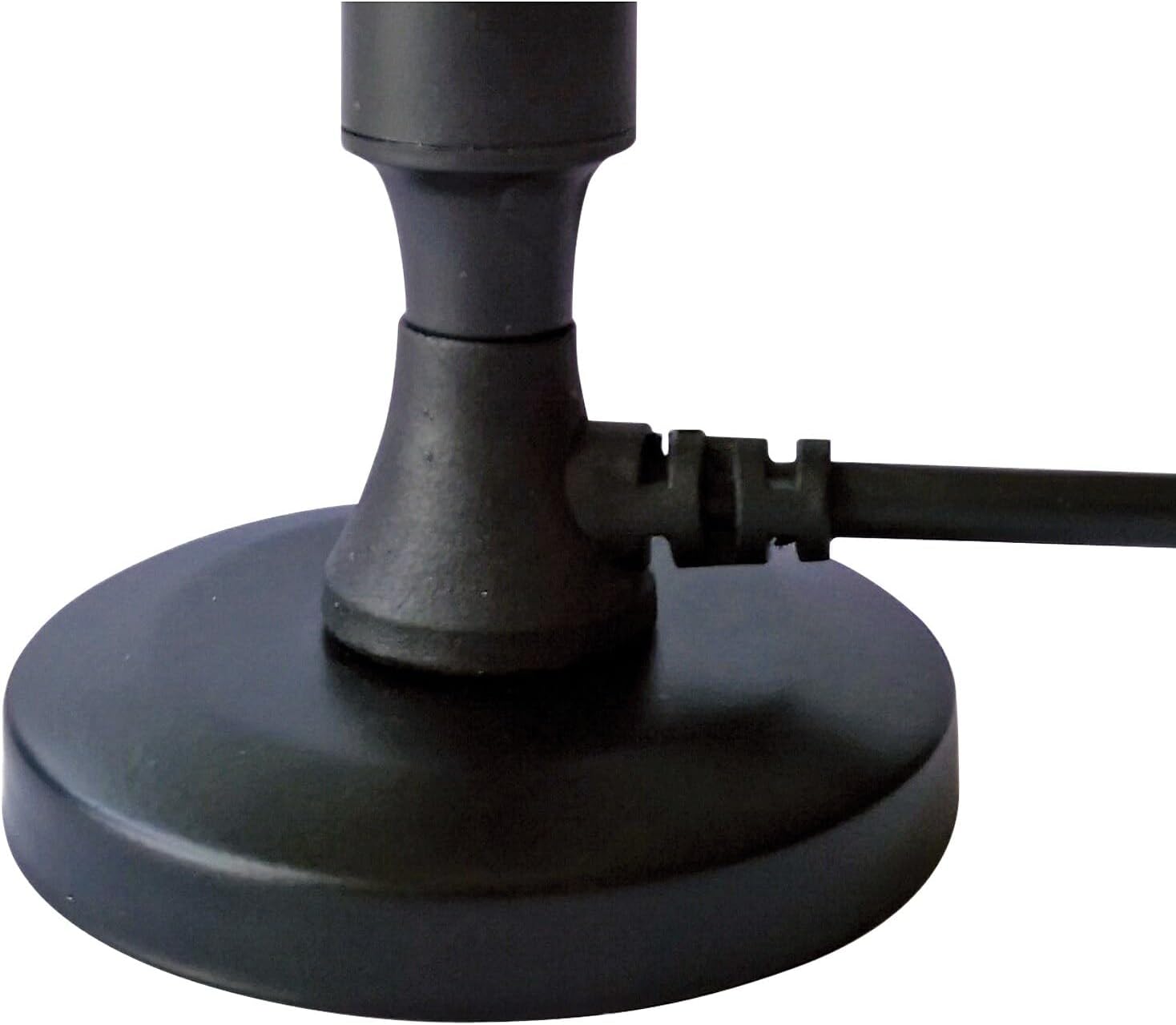
Image 2: A close-up view of the antenna's magnetic base and the coaxial cable securely connected.
Video 1: This video demonstrates the simple connection process of the antenna to a television and the subsequent channel scanning procedure to access free over-the-air broadcasts.
5. Operating Instructions
Once the setup is complete and channels are scanned, operating the QFX ANT-23 antenna is straightforward:
- Channel Selection: Use your TV remote control to browse and select channels as you normally would.
- Signal Optimization: If you experience poor reception on certain channels, try slightly adjusting the antenna's position and then perform another channel scan. Small adjustments can sometimes significantly improve signal quality.
- Rescanning Channels: Broadcasters occasionally change their frequencies or add new channels. It is recommended to perform a channel scan periodically (e.g., monthly) to ensure you are receiving all available channels.
6. Maintenance
The QFX ANT-23 antenna requires minimal maintenance:
- Cleaning: Wipe the antenna with a soft, dry cloth to remove dust. Do not use harsh chemicals or abrasive cleaners.
- Cable Inspection: Periodically check the coaxial cable for any signs of damage or wear. Ensure connections remain secure.
- Indoor Use: This antenna is designed for indoor use only. Exposure to outdoor elements can damage the unit and affect performance.
7. Troubleshooting
If you encounter issues with your QFX ANT-23 antenna, refer to the following common problems and solutions:
| Problem | Solution |
|---|---|
| No channels found or poor reception. |
|
| Picture is pixelated or freezes. |
|
| Some channels are missing. |
|
8. Specifications
- Model: ANT-23
- Brand: QFX
- Antenna Type: Indoor HDTV Antenna
- Signal Reception: Omnidirectional (360°)
- Maximum Range: Up to 40 Miles
- Supported Resolutions: 4K Ultra HD, 1080P, 1080I, 720P
- Supported Frequencies: VHF, UHF
- Connection: Coaxial Cable
- Base Type: Magnetic
- Color: Black
- Item Weight: 8.8 ounces
- Product Dimensions: 2.5 x 2.5 x 4.5 inches
9. Warranty and Support
For warranty information or technical support regarding your QFX ANT-23 HDTV Indoor Antenna, please refer to the documentation included with your purchase or visit the official QFX website. You may also contact QFX customer service directly for assistance.


