
Introduction
Welcome to the user manual for your Estink Helmet BT Headset. This manual provides detailed instructions on how to set up, operate, maintain, and troubleshoot your device, ensuring optimal performance and longevity.
Product Overview
The Estink Helmet BT Headset (Model BT11) is engineered to deliver high-fidelity audio and reliable hands-free communication for motorcyclists. Equipped with Bluetooth 5.0 technology, it ensures clear sound transmission and stable connectivity with compatible devices.

Image: The Estink Helmet BT Headset, showcasing the main control unit with its integrated microphone boom and two attached ear speakers.
Package Contents
Please verify that all the following items are present in your package:
- Estink Helmet BT Headset (Main Unit with integrated microphone and speakers)
- USB Charging Cable
- User Manual
- Additional Earphone Pads

Image: All components included in the package: the headset, a USB charging cable, and two spare earphone pads.
Setup
Charging the Battery
Before initial use, ensure the headset is fully charged.
- Connect the micro-USB end of the provided USB charging cable to the charging port located on the headset's control unit.
- Connect the standard USB-A end of the cable to a compatible USB power adapter (not included) or a computer's USB port.
- The indicator light will illuminate to show the charging status. Refer to the LED indicator section (if available in the full manual) for specific light behaviors.
- A complete charge provides approximately 8 hours of continuous working time and up to 160 hours of standby time.
Installation in Helmet
The headset is designed for straightforward installation within most motorcycle helmets.
- Identify optimal locations within your helmet for the ear speakers. They should be positioned directly over your ears for the best audio experience.
- Secure the speakers using the adhesive backing or any provided mounting accessories.
- Position the flexible microphone boom so that the microphone is close to your mouth, ensuring clear voice pickup during calls.
- Route all cables neatly within the helmet's padding to prevent discomfort and interference.
Operating Instructions
Power On/Off
- Power On: Press and hold the Play/Pause button (typically the middle button) for approximately 3 seconds until you hear the "Power on" voice prompt.
- Power Off: Press and hold the Play/Pause button for approximately 3 seconds until you hear the "Power off" voice prompt.
Bluetooth Pairing
To establish a connection between your headset and a Bluetooth-enabled device, such as a smartphone:
- Ensure the headset is powered off.
- Press and hold the Play/Pause button for approximately 5-7 seconds until the LED indicator flashes red and blue alternately, signifying pairing mode. You will hear the "Pairing" voice prompt.
- On your smartphone, activate Bluetooth and initiate a search for new devices.
- Select "BT11" or "Estink Headset" from the list of discovered devices.
- Once successfully connected, the LED indicator will flash blue slowly, and you will hear the "Connected" voice prompt.
Music Playback

Image: A detailed view of the headset's control panel, illustrating the volume up (+), play/pause/power, and volume down (-) buttons.
- Play/Pause: Press the Play/Pause button (middle button) once.
- Volume Up: Press the "+" button.
- Volume Down: Press the "-" button.
- Next Track: Long press the "+" button.
- Previous Track: Long press the "-" button.
Phone Calls (Hands-Free Calling)
The headset facilitates hands-free calling, enhancing your safety while riding.
- Answer Call: Press the Play/Pause button once when an incoming call rings.
- Reject Call: Long press the Play/Pause button for 2 seconds when an incoming call rings.
- End Call: Press the Play/Pause button once during an active call.
- Redial Last Number: Double-press the Play/Pause button when the headset is not on a call.
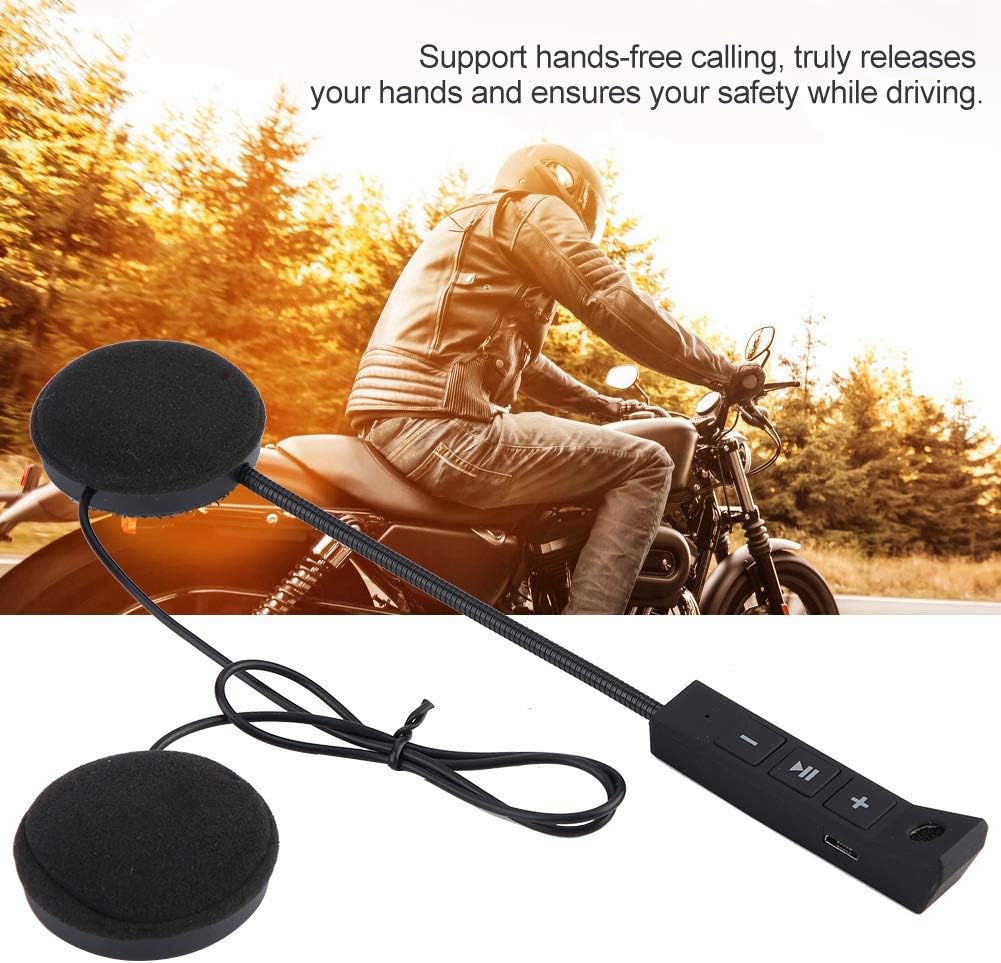
Image: A motorcyclist riding, illustrating the hands-free calling capability of the headset, which allows for communication without distraction.
Voice Prompt Function
The headset provides clear voice prompts for various operational statuses, including "Power on", "Pairing", and "Connected", to assist you during use.
Low Power Warning
When the battery level is low, the headset will issue an audible warning, indicating that it requires recharging. Additionally, if no device is paired or active for 5 minutes, the headset will automatically power off to conserve battery life.
Maintenance
- Cleaning: Use a soft, dry cloth to clean the headset's surfaces. Avoid using abrasive cleaners, solvents, or harsh chemicals, as these can damage the device.
- Storage: When not in use, store the headset in a cool, dry place, away from direct sunlight and extreme temperatures.
- Battery Care: To maximize battery lifespan, avoid frequent complete discharge cycles. Recharge the battery regularly, even if the headset is not used for extended periods.
- Water Resistance: This product is Not Water Resistant. Protect it from rain, splashes, and do not submerge it in water.
Troubleshooting
| Problem | Possible Cause | Solution |
|---|---|---|
| Headset does not power on. | Battery is depleted. | Charge the headset fully using the provided USB cable. |
| Cannot pair with smartphone. | Headset not in pairing mode; Bluetooth is off on phone; too many previously paired devices. | Ensure headset is in pairing mode (flashing red/blue). Toggle your phone's Bluetooth off and on. Delete old Bluetooth connections on your phone. |
| No sound or low volume. | Volume too low on headset or phone; headset not connected; speakers improperly positioned. | Increase volume on both the headset and your phone. Re-pair the headset if disconnected. Adjust speaker position within the helmet for optimal sound. |
| Call quality is poor. | Microphone not positioned correctly; excessive environmental noise; weak Bluetooth signal. | Adjust the microphone closer to your mouth. Reduce environmental noise if possible. Move closer to the connected device to improve signal strength. |
| Headset automatically turns off. | Low battery; no activity or paired device for 5 minutes. | Recharge the battery. Automatic power-off after 5 minutes of inactivity is normal behavior to conserve battery. |
Specifications
| Feature | Detail |
|---|---|
| Model | Yosoos6w7ztqv1g (BT11) |
| Connectivity | Wireless, Bluetooth 5.0 |
| Battery Type | Rechargeable Li-ion Battery |
| Working Time | Up to 8 hours |
| Standby Time | Up to 160 hours |
| Control Method | Voice Control, Button Control |
| Special Features | Microphone Included, Hands-free Calling, Voice Prompt Function, Low Power Warning |
| Material | Plastic |
| Water Resistance | Not Water Resistant |
| Product Dimensions | 3.94 x 3.94 x 3.94 inches |
| Item Weight | 3.7 ounces |
Warranty and Support
For detailed warranty information and technical support, please refer to the contact details provided with your original purchase documentation or visit the official Estink website. Please retain your proof of purchase for any warranty claims.
This product is intended for adult use and is specifically designed for motorcycling applications.