
Introduction
This manual provides detailed instructions for the safe and effective use of your Godox V1-O Flash Speedlite. Designed for Olympus and Panasonic camera systems, this speedlite offers advanced lighting capabilities for various photographic applications. Please read this manual thoroughly before use to ensure optimal performance and to prevent damage to the unit.
Product Overview and Components
The Godox V1-O Flash Speedlite is a high-performance flash unit featuring a round head for soft, even light distribution. It includes a rechargeable lithium battery for extended use and fast recycling times. Key components are illustrated below.

Figure 1: Godox V1-O Flash Speedlite and its accessories, including the flash unit, rechargeable battery, charger, USB cable, and mini stand.
Key Features:
- Compatibility: Designed for Olympus E-M1, PEN-F, E-M10II, E-PL8, E-P5, E-M10III and Panasonic GH4, LX100, DMC-GF1, DMC-G85, DMC-GX85, DMC-LX100, DMC-FZ2500GK, S1 cameras.
- Advanced 2.4G Wireless X System: Built-in wireless transmission supports optic communication, providing stable output and even illumination up to 100 meters.
- Comprehensive TTL Functions: Supports TTL autoflash, manual flash, 1/8000s high-speed sync (HSS), flash exposure compensation (FEC), flash exposure lock (FEL), second curtain sync, and modeling flash.
- Efficient Lithium Battery: Offers fast recycling times (as quick as 1.5 seconds) and approximately 450 full-power flashes per charge.
- Superior Lighting Quality: Round flash head design ensures softer, more even light distribution from center to edge.
- Built-in LED Modeling Light: Features a 10-level adjustable LED modeling lamp for previewing shadows.
Setup
1. Battery Installation and Charging
- Open the battery compartment cover on the flash unit.
- Insert the provided lithium-ion battery (VB26) into the compartment, ensuring correct polarity.
- Close the battery compartment cover securely.
- To charge the battery, remove it from the flash and place it into the included charger. Connect the charger to a power source using the USB cable and adapter. The charging indicator will show the charging status.
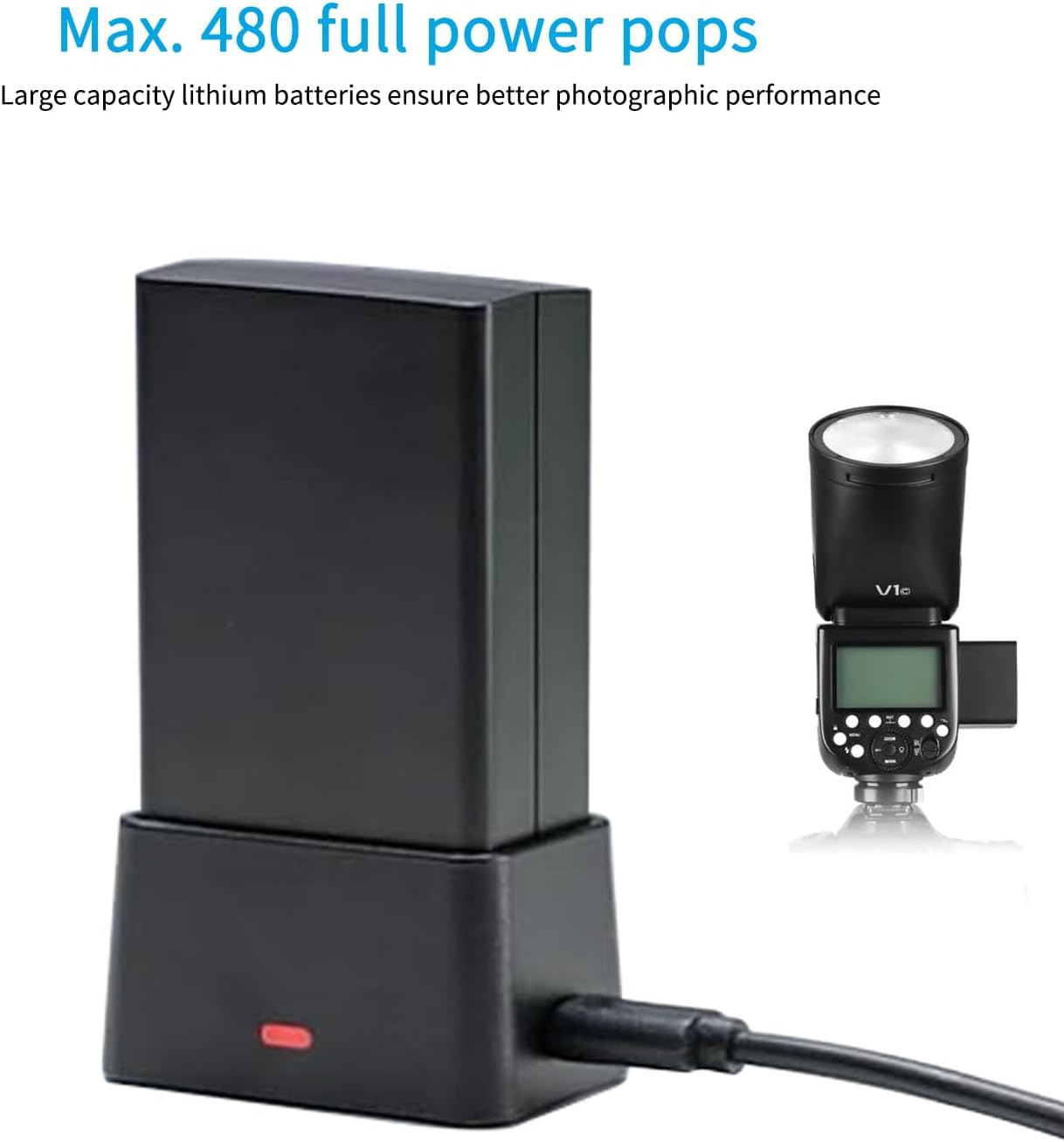
Figure 2: The rechargeable lithium battery being charged in its dedicated external charger.
2. Mounting the Flash on Your Camera
- Ensure the flash is powered off.
- Slide the flash's mounting foot into your camera's hot shoe.
- Rotate the locking ring on the flash unit clockwise until it is securely fastened to the hot shoe. Do not overtighten.
Operating Instructions
1. Power On/Off
Press and hold the power button for approximately 2 seconds to turn the flash on or off.
2. Flash Modes
The V1-O supports various flash modes:
- TTL Autoflash Mode: Automatically adjusts flash output for correct exposure.
- Manual Flash Mode: Allows manual control over flash power output.
- Multi Flash Mode: Fires a series of rapid flashes for multiple exposures in a single frame.
Use the Mode button to cycle through these options. Adjust settings using the dial and function buttons.
3. High-Speed Sync (HSS)
HSS allows the flash to synchronize with shutter speeds up to 1/8000s, enabling wider apertures in bright conditions or freezing fast motion. Activate HSS through the flash menu or dedicated button, if available.
4. Wireless Control (2.4G X System)
The V1-O features a built-in 2.4G wireless X system for off-camera flash control. It can function as a master or slave unit. Refer to the detailed wireless control section in the full user manual for pairing and group settings.

Figure 3: Illustration of the Godox 2.4G Wireless X System, demonstrating how the V1-O can be controlled by XPro, X2, or X3 transmitters and interact with other Godox flashes.
5. LED Modeling Light
The integrated LED modeling light assists in previewing light and shadow effects before firing the flash. It is adjustable in 10 levels of brightness.

Figure 4: Demonstration of the built-in LED modeling light, showing its effect on shadow and highlight areas on a subject, adjustable from 10% to 100% intensity.
6. Light Quality and Recycle Time
The round flash head design provides a natural and soft light spread. The efficient battery allows for quick recycling, minimizing downtime between shots.

Figure 5: Visual comparison illustrating the softer and more even light distribution achieved with the V1-O's round flash head compared to a standard rectangular flash head.
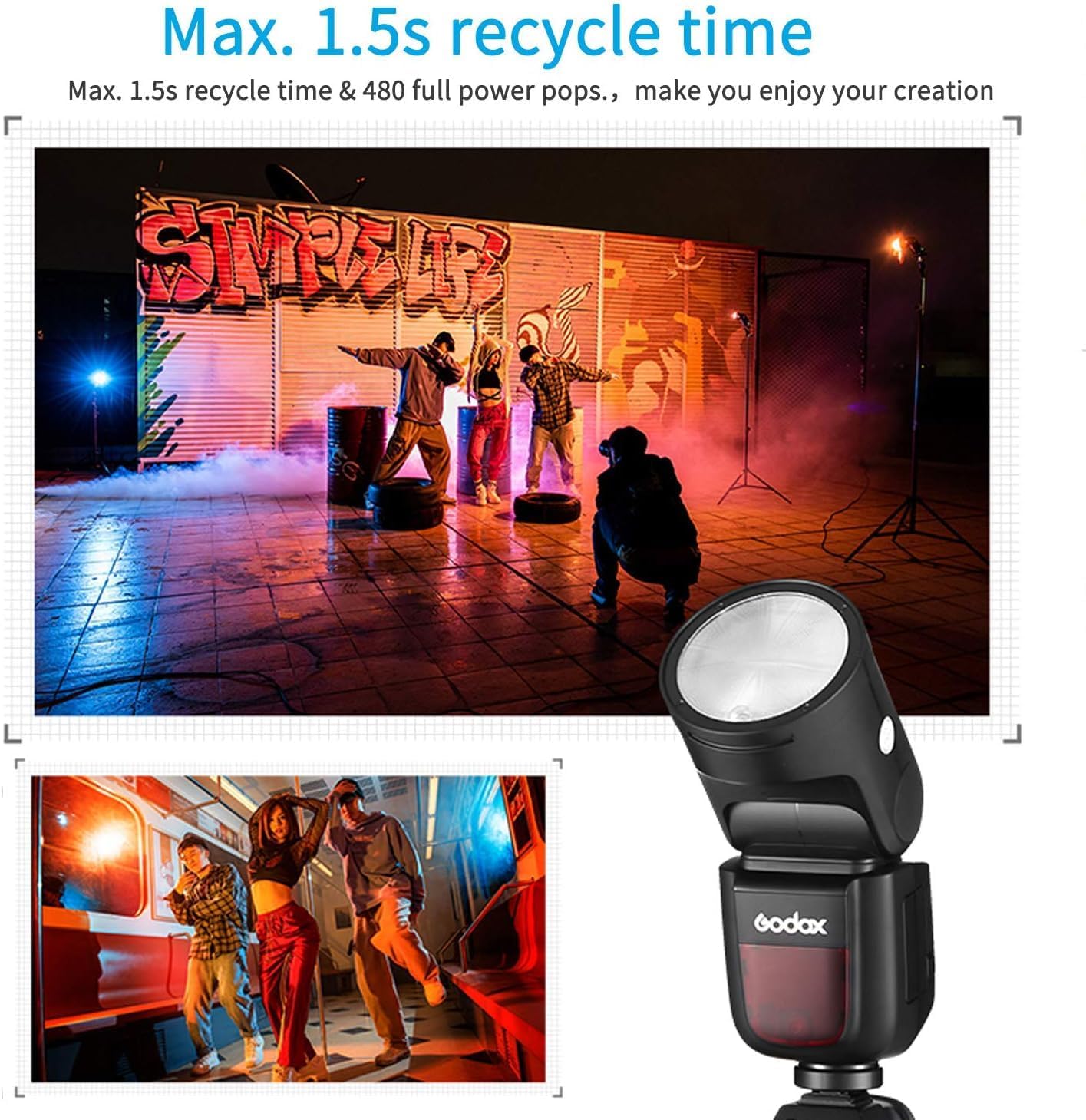
Figure 6: The V1-O's fast 1.5-second recycle time and capacity for 480 full-power flashes, illustrated with dynamic photography examples.
Maintenance
- Keep the flash unit dry. Do not handle with wet hands.
- Clean the flash head and body with a soft, dry cloth. Avoid using solvents or harsh chemicals.
- Store the flash in a cool, dry place away from direct sunlight and extreme temperatures.
- Remove the battery if the flash will not be used for an extended period.
Troubleshooting
| Problem | Possible Cause | Solution |
|---|---|---|
| Flash does not fire. | Low battery, incorrect mode, flash not securely mounted, camera settings. | Charge battery, check flash mode (TTL/Manual), ensure secure hot shoe connection, verify camera flash settings. |
| Flash output is inconsistent. | Battery level, overheating, environmental factors. | Ensure battery is fully charged. Allow flash to cool down if used continuously. |
| Wireless control not working. | Incorrect channel/ID, distance, obstructions, master/slave settings. | Verify channel and ID settings on both flash and transmitter. Reduce distance or clear obstructions. Check master/slave configuration. |
If problems persist, please contact Godox customer support.
Specifications
| Feature | Detail |
|---|---|
| Brand | GODOX |
| Model Number | V1-O |
| Compatible Mountings | Olympus, Panasonic |
| Flash Sync Speed | 1/8000s (HSS) |
| Power Source | 1 Lithium Ion battery (included) |
| Recycle Time | Approx. 1.5 seconds |
| Full Power Flashes | Approx. 450 |
| Wireless System | 2.4G Wireless X System |
| Product Dimensions | 7.76 x 3.66 x 7.76 inches |
| Item Weight | 2.18 pounds |
Warranty and Support
For warranty information and technical support, please refer to the official Godox website or contact your authorized dealer. Keep your purchase receipt as proof of purchase for warranty claims.
Manufacturer: Godox
Date First Available: April 9, 2019


