
Retevis RT19
Retevis RT19 Walkie Talkie User Manual
Model: RT19
1. Introduction
This user manual provides comprehensive instructions for the operation, maintenance, and troubleshooting of your Retevis RT19 Walkie Talkie. The RT19 is a compact, lightweight, and easy-to-use two-way radio designed for reliable communication in various environments, including family outings, outdoor activities, and professional settings. It features VOX hands-free operation, a durable metal belt clip, and a long-lasting 1300mAh battery.

Image: Four Retevis RT19 walkie talkies and four earpieces, illustrating the product package.
2. Product Overview
2.1 Key Features
- Ease of Use: Ready to use out of the box with simple controls.
- Compact Design: Ultra-slim and lightweight (4.8 x 2 x 0.7 inches; 0.15lb) for easy portability.
- VOX Hands-free: Allows voice-activated transmission without pressing the PTT button.
- Clear Sound Quality: Equipped with squelch function for clear communication in noisy environments.
- Durable Build: Features a rugged metal belt clip for enhanced durability.
- Long-lasting Battery: 1300mAh battery provides over 14 hours of frequent use.
- Convenient Charging: Includes a 2-in-1 USB charging cable to charge two radios simultaneously.
- Earpiece Included: Provides private communication and comfort for extended wear.
- Channel Compatibility: 1-22 channels can directly talk to Retevis RT22S; 1-5 channels can directly talk to Retevis RT22, RT21, H777, H777S, RT15, RT68 walkie talkies.
2.2 Product Diagram
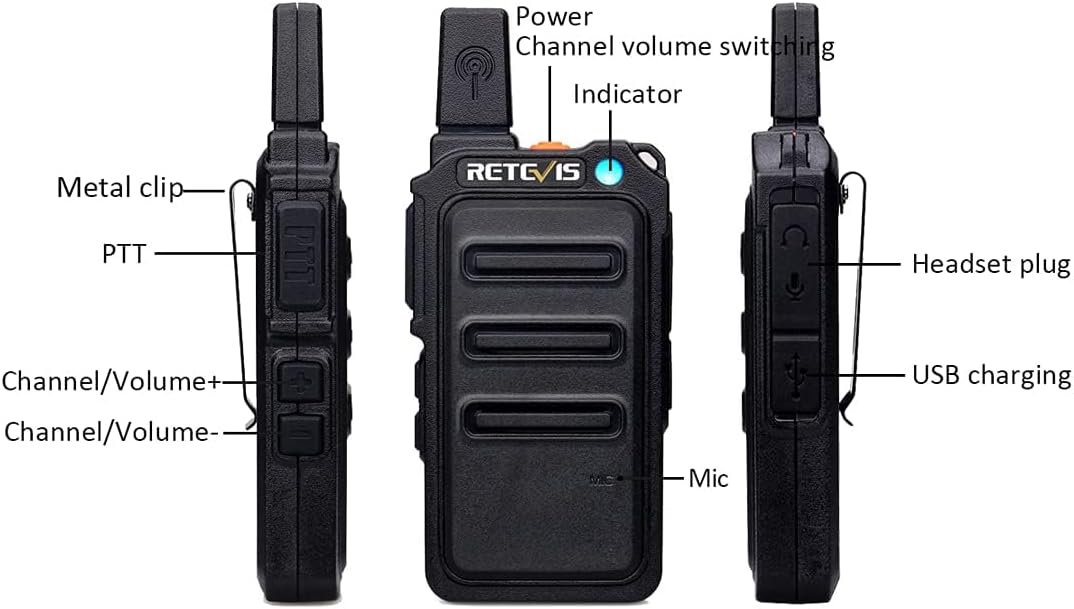
Image: Detailed diagram of the Retevis RT19 showing key components such as Power/Channel/Volume switching knob, Indicator light, Metal clip, PTT button, Channel/Volume +/- buttons, Mic, Headset plug, and USB charging port.
3. Package Contents
Please check the package contents carefully upon opening. If any items are missing or damaged, please contact customer support.
- Retevis RT19 Two Way Radio (4 units)
- Battery (4 units)
- Belt Clip (4 units)
- Strap (4 units)
- Micro-USB Cable (2 units)
- Charger Adapter (2 units)
- Earpiece (4 units)
- User Manual (2 units)
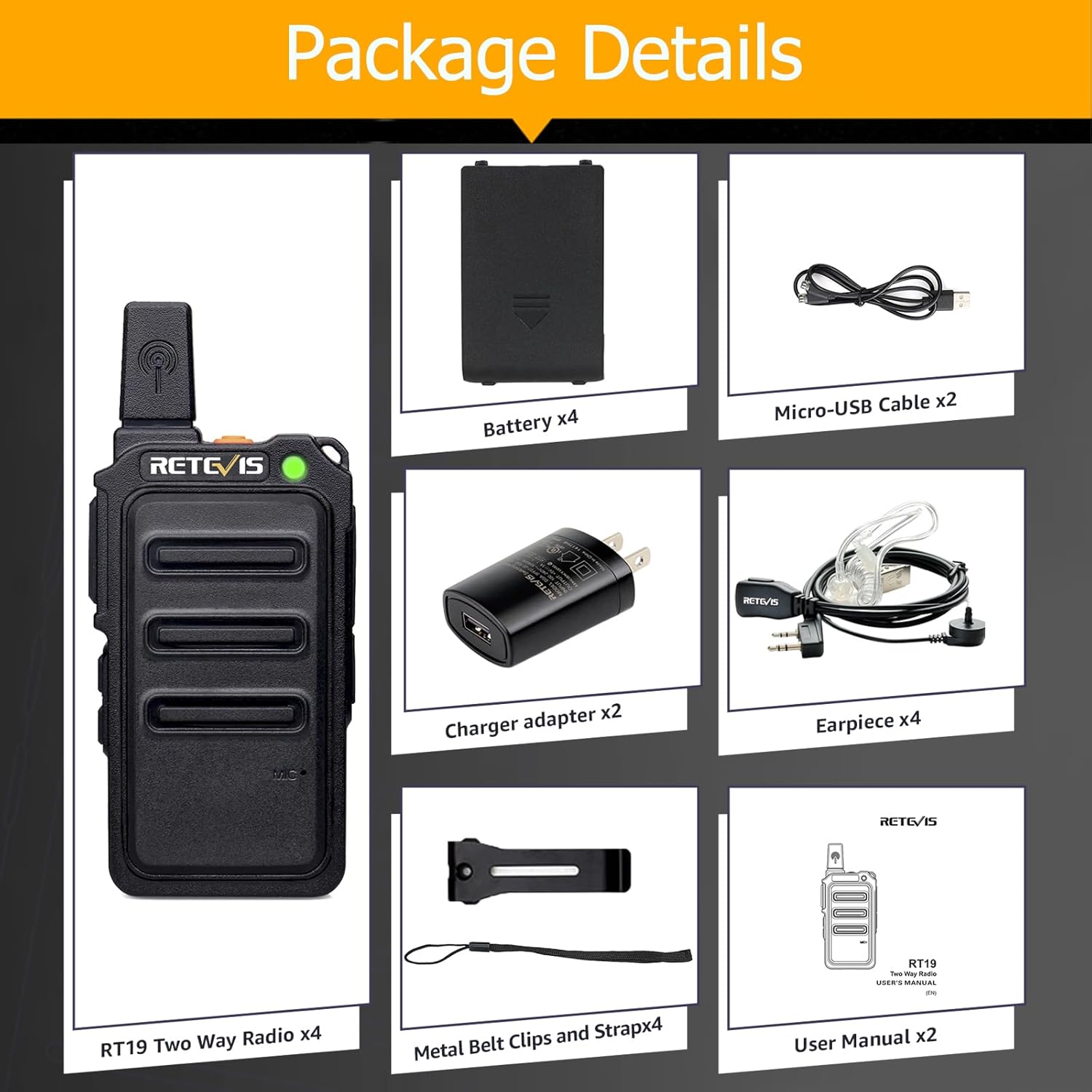
Image: All items included in the Retevis RT19 package, including radios, batteries, charging cables, adapters, earpieces, belt clips, straps, and user manuals.
4. Setup
4.1 Charging the Battery
- Ensure the radio is turned off before charging.
- Connect the Micro-USB cable to the charging port on the side of the radio.
- Plug the charger adapter into a standard wall outlet.
- The indicator light will show charging status (e.g., red for charging, green for fully charged).
- A full charge typically takes several hours. The 1300mAh battery provides over 14 hours of frequent use.

Image: Two Retevis RT19 walkie talkies connected to a 2-in-1 USB charging cable, demonstrating simultaneous charging capability.
4.2 Attaching the Belt Clip and Strap
- Align the belt clip with the designated slots on the back of the radio and slide it into place until it clicks securely.
- Attach the strap to the loop on the top or side of the radio for added security and portability.

Image: A close-up of the Retevis RT19 radio highlighting its sturdy metal back clip.
4.3 Connecting the Earpiece
- Insert the earpiece's K-plug into the headset jack on the side of the radio. Ensure it is fully inserted for proper connection.
- Route the acoustic tube earpiece over your ear and clip the microphone to your collar for clear communication.

Image: A person wearing the Retevis RT19 walkie talkie with the included acoustic tube earpiece, demonstrating its use for private communication.
5. Operating Instructions
5.1 Power On/Off and Volume Control
- To power on the radio, rotate the Power/Channel/Volume knob clockwise. You will hear a voice prompt indicating the current channel.
- Continue rotating the knob clockwise to increase volume, and counter-clockwise to decrease volume.
- To power off, rotate the knob counter-clockwise until it clicks.
5.2 Channel Selection
- The RT19 has 22 channels. To change channels, use the Channel/Volume +/- buttons on the side of the radio.
- Ensure all radios intended for communication are set to the same channel.
5.3 Transmitting and Receiving
- To transmit, press and hold the Push-To-Talk (PTT) button on the side of the radio. Speak clearly into the microphone.
- Release the PTT button to receive.
- The indicator light will typically glow red when transmitting and green when receiving a signal.
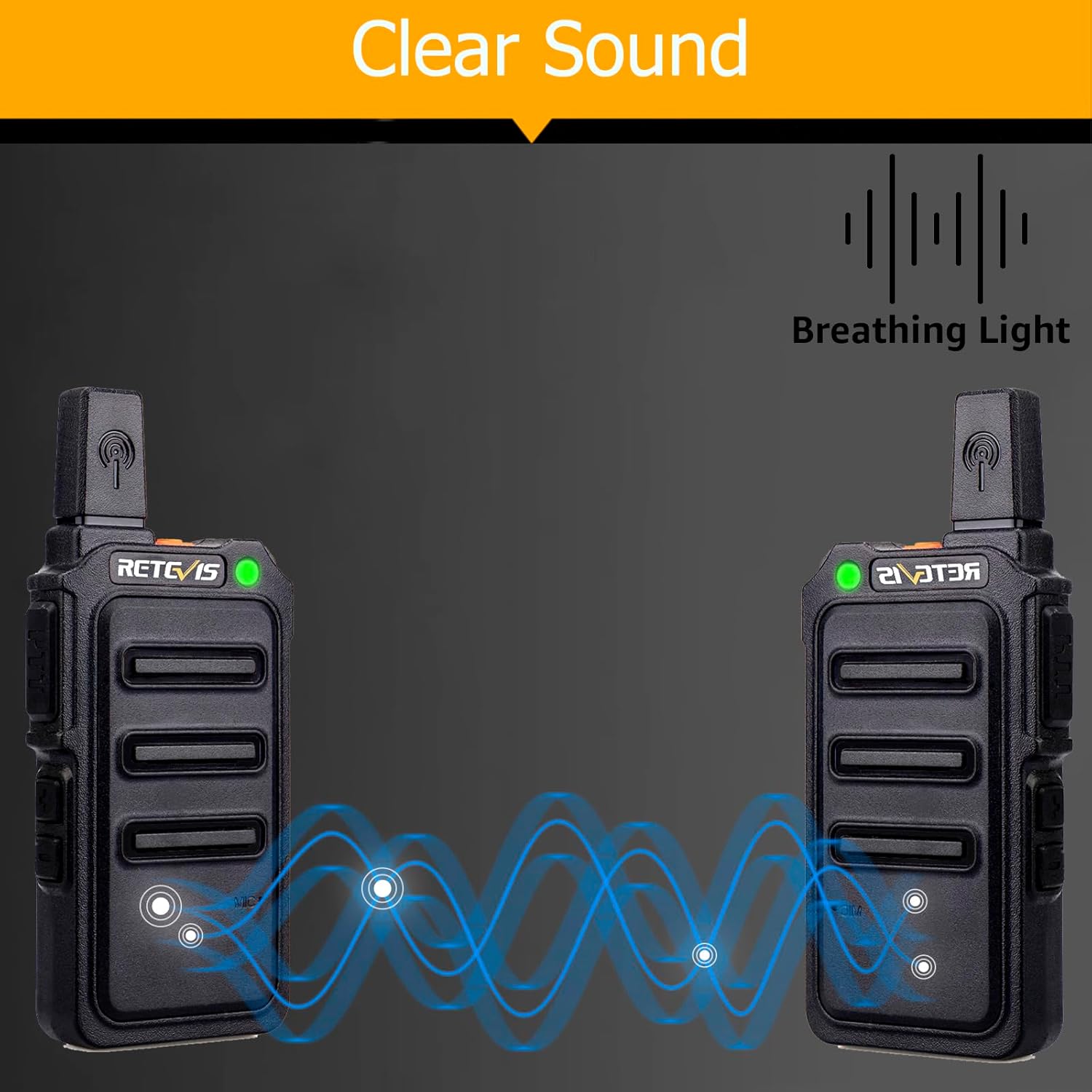
Image: Two Retevis RT19 radios demonstrating clear sound communication with visual representation of sound waves.
5.4 VOX Function (Hands-free Operation)
- The VOX function allows you to transmit by speaking into the microphone without pressing the PTT button. This is useful when your hands are occupied.
- Refer to the detailed user manual (included in the package) for instructions on how to activate and adjust VOX sensitivity.

Image: A person cycling with a Retevis RT19 radio clipped to their backpack, illustrating the convenience of the VOX hands-free function.
6. Maintenance
- Cleaning: Use a soft, damp cloth to clean the radio's surface. Do not use harsh chemicals or abrasive cleaners.
- Battery Care: To prolong battery life, avoid overcharging and fully discharging the battery. Store the radio in a cool, dry place when not in use for extended periods.
- Storage: If storing the radio for a long time, remove the battery.
- Water Resistance: The Retevis RT19 is Not Water Resistant. Avoid exposing the radio to water or high humidity.
7. Troubleshooting
| Problem | Possible Cause | Solution |
|---|---|---|
| No power | Battery low or not installed correctly. | Charge the battery. Ensure battery is securely installed. |
| Cannot transmit or receive | Different channels; out of range; battery low. | Ensure all radios are on the same channel. Move closer to other radios. Charge battery. |
| Poor sound quality / Static | Weak signal; interference; squelch setting. | Move to an open area. Adjust squelch level (if programmable). Ensure earpiece is fully inserted. |
| VOX not working | VOX disabled or sensitivity too low. | Activate VOX function. Increase VOX sensitivity. |
8. Specifications
| Feature | Detail |
|---|---|
| Brand | Retevis |
| Model Number | FA9160AX2-C9034AX2-C9003AX4 (RT19) |
| FCC ID | 2ASNSRT19 |
| Item Weight | 2.4 ounces (approx. 68g) |
| Product Dimensions | 1.96 x 0.7 x 4.8 inches (approx. 5 x 1.8 x 12.2 cm) |
| Batteries | 4 Lithium Ion batteries required (included) |
| Battery Capacity | 1300mAh |
| Number of Channels | 22 |
| Frequency Range | FRS (Family Radio Service) |
| Talking Range Maximum | 1300 meters (approx. 0.8 miles) - Note: Actual range varies based on terrain and conditions. |
| Water Resistance Level | Not Water Resistant |
9. Safety Information
The Retevis RT19 walkie talkie is an FRS (Family Radio Service) device. Its FCC ID is 2ASNSRT19, and it meets FCC rule part 95. Please adhere to all local and national regulations regarding two-way radio usage. Do not attempt to modify the device, as this may void the warranty and violate regulations.
10. Warranty and Support
Retevis provides a 2-year warranty for the radio body and a 1-year warranty for accessories. If you encounter any issues within the warranty period, you are eligible for return or replacement. Beyond the warranty period, maintenance services are still offered, with buyers responsible for associated costs.
For any inquiries or support, please contact Retevis customer service. They aim to reply within 12 hours.
Visit the official Retevis store for more products and information: Retevis Amazon Store
Related documentsRT19


Ask a question about this manual
Ask about setup, troubleshooting, compatibility, parts, safety, or missing instructions. Manuals+ will review the question and use this page’s manual context to help answer it.