
GODOX V1-F
Contents
Godox V1-F Flash Speedlite for Fujifilm User Manual
Brand: GODOX | Model: V1-F
1. Introduction
The Godox V1-F Flash Speedlite is a high-performance, round-head flash designed for Fujifilm cameras, offering advanced lighting capabilities for professional and enthusiast photographers. It integrates a powerful 2.4G wireless X system, comprehensive TTL functions, and an efficient lithium-ion battery for reliable and consistent performance.

Figure 1: Godox V1-F Flash Speedlite with battery, charger, USB cable, mini stand, and protective pouch.
2. Setup
2.1. Battery Installation
- Locate the battery compartment on the side of the flash unit.
- Press the battery release button and slide open the compartment cover.
- Insert the provided lithium-ion battery into the compartment, ensuring correct polarity.
- Close the battery compartment cover until it clicks securely into place.
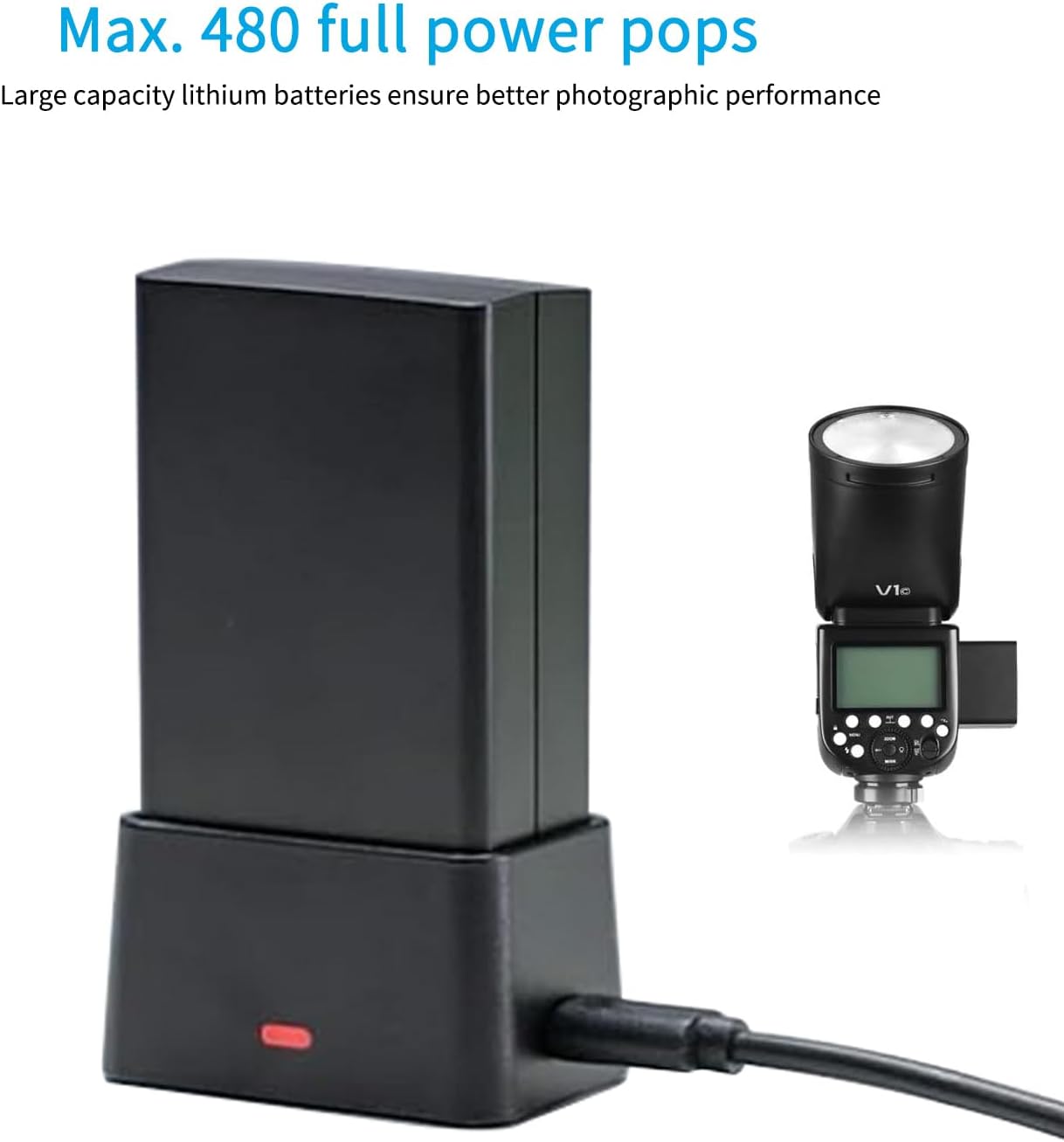
Figure 2: The V1-F battery being charged in its dedicated charger.
2.2. Mounting to Camera
- Ensure your Fujifilm camera is powered off.
- Slide the V1-F flash's mounting foot into the camera's hot shoe.
- Rotate the quick-release lock on the flash unit clockwise until it is securely fastened.
- To remove, rotate the quick-release lock counter-clockwise and slide the flash out.
3. Operating Instructions
3.1. Power On/Off
Push the power switch to turn the flash unit on or off. The LCD screen will illuminate upon activation.
3.2. Flash Modes (TTL, Manual, Multi)
Press the MODE button to cycle through the available flash modes: TTL autoflash, Manual flash (M), and Multi flash.
- TTL Autoflash: The flash output is automatically adjusted for correct exposure.
- Manual Flash (M): Allows manual control over flash output power. Adjust using the select dial.
- Multi Flash: Fires a series of rapid flashes to capture multiple images of a moving subject in a single photograph.
3.3. Exposure Compensation (FEC)
In TTL mode, press the +/- button and turn the select dial to adjust the flash exposure compensation value. Press the SET button to confirm.
3.4. High-Speed Sync (HSS) and Second Curtain Sync
Press the SYNC button to activate High-Speed Sync (HSS) or Second Curtain Sync mode. HSS allows flash synchronization at shutter speeds faster than the camera's native sync speed.
3.5. Modeling Light
The V1-F features a built-in LED modeling light. Press the MODEL button to turn it on/off. Turn the select dial to adjust its brightness (10 levels available).

Figure 3: Demonstrating the 10-level adjustable LED modeling light.
3.6. Wireless Control (2.4G X System)
The V1-F has a built-in 2.4G wireless X system for remote control. It can function as both a transmitter and a receiver unit.
- Transmitter Mode: Set the flash to Transmitter (TX) mode via the wireless settings. You can control other Godox flashes remotely.
- Receiver Mode: Set the flash to Receiver (RX) mode to be triggered by a Godox X-system transmitter (e.g., XPro, X2, X3).
- Ensure both the transmitter and receiver units are set to the same channel and ID for proper communication.

Figure 4: The V1-F integrating with other Godox 2.4G Wireless X System devices.
3.7. Zoom Function
Press the ZOOM button and turn the select dial to adjust the focal distance of the flash head, matching your lens's focal length for optimal light coverage.
3.8. Round Flash Head for Soft Light
The V1-F's round flash head is designed to produce a softer, more even light distribution from the center to the edge, creating natural and flattering light effects.

Figure 5: Visual comparison of light quality from a round flash head (left) and a rectangular flash head (right).
3.9. Operation Tutorial Video
Video 1: A detailed tutorial on the operation of Godox V860III flash, which shares similar operational principles with the V1-F, covering modeling light, mode selection, exposure compensation, zoom, sync modes, and wireless setup.
Video 2: An overview video showcasing the features and usage of the Godox V1 flash.
4. Maintenance
4.1. Battery Care and Charging
The V1-F uses a rechargeable lithium-ion battery. For optimal performance and longevity:
- Charge the battery fully before first use.
- Use only the provided charger and USB cable.
- Avoid exposing the battery to extreme temperatures.
- If storing the flash for extended periods, charge the battery to approximately 50% and remove it from the unit.
A full charge provides approximately 450 full-power flashes with a recycle time as quick as 1.5 seconds.
4.2. Cleaning
To clean the flash unit, use a soft, dry cloth. For stubborn dirt, a slightly damp cloth can be used, followed by immediate drying. Avoid using harsh chemicals or abrasive materials.
5. Troubleshooting
- Flash not firing:
- Ensure the battery is charged and correctly inserted.
- Check if the flash is securely mounted on the camera's hot shoe.
- Verify the flash mode is correctly set (TTL, M, Multi).
- In wireless mode, confirm channel and ID settings match between transmitter and receiver.
- Check camera settings for flash activation.
- Inconsistent flash output:
- Check battery level; low battery can affect consistency.
- Ensure flash head zoom matches lens focal length.
- Verify FEC settings on both flash and camera.
- Flash not recycling quickly:
- Battery may be low; recharge or replace.
- High power settings require longer recycle times.
- Continuous high-power firing can lead to overheating and slower recycling; allow the unit to cool down.
6. Specifications
| Product Dimensions | 12.1 x 6.9 x 10.3 inches |
| Item Weight | 2.21 pounds |
| Item Model Number | V1-F |
| Batteries | 1 Lithium Ion battery required (included) |
| Battery Life | 450 Hours (approx. 450 full-power flashes) |
| Flash Sync Speed | 1/8000s (HSS) |
| Compatible Mountings | Fujifilm |
7. Warranty and Support
For warranty information, technical support, or service inquiries, please refer to the official GODOX website or contact your authorized GODOX dealer. Keep your purchase receipt as proof of purchase for warranty claims.
The product includes a battery. For additional accessories or replacement parts, please visit the GODOX Store.
Ask a question about this manual
Ask about setup, troubleshooting, compatibility, parts, safety, or missing instructions. Manuals+ will review the question and use this page’s manual context to help answer it.