Introduction
This manual provides essential information for the safe and efficient operation of your LG 32LM620BPUA 32-inch HDR Smart LED HD TV. Please read it thoroughly before using the product and retain it for future reference. This television combines a 32-inch HD display with Smart TV capabilities, powered by WebOS, offering access to various streaming services and enhanced picture quality with Active HDR.
Safety Information
Always follow these basic safety precautions to reduce the risk of fire, electric shock, or injury:
- Do not expose the TV to rain or moisture.
- Ensure proper ventilation; do not block ventilation openings.
- Place the TV on a stable, level surface to prevent it from falling.
- Use only the power cord supplied with the TV.
- Unplug the TV during lightning storms or when unused for long periods.
- Do not open the TV cabinet; refer all servicing to qualified personnel.
Package Contents
Verify that all items are present in the box:
- LG 32LM620BPUA 32-inch HDR Smart LED HD TV
- Remote Control
- Power Cord
- TV Stand (with screws)
- User Manual (this document)
Setup
1. Unpacking
Carefully remove the TV and all accessories from the packaging. It is recommended to keep the original packaging for future transport or servicing.
2. Attaching the Stand
If you are not wall-mounting the TV, attach the included stand:
- Place the TV screen-down on a soft, flat surface to prevent scratches.
- Align the stand base with the mounting holes on the bottom of the TV.
- Secure the stand using the provided screws. Ensure the stand is firmly attached.
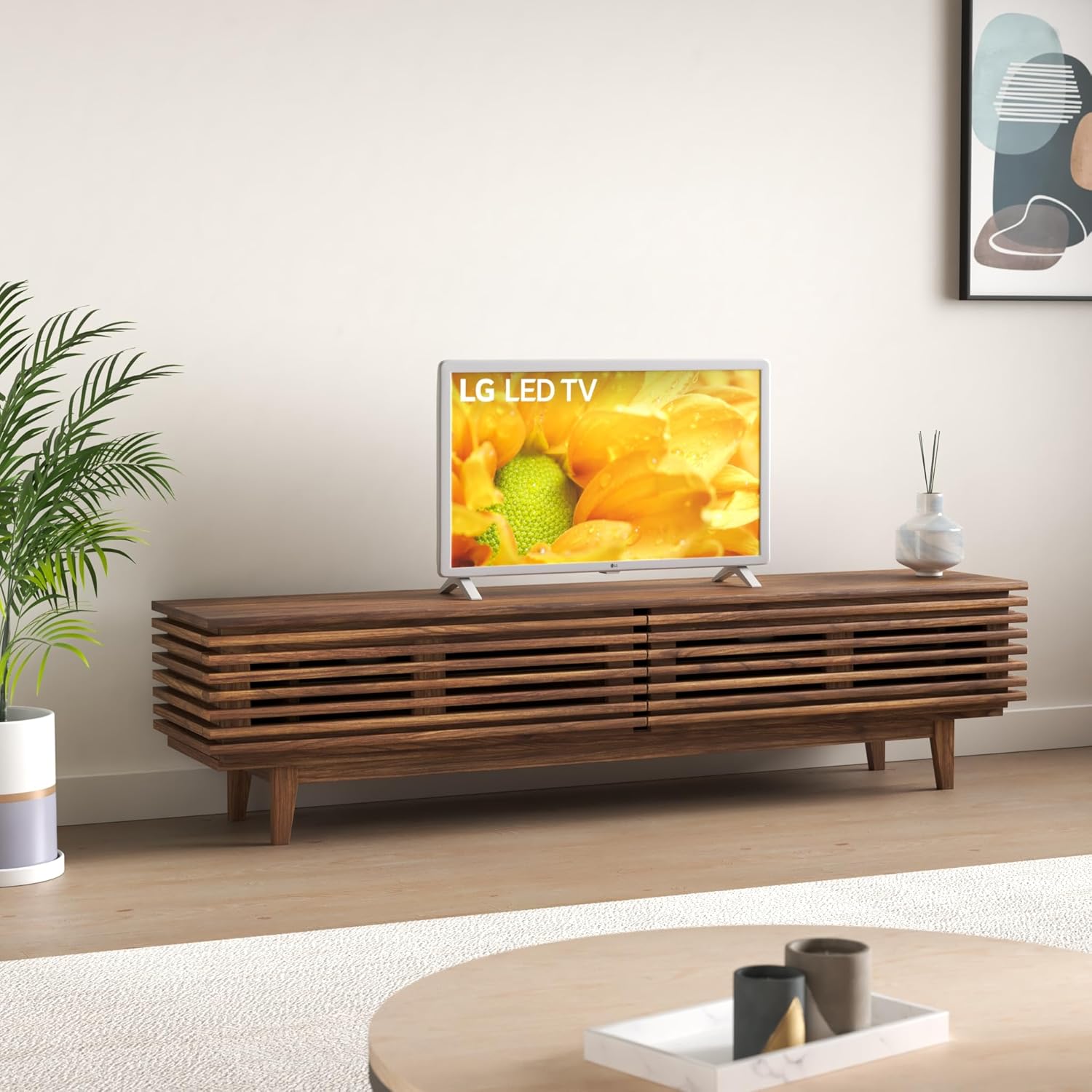
Image: The LG 32LM620BPUA TV, featuring a white bezel, displayed on a wooden media console in a living room setting. This illustrates the TV's appearance when placed on its stand.
3. Wall Mounting (Optional)
If you choose to wall-mount your TV, use a VESA-compatible wall mount kit (sold separately). Refer to the wall mount kit's instructions for proper installation. Ensure the wall can support the weight of the TV.
4. Connecting Peripherals
Connect your external devices to the TV's ports:
- HDMI: For Blu-ray players, game consoles, cable/satellite boxes.
- USB: For USB drives to view photos, videos, or listen to music.
- Antenna/Cable: Connect an antenna or cable TV feed for broadcast channels.
5. Initial Power On and First-Time Setup
Plug the power cord into an electrical outlet. Press the power button on the remote control or the TV. Follow the on-screen instructions to complete the initial setup, including language selection, network connection, and channel scanning.
Operating
1. Remote Control Functions
The included remote control allows you to navigate the TV's features. Common buttons include Power, Volume Up/Down, Channel Up/Down, Input Selection, Home (for Smart TV menu), and Navigation (arrow keys, OK).
2. Navigating WebOS Smart TV
Your LG TV runs on the WebOS operating system. Press the Home button on your remote to access the Launcher Bar, which displays your installed apps, inputs, and settings. Use the arrow keys to navigate and the OK button to select.

Image: A close-up view of the LG 32LM620BPUA TV screen, showcasing its vibrant display with rich colors. This highlights the visual quality of the television.
3. Connecting to Wi-Fi
To access Smart TV features, connect your TV to a wireless network:
- Press the Home button on the remote.
- Navigate to the Settings icon (gear icon).
- Select 'Network' > 'Wi-Fi Connection'.
- Choose your Wi-Fi network from the list and enter the password.
4. Using Smart Features and Voice Control
Once connected to the internet, you can access pre-installed apps like Netflix and Amazon Prime Video. The TV also supports voice control; press the microphone button on your remote (if available) and speak commands.
5. Picture and Sound Settings
Adjust picture and sound to your preference:
- Picture Modes: Select from modes like Standard, Vivid, Cinema, Game, or adjust individual settings (brightness, contrast, color).
- Sound Modes: Choose from Standard, Cinema, Music, Sports, or customize equalizer settings.
Maintenance
1. Cleaning the Screen and Exterior
To clean the screen, gently wipe it with a soft, dry, lint-free cloth. For stubborn marks, slightly dampen the cloth with water or a specialized screen cleaner. Avoid harsh chemicals. For the exterior, use a soft, dry cloth.
2. Software Updates
Your TV may receive software updates to improve performance and add features. Ensure your TV is connected to the internet. You can check for updates manually via Settings > General > About This TV > Check for Updates.
3. Storage
If storing the TV for an extended period, unplug it, remove the stand (if applicable), and pack it in its original packaging in a dry, dust-free environment.
Troubleshooting
Refer to the following for common issues:
- No Power: Check if the power cord is securely plugged into the TV and the wall outlet. Try a different outlet.
- No Picture/Sound: Ensure the correct input source is selected. Check all cable connections (HDMI, antenna).
- Remote Control Not Working: Replace the batteries. Ensure there are no obstructions between the remote and the TV's sensor.
- Wi-Fi Connection Issues: Restart your router and the TV. Re-enter the Wi-Fi password in the TV's network settings.
- Smart TV Apps Not Loading: Check your internet connection. Try restarting the TV.
Factory Reset
If problems persist, a factory reset may resolve them. This will erase all personalized settings and data. Navigate to Settings > General > Reset to Initial Settings.
Specifications
| Feature | Specification |
|---|---|
| Model Number | 32LM620BPUA |
| Screen Size | 32 Inches |
| Display Technology | LCD |
| Resolution | 720p |
| Refresh Rate | 60 Hz |
| Operating System | WebOS |
| HDR Format Supported | HDR10, HLG |
| Connectivity Technology | Wi-Fi |
| Audio Input | HDMI, USB |
| Total USB Ports | 2 (USB 2.0) |
| Viewing Angle | 170 Degrees |
| Item Weight | 11.2 Pounds |
| Model Year | 2019 |
Warranty Information
Your LG 32LM620BPUA TV comes with a limited manufacturer's warranty. Please refer to the warranty card included in your product packaging or visit the official LG website for detailed terms and conditions, including coverage period and service procedures. Keep your proof of purchase for warranty claims.
Support
For technical assistance, product registration, or further inquiries, please contact LG Customer Support:
- Website: Visit www.lg.com/us/support for FAQs, downloads, and service requests.
- Phone: Refer to the LG support website for the most current contact numbers for your region.