
Veridian Healthcare 09-342
Veridian Talking Ear & Forehead Thermometer
Model: 09-342
Introduction
The Veridian Talking Ear & Forehead Thermometer is a versatile and accurate device designed for convenient temperature measurement for the entire family. It offers two primary measurement options: ear and forehead, providing flexibility and ease of use. This manual provides detailed instructions for setup, operation, maintenance, and troubleshooting to ensure optimal performance and accurate readings.

This image illustrates the commitment to family care and home diagnostics, highlighting the thermometer's role in health management.
Key Features
- Whole Family Care: Offers ear and forehead swipe options, suitable for infants, toddlers, kids, adults, and seniors.
- Instant, Informative Results: Provides 1-second measurement time with a three-color backlight for easy fever indication.
- Audible Readout Announcements: Results announced in English or Spanish, with an option to turn off for silent night mode.
- Body and Object Measurements: Capable of measuring both body temperature and the temperature of objects or liquids.
- Complete Temperature Monitoring: Features clinical accuracy, Fahrenheit/Celsius switchable measurements, memory recall up to 30 readings, backlit display, fever alert notification, and automatic shut-off.

This image highlights the thermometer's reliable accuracy and its ability to store up to 30 readings for tracking.
Setup
- Battery Installation: The thermometer requires two AAA batteries (included). Locate the battery compartment, typically on the back or bottom of the device. Use a small Phillips head screwdriver to open the compartment if necessary. Insert the batteries, ensuring correct polarity (+/-), then close the compartment securely.
- Power On: Press the 'POWER' button to turn on the thermometer. The display will light up, and a self-test will be performed.
- Language and Unit Selection: Upon first use or after battery replacement, you may need to set the language (English or Spanish) and temperature unit (Fahrenheit or Celsius). Refer to the detailed instructions in the included user manual for specific button combinations to access these settings.

This image provides a visual reference for the Veridian thermometer and its packaging.
Operating Instructions
Forehead Measurement
- Ensure the protective cap is on the probe.
- Press the 'HEAD' button to activate forehead mode.
- Gently place the probe on the center of the forehead, just above the eyebrow.
- Press and hold the 'HEAD' button, then slowly slide the thermometer across the forehead towards the temple until you hear a beep.
- Release the button and read the temperature on the display. The backlight color (green, orange, or red) will indicate the temperature range.
Ear Measurement
- Remove the protective cap from the probe.
- Gently insert the probe into the ear canal. For accurate readings, ensure the probe is aimed towards the eardrum.
- Press the 'EAR POWER' button. The measurement will be taken instantly.
- Remove the thermometer and read the temperature on the display.
Object Measurement
- Ensure the protective cap is on the probe.
- Point the thermometer at the object or liquid you wish to measure, maintaining a small distance (e.g., 1-2 cm).
- Press the 'HEAD' button. The temperature will be displayed. This mode is useful for checking bathwater or bottle temperatures.

This image emphasizes the instant read capability and dual temperature unit display of the thermometer.

This image visually represents the three versatile measurement modes: ear, forehead, and object.

This image highlights the audible readout feature, available in English and Spanish with adjustable volume levels.
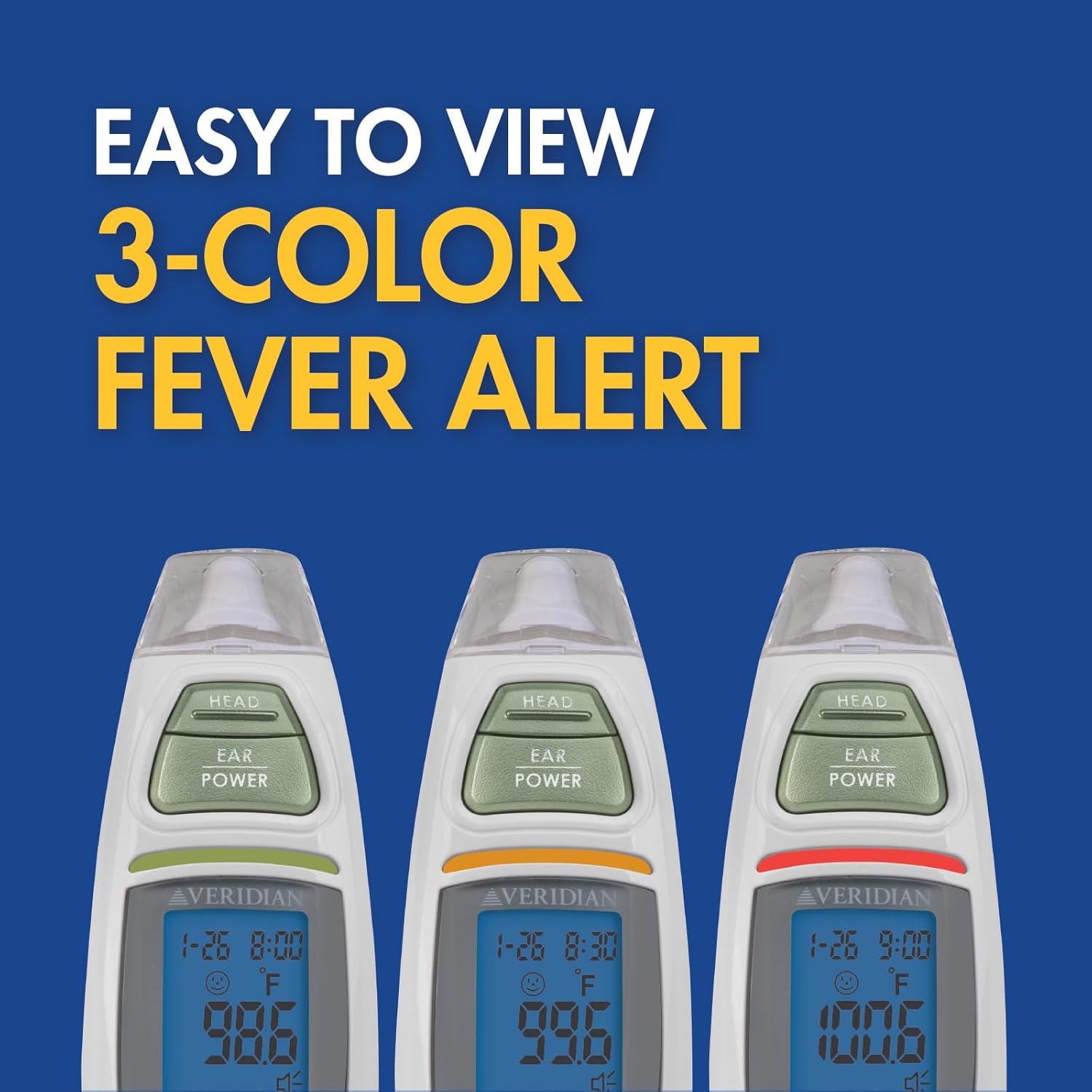
This image demonstrates the easy-to-interpret 3-color fever alert system.

This image illustrates the backlit LCD display and the silent reading mode for nighttime use.
Maintenance
- Cleaning: After each use, especially for ear measurements, clean the probe with an alcohol swab or a soft cloth dampened with alcohol. Ensure the probe is completely dry before storing. Do not immerse the thermometer in water or any other liquid.
- Storage: Store the thermometer in a cool, dry place, away from direct sunlight and extreme temperatures. Keep it out of reach of children.
- Battery Replacement: When the low battery indicator appears on the display, replace both AAA batteries promptly to ensure accurate readings.
Troubleshooting
| Problem | Possible Cause | Solution |
|---|---|---|
| Thermometer does not power on. | Batteries are dead or incorrectly installed. | Replace batteries with new AAA batteries, ensuring correct polarity. |
| Inaccurate or inconsistent readings. | Improper measurement technique, dirty probe, or environmental factors. | Ensure correct placement and technique for forehead or ear measurement. Clean the probe thoroughly. Avoid measuring in drafts or extreme temperatures. Allow the thermometer to acclimate to room temperature for 30 minutes if moved from a different environment. |
| "LO" or "HI" displayed. | Temperature is outside the measurable range. | Ensure the thermometer is used within its specified operating temperature range (typically room temperature for body measurements). |
Specifications
| Attribute | Value |
|---|---|
| Product Dimensions | 3.62 x 1.81 x 7.48 inches; 5.93 ounces |
| Item Model Number | 09-342 |
| Batteries | 2 AAA batteries required (included) |
| Manufacturer | Veridian |
| Country of Origin | USA |
| Brand | Veridian Healthcare |
| Special Feature | High Accuracy |
| Color | White/Green |
| Display Type | Digital |
| Product Care Instructions | Wipe Clean |
| Power Source | Battery Powered |
Warranty and Support
The Veridian Talking Ear & Forehead Thermometer comes with a 3-year limited warranty. For warranty claims, technical support, or any product-related inquiries, please contact Veridian Healthcare customer service. Refer to the product packaging or the official Veridian Healthcare website for the most current contact information.
Related documents09-342


Ask a question about this manual
Ask about setup, troubleshooting, compatibility, parts, safety, or missing instructions. Manuals+ will review the question and use this page’s manual context to help answer it.